
截图
介绍
Ube
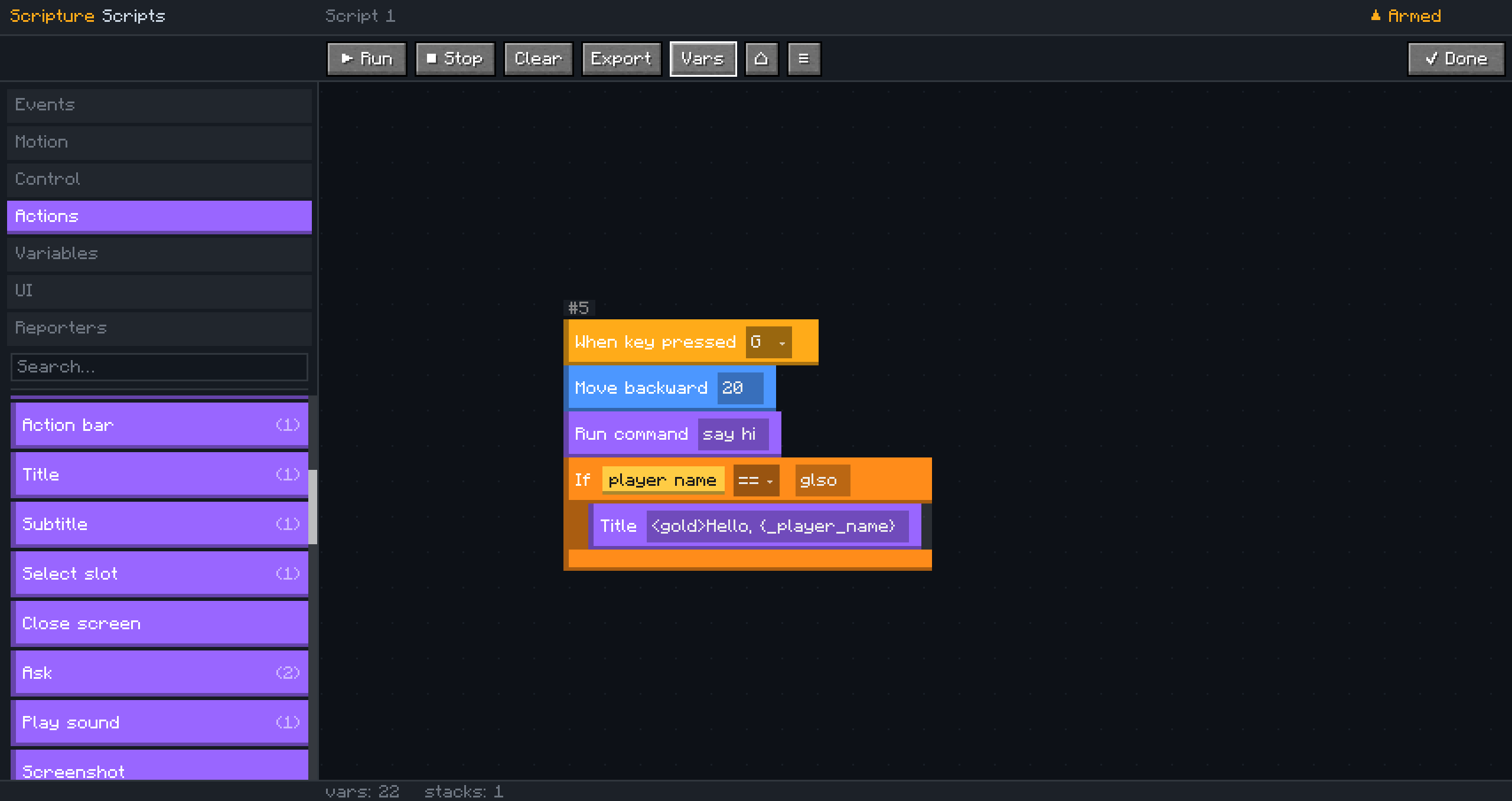
Remember Scratch? Ube brings that same visual scripting style to Minecraft.
Build scripts by dragging and connecting blocks instead of writing code. Automate actions, react to game events, create custom HUD elements, and build entire features, all without closing your game.
Features
- Visual drag-and-drop scripting editor
- Multiple scripts with separate workspaces
- Event-based execution
- Custom HUD elements (text, shapes, timers, boss bars, buttons, and more)
- Reusable functions with arguments and return values
- Built-in error handling with try/catch/throw
- Undo and redo support
Getting Started
- Open the pause menu, and look in the top right corner for the “Scripts” button.
- Click + New to create a script.
- Drag blocks from the palette onto the canvas.
- Connect them into a stack. Every stack starts with an event block.
- Press Run, or trigger the script naturally in-game.
Editor Shortcuts
| Shortcut | Action |
| ——————— | ——————— |
| Ctrl+Z | Undo |
| Ctrl+Y / Ctrl+Shift+Z | Redo |
| Ctrl+C / Ctrl+V | Copy / Paste |
| Mouse wheel | Zoom |
| Middle or right drag | Pan the canvas |
| Right-click a stack | Open the context menu |
The context menu also includes Duplicate, Duplicate Stack, and Lock Stack.
Compatibility
| | |
| ———- | ————– |
| Minecraft | 26.1.2 |
| Loader | Fabric 0.19.3+ |
| Fabric API | 0.152.1+ |
| Side | Client only |
WARNING
Through the Advanced options in this mod, it CAN make external connections to the internet. By downloading this mod you understand the capabilities of that.
License
See LICENSE.
常见问题
Ube 支持哪些 Minecraft 版本?
Ube 支持 Minecraft Java 版 1.21.7–26.2,共 8 个版本,可用的加载器:Fabric。下载时注意选择和你游戏版本一致的文件。
Ube 怎么安装?
先用 PCL2 或 HMCL 启动器安装对应版本的 Fabric,再把下载的 .jar 文件放进游戏目录的 mods 文件夹,重新启动游戏即可。开启了版本隔离的,mods 文件夹在 versions/版本名 下面。运行环境:仅客户端。

评论
登录后评论和评分