
Scrap Tech Workshop
Build, craft and innovate with a mix of scrapyard engineering, neon-powered machinery and urban workshop tools.
截图

介绍
Scrap Tech Workshop









⚠️ Beta: Use on copies / backups of your worlds. Balancing and internals can still shift during
the ModJam.
Scrap Tech Workshop is a light post‑apocalyptic style tech mod about squeezing value out of
leftovers instead of minting shiny new alloys.
Hunt down scattered scrap, salvage worn parts, build improvised power cells and assemble a capable
multitool before establishing your first recycler-powered corner of industry. ♻️
Play loop: explore → scavenge → assemble → recycle → expand. Fast to start, space to grow.
ModJam Entry 🧪
Created for the “Forge the Future: Minecraft ModJam 2025”.
During the jam: numbers may shift, visuals may iterate, and feedback (balance, crashes, weird edge
cases, QoL) is very welcome.
Introduction & Overview Video (English)
Core Features (current) ✨
- Scrap Piles – size 1–4, different variants (Mixed / Metal / Tech). Right‑click harvest or break; can auto‑merge; can (optionally) decay.
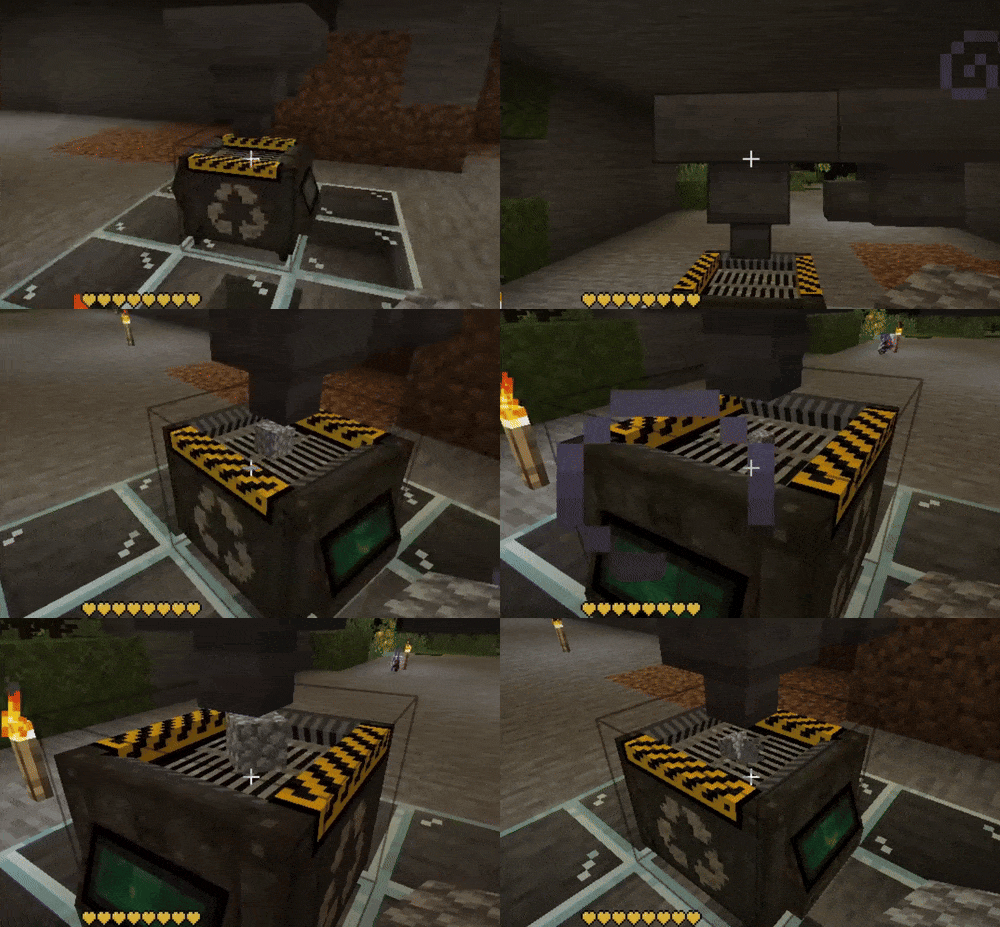
- Recycler – processes items into scrap outputs; comparator (analog) signal; state driven.
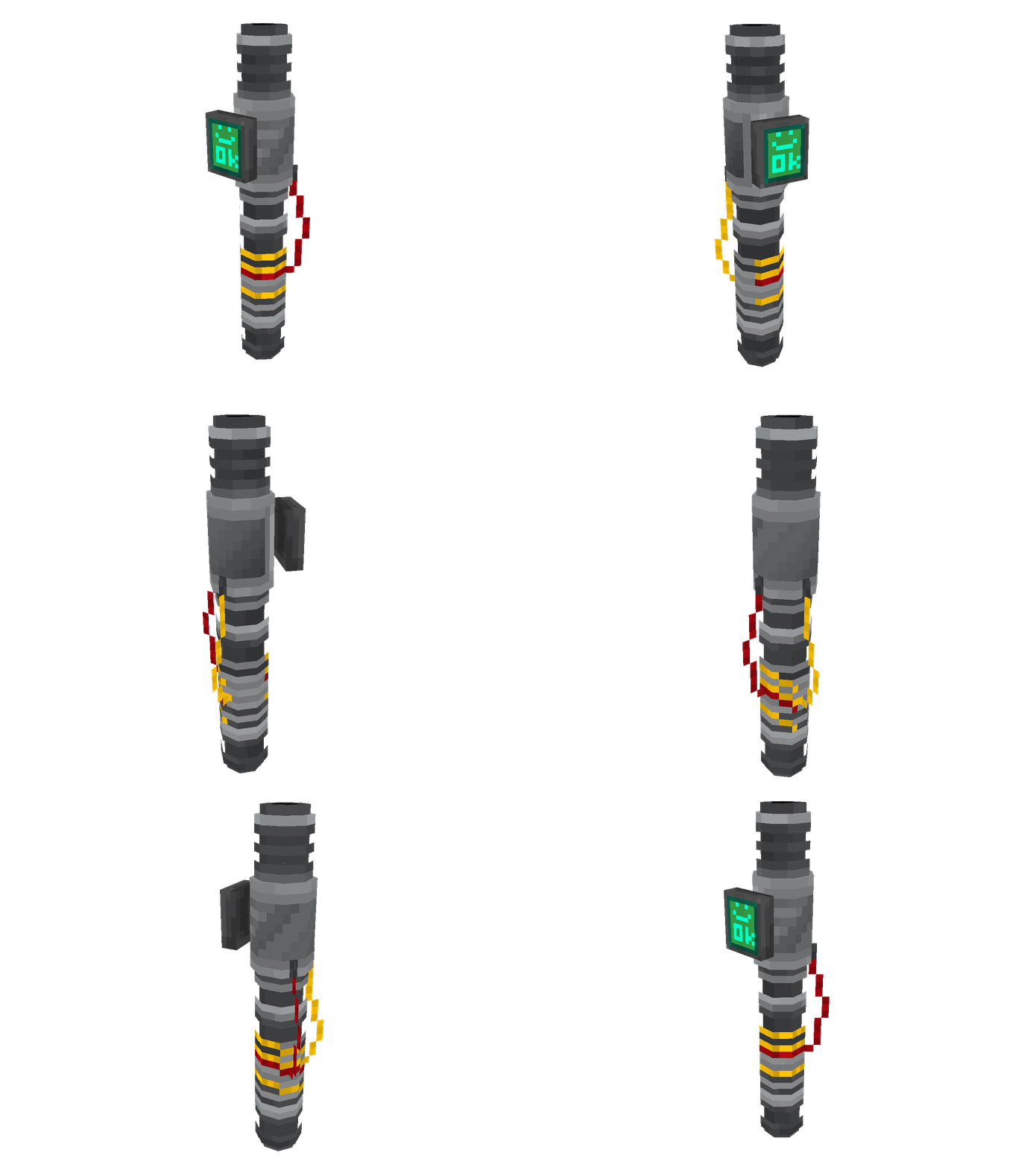
- Scrap Multitool – single energy tool acting as pick / axe / shovel depending on block; battery powered.
- Energy Cells – removable / rechargeable style items; visual state reflects charge.
- Collector Station – automates scrap collection in an area, can interact with robots.
- HoloCube – displays holo-logs and data, foundation for tech/lore features.
- HoloPad – interacts with HoloCube and holo-logs.
- Robots – Mixed Scrap Robot and Collector Station Robot for automated scrap collection and interaction with stations.
- Circuit Board – component for advanced crafting.
- Fishing Rods – Scrap Fishing Rod and Magnet Fishing Rod for alternative loot sources.
- Upgrades – Speed, Creative Speed, Fast Charge, Creative Fast Charge for machines and tools.
- Many scrap types – Metal, Tech, Bio, Ceramic, Crystal, Alloy, Insulation, and more.
- Auto‑Merge & Auto‑Pickup (configurable) for smoother scavenging.
- Fortune / Silk Touch support on scrap piles (config dependent).
- Redstone: comparator output from recycler for automation.
- Multi‑loader: Forge + Fabric builds available (NeoForge planned after jam).
Not listed = not yet implemented (modules, world structures, cross‑mod recipes, etc.).
Quick Start 🛠️
- Receive your HoloCube on first world entry. Use it for in-game guidance and tips.
- Scavenge Scrap:
- Break stone and early world debris (if configured) or raid chests.
- Harvest natural / generated scrap piles (right‑click or mine). Fortune helps.
- Craft a basic Energy Cell (early improvised battery) 🔋
- Craft the Scrap Multitool and insert the battery (Shift + Right‑click to open if needed).
- Gather more junk and craft the Recycler.
- Feed junk into the Recycler → get structured scrap components → unlock better crafting routes.
- Automate with hoppers, comparators, Collector Stations, and robots once stable.
From there you expand by locating richer pile variants, refining scrap loops, and exploring automation options.
Theme & Design 🎯
Low‑tier tech re-emerging from ruins: you rebuild functionality from fragments.
Emphasis is on reclaiming and repurposing—fewer pristine fantasy metals, more battered panels,
coils, housings.
Later (post‑ModJam) goals include optional cross‑mod salvage mapping (turning foreign items into
meaningful scrap lines) without bloating early progression.
Scrap Piles
They appear (or can be placed) in variable sizes (1–4). Interact to siphon loot and shrink them.
Similar piles sitting side by side can fuse if auto-merge is enabled.
Optional decay slowly removes neglected piles, keeping worlds clean.
Variants influence loot flavor & rarity. Balance is still evolving—drop your impressions.
Recycler
Drop in items → get processed scrap or crafted recoverables. Designed to be:
- Redstone-friendly (comparator output)
- Cross-loader safe (menu opening uses adaptive logic)
- Extendable (internal recipe + state structure ready for expansion)
Upcoming ideas: progress overlay, subtle hum / particle feedback, specialty scrap tiers.
Scrap Multitool
One charged core instead of a hotbar full of tools.
Highlights:
- Adaptive mining speed based on block tag (axe / pick / shovel)
- Energy costs: per block, per attack, per active use
- Replaceable battery; depleted cells visually downgrade
- Four reserved module slots (API scaffolded; gameplay modules arrive later)
- Shift + Right-click to configure
- Not enchantable on purpose—upgrades will be modular
Design goal: utility-first without overwhelming new players.
Settings & Tuning
Configurable (present or planned):
- Auto-merge toggle
- Auto-pickup + cooldown
- Decay enable + chance
- Silk Touch + Fortune behavior
- Loot weighting & variant tables
Open an issue if you want a knob that isn’t there yet.
Early Access & Feedback ⭐
This is a living mod during the jam phase:
- Numbers may shift
- Visuals are still being refined
- Cross-mod interactions are unverified
You can help by reporting:
- Crashes (include the log!)
- Unexpected recipe / loot results
- Performance spikes around piles or recycler
- Suggestions for new scrap uses, items, blocks or module effects
Wiki & Docs ℹ️
Light docs are being assembled. More pages (multitool internals, recipe data, balancing notes) will
appear as systems mature.
Support
If you enjoy the mod and want to fuel more late-night iteration, a Ko‑fi tip means a lot.
Never required—always appreciated.
Thanks for giving broken tech a second life. ⚙️
License ⚖️
Code: MIT License
Assets (models, textures, sounds, etc.) are excluded unless explicitly stated.
Rough Roadmap (after ModJam, not active yet)
- Modules for the multitool (AOE / scanner / HUD flair)
- Recycler tiering (speed, efficiency, catalysts)
- World scrap micro-structures / salvage caches
- Cross‑mod salvage tables (opt‑in integration)
- Workshop blocks (charging bay, analyzer station)
- Light lore fragments (data shards, encoded tags)
Thanks for playing & salvaging. ♻️
常见问题
Scrap Tech Workshop 支持哪些 Minecraft 版本?
Scrap Tech Workshop 支持 Minecraft Java 版 1.20.1,可用的加载器:Fabric / Forge / Quilt。下载时注意选择和你游戏版本一致的文件。
Scrap Tech Workshop 怎么安装?
先用 PCL2 或 HMCL 启动器安装对应版本的 Fabric / Forge / Quilt,再把下载的 .jar 文件放进游戏目录的 mods 文件夹,重新启动游戏即可。开启了版本隔离的,mods 文件夹在 versions/版本名 下面。运行环境:客户端和服务端都要装。
Kaworru 的其他作品
查看全部 →
APTweaks: Core (11.x Classic)
核心是所有自适应性能优化模块的必需前置,提供共享API、监控功能、事件和命令。

APTweaks: Items (11.x Classic)
物品堆叠(掉落方块、经验球等)与垃圾清理。

Easy NPC
在你的世界或模组中轻松创建带有对话功能的 NPC。
Easy Mob Farm
这款简易生物农场模组对服务器很友好,可以捕捉各种动物和生物来收集战利品。模组还提供了多种捕捉道具和生物农场,让过程更有趣。
评论
登录后评论和评分