
School Moment
作者:makar986_
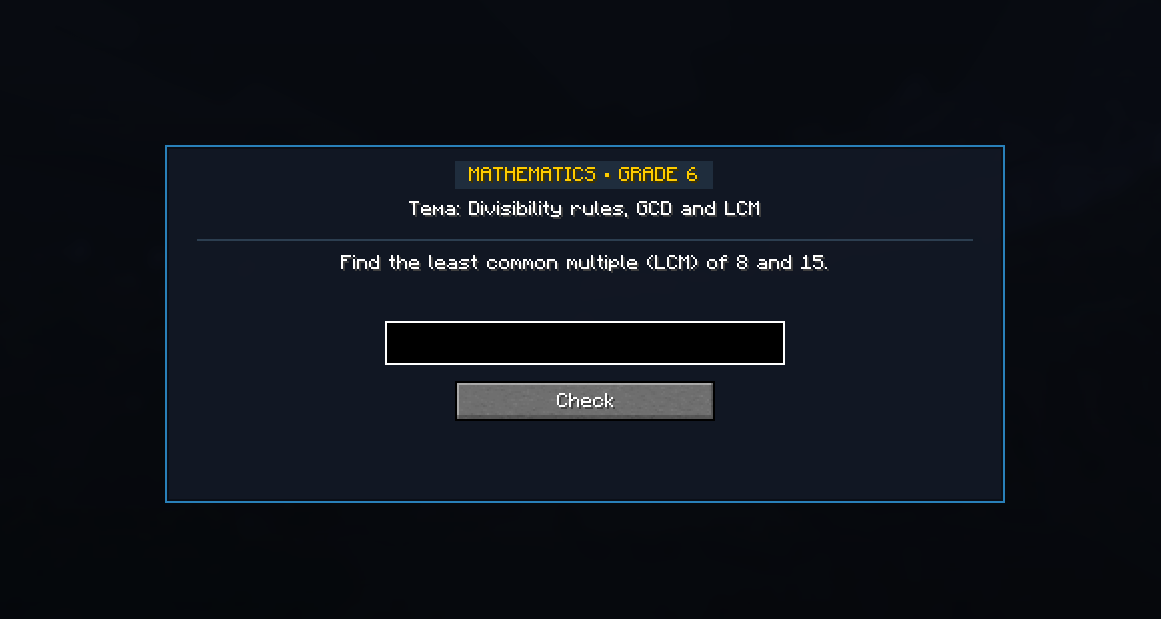
Educational challenge mod that locks your screen with AI-generated math problems you must solve to continue playing!
截图
介绍
中文介绍正在准备中,下面暂时显示原文。
School Moment
School Moment is a Fabric mod for Minecraft that introduces educational challenges into gameplay. At random time intervals, the mod displays a task screen with a math problem. The player cannot close the screen or resume gameplay until the correct answer is entered. Tasks are dynamically generated using the Groq AI API based on real school curriculums for grades 1 through 11. If no API key is specified or if internet access is unavailable, the mod uses an internal offline math generator.
Features
Screen lock mechanic: Players cannot close the window via Escape until the problem is solved. Custom 2D formula renderer: Vertical fractions with fraction bars, exponents, square roots, and math symbols are rendered cleanly on the interface. Automatic background prefetching: Next tasks load in the background so the challenge window opens instantly with zero client lag. Intelligent answer verification: Supports integers, decimals, simple fractions (e.g. 3/4), and algebraic forms. Bilingual support: Automatic support for English and Russian based on Minecraft client language. ModMenu integration: In-game configuration screen to adjust grade ranges, intervals, API keys, and models. Pause menu button: A dedicated button in the Escape menu allows players to trigger a task manually at any time.
Config
{
"apiKey": "gsk_your_api_key_from_groq.com",

"model": "openai/gpt-oss-120b | openai/gpt-oss-20b | groq/compound | groq/compound-mini | qwen/qwen3.6-27b | allam-2-7b",

"enabled": true,

 "minGrade": 6,

"maxGrade": 7,

"subjects": [ "MATH" ],

"minIntervalMinutes": 5,

"maxIntervalMinutes": 10,

"preventClose": true,

"soundEffects": true
}
常见问题
School Moment 支持哪些 Minecraft 版本?
School Moment 支持 Minecraft Java 版 26.2,可用的加载器:Fabric。下载时注意选择和你游戏版本一致的文件。
School Moment 怎么安装?
先用 PCL2 或 HMCL 启动器安装对应版本的 Fabric,再把下载的 .jar 文件放进游戏目录的 mods 文件夹,重新启动游戏即可。开启了版本隔离的,mods 文件夹在 versions/版本名 下面。
评论
登录后评论和评分