介绍
中文介绍正在准备中,下面暂时显示原文。


📖 What’s this mod?
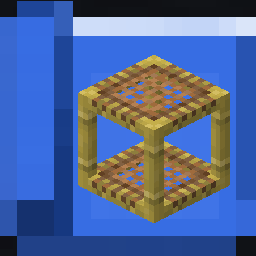
This mod add 1 item: The Scaffolding Blueprint. Used to quickly copy or retract a scaffolding structure and quickly deploy it elsewhere
How to use:
- Right click a scaffolding structure with the empty blueprint will copy it. Shift-right click to retract it.
- Right click with a filled blueprint onto a block will place the preview of the structure there. Shift-right click to confirm and place the structure or place it directly at the aim location if you haven’t set the preview (You will need to have enough scaffolding block in survival mode). Right click in the air to clear the preview.
There are 2 config options available:
- max\_scaffolding\_blocks: Control the maximum number of scaffolding blocks the blueprint can hold (Default: 128).
- consume\_blueprint\_after\_placing: Whether the blueprint will become empty after using or will it hold the design to be placed again (Default: true).
🖼️ Screenshots
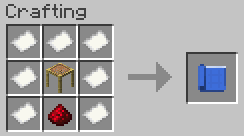
Blueprint crafting recipe
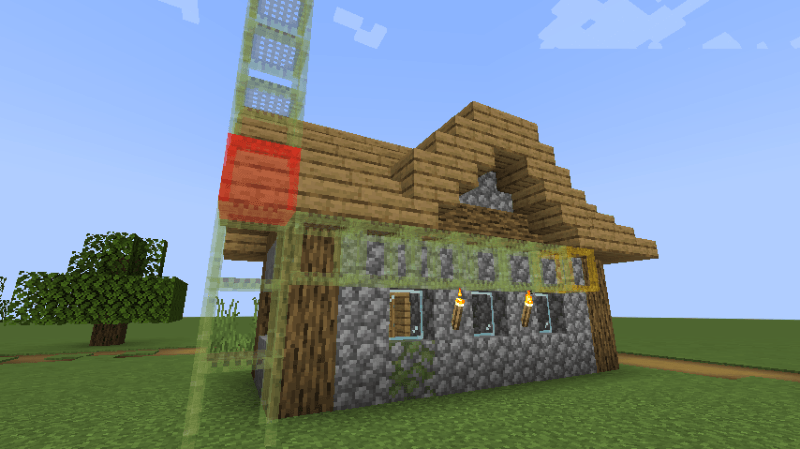
Scaffolding structure preview
Red means there is a block obstructing the structure, yellow means the scaffolding block doesn’t have proper support and might fall after placing.
常见问题
Scaffolding Blueprint 支持哪些 Minecraft 版本?
Scaffolding Blueprint 支持 Minecraft Java 版 1.21.1,可用的加载器:Fabric / NeoForge。下载时注意选择和你游戏版本一致的文件。
Scaffolding Blueprint 怎么安装?
先用 PCL2 或 HMCL 启动器安装对应版本的 Fabric / NeoForge,再把下载的 .jar 文件放进游戏目录的 mods 文件夹,重新启动游戏即可。开启了版本隔离的,mods 文件夹在 versions/版本名 下面。运行环境:客户端和服务端都要装。
Yukami 的其他作品
查看全部 →
Yukami’s Sophisticated Backpack Tab
by Yukami
一个提升游戏体验的模组,将已装备的精妙背包作为标签页添加到物品栏中,方便快速访问。
98.5万
1 个月前
Modrinth · CurseForge

Epic Fight x Iron’s Spells: Enhanced Animation
by Yukami
为 Iron's Spellbook 添加 Epic Fight 风格的自定义法术施放动画
6.3万
4 个月前
Modrinth

Epic Fight Bow tweak
by Yukami
一款简单的模组,让你瞄准时弓不会挡住视线。
1.2万
1 年前
Modrinth
Epic Fight Bow tweak
by Yukami
瞄准时将弓移开,避免遮挡视线。
1.2万
1 年前
Modrinth
评论
登录后评论和评分