介绍
🌾 Safe Harvest – Minecraft Mod 🌾
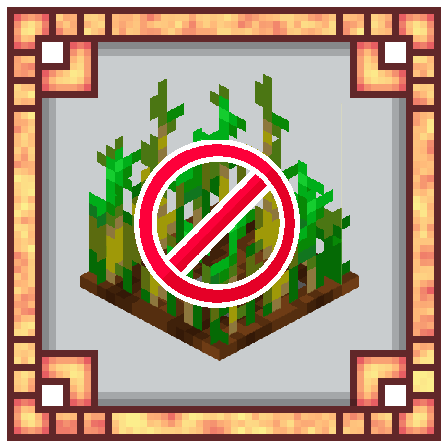
Are you tired of accidentally breaking crops that aren’t fully grown? 🌱 The Safe Harvest mod is your farming assistant! This simple yet essential mod prevents you from breaking immature crops, saving you time ⏳ and resources 💎 while farming. A perfect addition for those looking for a smoother farming experience in Minecraft! 🌍
✨ Key Features
🔒 Safe Harvest Mode: Activate Safe Harvest mode with a hotkey (default: Shift + H). When enabled, you’ll only be able to harvest crops when they’re fully grown.
📢 Toggle Alerts: Receive in-game notifications when Safe Harvest mode is enabled or disabled. (with a hotkey: M)
🌱 Crop Protection: Never worry about accidentally destroying crops that aren’t ready! The mod cancels the action and lets you know if a crop isn’t ready for harvest.
📖 How to Use
Toggle Safe Harvest Mode: Press Shift + H to switch the mode on or off. A message in the chat will confirm if Safe Harvest mode is active or disabled.
Protected Harvesting: When Safe Harvest mode is on, any attempt to break immature crops will be blocked, and you’ll see a message saying the crop isn’t ready.
🌍 Languages Supported
English
Russian
⚙️ Compatibility
Minecraft version: 1.20.1, 1.21.4
Forge support
🤔 Why Safe Harvest?
Safe Harvest is a small but powerful mod that makes Minecraft farming easier and more efficient. 🧑🌾 Whether you’re a farming pro or just starting, Safe Harvest helps you avoid costly mistakes, ensuring a better farming experience!
🛠️ Installation
- Install Minecraft Forge.
- Download the Safe Harvest mod and place it in your mods folder.
- Launch Minecraft with the Forge profile and enjoy farming with peace of mind! 💪🌾
常见问题
Safe Harvest 支持哪些 Minecraft 版本?
Safe Harvest 支持 Minecraft Java 版 1.20.1–1.21.8,共 4 个版本,可用的加载器:Forge / NeoForge。下载时注意选择和你游戏版本一致的文件。
Safe Harvest 怎么安装?
先用 PCL2 或 HMCL 启动器安装对应版本的 Forge / NeoForge,再把下载的 .jar 文件放进游戏目录的 mods 文件夹,重新启动游戏即可。开启了版本隔离的,mods 文件夹在 versions/版本名 下面。运行环境:仅客户端。
Glythex 的其他作品
查看全部 →
Furnitury – Vanilla Styled Furniture
Vanilla-style furniture, functional decor, and immersive crafting for every Minecraft build

Decorative Storage
Adds a lot of barrels, trays and baskets where you can storage your resources!

Decorative Core
A core library mod for some Yablon's mods

[HUGE UPDATE] Fisherman’s Haven
A huge expansion for fishing and ocean exploration in Minecraft!
评论
登录后评论和评分