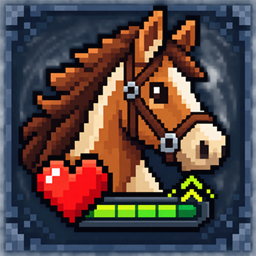
SaddleSense – Mount HUD
Keeps health, hunger, armor, and XP visible while mounted, with separate mount hearts and smart jump-bar behavior.
介绍
🐎 SaddleSense – Mount HUD
SaddleSense – Mount HUD improves Minecraft’s mounted interface without replacing its
familiar visual style. While you ride, player health, hunger, armor, XP, and
mount health remain readable instead of competing for the same limited HUD
space.
The mod is lightweight, client-side, and visual only. It does not change mount
statistics, movement, jumping, inventories, riding rules, combat, or server
gameplay.
✨ Features
- Keeps player health, hunger, armor, and the numeric XP level visible while
mounted - Displays eligible mount health separately with Minecraft’s native heart
sprites - Shows the mount jump meter only while jump charging or a real cooldown needs
feedback - Restores the XP bar as soon as jump feedback is no longer needed
- Is designed for eligible vanilla living mounts available in each game version
- Can include compatible modded living mounts through their ordinary health data
- Offers an optional compact proportional heart row for high-health mounts
- Uses Minecraft’s native HUD textures, colors, spacing conventions, and scaling
pipeline - Adds no custom gameplay, packets, or required libraries
- Provides seven lightweight client configuration options
🐴 Mount compatibility
The eligibility logic targets vanilla horses, donkeys, mules, saddled pigs,
striders, and camels where those entities exist in the selected Minecraft
version. Compatible modded mounts are designed to participate when the player’s
direct vehicle is a living entity and provides normal health data. On modern
targets, the direct vehicle must also opt into vanilla vehicle-health display
through showVehicleHealth(). Non-living vehicles and proxy passenger chains
are left untouched.
✅ Supported versions
| Minecraft | Loader | Build/server-smoke baseline | Required Java |
|---|---|---|---|
| 1.16.5 | Forge | 36.2.42 | 8 |
| 1.20.1 | Forge | 47.4.23 | 17 |
| 1.21.1 | NeoForge | 21.1.248 | 21 |
| 26.2 | NeoForge | 26.2.0.67 | 25 |
| 26.2 | Forge | 65.1.0 | 25 |
Use the JAR whose Minecraft version and mod loader exactly match your profile.
Forge and NeoForge files are separate and are not interchangeable.
💻 Client and server requirements
- Client: required
- Dedicated server: not required
- Dependencies: none
- Networking: none
No server installation is required by design. A real client-only multiplayer
connection remains part of the Beta validation matrix.
📦 Installation
- Install the matching Forge or NeoForge version.
- Download the SaddleSense – Mount HUD JAR that exactly matches your Minecraft
version and loader. - Place the JAR in the client profile’s
modsfolder. - Start Minecraft.
- Optionally edit
config/vanillamounthud-client.tomlafter the first launch.
Do not install more than one SaddleSense – Mount HUD JAR in the same profile.
⚙️ Configuration
| Option | Default | Purpose |
|---|---|---|
showPlayerHungerWhileMounted |
true |
Keeps the player’s hunger bar visible while riding. |
showPlayerHealthWhileMounted |
true |
Keeps the player’s health bar visible while riding. |
showMountHealth |
true |
Shows the eligible mount’s health separately. |
showXPWhenNotJumping |
true |
Restores XP whenever jump feedback is unnecessary. |
mountHealthPosition |
VANILLA |
Uses Minecraft’s native right-side HUD stack. |
compactMountHealth |
false |
Uses one proportional row for high-health mounts. |
supportModdedMounts |
true |
Includes compatible modded living mounts. |
🔗 Compatibility notes
- HUD overhauls or coremods that rewrite the same vanilla HUD methods may need
a compatibility patch. - Entity availability follows the selected Minecraft version; entities are not
backported. - Forge 1.16.5 has no modern vehicle-jump cooldown getter, so XP returns as soon
as the held jump input ends.
常见问题
SaddleSense – Mount HUD 支持哪些 Minecraft 版本?
SaddleSense – Mount HUD 支持 Minecraft Java 版 1.16.5–26.2,共 4 个版本,可用的加载器:Forge / NeoForge。下载时注意选择和你游戏版本一致的文件。
SaddleSense – Mount HUD 怎么安装?
先用 PCL2 或 HMCL 启动器安装对应版本的 Forge / NeoForge,再把下载的 .jar 文件放进游戏目录的 mods 文件夹,重新启动游戏即可。开启了版本隔离的,mods 文件夹在 versions/版本名 下面。
Iandrex 的其他作品
查看全部 →
One Piece World Like (Mine mine no mi Version)
一个适用于《Mine Mine no Mi》模组的 Minecraft 附加内容,让世界变成《海贼王》的风格,加入岛屿系统、无风带、红土大陆和颠倒山。

One Piece World Like (Mine Piece Version)
为 Mine Piece 模组打造真正的《海贼王》风格世界,加入自定义海洋、岛屿、征服系统和伟大航路探索。

Real Invisibility – Mobs, Armor, Nickname, TAB
Makes invisibility truly invisible by hiding armor, held items, name tags, TAB entries, and making mobs ignore invisible players.

Ground Sleep
Sleep directly on the ground. No bed required. Ground Sleep lets you rest anywhere while respecting Minecraft's normal sleeping rules.
评论
登录后评论和评分