
截图



介绍
CREATE YOUR OWN POCKET DIMENSIONS!
RS Pockets introduces pocket dimensions to Minecraft!
Craft these dimensions for storage or any other creative purposes you can imagine—allowing for a wide range of possibilities!
USING POCKET DIMENSIONS
- There are three types of pocket dimensions: small, medium, and big. Simply right-click on the pocket dimension to enter either a small, medium, or big room.
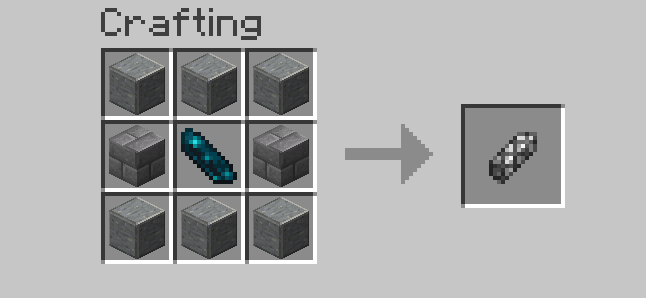
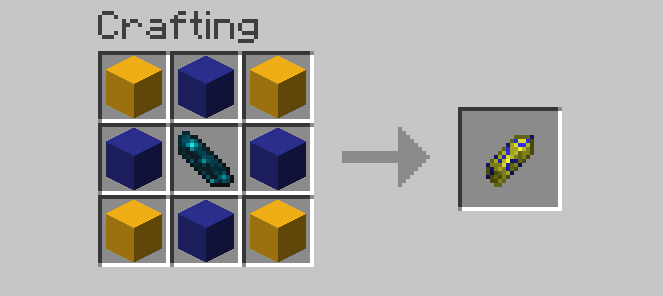
- After visiting a pocket dimension, you can shift-right click with an empty key (non-glowing) to save the dimension. Each type of pocket dimension requires its own unique key.
- To travel between linked pocket dimensions, shift-right click on a door with a loaded (glowing) key.
- Do you want to leave? don’t worry! just press the x key!
USING CATALYST
Catalyst are blocks that allow you to change the aspect of your pocket
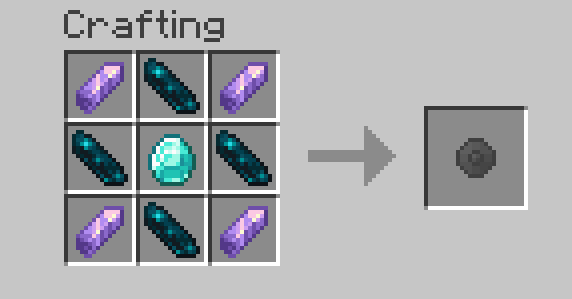
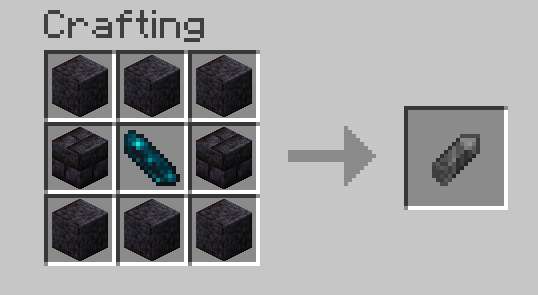
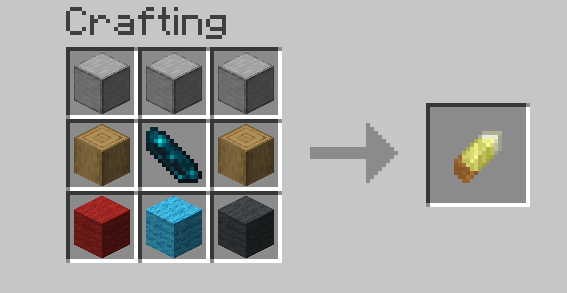
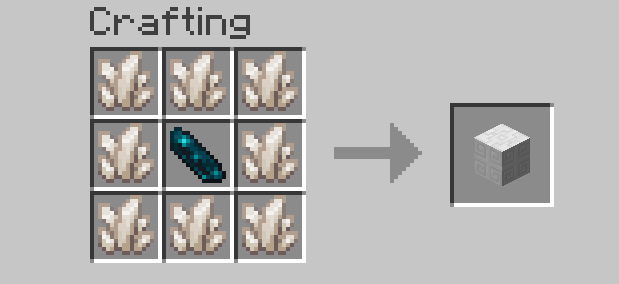
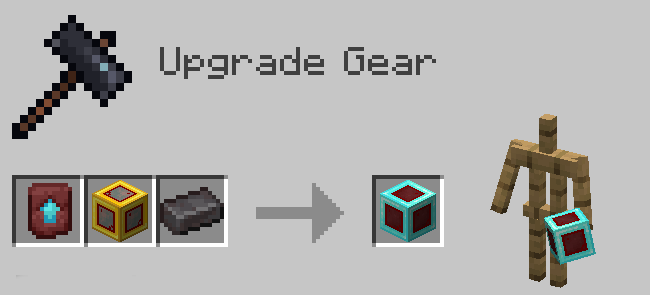
- Craft the catalysy
- Craft the gem wich you want
- Right click with the gem to the catalyst inside the pocket
USING POCKET GEMS
- Shift+right click with a gem to link the gem to the pocket dimension block
- Press H to open the dimensional inventory and put the gem in the slot
- Press G to use the pocket gem
The pocket gems have only 50 uses
If you want to support the creator please visit patreon.com/RothSterial
常见问题
RS Pockets 支持哪些 Minecraft 版本?
RS Pockets 支持 Minecraft Java 版 1.20.1–1.20.6,共 3 个版本,可用的加载器:Forge / NeoForge。下载时注意选择和你游戏版本一致的文件。
RS Pockets 怎么安装?
先用 PCL2 或 HMCL 启动器安装对应版本的 Forge / NeoForge,再把下载的 .jar 文件放进游戏目录的 mods 文件夹,重新启动游戏即可。开启了版本隔离的,mods 文件夹在 versions/版本名 下面。
RothSvezda 的其他作品
查看全部 →
RS Logical
这个模组为 Minecraft 添加了逻辑门。

RS Suspicious Cakes
可疑的炖菜,现在做成蛋糕了!

RS Indrustrial
The most usefull machines in minecraft

RS Linking
Add linking tools to minecraft!
评论
登录后评论和评分