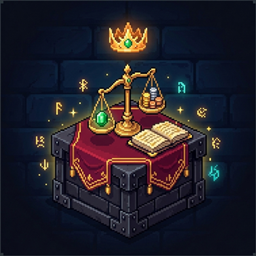
介绍
中文介绍正在准备中,下面暂时显示原文。
🛒 RPG Merchant Interface & Themes
- 3×4 Merchant Card Grid: Browse up to 12 items per page with rarity-colored borders, scrolling item names, and automatic multi-tier coin/ingot price breakdowns.
- Buy & Sell Tabs: Buy gear and supplies directly from the server, or sell items straight from your player inventory and RPG Warehouse.
- Smart Search & Filters: Filter by custom categories, search by item name or description, or check the Affordable / Sellable box to only display items you can currently afford or sell.
- Synced Visual Themes: Matches your active RPG Warehouse color theme automatically, with an in-shop theme switcher in the top-right corner.
🔍 Interactive 3D Item & Character Skin Preview
- 360° 3D Viewport: Click the magnifying glass icon on any shop card to open a 3D preview window.
- Try Before You Buy: Drag to rotate 360° and use the scroll wheel to zoom in on either the standalone 3D item or your own character model wearing the armor, weapon, shield, or accessory in any equipment slot.
📜 Scrollable Item Descriptions & Lore (i)
- Custom Item Info Window: Click the
ibutton on any item card to view custom lore, stats, or acquisition notes written by server admins. - Full Scrolling Support: Long multi-line descriptions can be scrolled smoothly using the mouse wheel, the clickable/draggable gold scrollbar, or keyboard arrow / Page Up / Page Down keys.
🏷️ Custom Shop Name & Custom Shop Icon
- Rename Your Shop: Change the shop’s title and floating block hologram name anytime via command (
/rpg_adminshop rename <Name>) or inconfig/rpg_admin_shop.json. - Custom Shop Emblem: Personalize the top-left shop emblem by dropping a custom PNG into
config/rpg_admin_shop/shop_icon.png(automatically synced from the server to all players), or set it to any vanilla/modded item with/rpg_adminshop icon handor/rpg_adminshop icon <item_id>.
💰 Dedicated Multi-Tier Currency System
- Ready Out of the Box: Pre-configured with Standard (
s) (Copper, Iron, Gold, Diamond, Netherite), Magic (m) (Lapis), and Energy (e) (Redstone) currency groups—or sync directly from your RPG Warehouse currency setup with a single command. - Custom Items & Custom PNG Icons: Register any vanilla or modded item as a currency tier, assign custom values, and optionally attach custom
.pngcurrency icons. - Warehouse + Inventory Spending: Automatically pulls funds from (and deposits sales into) both your RPG Warehouse and your player inventory, making change across currency tiers automatically.
🛠️ In-Game Admin Editor & Full NBT Support
- No Config Editing Required: Operators can add, edit, and remove shop items, prices, descriptions, and categories directly inside the shop GUI.
- Full NBT & Modded Item Support: Add enchanted weapons, custom potions, or heavily NBT-customized modded items straight from your main hand with 100% of their data preserved.
- Database Backups & Audit Logs: Powered by an embedded H2 database (
[world]/rpg_admin_shop/) with one-command database backups and full admin audit logging.
💻 Commands Reference
Player Commands
/rpg_adminshop open— Opens the Admin Shop menu.
Shop Branding Commands (OP Level 2)
/rpg_adminshop rename <shopName>— Renames the Admin Shop GUI and floating block holograms (useresetto restore default)./rpg_adminshop icon <pngFileOrItemId>— Sets the shop icon to a.pngfile inconfig/rpg_admin_shop/or an item ID (e.g.,minecraft:nether_star)./rpg_adminshop icon hand— Sets the shop icon to the item currently held in your main hand./rpg_adminshop icon reset— Resets the shop icon to default.
Shop Block & Player Management (OP Level 2)
/rpg_adminshop admin open <player>— Opens the Admin Shop for a specific player (great for NPCs and quest scripts)./rpg_adminshop admin create-admin-shop— Places an Admin Shop block with a floating hologram at your position./rpg_adminshop admin remove-admin-shop— Removes the Admin Shop block you are looking at.
Managing Items & Categories (OP Level 2)
/rpg_adminshop admin shop buy hand <price> <currency>— Adds your held item (including custom NBT) to the Buy tab./rpg_adminshop admin shop buy <itemID> <price> <currency>— Adds an item by ID to the Buy tab./rpg_adminshop admin shop sell hand <price> <currency>— Adds your held item (including custom NBT) to the Sell tab./rpg_adminshop admin shop sell <itemID> <price> <currency>— Adds an item by ID to the Sell tab./rpg_adminshop admin shop info <id> <infoText>— Sets custom description text for a shop listing./rpg_adminshop admin shop remove <id>— Removes a shop listing by ID./rpg_adminshop admin shop list— Lists all active shop items and their IDs./rpg_adminshop item hand add category <categoryName>— Assigns your held item to a shop category./rpg_adminshop admin category create <name>/delete <name>/list— Creates, deletes, or lists shop categories.
Currency & Database Maintenance (OP Level 2)
/rpg_adminshop admin currency add <group> <value> [iconPng]— Registers your held item as a currency denomination./rpg_adminshop admin currency remove— Removes your held item from registered currencies./rpg_adminshop admin currency remove-group <group>— Removes an entire currency group./rpg_adminshop admin currency list— Lists all configured currency groups and denominations./rpg_adminshop admin currency sync-from-warehouse— Copies all currency groups from RPG Warehouse./rpg_adminshop admin remove-default-currency— Clears default currencies for a custom economy setup./rpg_adminshop admin reload-config— Reloadsconfig/rpg_admin_shop.json./rpg_adminshop admin audit [page]— Views the admin action audit log./rpg_adminshop admin backup— Creates a timestamped backup of the Admin Shop database.
📦 Requirements & Compatibility
- Required Dependency: RPG Warehouse (
rpgwarehouse) and Architectury API (plus AzureFrameLib on 1.20.1).
常见问题
RPG Admin Shop 支持哪些 Minecraft 版本?
RPG Admin Shop 支持 Minecraft Java 版 1.20.1,可用的加载器:Fabric / Forge / NeoForge / Quilt。下载时注意选择和你游戏版本一致的文件。
RPG Admin Shop 怎么安装?
先用 PCL2 或 HMCL 启动器安装对应版本的 Fabric / Forge / NeoForge / Quilt,再把下载的 .jar 文件放进游戏目录的 mods 文件夹,重新启动游戏即可。开启了版本隔离的,mods 文件夹在 versions/版本名 下面。
Azure_Ddraig 的其他作品
查看全部 →
Supreme Mining Dimensions
by Azure_Ddraig
各种维度,应对各种场景!
27.6万
2 年前
CurseForge

Simply Tokens or Coins
by Azure_Ddraig
简单可自定义的货币解决方案
15.7万
2 年前
CurseForge

Simply Crush Amethyst for Iron
by Azure_Ddraig
减少铁傀儡的残忍!将紫水晶粉碎成粉末并烧炼以获得铁!
1.8万
2 年前
CurseForge

SMD: Hammers!
by Azure_Ddraig
使用 SMD: Hammers! 的破格锤子,强化挖掘与战斗体验!
1.3万
3 年前
CurseForge
评论
登录后评论和评分