
RoleplayPRP
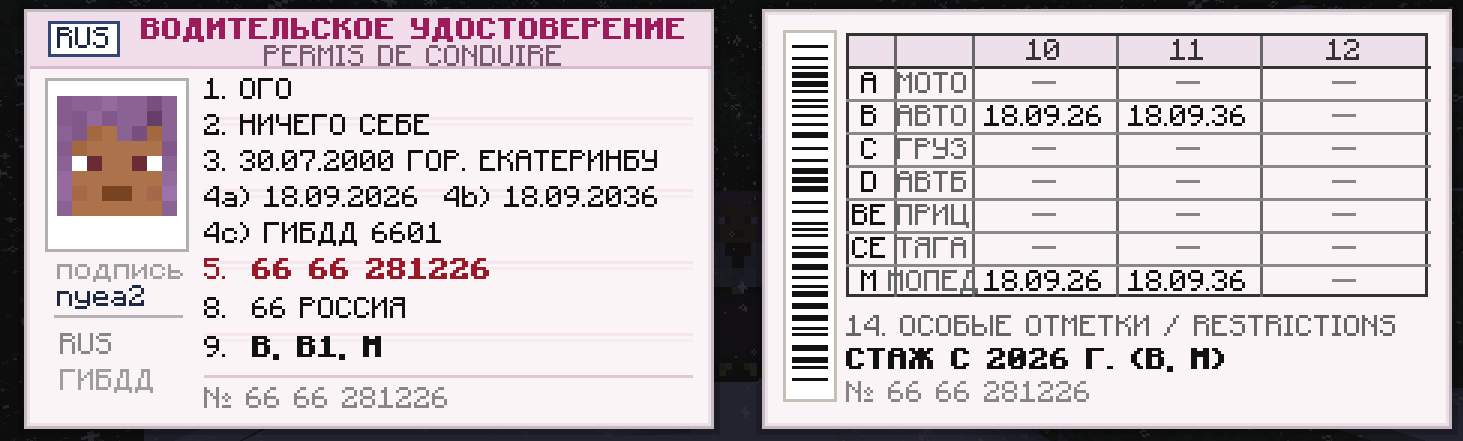
**RoleplayPRP** 是一款氛围感模组,专为俄罗斯 Minecraft 角色扮演服务器和项目打造。它新增了一份功能完整的居民身份证明文件,采用俄罗斯联邦护照的真实风格制作。
截图
介绍
# 🪪 RoleplayPRP — Russian Passport & ID Documents Mod (1.20.1 Forge)
**RoleplayPRP** is an atmospheric immersion mod crafted specifically for RolePlay servers, government factions, law enforcement agencies, and RP communities in Minecraft. It introduces authentic physical personal identification documents modeled after official passports and service ID booklets of the Russian Federation.
Every document in the game is an **independent physical item (ItemStack NBT)** — players can carry it in their inventory, lose it, hand it over to another citizen, confiscate it, or present it to police and government officials for inspection.
—
## 🌟 Key Features
### 📕 1. Russian National Passport
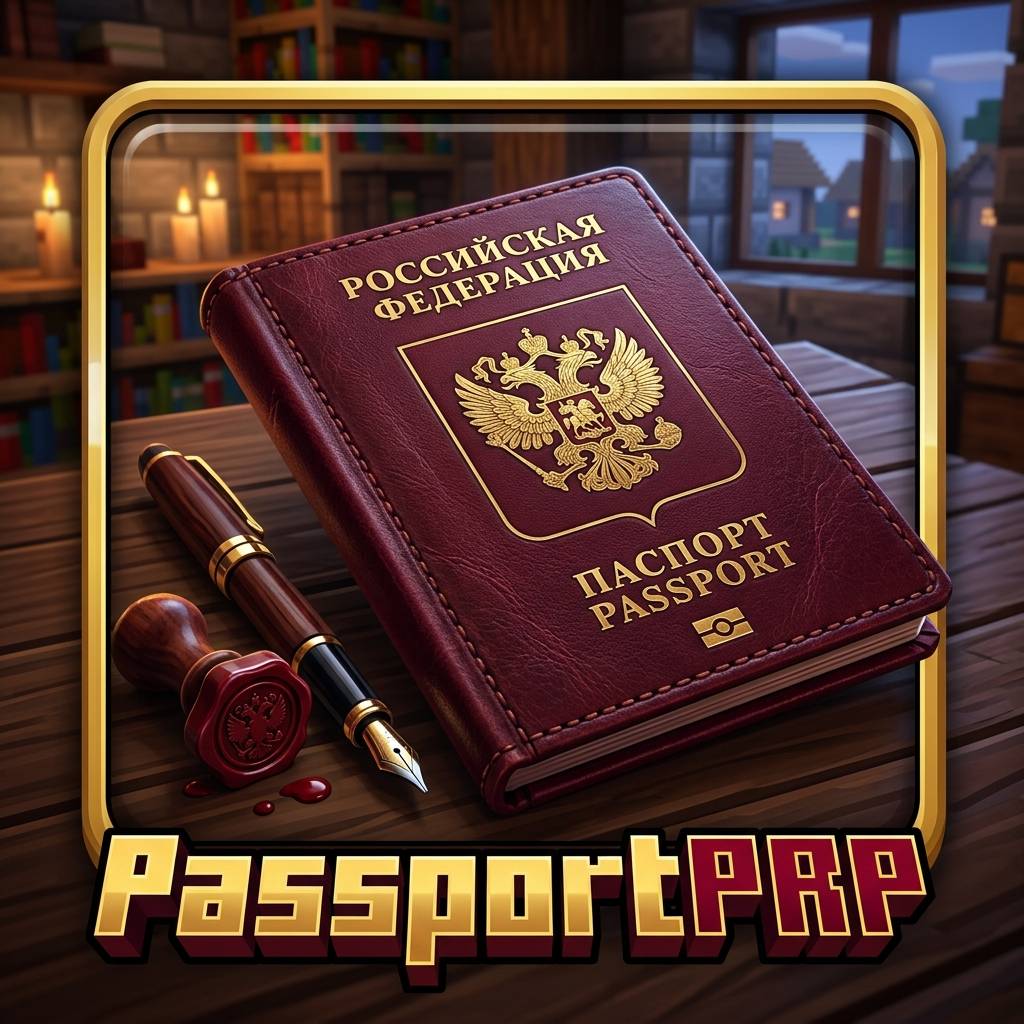
* **Custom 3D Item Model**: Highly detailed burgundy leather booklet with an embossed golden double-headed eagle emblem when held in hand or viewed in third person.
* **Interactive Registration Questionnaire**:
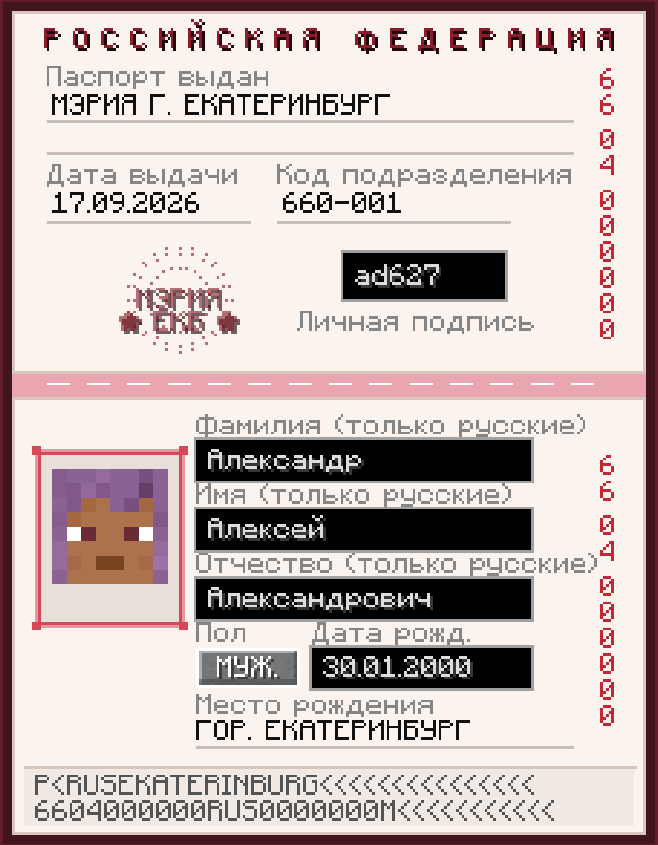
* Form fields: Last Name, First Name, Patronymic with strict real-time validation (Russian Cyrillic only).
* One-click gender toggle (**MALE / FEMALE**).
* Real calendar date-of-birth validation (`DD.MM.YYYY`) with an age restriction between 18 and 75 years.
* Personal Signature field (2 to 5 unique characters/symbols).
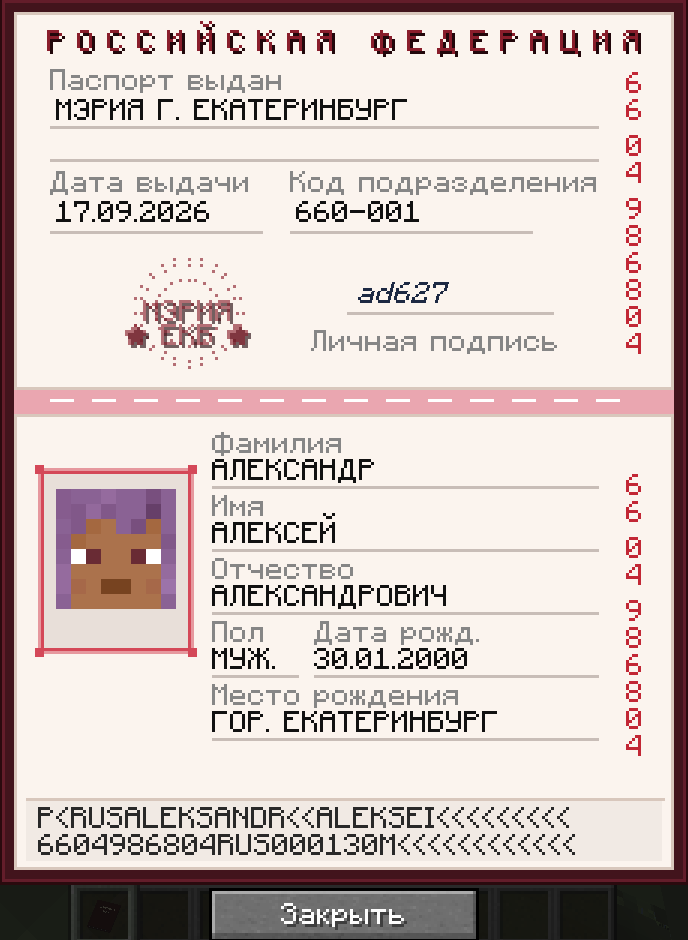
* **Authentic Two-Page Spread GUI**:
* High-resolution security paper textures with guilloche patterns, watermark emblems, and sewn thread spine binding.
* **Player Skin Headshot Photo**: Dynamically renders the player’s custom skin face (100% compatible with offline servers, cracked launchers, and CustomSkinLoader).
* Official municipal round seal stamp: *City Hall of Yekaterinburg*.
* Red serial numbers along the margin and an ICAO-compliant Machine Readable Zone (MRZ code) at the bottom.
—
### 🛡️ 2. Official Service Identity Documents & Badges
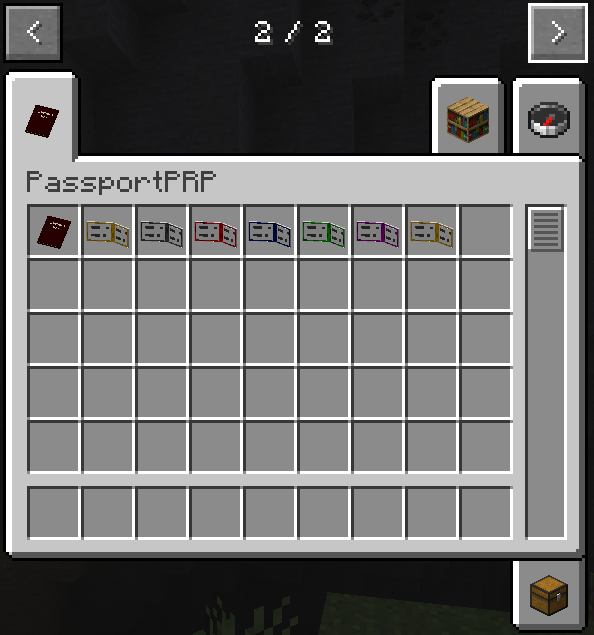
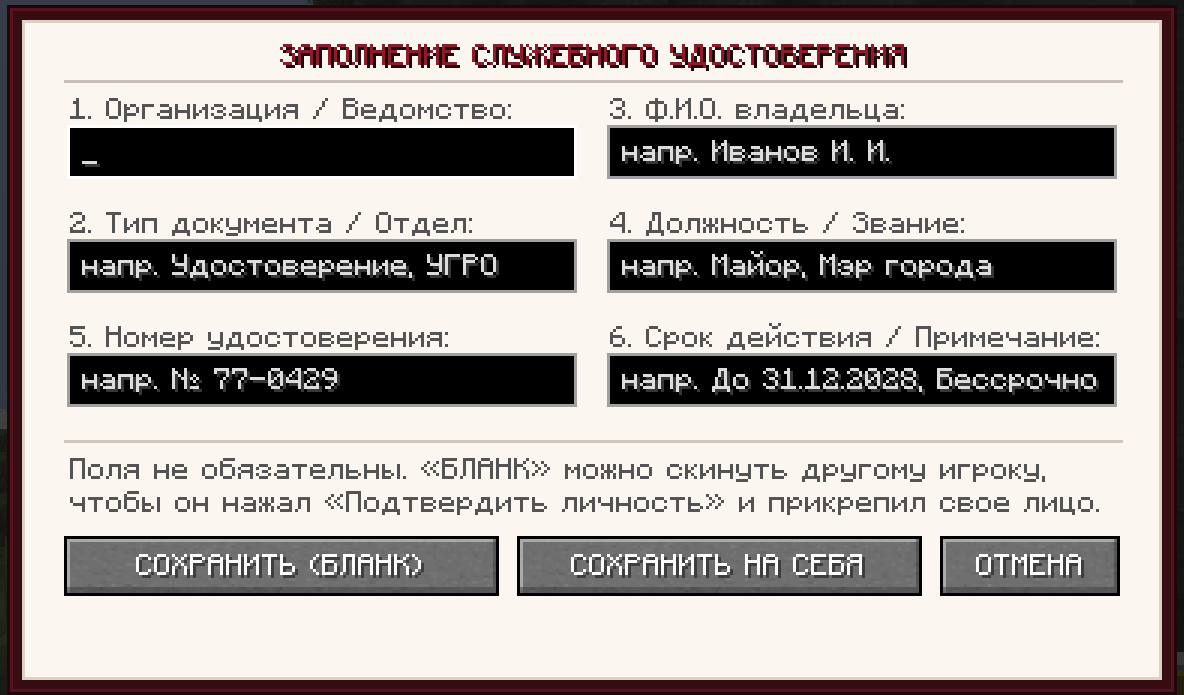
A comprehensive credential system designed for all factions (Police, FSB / Intelligence, City Hall, Emergency Services, Army, Healthcare, Private Security, etc.) available in **6 authentic color editions**:
* 🔴 **Red** (`identity_documents_red`) — Police, Internal Affairs, Investigative Committee.
* 🔵 **Blue** (`identity_documents_blue`) — Prosecutor’s Office, Justice Department, State Agencies.
* ⚫ **Dark / Graphite** (`identity_documents_dark`) — FSB, Special Forces, Classified Services.
* 🟢 **Green** (`identity_documents_greeeeen`) — Border Patrol, Forestry & Environmental Inspection, Military Police.
* 🟣 **Pink / Purple** (`identity_documents_pink`) — Diplomatic Corps, Special Missions.
* 🟡 **Golden / Amber** (`identity_documents_yelo`) — Mayor’s Office, City Administration, Security, State Inspectors.
#### 💡 Unique Service ID Mechanics:
* **Custom 3D Item Model & Texture** for each of the 6 colors.
* **Pixel-to-Pixel Dynamic Frame Matching**: When opened, the leather booklet cover, bevels, and inner spine in the GUI match the exact color of the item held in your hand pixel-for-pixel!
* **Flexible 6-Field Customizer**:
1. *Organization / Agency* (e.g. `FSB OF RUSSIA` or `CITY HALL`)
2. *Document Type / Department* (e.g. `DEPARTMENT “A”` or `SERVICE ID`)
3. *Employee Full Name*
4. *Rank / Position* (e.g. `Major` or `City Mayor`)
5. *Badge / Document Number* (e.g. `ID-0042`)
6. *Expiration Date / Special Notes* (e.g. `Indefinite` or `Valid until 2027`)
* **Blank Form Distribution Workflow**:
* Faction leaders and admins can fill in agency details and click **[ SAVE (BLANK) ]**.
* The blank document can be handed to any employee.
* The recipient simply opens the document and clicks **[ CONFIRM IDENTITY ]**!
* The mod will automatically capture that player’s skin face, mark the ID as verified, and **automatically synchronize their personal signature from their latest passport**!
* **Anti-Tampering Protection**: Once identity is confirmed, the document’s fields are locked permanently to prevent falsification.
—
### 🤝 3. RolePlay Document Inspection (Shift + Right-Click)
* Hold **Shift** and **Right-Click** on another player while holding a document to offer it for inspection.
* **AFK / Container Interruption Protection**: If the target player is busy browsing a chest, workbench, anvil, furnace, or personal inventory, the request will not interrupt them. The sender is politely informed: *“Player is currently busy!”*.
* **Interactive Offer Dialog**: The recipient sees an interactive prompt: **[ Inspect ]** or **[ Decline ]**.
—
### ⚙️ 4. Server & Admin Friendly
* All passport records are saved server-side in `config/passportprp.json`.
* Hot-reloading: changes made to the configuration file take effect immediately in-game without server restarts.
* 100% compatible with offline/cracked servers (`online-mode=false`).
* All 6 document colors share the unified display name: **«Удостоверение»** (Identity Document).
—
## 🎮 How to Use & Player Guide
1. **Registering a Passport**:
* Hold an empty passport item and **Right-Click**.
* Fill in your name, select gender, enter birth date, and create a signature.
* Click **[ Create ]**.
2. **Creating an ID for an Employee**:
* Hold a Service ID of your chosen color and **Right-Click**.
* Fill in organization, position, badge number, and click **[ SAVE (BLANK) ]**.
* Hand the document to the employee — they click **[ CONFIRM IDENTITY ]**, which binds their face photo and passport signature to the document.
3. **Presenting Documents to Another Citizen**:
* Approach the player, hold **Shift**, and **Right-Click** on them.
—
## 💻 System Requirements & Installation
* **Minecraft Version**: 1.20.1
* **Mod Loader**: Minecraft Forge (47.1.0 or newer recommended)
* **Java**: Java 17
**Installation**:
1. Ensure Minecraft Forge 1.20.1 is installed.
2. Place `passportprp-0.4.jar` into your `.minecraft/mods` folder (both client and server).
3. Launch Minecraft and enjoy!
常见问题
RoleplayPRP 支持哪些 Minecraft 版本?
RoleplayPRP 支持 Minecraft Java 版 1.20.1,可用的加载器:Forge。下载时注意选择和你游戏版本一致的文件。
RoleplayPRP 怎么安装?
先用 PCL2 或 HMCL 启动器安装对应版本的 Forge,再把下载的 .jar 文件放进游戏目录的 mods 文件夹,重新启动游戏即可。开启了版本隔离的,mods 文件夹在 versions/版本名 下面。
NaViHacker 的其他作品
查看全部 →
Not F3
NoF3 是一款彻底禁用 F3 调试界面的模组。适合将坐标和调试信息视为作弊内容的角色扮演服务器和建筑地图。作者:NaVi_Hacker。

Roleplay
一款面向高品质角色扮演游戏的模组。它添加了食物、饮料等新物品,以及互动功能,让游戏更鲜活、更有氛围。

Not F5
NoF5 是一款轻量级客户端模组,可彻底禁用 F5 视角切换。安装后,玩家无法切换到第三人称视角,镜头始终锁定在第一人称。

SoundZone: Custom Ambient Music
SoundZone 是地图作者、服主和氛围爱好者的完美工具。这个模组为游戏添加了一个专用的音箱方块,让你可以用自己的音频文件为任何区域配上音乐。
评论
登录后评论和评分