
RGB Redstone Lamps (Color Blocks)
A Minecraft mod that adds a more colorful version of the redstone lamp.
截图
介绍
Color Blocks
Color Blocks is a mod for Minecraft Java Edition. It runs on the version 1.20.4 using the Fabric Loader. This guide will cover how to install, and use this mod.
Installation
This mod will run without any dependencies. Just install fabric and drop the jar file in the mods folder located in %appdata%/.minecraft/ to install the mod.
Usage
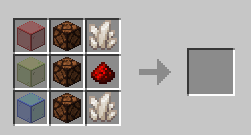
Once installed, you will be able to obtain the added, “RGB Lamp” in the Redstone tab of the creative section or by using this crafting recipe:
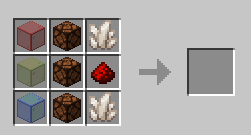
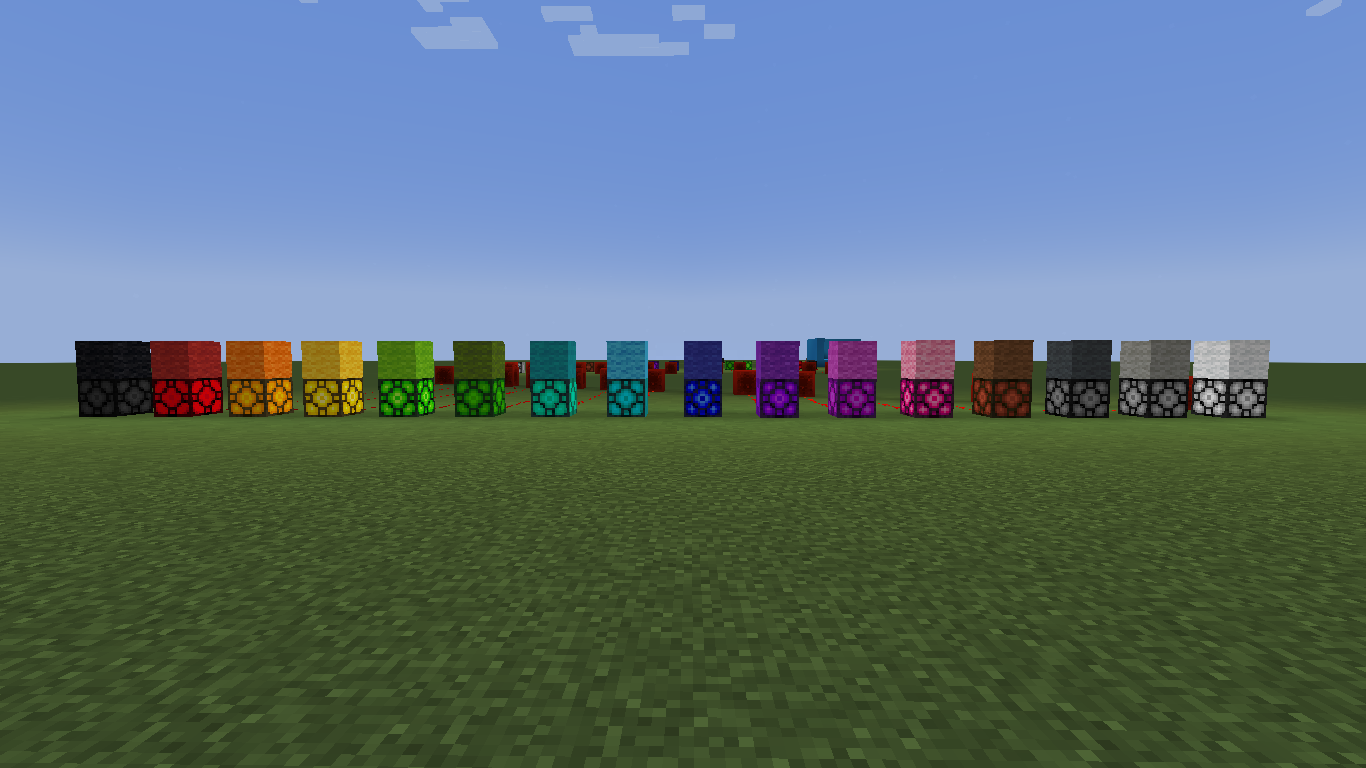
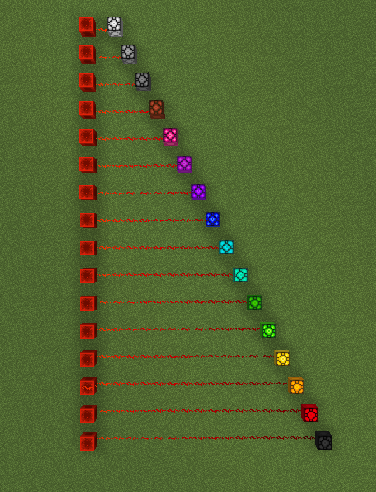
When giving the block a redstone signal, the block will change color depending on the strength of the signal. Here are all of the colors and their corresponding signal strenghts:
- 0 – black
- 1 – red
- 2 – orange
- 3 – yellow
- 4 – lime
- 5 – green
- 6 – cyan
- 7 – light blue
- 8 – blue
- 9 – purple
- 10 – magenta
- 11 – pink
- 12 – brown
- 13 – gray
- 14 – light gray
- 15 – white
This block also can only be collected by a pickaxe with silk touch. This mod is intended for redstone but can be used in building as well.
Bugs, Glitches and Issues
If there are any problems with this mod, report it here.
常见问题
RGB Redstone Lamps (Color Blocks) 支持哪些 Minecraft 版本?
RGB Redstone Lamps (Color Blocks) 支持 Minecraft Java 版 1.20.4,可用的加载器:Fabric。下载时注意选择和你游戏版本一致的文件。
RGB Redstone Lamps (Color Blocks) 怎么安装?
先用 PCL2 或 HMCL 启动器安装对应版本的 Fabric,再把下载的 .jar 文件放进游戏目录的 mods 文件夹,重新启动游戏即可。开启了版本隔离的,mods 文件夹在 versions/版本名 下面。运行环境:客户端和服务端都要装。

评论
登录后评论和评分