截图
介绍
When a player dies, they become ELIMINATED (spectator mode).
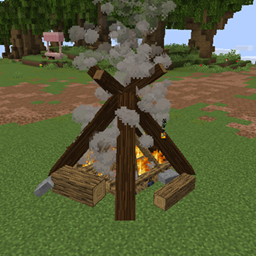
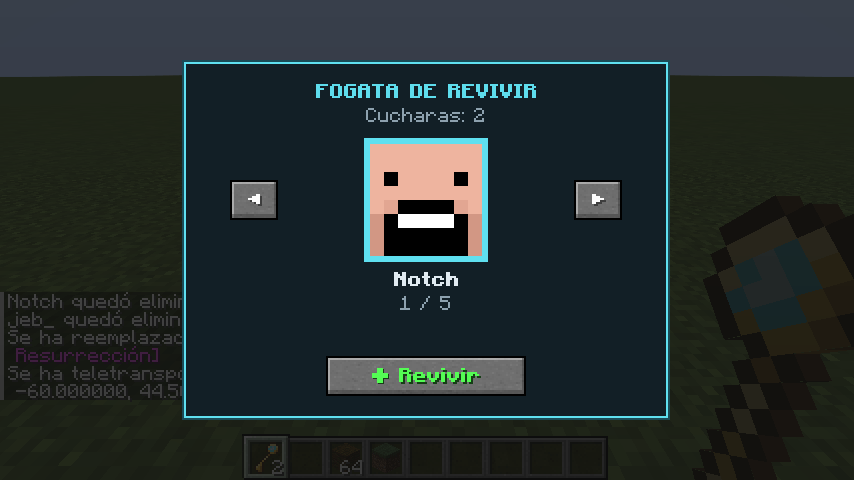
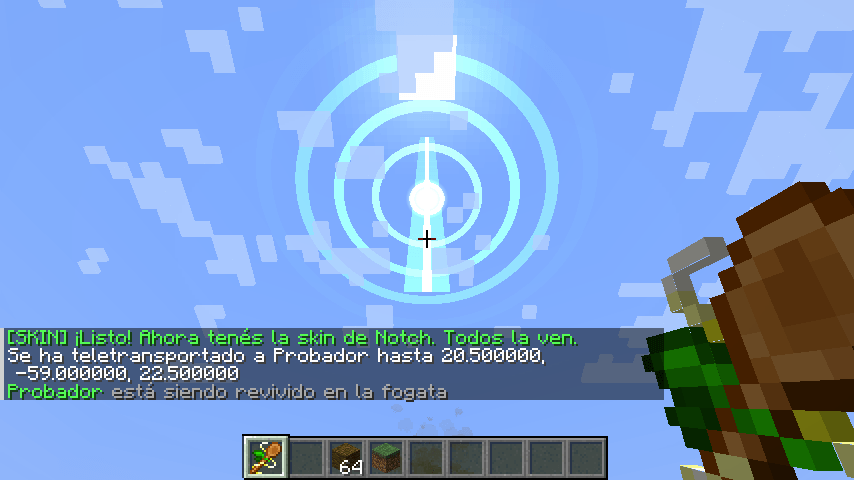
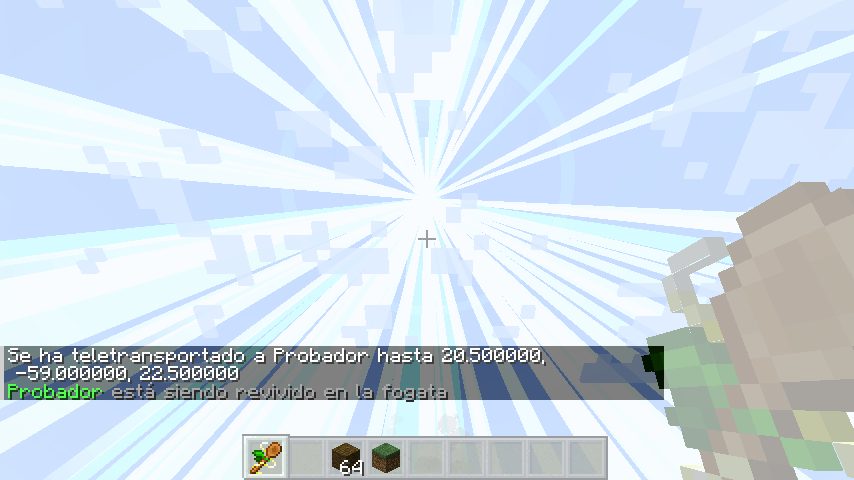
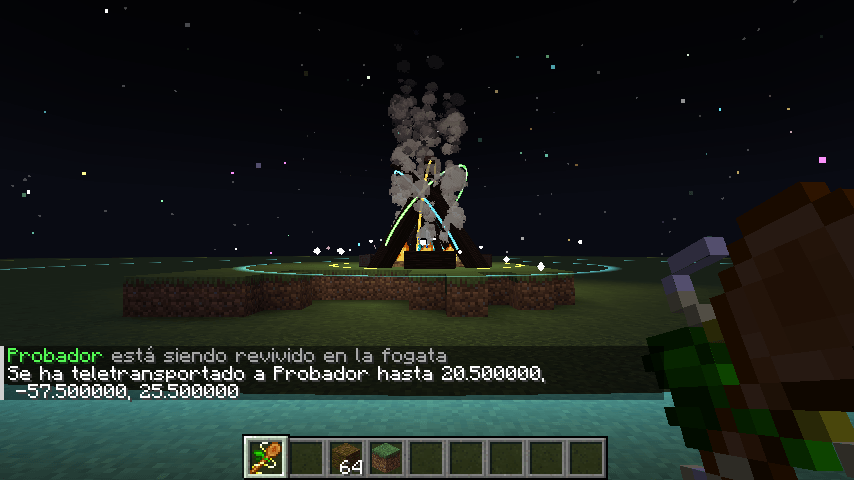
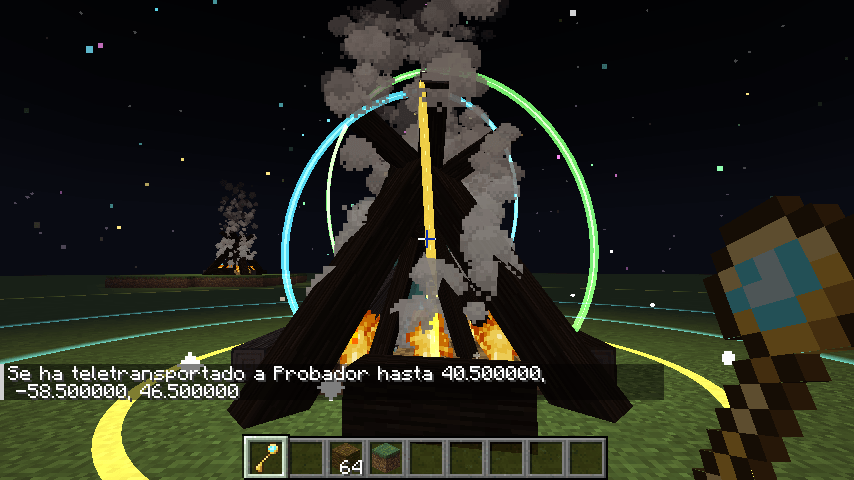
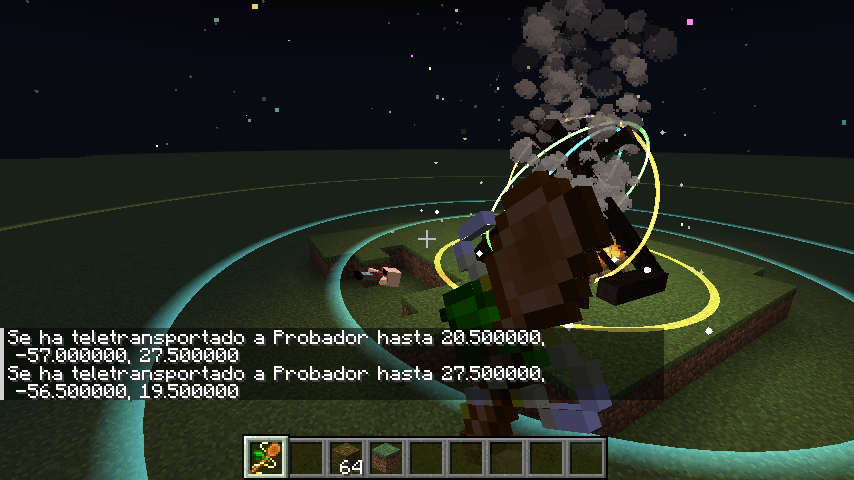
Their friends can bring them back using a Revive Campfire and the Resurrection Spoon. A menu opens displaying all eliminated players, and a ritual begins: the sky opens up, night falls with stars, rings of light appear, and the player descends from the sky inside a ball of light, using their own skin. They then shoot out of the campfire and come back to life.
1. INSTALLATION
-
Must be installed on the SERVER and on every player’s CLIENT (inside the
modsfolder). -
No additional mods are required.
-
Works on both premium and non-premium servers, as well as in single-player worlds (opened to LAN for others to join).
2. PLACING THE CAMPFIRE
Stand where you want the campfire to be and type:
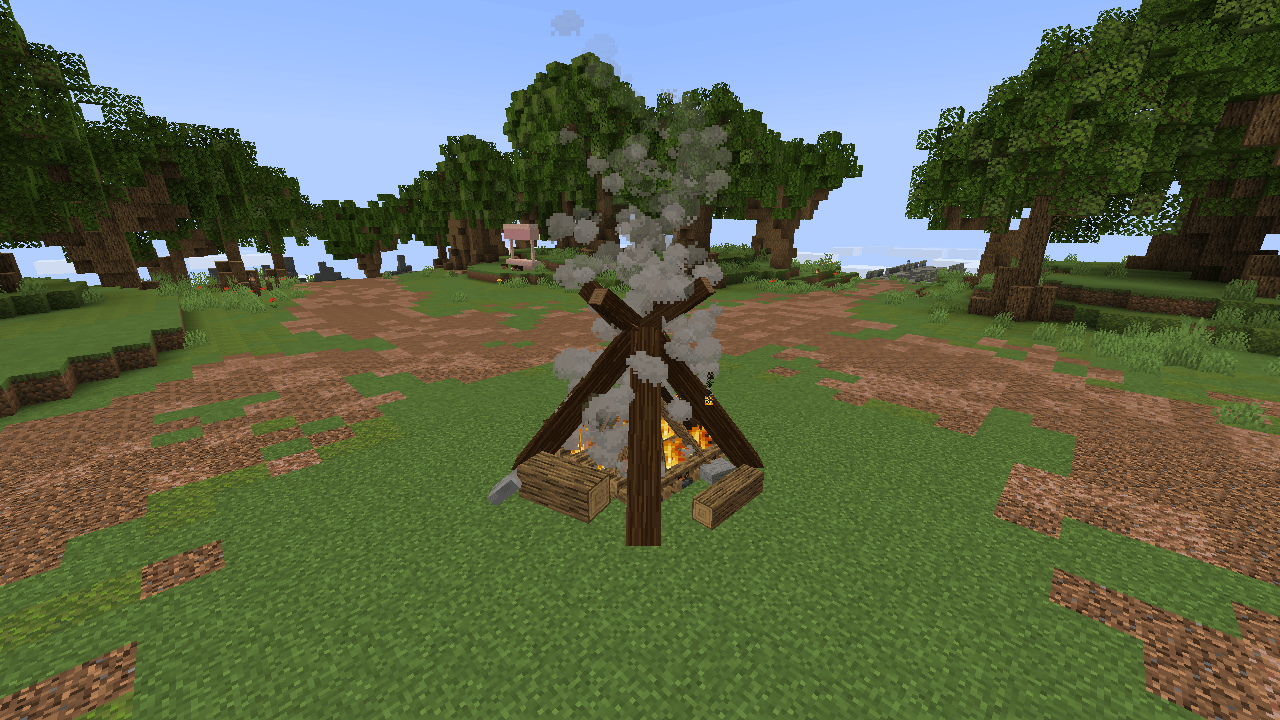
/revivir colocarIt automatically builds the following at your location:
-
9 lit campfires arranged in a 3×3 formation.
-
A large log campfire model placed on top.
-
An invisible marker used by the mod to open the menu.
You will be moved 4 blocks backward to prevent you from getting burned.
To remove it, use:
/revivir quitarThis removes the model and the marker. The 9 campfire blocks must be removed manually.
You can place as many campfires as you want.
3. THE RESURRECTION SPOON
Crafting recipe (vertical column in a crafting table):
[ Echo Shard ]
[ Gold Ingot ]
[ Stick      ]
It is also available in the Creative Mode Tools & Utilities tab, or you can obtain it using:
/give @s fogata_revivir:cuchara4. HOW REVIVING WORKS
-
Hold the Resurrection Spoon, approach the campfire (within 6 blocks), and right-click.
-
A menu opens, displaying the faces of all eliminated players. Navigate using the arrows and select “Revive”.
-
One spoon is consumed, and the ritual begins (approximately 24 seconds).
-
Everyone within 160 blocks can see the ritual.
-
At the end, the player appears next to the campfire in Survival Mode with full health.
If the player is offline, they will appear next to the campfire the next time they join the server.
5. ADMIN COMMANDS (OP)
/revivir colocarPlaces a campfire where you are standing.
/revivir quitarRemoves the nearest campfire.
/revivir listaDisplays the list of eliminated players.
/revivir eliminar <nick>Manually eliminates a player. Useful for testing the menu.
/revivir sinritual <nick>Revives a player instantly, without the ritual.
/revivir probar <nick>Plays the ritual for the specified player without consuming a spoon. Useful for demonstrations.
/revivir cancelarStops the ritual currently in progress.
6. CONFIGURATION
File: config/fogata_revivir-common.toml
This file is automatically generated the first time the game or server starts.
eliminarAlMorir = true
Players become eliminated when they die.
Set this to false if you already use another life system or a Hardcore world. In Hardcore mode, the game already puts players into spectator mode, and the campfire can still revive them.
usarMarcadorLives = true
Also treats players with a score of 0 or less in the lives scoreboard as eliminated (for life-system datapacks).
When revived, their score is set to 1.
gastarCuchara = true
Reviving a player consumes one Resurrection Spoon.
distancia = 6.0
The maximum distance, in blocks, from which the campfire menu can be opened.
rangoVista = 160
The maximum distance, in blocks, from which the ritual can be seen.
7. PLAYER SKINS
The character descending from the sky and the face displayed in the menu use the player’s skin.
-
Premium servers: The skin is retrieved from the player when they die.
-
Non-premium servers: The mod looks up the player’s nickname on Mojang (if the nickname belongs to a premium account). If no skin is found, the default Steve or Alex skin is used.
8. CREDITS
-
Mod: Gilsafio
-
Discord: resiliencla
Campfire model: “dedsafio 3 fogata v2” by lovecapy
https://block-display.com/bd/20276
License: BDL BY-NC. The original author must be credited, and commercial use is not permitted.
Cuando un jugador muere, queda ELIMINADO (modo espectador).
Sus amigos pueden traerlo de vuelta en una Fogata de Revivir usando la Cuchara de Resurrección. Se abre un menú con los jugadores eliminados y comienza un ritual: se abre el cielo, cae la noche con estrellas, aparecen anillos de luz y el jugador desciende del cielo dentro de una bola de luz con su propia skin. Finalmente, sale disparado de la fogata y revive.
-
INSTALACIÓN
-
Va en el SERVIDOR y en el CLIENTE de cada jugador (carpeta
mods). No necesita ningún otro mod. -
Funciona en servidores premium y no premium, y en un mundo de un jugador (abierto a LAN para que puedan entrar otros).
-
PONER LA FOGATA
Parate donde querés la fogata y escribí:
/revivir colocarArma ahí mismo:
-
9 fogatas prendidas (3×3).
-
La fogata grande de troncos encima (el modelo).
-
Una marca invisible que el mod usa para abrir el menú.
Te mueve 4 bloques para atrás para que no te quemes.
Para sacarla:
/revivir quitar(Saca el modelo y la marca; las 9 fogatas de bloque tenés que sacarlas a mano).
Podés poner todas las fogatas que quieras.
-
LA CUCHARA DE RESURRECCIÓN
Receta (mesa de trabajo, en columna):
    [ Fragmento de eco ]
    [ Lingote de oro   ]
    [ Palo             ]
También está en la pestaña “Herramientas y utilidades” del creativo, o podés conseguirla con:
/give @s fogata_revivir:cuchara-
CÓMO SE REVIVE
-
Con la cuchara en la mano, acercate a la fogata (6 bloques o menos) y hacé clic derecho.
-
Se abre el menú con la cara de cada jugador eliminado. Navegá con las flechas y tocá “Revivir”.
-
Se gasta una cuchara y comienza el ritual (dura unos 24 segundos). Lo pueden ver todos los jugadores que estén cerca (hasta 160 bloques).
-
Al final, el jugador aparece al lado de la fogata, en modo supervivencia y con la vida llena.
Si estaba desconectado, aparece ahí la próxima vez que entre.
-
COMANDOS PARA ADMINS (OP)
/revivir colocar
    Pone una fogata donde estás.

/revivir quitar
    Saca la fogata más cercana.

/revivir lista
    Muestra quién está eliminado.

/revivir eliminar <nick>
    Elimina a alguien manualmente.
    (Sirve para probar el menú).

/revivir sinritual <nick>
    Lo revive al instante, sin ritual.

/revivir probar <nick>
    Hace el ritual sobre ese jugador sin gastar
    cuchara (para mostrarlo).

/revivir cancelar
Corta el ritual que esté en curso.-
CONFIGURACIÓN
Archivo: config/fogata_revivir-common.toml
(Aparece al abrir el juego o el servidor por primera vez).
eliminarAlMorir = true

    Al morir, quedás eliminado. Ponelo en false si
    ya usás otro sistema de vidas o un mundo hardcore.
    En hardcore, el juego ya te deja en espectador
    y la fogata te revive igual.

usarMarcadorLives = true

    También cuenta como eliminado quien tenga 0 o
    menos en el marcador "lives" (datapacks de vidas).
    Al revivir, queda en 1.

gastarCuchara = true

    Revivir gasta una cuchara.

distancia = 6.0

    A cuántos bloques de la fogata se puede abrir
    el menú.

rangoVista = 160

Hasta cuántos bloques se puede ver el ritual.-
SKINS
El cuerpo que baja del cielo y la cara del menú usan la skin del jugador:
-
En servidores premium: la toma del jugador al morir.
-
En servidores no premium: la busca por el nick en Mojang (si el nick pertenece a una cuenta premium). Si no encuentra ninguna, aparece la skin por defecto (Steve / Alex).
-
CRÉDITOS
-
Mod: Gilsafio
-
Discord: resiliencla
-
Modelo de la fogata: “dedsafio 3 fogata v2”, de lovecapy.
https://block-display.com/bd/20276
Licencia BDL BY-NC: hay que nombrar al autor y no se puede usar con fines comerciales.
常见问题
Revive Campfire – DEDsafio 支持哪些 Minecraft 版本?
Revive Campfire – DEDsafio 支持 Minecraft Java 版 1.20.1,可用的加载器:Forge。下载时注意选择和你游戏版本一致的文件。
Revive Campfire – DEDsafio 怎么安装?
先用 PCL2 或 HMCL 启动器安装对应版本的 Forge,再把下载的 .jar 文件放进游戏目录的 mods 文件夹,重新启动游戏即可。开启了版本隔离的,mods 文件夹在 versions/版本名 下面。
评论
登录后评论和评分