
RetroEra
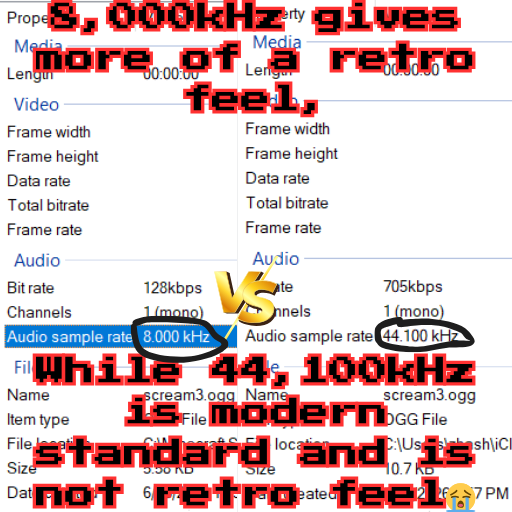
A revamped sounds folder (in progress) that bitcrushes minecraft's sounds so that you can get that gameboy style feel on a modern version of minecraft, more features coming! Next estimated update: 6/16/2026
截图



介绍
Retro-Edition-MINECRAFT-MOD
THIS IS A MINECRAFT MOD
A MINECRAFT MOD TO GIVE THAT RETRO FEEL
WITHOUT BREAKING YOUR EARS!
HOW TO USE:
To use this mod, you need to learn some commands to change the sound sample rate,
they are listed below
To set the sample rate to 8000hz (or Khz) type in this command:
/function retro_edition:set_rate {samplerate:"8000"}To set the sample rate to 11025hz (or Khz) type in this command:
/function retro_edition:set_rate {samplerate:"11025"}THE SOUNDS THIS MOD EDITS/REPLACES:
1. The sounds/ambient/cave/ sounds, they are the sounds that play when you enter caves randomly.
2. The sounds/ambient/weather/thunder.ogg sounds, they are the sounds that play when lightning strikes.
3. The sounds/random/explode.ogg sounds, they are the sounds that play when something explodes, like a creeper, or TnT.
4. The sounds/mob/ghast/ sounds, they are the sounds that the ghast makes when it sees you. Or after it ate tacobell…
This mod is meant to give minecraft a more retro feel.
NEXT PROEJCTED UPDATE: 6/16/2026
常见问题
RetroEra 支持哪些 Minecraft 版本?
RetroEra 支持 Minecraft Java 版 26.1–26.3,共 5 个版本,可用的加载器:Fabric。下载时注意选择和你游戏版本一致的文件。
RetroEra 怎么安装?
先用 PCL2 或 HMCL 启动器安装对应版本的 Fabric,再把下载的 .jar 文件放进游戏目录的 mods 文件夹,重新启动游戏即可。开启了版本隔离的,mods 文件夹在 versions/版本名 下面。运行环境:客户端和服务端都要装。
Krontixz 的其他作品
查看全部 →
Passive Agressive Sounds
A in progress, constantly developing custom replacement of every Minecraft sound (in progress) with passive aggressiveness! Minecraft now roasts' you!

Clean Vision
A partly, in-progress revamp of mc overlays, making all the annoying pumpkin overlays and the spyglass nonesense gone forever, also makes glass not ugly.
评论
登录后评论和评分