
介绍
Retouch Brush



A server-side Minecraft mod that lets you cycle through paintings using the brush!
📖 What is this mod?
This is a server-side mod that allows users to cycle through paintings using the brush.
Tired of breaking and replacing paintings just to get the right piece for your living room?
This server-side mod lets you effortlessly cycle through paintings.
Simply right-click any painting with a brush to change it.
You can even make a functioning TV using dispensers
Here is a little showcase!
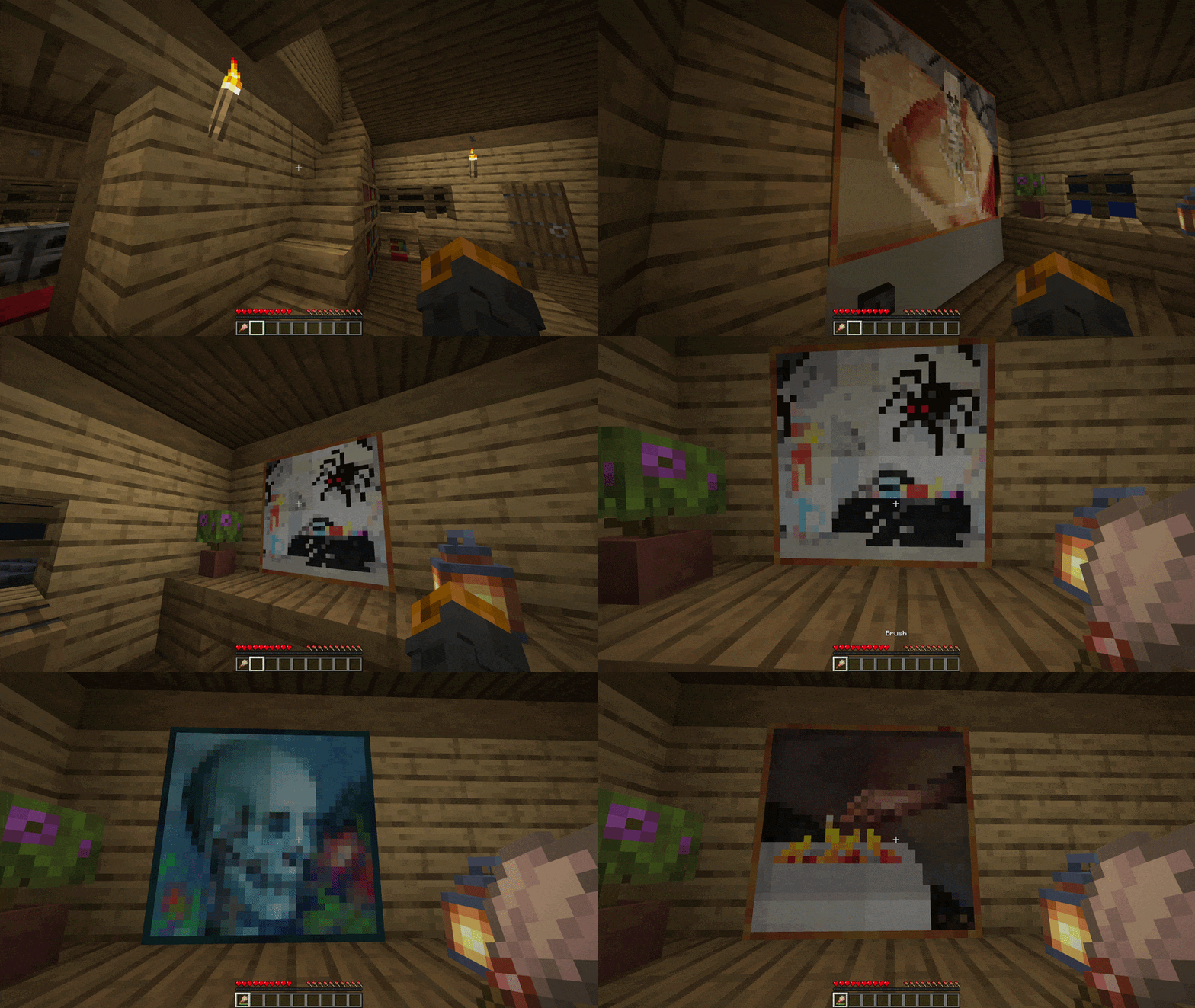
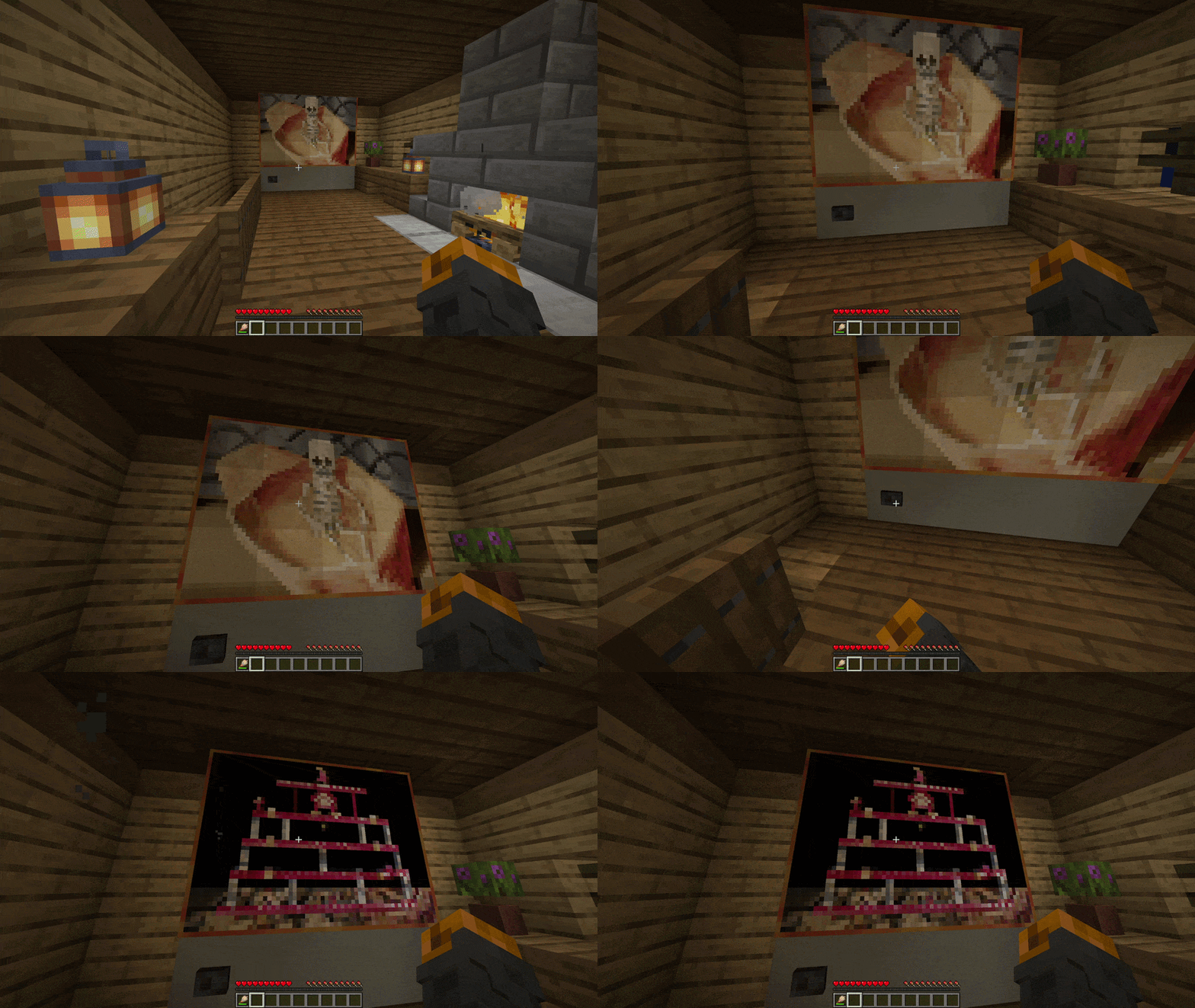
✅ Features
- Multi-Loader Support: Fully compatible with Fabric, Quilt, Forge and NeoForge
- Easy Painting Cycling: Right-click any painting with a brush to cycle through available art variants
- Dispenser Support: Use a dispenser loaded with a brush to cycle through paintings
- Server-Side Only: Install only on the server; Vanilla clients can connect without downloading anything
- Server Authoritative: Prevents client-side manipulation by enforcing all logic securely on the server
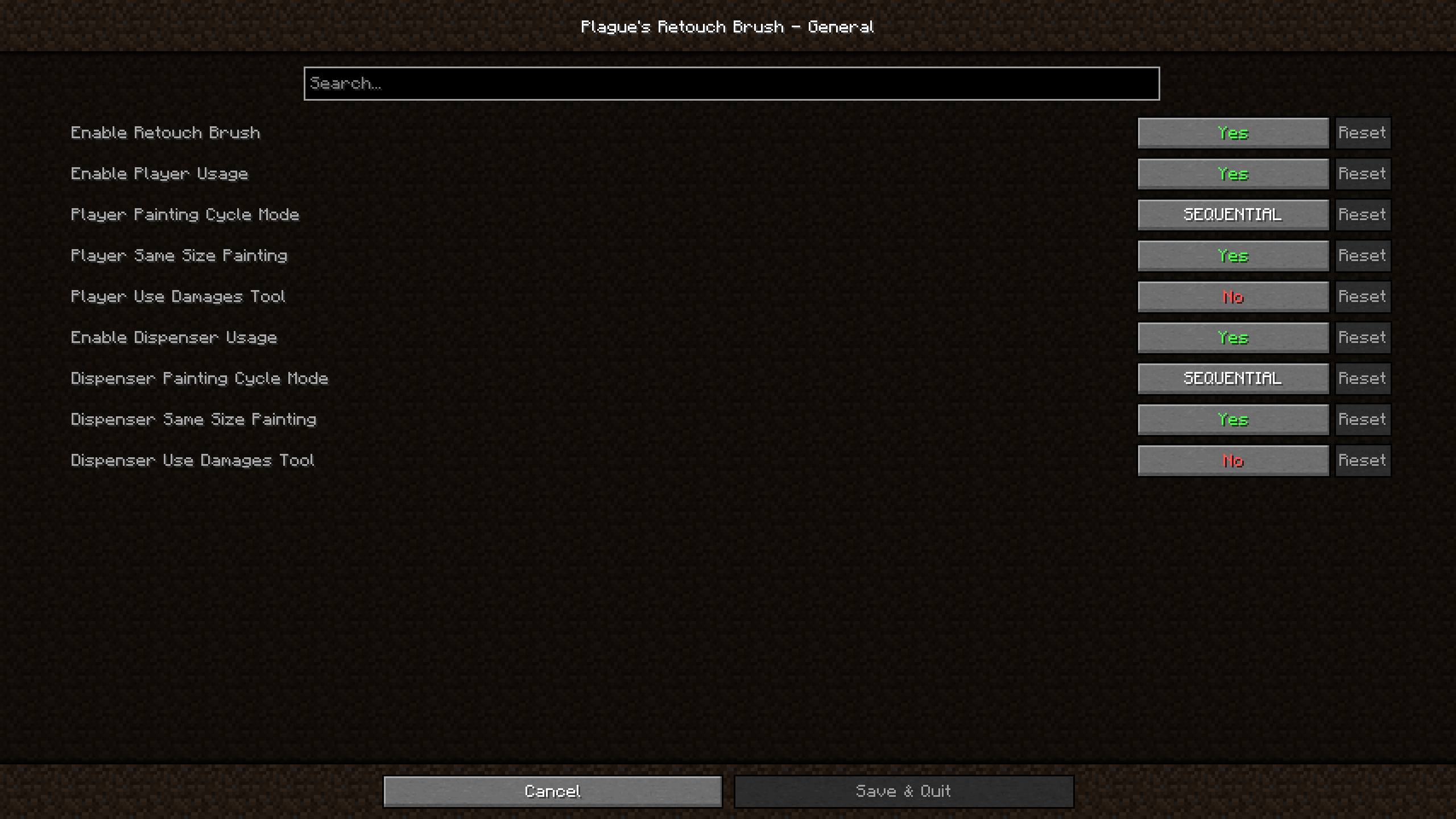
- In-Game Configuration: Adjust the mod’s behavior directly using in-game configuration screen
📖 Usage
Using this mod is very simple!
Put the jar file in your mods folder and you’re good to go!
For Fabric and Quilt version, if you wish to be able to access the settings of the mod within the game; you will also need to put ModMenu and Cloth Config API in your mods folder.
For Forge and NeoForge version, if you wish to be able to access the settings of the mod within the game; you will also need to put Cloth Config API in your mods folder.
You can also edit the configuration file found in config folder manually if you wish to do so.
📖 Compatibility
This mod should be compatible with every mod.
It works with mods and resource packs that add more vanilla paintings.
🚀 Supported Versions
| Minecraft | Fabric | Quilt | Forge | NeoForge |
|---|---|---|---|---|
| 26.3 | ✅(1.0.3) | ✅(1.0.3)⁶ | ❌ | ✅(1.0.3) |
| 26.2 | ✅(1.0.3) | ✅(1.0.3)⁵ | ❌ | ✅(1.0.3) |
| 26.1.2 | ✅(1.0.3) | ✅(1.0.3)⁴ | ❌ | ✅(1.0.3) |
| 26.1.1 | ✅(1.0.3) | ✅(1.0.3)⁴ | ❌ | ✅(1.0.3) |
| 26.1 | ✅(1.0.3) | ✅(1.0.3)⁴ | ❌ | ✅(1.0.3) |
| 1.21.11 | ✅(1.0.3) | ✅(1.0.3)³ | ❌ | ✅(1.0.3) |
| 1.21.10 | ✅(1.0.2) | ✅(1.0.2) | ❌ | ✅(1.0.2) |
| 1.21.9 | ✅(1.0.2) | ✅(1.0.2) | ❌ | ✅(1.0.2)² |
| 1.21.8 | ✅(1.0.2) | ✅(1.0.2) | ❌ | ✅(1.0.2) |
| 1.21.7 | ✅(1.0.2) | ✅(1.0.2) | ❌ | ✅(1.0.2) |
| 1.21.6 | ✅(1.0.2) | ✅(1.0.2) | ❌ | ✅(1.0.2) |
| 1.21.5 | ✅(1.0.2) | ✅(1.0.2) | ❌ | ✅(1.0.2) |
| 1.21.4 | ✅(1.0.2) | ✅(1.0.2) | ✅(1.0.2)¹ | ✅(1.0.2) |
| 1.21.3 | ✅(1.0.2) | ✅(1.0.2) | ✅(1.0.2) | ✅(1.0.2) |
| 1.21.2 | ✅(1.0.2) | ✅(1.0.2) | ❌ | ✅(1.0.2) |
| 1.21.1 | ✅(1.0.2) | ✅(1.0.2) | ✅(1.0.2) | ✅(1.0.2) |
| 1.21 | ✅(1.0.2) | ✅(1.0.2) | ✅(1.0.2) | ✅(1.0.2) |
| 1.20.6 | ✅(1.0.2) | ✅(1.0.2) | ✅(1.0.2) | ✅(1.0.2) |
| 1.20.5 | ✅(1.0.2) | ✅(1.0.2) | ❌ | ✅(1.0.2) |
| 1.20.4 | ✅(1.0.2) | ✅(1.0.2) | ✅(1.0.2) | ✅(1.0.2) |
| 1.20.3 | ❌ | ❌ | ❌ | ❌ |
| 1.20.2 | ✅(1.0.2) | ✅(1.0.2) | ✅(1.0.2) | ✅(1.0.2) |
| 1.20.1 | ✅(1.0.2) | ✅(1.0.2) | ✅(1.0.2) | ❌ |
| 1.20 | ✅(1.0.2) | ✅(1.0.2) | ✅(1.0.2) | ❌ |
✅ – Supported ⏳ – Planned ❌ – Not supported
Notes:
- Latest mod version is written in parentheses
- ¹: 1.21.4 Forge users can use cloth config for 1.21.3 since there is no build of cloth config for 1.21.4 Forge
- ²: 1.21.9 NeoForge users should use NeoForge 21.9.15-beta or below since cloth config causes a crash on NeoForge 21.9.16-beta upon opening the mods list
- ³: 1.21.11 Quilt users should use Quilt 0.29.3-beta.1 or above since mod menu now requires Fabric 0.17.3
- ⁴: From 26.1 to 26.1.2 Quilt users should use Quilt 0.30.0-beta.4 or above since mod menu now requires Fabric 0.18.4
- ⁵: From 26.2 Quilt users should use Quilt 0.30.0-beta.8 or above for mod menu to work
- ⁶: From 26.3 Quilt users should use Quilt 0.30.2-beta.1 or above for the mod to work
常见问题
Retouch Brush 支持哪些 Minecraft 版本?
Retouch Brush 支持 Minecraft Java 版 1.20–26.3,共 23 个版本,可用的加载器:Fabric / Forge / NeoForge / Quilt。下载时注意选择和你游戏版本一致的文件。
Retouch Brush 怎么安装?
先用 PCL2 或 HMCL 启动器安装对应版本的 Fabric / Forge / NeoForge / Quilt,再把下载的 .jar 文件放进游戏目录的 mods 文件夹,重新启动游戏即可。开启了版本隔离的,mods 文件夹在 versions/版本名 下面。
PlagueTR 的其他作品
查看全部 →
Plague’s Chat Timestamps
一款为聊天添加可自定义时间戳的 Minecraft 模组!

Plague’s Chat Timestamps
A Minecraft mod that adds customizable timestamps to chat!
Retouch Brush
A Minecraft mod that lets you cycle through paintings using the brush!

Plague’s Noisy Creepers
A client-side Fabric mod that adds footstep and idle sounds to creepers!
评论
登录后评论和评分