
Respawn Compass
Right-click on the regular compass to switch it from pointing to your initial spawn point to your last set spawn point and vice versa.
介绍
Respawn Compass
Give the ordinary Minecraft Compass a second useful destination without adding another item.
Right-click a normal Compass in the air to switch between:
- World Spawn — vanilla Compass behavior
- Personal Respawn — your most recently configured bed or respawn anchor
An action-bar message confirms the selected mode and displays the respawn coordinates and dimension. In another dimension, the needle behaves just like a Lodestone Compass whose target is elsewhere.
Real Lodestone Compasses remain untouched and can still be created and used normally.
常见问题
Respawn Compass 支持哪些 Minecraft 版本?
Respawn Compass 支持 Minecraft Java 版 1.19.2–26.3,共 6 个版本,可用的加载器:Fabric / Forge / NeoForge。下载时注意选择和你游戏版本一致的文件。
Respawn Compass 怎么安装?
先用 PCL2 或 HMCL 启动器安装对应版本的 Fabric / Forge / NeoForge,再把下载的 .jar 文件放进游戏目录的 mods 文件夹,重新启动游戏即可。开启了版本隔离的,mods 文件夹在 versions/版本名 下面。
HafnerMichl 的其他作品
查看全部 →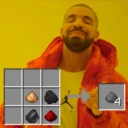
Craftable Gunpowder Recipe
一个微小的(Neo-)Forge模组,通过简单配方即可合成火药,材料摆放顺序随意。

Craftable Gunpowder
一个轻量的(Neo-)Forge 模组,只需简单配方即可合成火药,材料摆放顺序不限。

Inventory Trash
一款轻量体验优化模组,在单人游戏物品栏中添加垃圾桶按钮,可销毁物品。

Effective Farmer
一款单人农耕便利性模组:使用普通作物和新增的镰刀,即可将小麦、甜菜根、胡萝卜和马铃薯的种植与收获范围扩大到 3×3×3。
评论
登录后评论和评分