
截图
介绍
ResourcePackDirectory

Allows to hot change the Minecraft resource pack directory. (No need to restart your MC)
更改資源包的資料夾 (不須重啟MC)
Main Purpose
- pretty useful for different Minecraft launcher and instance like MultiMC PrismMC LunerClient FeatherLauncher etc.
🎯 Features
- Custom Resource Pack Directory: Place your resource packs anywhere you want
- Cross-Platform Support: Compatible with Fabric, NeoForge, and Forge
- Easy Configuration: Simple in-game settings interface for directory management
- Hot Change: Change directory location without restarting the game
⚙️ Usage
Through In-Game Settings
- Install Mod Menu (Fabric only)
- Click “Mods” in the main menu
- Find “ResourcePackDirectory” and click the settings button
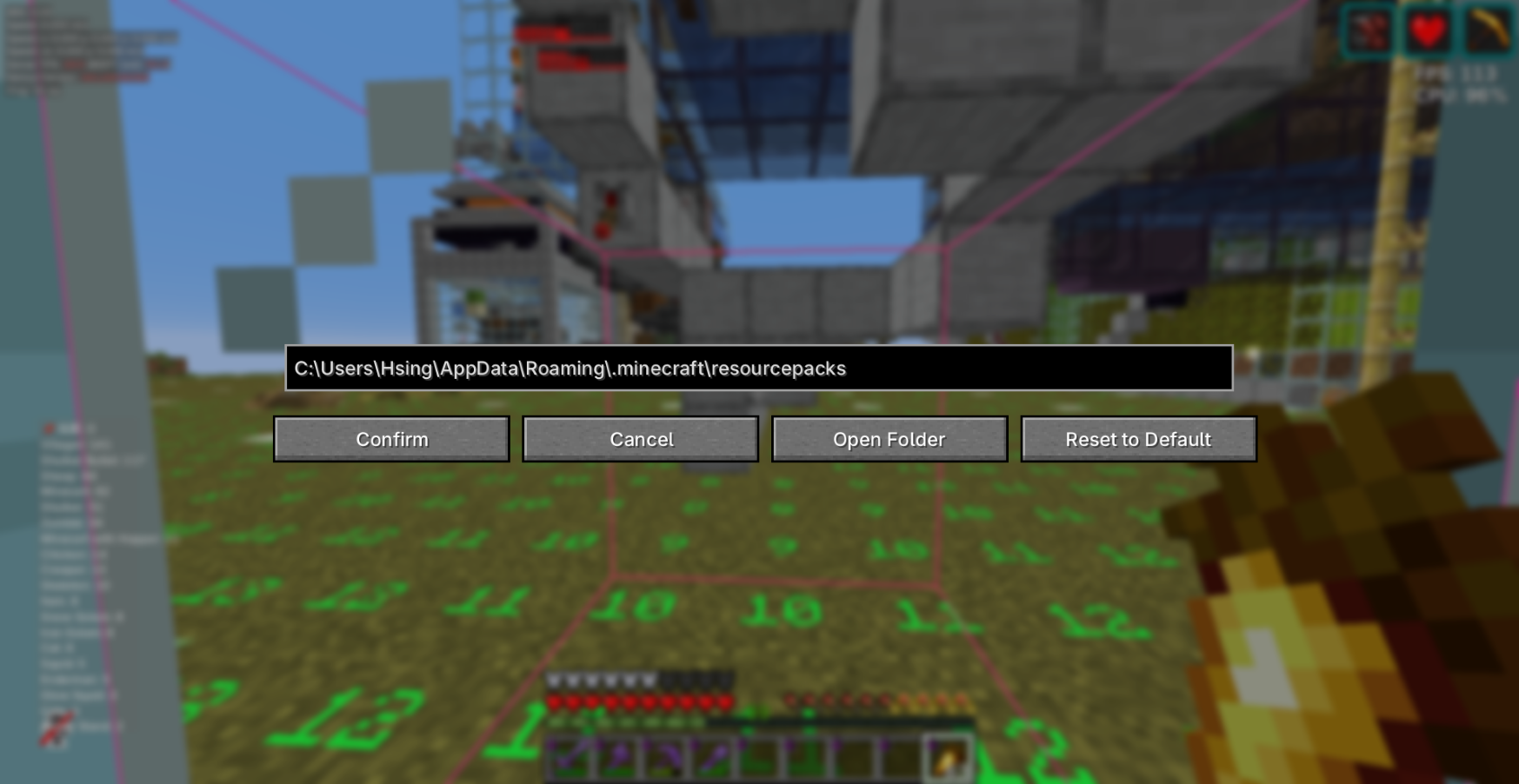
- Use the following options:
- Path Input Field: Directly enter the new resource pack directory path
- Browse Button: Open file browser to select directory
- Reset Button: Restore to default directory (
./resourcepacks/) - Confirm: Apply changes
- Cancel: Discard changes
Note
I make ModMenu an optional dependency because some client can’t use Modmenu, thus we need other mods like Menulogue or any else
Through Configuration File (Require restart)
Configuration file location: config/resourcepackdirectory.json
{
  "resourcepackdirectory": "./resourcepacks/"
}
📄 License
This project is licensed under All Rights Reserved.
👤 Author
Gahaha
Make your resource pack management more flexible!
常见问题
ResourcePackDirectory 支持哪些 Minecraft 版本?
ResourcePackDirectory 支持 Minecraft Java 版 1.21–26.3,共 17 个版本,可用的加载器:Fabric / NeoForge。下载时注意选择和你游戏版本一致的文件。
ResourcePackDirectory 怎么安装?
先用 PCL2 或 HMCL 启动器安装对应版本的 Fabric / NeoForge,再把下载的 .jar 文件放进游戏目录的 mods 文件夹,重新启动游戏即可。开启了版本隔离的,mods 文件夹在 versions/版本名 下面。运行环境:仅客户端。
Gahaha 的其他作品
查看全部 →
Entity Count Client
Count entities in your loaded chunks.

Reverse Third Persion Move
Reverses movement controls and camera pitch when in front-facing third-person view for more intuitive gameplay.

InlineIME
Draws the text your IME is composing inside the text field itself, instead of the floating box vanilla shows next to it. 擺脫醜醜的聊天欄輸入框
评论
登录后评论和评分