
Resource Pack Downloader
This utility project adds a in game resource packs downloader and a delete button for resource packs in options and resouce packs
截图
介绍
In-Game Resource Pack Downloader
In-Game Resource Pack Downloader is a client-side utility mod for Fabric 26.2 designed to simplify how you discover, install, and manage resource packs without needing to leave the game.
Features
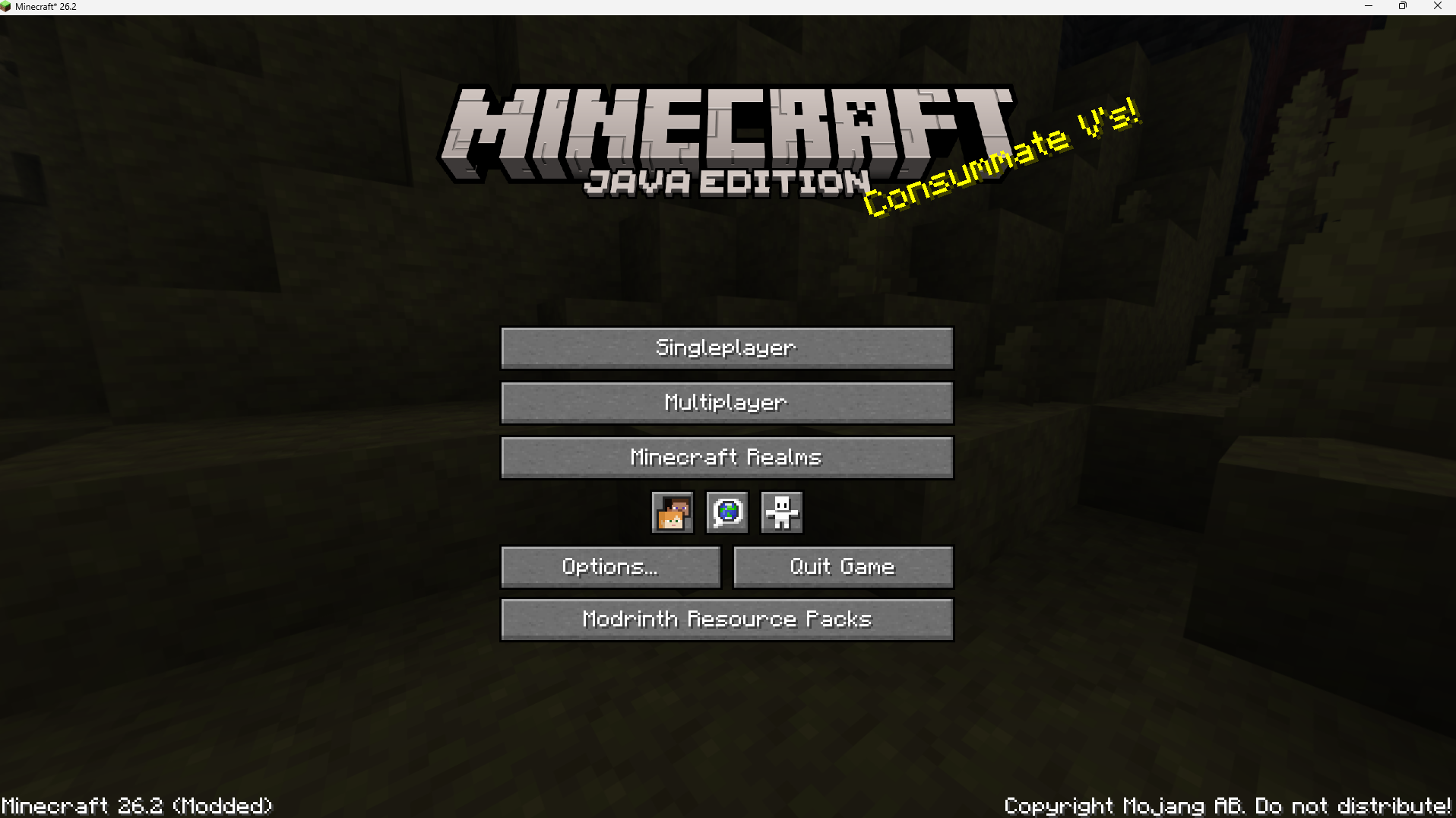
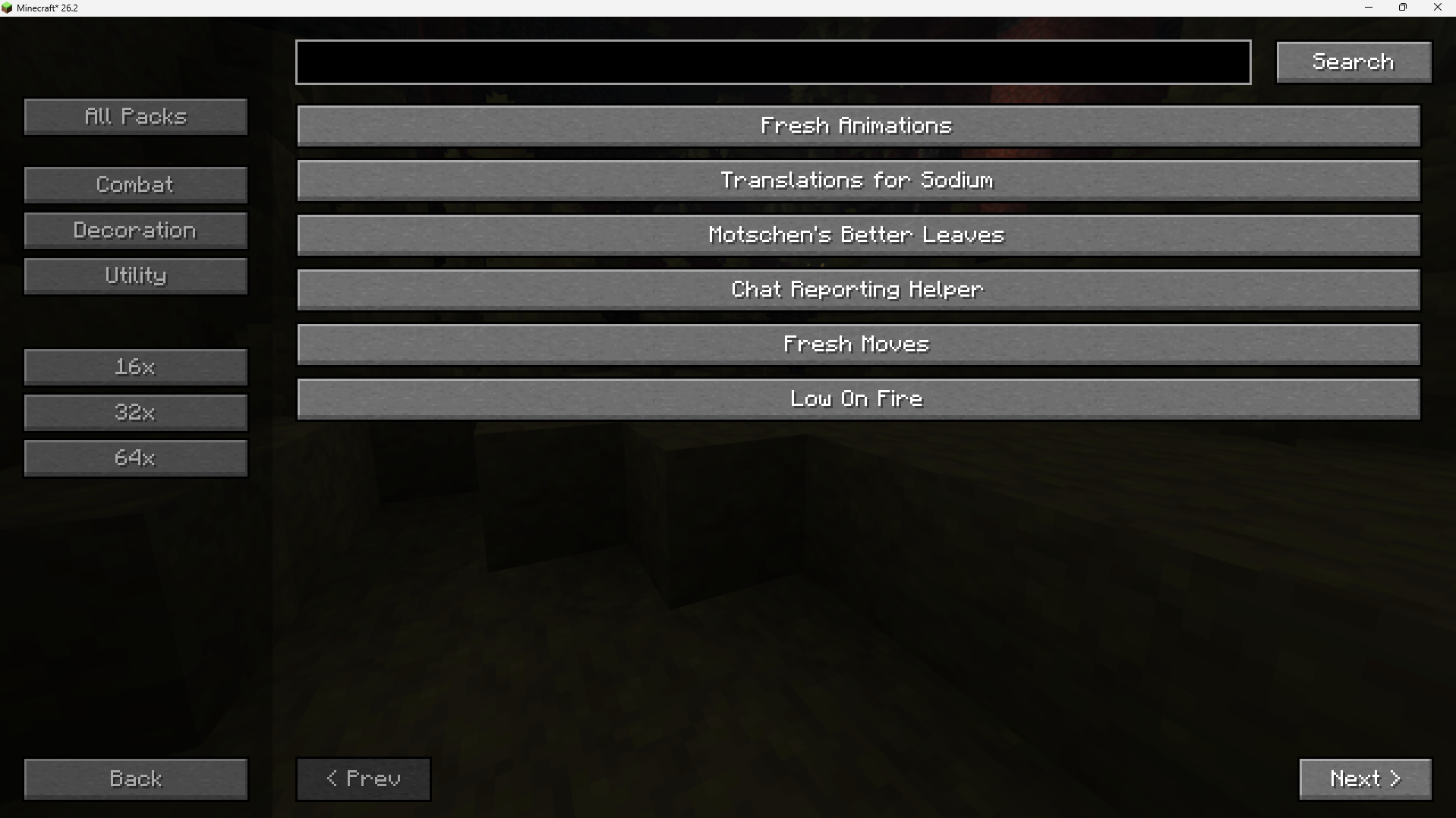
In-Game Modrinth Browser: Access a dedicated search screen directly from the Minecraft Title Screen. Browse, search, and view detailed information for resource packs hosted on Modrinth.
Filter and Search Options: Narrow down your search using category filters (such as Combat, Decoration, and Utility) and resolution filters (including 16x, 32x, and 64x).
Direct In-Game Downloads: Installs selected resource packs directly into your local resourcepacks directory with a single click.
Automatic Compatibility Patching: Downloaded packs are automatically patched on-the-fly. The mod updates the pack.mcmeta file inside the downloaded .zip archive to use a broad compatibility range (min_format: 84 to max_format: 999), reducing the frequency of “Incompatible” warning indicators on Minecraft 26.2.
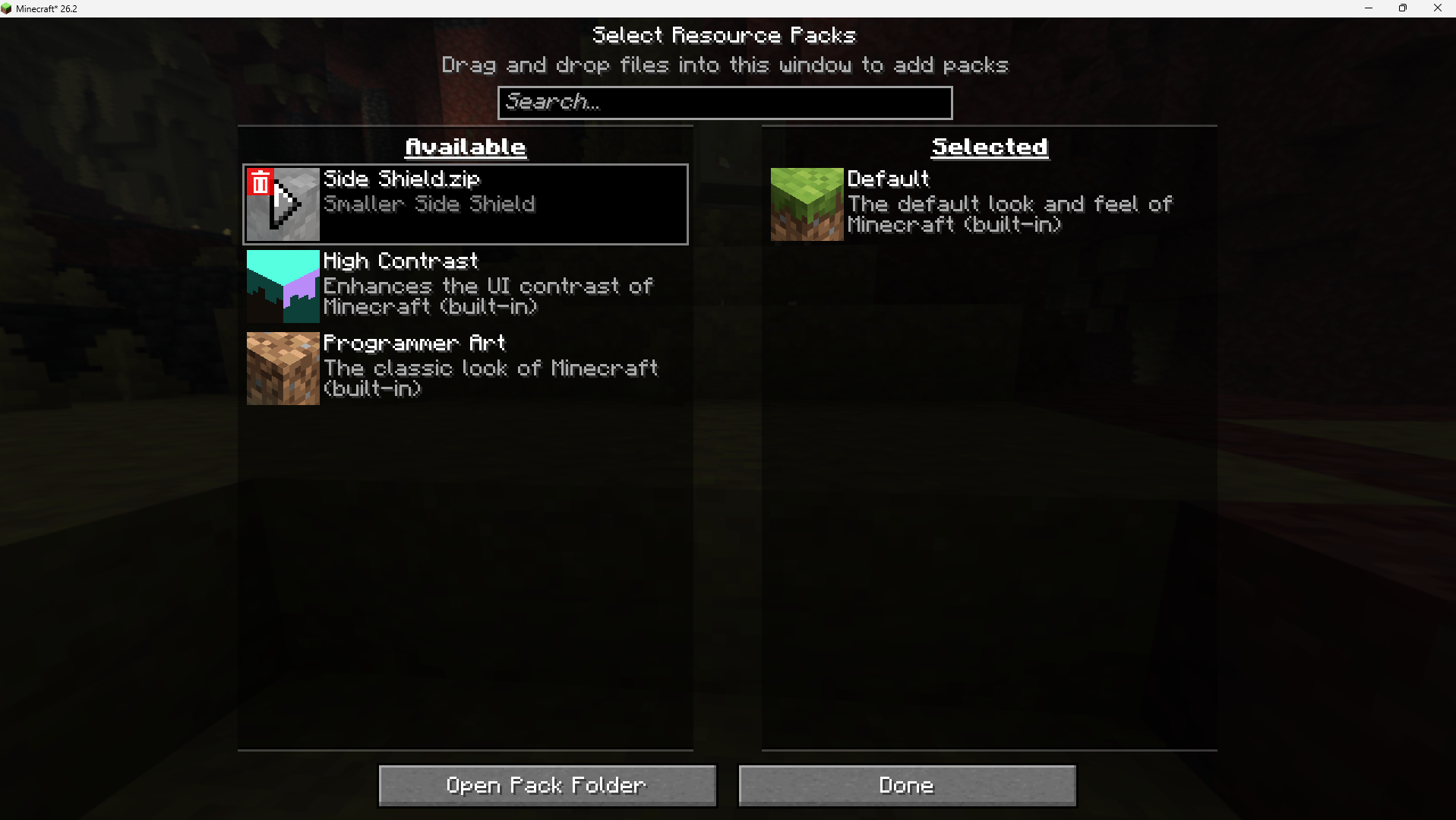
Quick Deletion Interface: Adds a custom-rendered trash can button overlay to the unselected (left) list inside the vanilla Resource Packs selection screen. This allows you to permanently delete local resource pack files or directories directly from the interface, automatically refreshing the list afterward.
How to Use
Browsing & Downloading:
Click the Modrinth Resource Packs button on the Title Screen.
Search or use the left sidebar filters to find a pack.
Click on a pack’s name to view its description, then click Download In-Game.
Managing and Deleting:
Open your vanilla Options -> Resource Packs… menu.
Hover over any unselected, non-default resource pack on the left-hand list.
Click the red trash can icon in the top-left corner of the pack’s icon to delete the file or folder from your computer.
Installation & Requirements
Platform: Fabric Loader (Client-side only)
Minecraft Version: 26.2
Dependencies: None (does not require any external configuration files or library mods)
常见问题
Resource Pack Downloader 支持哪些 Minecraft 版本?
Resource Pack Downloader 支持 Minecraft Java 版 26.2,可用的加载器:Fabric。下载时注意选择和你游戏版本一致的文件。
Resource Pack Downloader 怎么安装?
先用 PCL2 或 HMCL 启动器安装对应版本的 Fabric,再把下载的 .jar 文件放进游戏目录的 mods 文件夹,重新启动游戏即可。开启了版本隔离的,mods 文件夹在 versions/版本名 下面。运行环境:仅客户端。
AvishStrike 的其他作品
查看全部 →
death screen coordinates
This project adds cords to the death screen

custom_maces_resource_pack
This project adds textures with animations for my custom maces plugin
AutoSignWrap
AutoSignWrap is a client-side Fabric mod that automatically advances your text to the next line whenever a sign line reaches its maximum width limit. It eliminates the hassle of manually pressing Enter or arrow keys while writing in-game

copper armor marlow’s texture
Marlow's texture pack does'nt have the copper armor texture so this mod add the same texture to the copper armor
评论
登录后评论和评分