Render Scroll
Change your render distance with the scroll wheel, with a toggleable keybind.
截图
介绍
Render Scroll
Render Scroll lets you change your render distance instantly using your scroll wheel, without pausing the game or opening video settings.
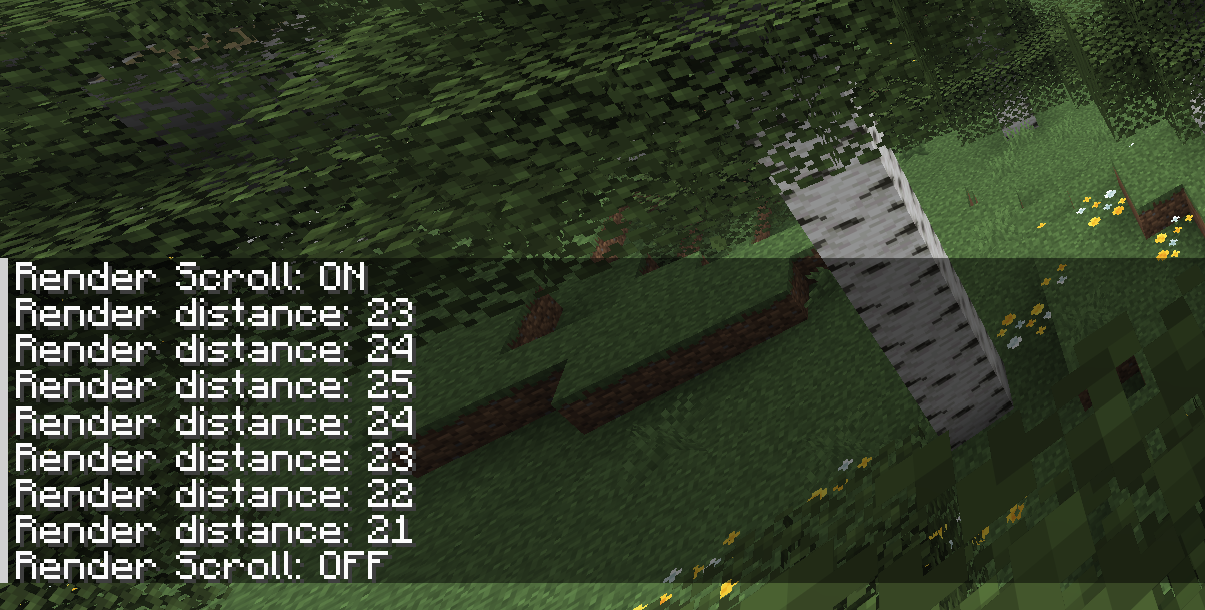
When Render Scroll is enabled, scrolling up increases render distance and scrolling down decreases it. The current render distance is shown in chat after each change.
This is similar to the old F3 + F behavior from Minecraft 1.16, but using the scroll wheel instead.
Features
- Change render distance without opening settings
- Uses the mouse scroll wheel
- Shows the new render distance in chat
- Toggleable keybind
- Client-side only
Controls
The default toggle key is U.
You can change the keybind in Minecraft’s controls menu.
Notes
This mod requires Fabric API.
Render Scroll is licensed under the MIT License. You are free to use, modify, and include it in modpacks. Credit and a link to the official project page are appreciated.
常见问题
Render Scroll 支持哪些 Minecraft 版本?
Render Scroll 支持 Minecraft Java 版 1.16.1–26.3,共 14 个版本,可用的加载器:Fabric。下载时注意选择和你游戏版本一致的文件。
Render Scroll 怎么安装?
先用 PCL2 或 HMCL 启动器安装对应版本的 Fabric,再把下载的 .jar 文件放进游戏目录的 mods 文件夹,重新启动游戏即可。开启了版本隔离的,mods 文件夹在 versions/版本名 下面。运行环境:仅客户端。
评论
登录后评论和评分