
截图
介绍
🧩 RemoveToastMessage 모드 소개
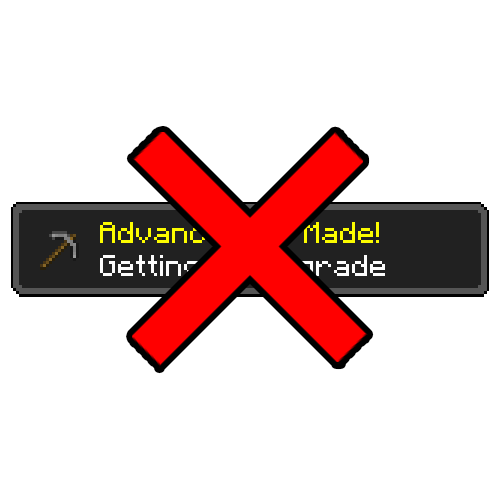
우측 상단에 표시되는 토스트 메시지를 제거해주는 모드입니다.
✨ 주요 기능
마인크래프트에서 업적을 달성하면 기본적으로 두 가지 알림이 발생합니다.
- 화면 우측 상단에 표시되는 토스트 팝업 (업적 달성, 레시피 해금, 플레이 시간 안내 등)
- 채팅창에 표시되는 업적 달성 메시지
RemoveToastMessage 모드는 위 두 가지 알림을 모두 비활성화합니다.
⚙️ 특징
- 업적은 정상적으로 달성됨
- 보상 역시 그대로 지급됨
- 단지 알림만 표시되지 않음
기존 게임룰로는 우측 상단 토스트 메시지를 완전히 끄기 어려웠지만,
이 모드를 사용하면 해당 메시지를 깔끔하게 숨길 수 있습니다.
또한 별도의 게임룰 설정 없이도
업적 달성 메시지가 채팅창에 표시되지 않도록 처리되어 있습니다.
🌍 English
🧩 RemoveToastMessage Mod Overview
A mod that removes toast messages displayed in the top-right corner of the screen.
✨ Features
In Minecraft, two types of notifications are triggered when you complete an advancement:
- Toast pop-ups shown in the top-right corner (advancements, recipe unlocks, playtime notifications, etc.)
- Chat messages announcing advancement completion
RemoveToastMessage disables both types of notifications.
⚙️ Details
- Advancements are still completed normally
- Rewards are fully preserved
- Only the notifications are removed
While it is difficult to completely disable toast messages using vanilla game rules,
this mod cleanly hides them.
Additionally, advancement messages will not appear in chat,
even without changing any game rules.
常见问题
RemoveToastMessage 支持哪些 Minecraft 版本?
RemoveToastMessage 支持 Minecraft Java 版 1.21.1,可用的加载器:NeoForge。下载时注意选择和你游戏版本一致的文件。
RemoveToastMessage 怎么安装?
先用 PCL2 或 HMCL 启动器安装对应版本的 NeoForge,再把下载的 .jar 文件放进游戏目录的 mods 文件夹,重新启动游戏即可。开启了版本隔离的,mods 文件夹在 versions/版本名 下面。运行环境:客户端和服务端都要装。
评论
登录后评论和评分