Refined Storage Pattern Terminal
Wireless Pattern Terminal addon for Refined Storage featuring Pattern, Crafter and Autocraft Manager access, persistent pattern slots, upgrade support, player inventory integration and a Creative terminal with permanent 100% power.
截图
介绍
Refined Storage Pattern Terminal
Version 1.0.1 — Minecraft 1.21.1, NeoForge
Refined Storage Pattern Terminal is an addon that lets you create and manage Refined Storage crafting patterns from anywhere using a wireless terminal.
Instead of returning to a physical Pattern Grid whenever you need to create or change a pattern, you can open the Wireless Pattern Terminal directly from your inventory. It also provides quick access to connected Crafters and the Autocrafting Manager.
Main Features
- Create and edit crafting patterns wirelessly
- Access the Pattern Grid from anywhere within wireless range
- Access connected Refined Storage Crafters
- Open the Autocrafting Manager remotely
- Switch between terminal interfaces without losing your work
- Keep the Pattern Grid workspace saved after closing the terminal
- Manage terminal upgrades from your inventory
- Dedicated Creative Mode tab containing every item from the mod
Included Terminals
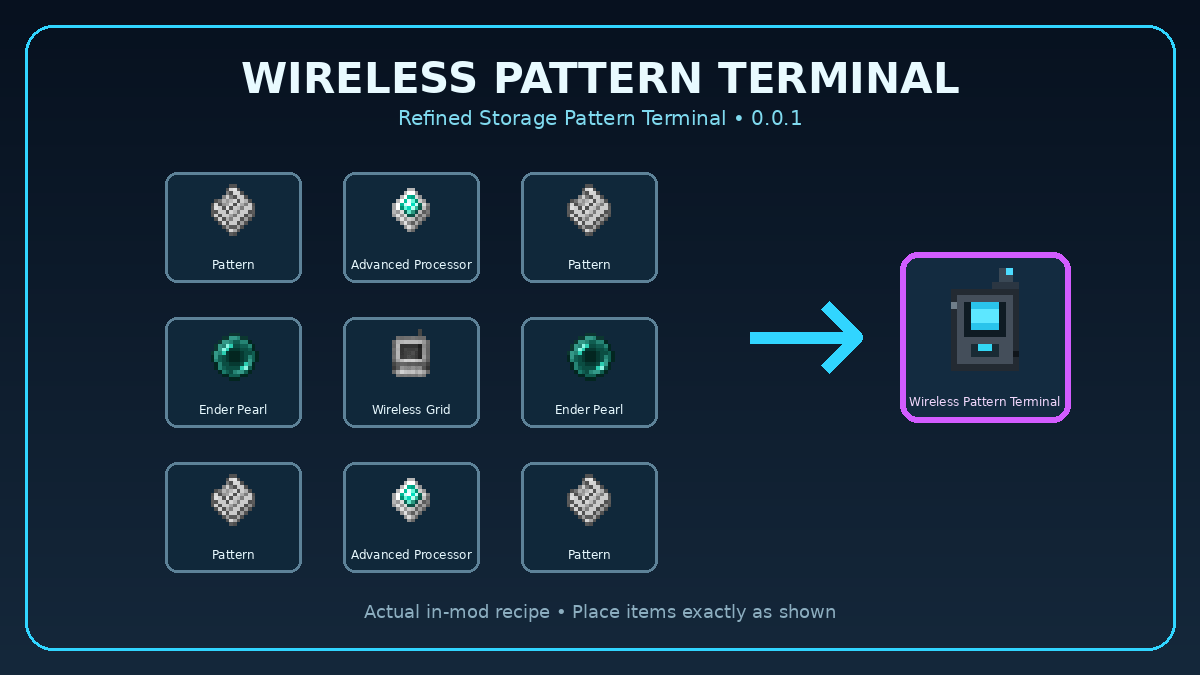
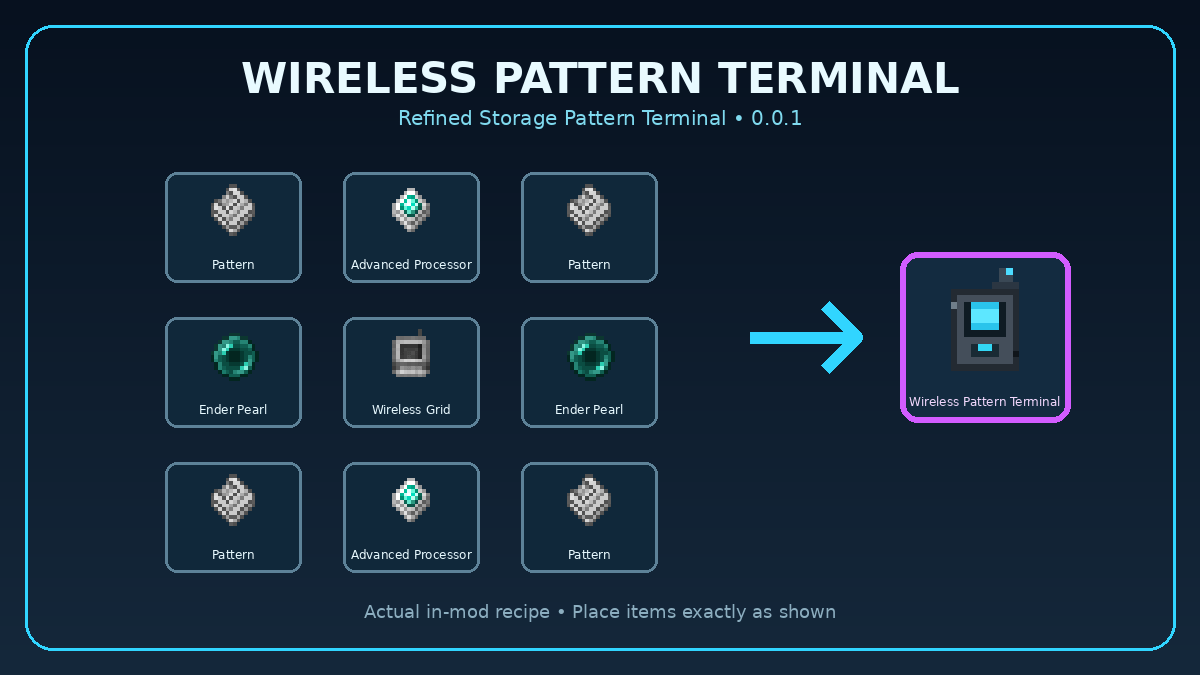
Wireless Pattern Terminal
The standard Wireless Pattern Terminal provides portable access to pattern creation and management.
It uses stored energy while operating and can be improved by installing terminal upgrades.
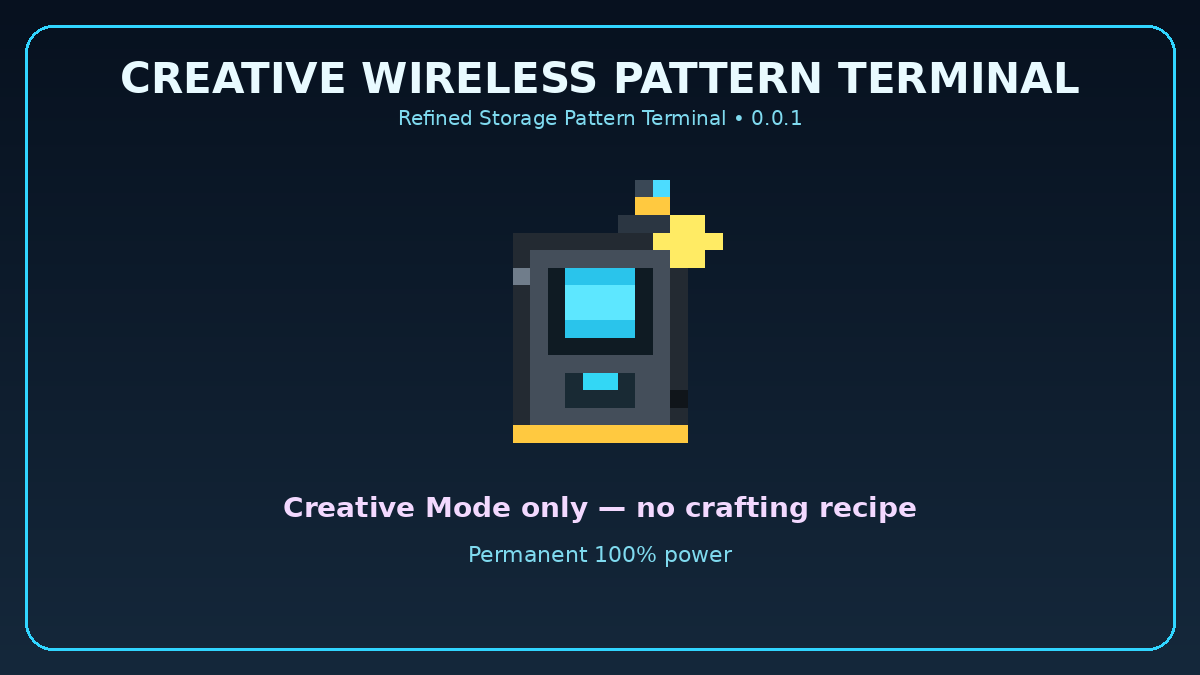
Creative Wireless Pattern Terminal
The Creative Wireless Pattern Terminal is designed for Creative Mode and testing.
- Permanently remains at 100% power
- Never consumes or loses energy
- Does not require recharging
- Provides continuous access to all supported terminal interfaces
Terminal Interfaces
The terminal includes several selectable interfaces:
- Pattern Interface: Create and manage Refined Storage crafting patterns.
- Crafter Access: View and interact with connected Crafters.
- Autocraft Manager: Monitor and manage active autocrafting jobs.
- Upgrade Interface: Install, remove and manage terminal upgrades.
- Player Inventory: Access your complete inventory and hotbar without leaving the upgrade screen.
Available Upgrades
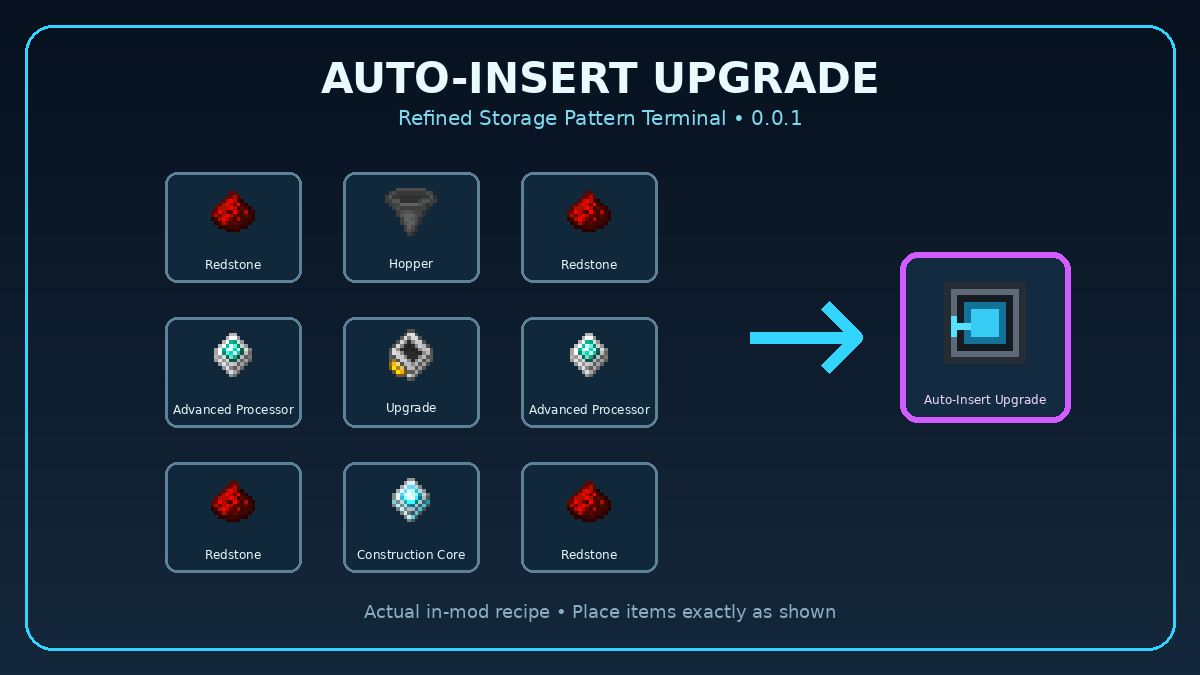
Auto-Insert Upgrade
Automatically inserts completed patterns into an available connected Crafter.
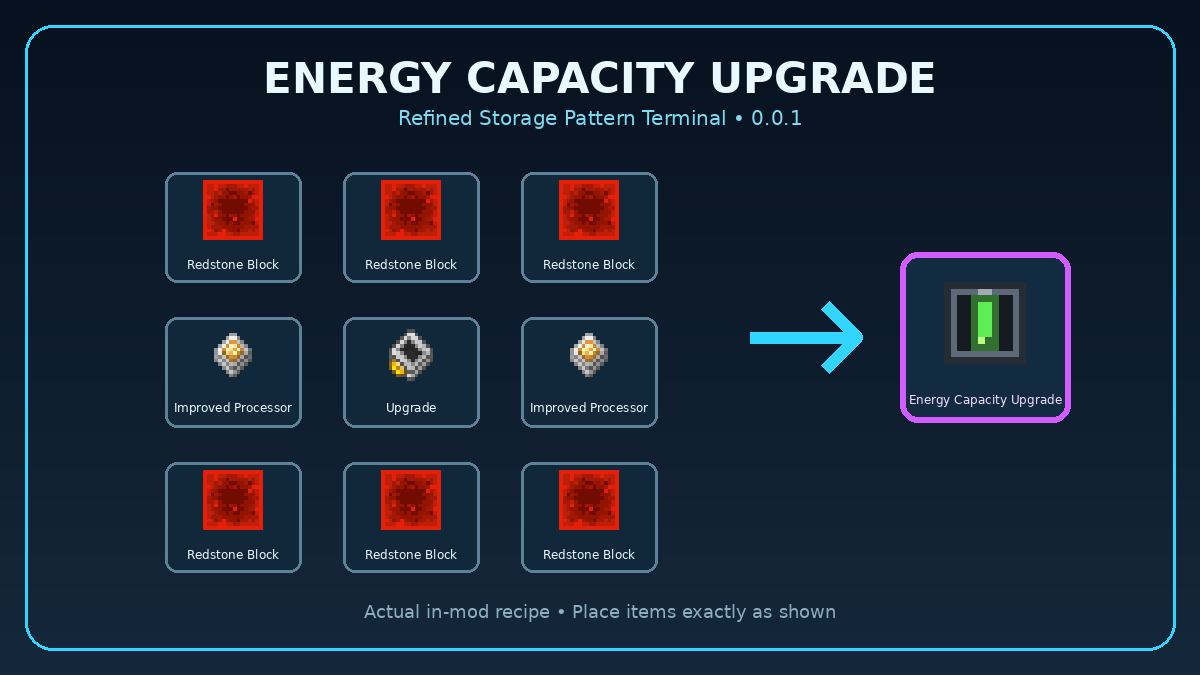
Energy Capacity Upgrade
Increases the maximum amount of energy that the Wireless Pattern Terminal can store.
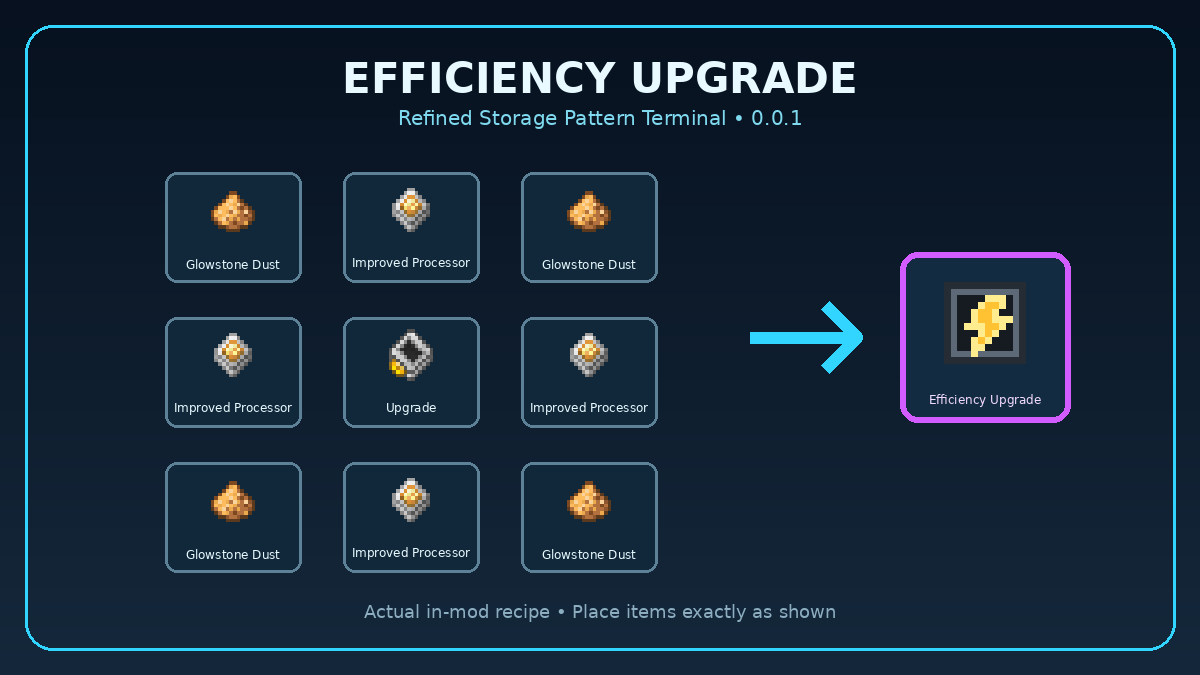
Efficiency Upgrade
Reduces the amount of energy consumed while using the terminal.
How to Use
- Install NeoForge for Minecraft 1.21.1.
- Install the required version of Refined Storage.
- Place the Pattern Terminal mod
.jarinside your Minecraftmodsfolder. - Start Minecraft and open a world.
- Find the new Refined Storage Pattern Terminal Creative Mode tab.
- Take either the standard or Creative Wireless Pattern Terminal.
- Connect the terminal to your Refined Storage network using the normal wireless connection process.
- Hold the terminal and use it to open its interface.
- Select the Pattern Grid, Crafter, Autocraft Manager or Upgrade interface.
- Add supported upgrades through the terminal’s upgrade screen.
The standard terminal must have energy and remain within the supported network range. The Creative Wireless Pattern Terminal always has full power, but it may still require a valid connection to a Refined Storage network.
常见问题
Refined Storage Pattern Terminal 支持哪些 Minecraft 版本?
Refined Storage Pattern Terminal 支持 Minecraft Java 版 1.21.1,可用的加载器:NeoForge。下载时注意选择和你游戏版本一致的文件。
Refined Storage Pattern Terminal 怎么安装?
先用 PCL2 或 HMCL 启动器安装对应版本的 NeoForge,再把下载的 .jar 文件放进游戏目录的 mods 文件夹,重新启动游戏即可。开启了版本隔离的,mods 文件夹在 versions/版本名 下面。
gamingprovids 的其他作品
查看全部 →
Never Enough Currency 2 (NEOFORGE)
Never Enough Currency 2

Bedrock Armor Forge
基岩盔甲

Random Fhings [FORGE]
添加随机方块和工具

Skyblock Trade
Skyblock Map Made for 1.14.2 Pre-Release 4
评论
登录后评论和评分