介绍
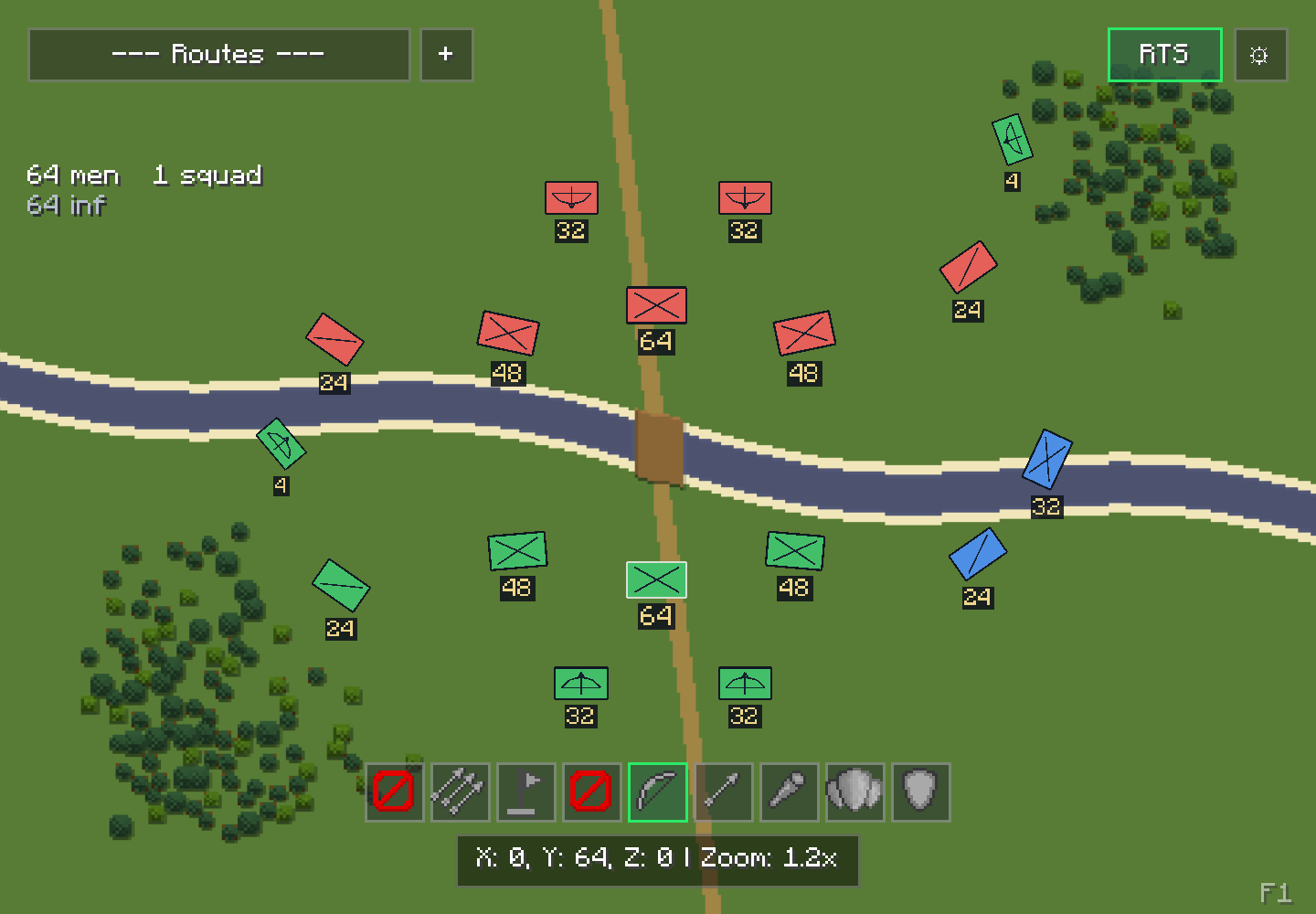

Recruits RTS Command adds RTS controls to the tactical map in Villager Recruits.
Open the tactical map and click the RTS button in the upper-right corner to enter command mode. While the map is open in RTS mode, press F1 to show or hide the control reference.
Recruits can be selected individually, by squad or through saved control groups. Orders are issued directly from the map: send units to a position, queue a route, attack a target, adjust formations and spacing, manage shields or assign fire zones.
The map displays squad positions, planned routes and health while commands are being issued.
With Siegeworks installed, supported siege crews and machines can also be managed from the map.
Requires Villager Recruits 1.15.2 or newer.
常见问题
Recruits RTS Command 支持哪些 Minecraft 版本?
Recruits RTS Command 支持 Minecraft Java 版 1.20.1,可用的加载器:Forge。下载时注意选择和你游戏版本一致的文件。
Recruits RTS Command 怎么安装?
先用 PCL2 或 HMCL 启动器安装对应版本的 Forge,再把下载的 .jar 文件放进游戏目录的 mods 文件夹,重新启动游戏即可。开启了版本隔离的,mods 文件夹在 versions/版本名 下面。
mss1r 的其他作品
查看全部 →
Villager Recruits
招募并指挥村民,通过自定义界面管理军队;支持外交与队伍兼容的 PvP,还提供丰富的可配置选项。

Mob Limiter
为每个区块和整个地图设置限制,管理生物生成并防止农场过度拥挤。

Small Ships Heraldry
使用游戏内的纹章编辑器,为 Small Ships 创建、绘制并安装自定义帆船图案。

Recruits Corpse Patch
招募的尸体现在使用匹配的皮肤和模型。
评论
登录后评论和评分