
截图
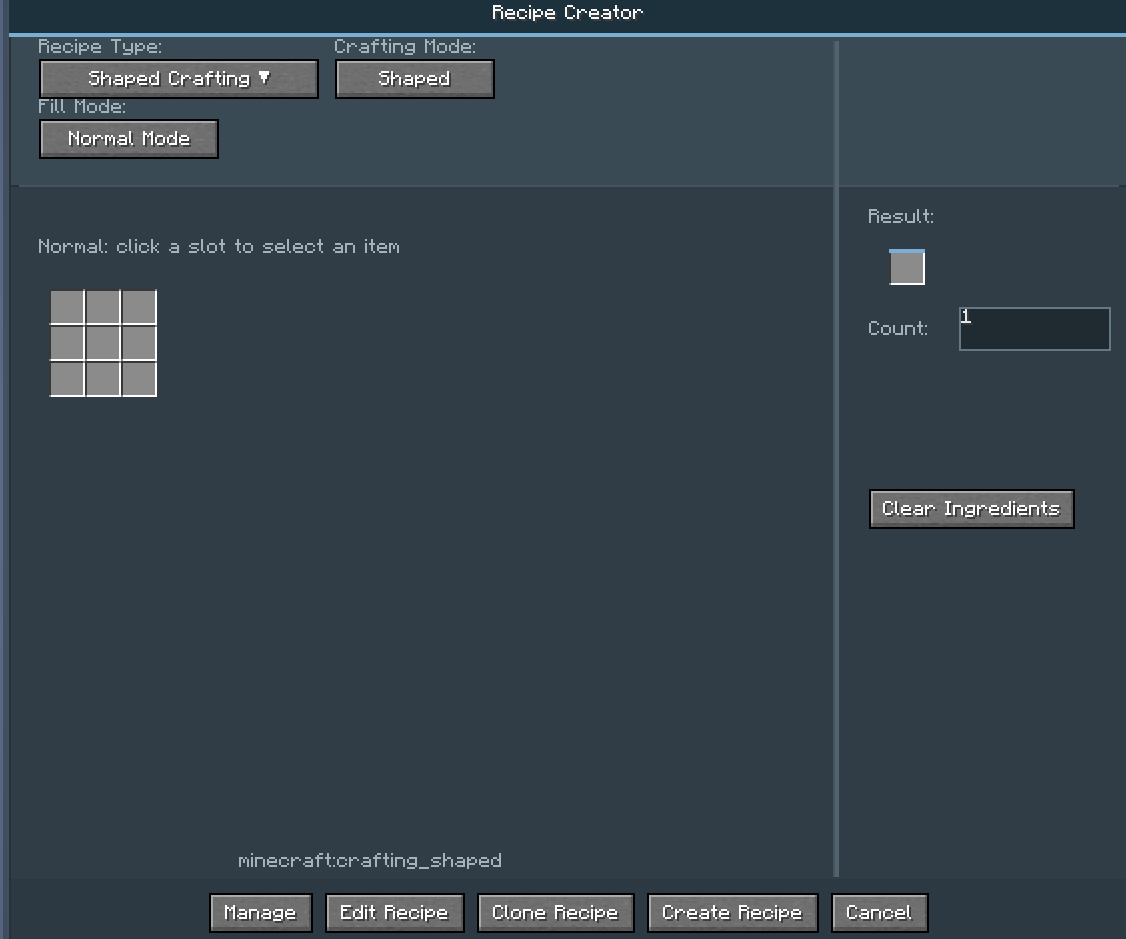
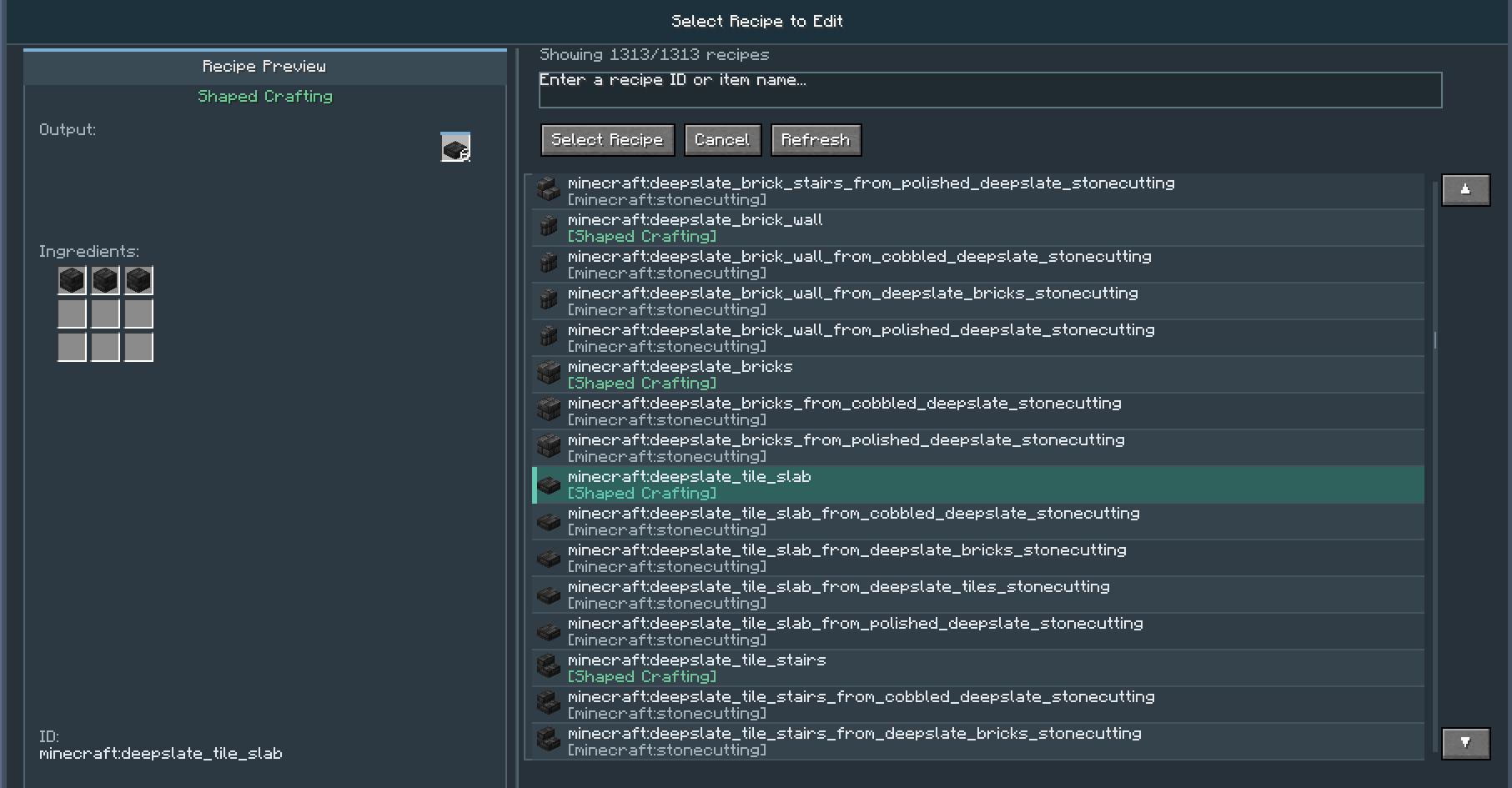
介绍
Recipe Helper
Recipe Helper is a Minecraft mod that adds the /recipe_helper command, allowing you to dynamically manage crafting recipes while the game is running.
All subcommands require permission level 2 (i.e., default OP privileges).
📖 New Version (>1.0)
The mod has been completely rewritten. Old recipes from versions ≤1.0 are not compatible with this new version. Recipes are now generated in standard JSON format instead of the old custom format.
Commands
The command system has been greatly simplified. Use:
/recipe_helper openGUI
to open the graphical user interface. All recipe management (adding, editing, deleting) is now done through the GUI. The old command-based recipe creation and removal have been removed.
Recipe Storage
All created or modified recipes are stored in:
config/registerhelper/recipes
Supported Mods
This mod supports recipe creation and modification for:
- Avaritia (Endless: Reborn)
- Eternis Starry Sky
- Mystical Agriculture
- Botania
- Farmer’s Delight
- And more!
Export Support
Recipes can be exported as code for:
- KubeJS
- CraftTweaker
⚠️ Note: The following export commands are no longer maintained and may not work:
/recipe_helper export kubejs single # Export all recipes to a single KubeJS file
/recipe_helper export kubejs multiple # Export all recipes to multiple KubeJS files
/recipe_helper export crafttweaker single # Export all recipes to a single CraftTweaker file
/recipe_helper export crafttweaker multiple # Export all recipes to multiple CraftTweaker files
text
Reloading Recipes
When using the mod on a server:
- The
/reloadcommand must be executed from the server console (OP executing/reloadclient-side will not work). - OPs can use the following command to synchronize recipes:
/recipe_helper reload
text
This fully reloads the datapack, equivalent to the server console /reload command.
NBT Handling
- Middle-click on an item with NBT data to completely ignore NBT.
- Shift + Middle-click to enter the exact matching interface, allowing you to configure which NBT tags to ignore.
- A default preset is available for Bamboo Mod (SlashBlade) swords.
- The configuration file also allows you to modify whether items carry NBT by default.
🛠️ Creating Recipe Processors via JSON
You can add custom recipe processors by placing JSON files in:
config/registerhelper/processor
text
Example JSON:
{
  "processor": {
    "modid": "eternisstarrysky",
    "methods": {
      "isModLoaded": {
        "condition": {
          "type": "forge:mod_loaded",
          "modid": "eternisstarrysky"
        }
      },
      "getSupportedRecipeTypes": {
        "return": ["vanilla_workbench_s"]
      },
      "createRecipeJson": {
        "generator": "shapeless",
        "recipeType": "eternisstarrysky:vanilla_workbench_s"
      }
    }
  },
  "recipeType": {
    "type": "vanilla_workbench_s",
    "displayName": "Vanilla Special Workbench",
    "layout": "custom_layout_id"
  }
}
Place the JSON file in config/registerhelper/processor and restart the game. The processor will load automatically and appear in the GUI.
Built-in Layouts
The mod includes the following built-in layout IDs:
rectangular_3x3, rectangular_9x9, rectangular_4x1, rectangular_1x1, rectangular_2x2, rectangular_5x5, rectangular_11x11, minecraft_brewing, stonecutting, smithing, runic_altar, arc_furnace, infusion, reprocessor, cutting, cooking, emptying, create_cutting, compacting, filling.
More mod integrations will be added in future updates.
🖼️ Gallery
(Placeholder for screenshots)
📜 Legacy Version (≤1.0)
Note: These commands are for older versions (≤1.0) and are kept here for reference only.
Commands
text
/recipe_helper gui
Opens the graphical recipe management interface.
After modifying or adding recipes, use:
text
/recipe_helper reload
to reload the recipes.
Add Recipes
Shaped:
text
/recipe_helper add shaped
: Output item
: Output quantity (1–64)
: Pattern string
Example:
text
/recipe_helper add shaped minecraft:diamond 1 “###,# #,###;#:minecraft:iron_ingot”
(Iron ingots in a ring shape craft a diamond)
Shapeless:
text
/recipe_helper add shapeless
: Output item
: Output quantity
: List of ingredients (separated by 😉
Example:
text
/recipe_helper add shapeless minecraft:stick 4 “minecraft:planks;minecraft:planks”
Smelting:
text
/recipe_helper add smelting
Example:
text
/recipe_helper add smelting minecraft:iron_ore minecraft:iron_ingot
Avaritia (Endless: Reborn):
text
/recipe_helper add avaritia
: Singularity Workbench tier (1–4)
Example:
text
/recipe_helper add avaritia minecraft:nether_star 1 4 “###,###,###;#:minecraft:diamond_block”
Other Legacy Commands
text
/recipe_helper register
/recipe_helper reload from_json
/recipe_helper delete recipe
/recipe_helper delete all confirm
/recipe_helper delete list
/recipe_helper clear
/recipe_helper count
/recipe_helper help
Legacy Compatibility Notes
Compatible with Avaritia: Endless Reborn (excluding compressor recipe modifications).
All recipes are stored in config/recipes.
⚠️ Important Notes
Dynamically modifying recipes is an advanced feature and may affect the logic of other mods.
It is strongly recommended to use this mod only in a testing environment or on servers that require hot-reloading of recipes.
Be extremely cautious when performing bulk operations such as deleting all recipes.
📦 Requirements
For version ≥1.6, JEI version must be ≥ 15.20.0.112 for brewing stand and anvil recipes to display correctly.
常见问题
Recipe Helper 支持哪些 Minecraft 版本?
Recipe Helper 支持 Minecraft Java 版 1.20.1–1.21.1,共 2 个版本,可用的加载器:Forge / NeoForge。下载时注意选择和你游戏版本一致的文件。
Recipe Helper 怎么安装?
先用 PCL2 或 HMCL 启动器安装对应版本的 Forge / NeoForge,再把下载的 .jar 文件放进游戏目录的 mods 文件夹,重新启动游戏即可。开启了版本隔离的,mods 文件夹在 versions/版本名 下面。运行环境:客户端 / 服务端。


评论
登录后评论和评分