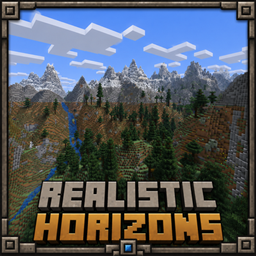
Realistic Horizons
Realistic Horizons adds cinematic, biome-aware Overworld terrain with towering mountains, carved valleys, improved coasts, and rare natural waterfalls.
截图
介绍
Realistic Horizons
Realistic Horizons is a serious Overworld terrain overhaul that makes Minecraft worlds feel larger, more natural, and more cinematic while still keeping the vanilla Minecraft style.
Instead of completely replacing the game with something unrecognizable, this mod improves the way the world is shaped. Mountains feel taller, valleys feel deeper, coastlines feel smoother, and the horizon looks much more impressive when exploring.
What Does Realistic Horizons Add?
– Cinematic mountain ranges that create huge, dramatic landscapes.
– Carved valleys and natural terrain flow for more believable world shapes.
– Improved coastlines that make oceans, beaches, and land edges feel less flat.
– Biome-aware terrain generation so the world still fits Minecraft’s normal biome style.
– Rare natural waterfalls that can appear in valid terrain spots.
– Better exploration views with large horizons, cliffs, forests, rivers, and snowy peaks.
– A vanilla-friendly look that improves terrain without making the world feel like a totally different game.
How To Use The Mod
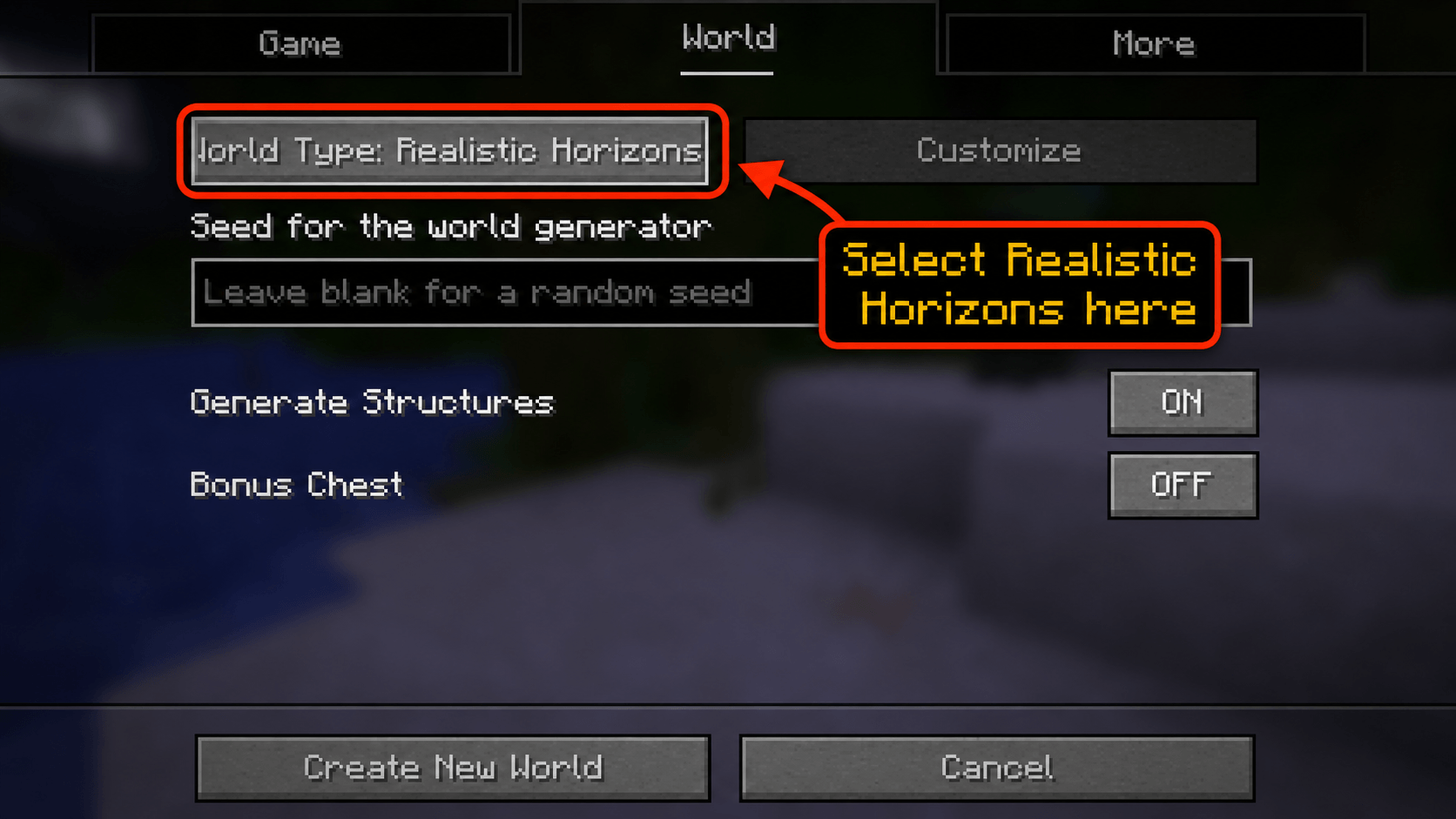
Important: Realistic Horizons only applies when you create a new world with its world generation option enabled.
To use the terrain:
1. Install the mod.
2. Open Minecraft.
3. Go to Singleplayer.
4. Click Create New World.
5. Go to the World tab or More World Options, depending on your Minecraft version.
6. Find the World Type option.
7. Select Realistic Horizons.
8. Create the world and start exploring.
If you create a world using the normal Default world type, you will not get the Realistic Horizons terrain.
Why Use Realistic Horizons?
Realistic Horizons is made for players who want Minecraft’s Overworld to feel more impressive without losing the blocky vanilla feeling.
It is great for:
– Survival worlds
– Exploration-focused gameplay
– Screenshots and cinematic views
– Mountain bases
– Adventure-style worlds
– Players who want better terrain without adding tons of extra content
Notes
– This mod changes world generation, so it is best used on a new world.
– Existing chunks in old worlds will not automatically regenerate.
– New terrain will only appear in newly generated chunks.
– For the intended experience, make sure the world type is set to Realistic Horizons during world creation.
常见问题
Realistic Horizons 支持哪些 Minecraft 版本?
Realistic Horizons 支持 Minecraft Java 版 1.21.11,可用的加载器:Fabric。下载时注意选择和你游戏版本一致的文件。
Realistic Horizons 怎么安装?
先用 PCL2 或 HMCL 启动器安装对应版本的 Fabric,再把下载的 .jar 文件放进游戏目录的 mods 文件夹,重新启动游戏即可。开启了版本隔离的,mods 文件夹在 versions/版本名 下面。
Dami3nat0r 的其他作品
查看全部 →
Scarier Mobs
Turn every other night into a blood moon with smarter, scarier mobs, custom stalking dwellers, and more dangerous survival encounters.
Single Island Generator
A Minecraft world generation mod that adds an Island world type, generating an ocean-only world with one randomly generated survival island.

Herobrine Reawakened
Bring the legend back. A silent figure materializes in storms, teleports close, stalks you, and occasionally sabotages your run then vanishes like it was never there.
Pack o’ Wands
A Fabric mod that adds many powerful and unique magic wands to Minecraft.
评论
登录后评论和评分