
介绍
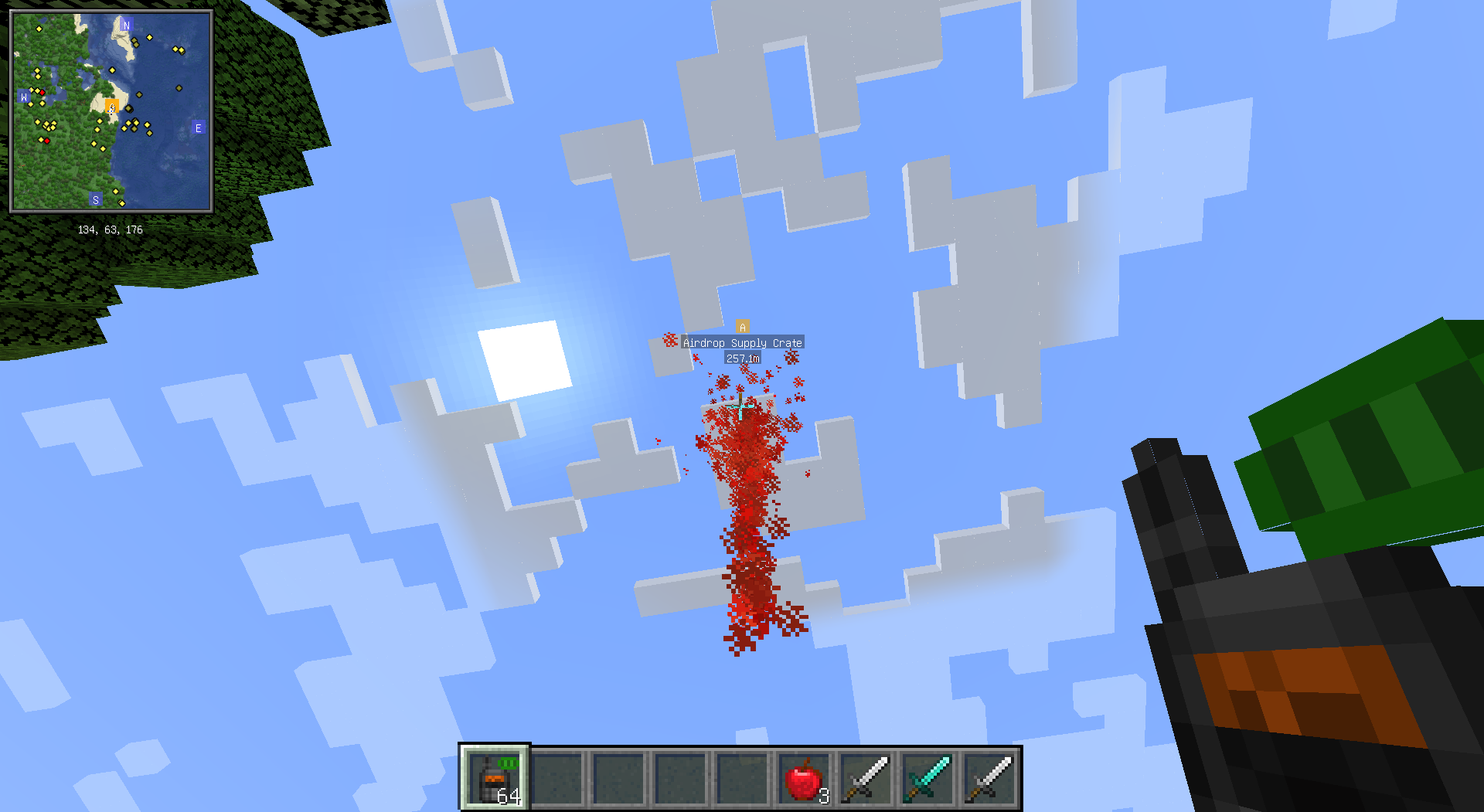
Airdrop Supply mod is now updated for Minecraft 1.20.1!
ReAirdrop Supply
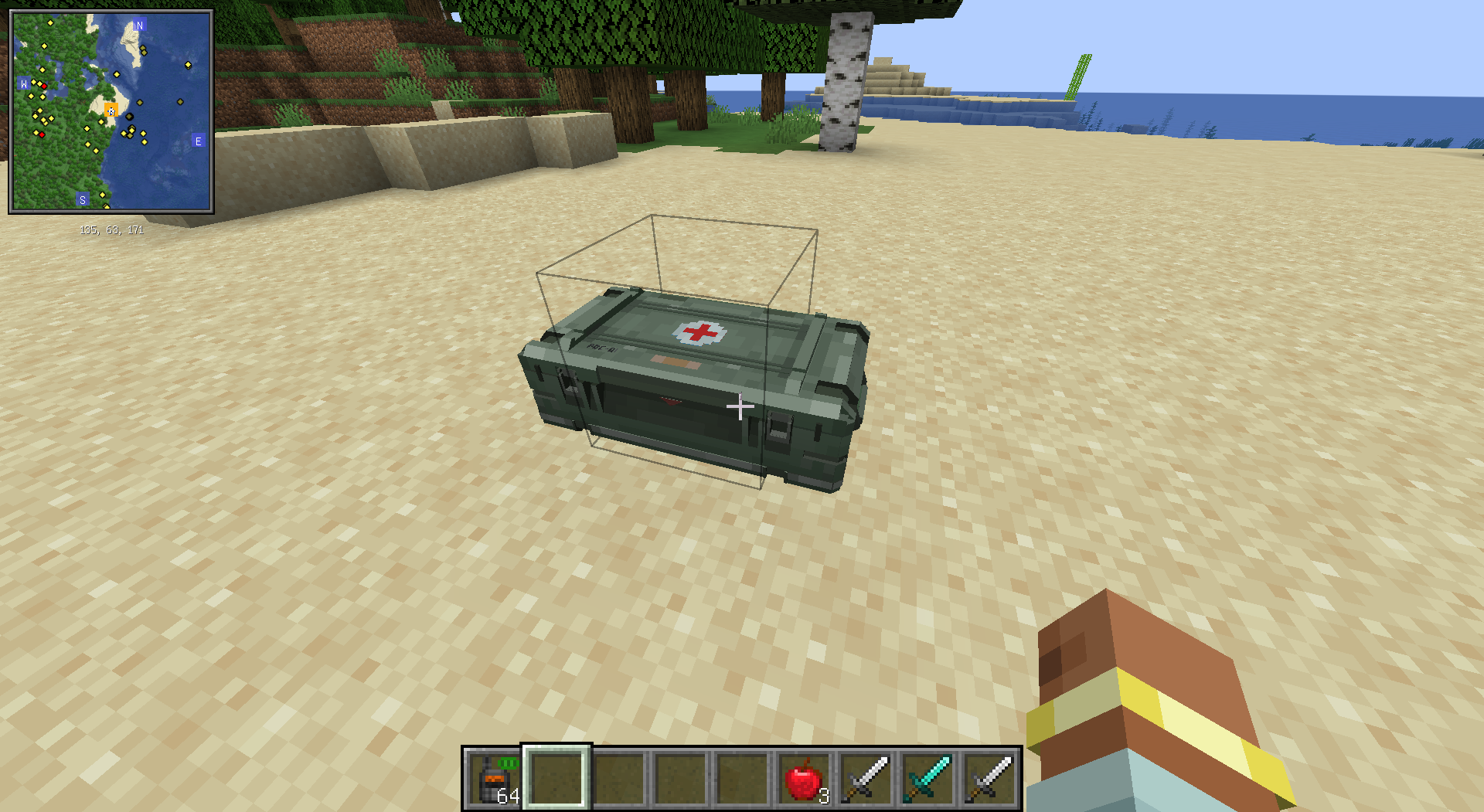
This is an airdrop mod.
This mod needs to be used with a data pack to fully function and is designed for mod pack creators.
Compat list
Xaero’s minimap
Configuration File
All configuration options are as follows (all are integers):
- AIRDROP_SPREAD_RANGE Maximum spread distance of airdrop boxes, not less than 10.
- AIRDROP_SPAWN_INTERVAL How often airdrop boxes appear, calculated in ticks, not less than 100.
- AIRDROP_DESPAWN_TIME How long before an airdrop box disappears, calculated in ticks, not less than 100.
- MEDIC_AIRDROP_WEIGHT Medic airdrop box weight, not less than 0.
- AMMO_AIRDROP_WEIGHT Ammo airdrop box weight, not less than 0.
- NO_AIRDROP_WEIGHT No airdrop box weight, not less than 0.
Please note, the sum of
MEDIC_AIRDROP_WEIGHTandAMMO_AIRDROP_WEIGHTmust be greater than 1, otherwise it will cause a crash.
- BASIC_BASE_WEIGHT Basic airdrop box base weight, not less than 0.
- BASIC_MULTIPLE_WEIGHT Basic airdrop box multiplier weight, not less than 0.
- MEDIUM_BASE_WEIGHT Medium airdrop box base weight, not less than -10000.
- MEDIUM_MULTIPLE_WEIGHT Medium airdrop box multiplier weight, not less than -10000.
- ADVANCED_BASE_WEIGHT Advanced airdrop box base weight, not less than -10000.
- ADVANCED_MULTIPLE_WEIGHT Advanced airdrop box multiplier weight, not less than -10000.
The weight calculation method for different levels is Weight = BASE_WEIGHT + Day * MULTIPLE_WEIGHT
A weight less than 1 means that level of airdrop box will not appear.
Data Pack
This mod’s data pack needs to include six loot tables, the creation and use of data packs are not detailed here.
airdrop_supply/medic_basic corresponds to the loot table for basic medic airdrop boxes.
airdrop_supply/medic_medium corresponds to the loot table for medium medic airdrop boxes.
airdrop_supply/medic_advanced corresponds to the loot table for advanced medic airdrop boxes.
airdrop_supply/ammo_basic corresponds to the loot table for basic ammo airdrop boxes.
airdrop_supply/ammo_medium corresponds to the loot table for medium ammo airdrop boxes.
airdrop_supply/ammo_advanced corresponds to the loot table for advanced ammo airdrop boxes.
Please limit the type of loot table to
chest.
A simple example of airdrop_supply/medic_basic, which provides up to 4 apples.
{
  "type": "minecraft:chest",
  "pools": [
    {
      "rolls": {
        "type": "minecraft:uniform",
        "min": 1,
        "max": 4
      },
      "bonus_rolls": 0,
      "entries": [
        {
          "type": "minecraft:item",
          "name": "minecraft:apple"
        }
      ]
    }
  ]
}
A simple example of airdrop_supply/ammo_basic, which provides 2 iron swords and may provide a diamond sword.
{
  "type": "minecraft:chest",
  "pools": [
    {
      "rolls": {
        "type": "minecraft:uniform",
        "min": 0,
        "max": 1
      },
      "bonus_rolls": 0,
      "entries": [
        {
          "type": "minecraft:item",
          "name": "minecraft:diamond_sword"
        }
      ]
    },
    {
      "rolls": 2,
      "entries": [
        {
          "type": "minecraft:item",
          "name": "minecraft:iron_sword"
        }
      ]
    }
  ]
}
Custom Notifications
Custom notifications for this mod can be modified through custom language files. The standard language file is as follows, with notification as the prefix for notifications.
{
  "container.airdrop_supply.airdrop_supply": "Airdrop Supply Crate",
  "notification.airdrop_supply.airdrop_arrive": "%4$s's airdrop supply crate has arrived at [%1$s]-[%2$s]-[%3$s].",
  "notification.airdrop_supply.airdrop_crash": "%1$s's airdrop supply crate has crashed.",
  "notification.airdrop_supply.airdrop_invalidate": "%4$s's airdrop supply crate at [%1$s]-[%2$s]-[%3$s] disappeared.",
  "notification.airdrop_supply.airdrop_summoned": "%1$s has called an airdrop supply crate. Please be patient.",
  "notification.airdrop_supply.airdrop_summoned_invalid_dimension": "%1$s tries to summon an airdrop supply crate in invalid dimension.",
  "notification.airdrop_supply.airdrop_location_set": "%3$s has fixed airdrop location at [%1$s]-[%2$s].",
  "notification.airdrop_supply.airdrop_location_set_invalid_dimension": "%1$s tries to set airdrop location in invalid dimension.",
  "notification.airdrop_supply.airdrop_location_unset": "%1$s has canceled fixed airdrop location.",
  "notification.airdrop_supply.airdrop_location_unset_invalid_dimension": "Cannot cancel fixed airdrop location in this dimension.",
  "item.airdrop_supply.airdrop_pager": "Airdrop Pager",
  "item.airdrop_supply.airdrop_location_fixer": "Airdrop Location Fixer",
  "item.airdrop_supply.airdrop_location_canceller": "Airdrop Location Canceller",
  "block.airdrop_supply.airdrop_supply": "Airdrop Supply Crate",
  "creativetab.airdrop_supply.airdrop_supply": "Airdrop Supply"
}- airdrop_arrive: Notification for successful airdrop box arrival. Four parameters are the airdrop box’s x, y, z coordinates and player name.
- airdrop_crash: Notification for airdrop box failure due to no box being selected. The parameter is the player name.
- airdrop_invalidate: Notification for airdrop box expiration. Four parameters are the airdrop box’s x, y, z coordinates and player name.
- airdrop_summoned: Notification for successful airdrop box call. The parameter is the player name.
- airdrop_summoned_invalid_dimension: Notification for airdrop box call failure due to being in a non-overworld dimension. A manually called airdrop box will not randomly result in no box. The parameter is the player name.
- airdrop_location_set: Notification for successful airdrop box location setting. Three parameters are the airdrop box’s x, z coordinates and player name.
- airdrop_location_set_invalid_dimension: Notification for airdrop box location setting failure due to being in a non-overworld dimension. The parameter is the player name.
- airdrop_location_unset: Notification for successful airdrop box location unsetting. The parameter is the player name.
- airdrop_location_unset_invalid_dimension: Notification for airdrop box location unsetting failure due to being in a non-overworld dimension. No parameters.
Airdrop Summon Command
Format: /airdrop x y z airdrop_level airdrop_type
Only valid in the overworld
常见问题
ReAirdrop Supply 支持哪些 Minecraft 版本?
ReAirdrop Supply 支持 Minecraft Java 版 1.20.1–1.21.1,共 2 个版本,可用的加载器:Forge / NeoForge。下载时注意选择和你游戏版本一致的文件。
ReAirdrop Supply 怎么安装?
先用 PCL2 或 HMCL 启动器安装对应版本的 Forge / NeoForge,再把下载的 .jar 文件放进游戏目录的 mods 文件夹,重新启动游戏即可。开启了版本隔离的,mods 文件夹在 versions/版本名 下面。运行环境:客户端和服务端都要装。
KalebLangley 的其他作品
查看全部 →
TexTrue’s Embeddium Options
Reese's Sodium Options 的非官方移植版,使其兼容 MinecraftForge/NeoForge 上的 Embeddium。为 Embeddium 提供的替代选项菜单。

ObsidianUI
SpruceUI 的非官方 Architectury 移植版。一款 Minecraft 前置库模组,为创建 GUI 界面提供了全新的抽象层。

MaFgLib
MaLiLib 非官方 Forge 移植版。用于 masa 系列模组(Neo)Forge 移植版的前置库。

RyoamicLights
LambDynamicLights 的非官方 Architectury 移植版。 一款适用于 Minecraft 的动态光源模组。
评论
登录后评论和评分