截图
介绍

Ravengard Plus
Client-side item utilities for Hypixel Ravengard on Minecraft.
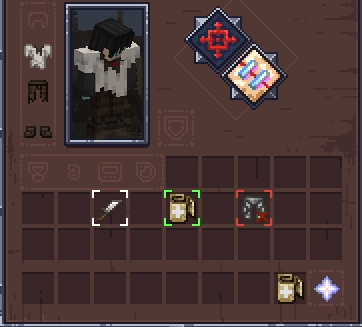
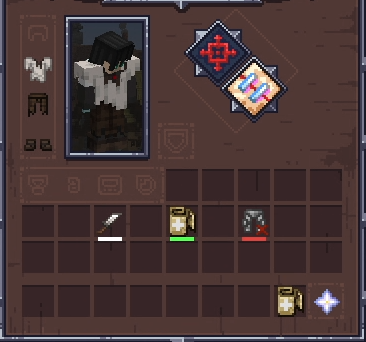
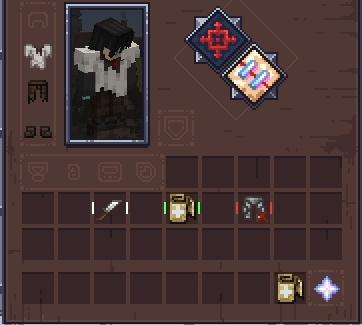
Ravengard Plus adds clear inventory markers for item value and equipment upgrades. Every feature is visual and runs on the client.
Features
Crown indicators
An optional Crown-value overlay can show the lore glyph and number in the upper-left corner of each item. The overlay is disabled by default, with separate glyph and number colors and an option to hide the glyph.
The player inventory screen shows the combined Crown value of carried and equipped items below the ability slots. Stack values are multiplied by item count, and container contents are excluded.
Armor upgrades
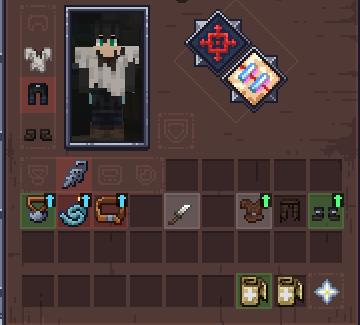
An arrow marks the best armor upgrade for each equipment slot. Armor models the current class cannot equip get skipped. The indicator has its own toggle and color setting.
Accessory upgrades
Necklaces, earrings, belts, and rings are compared with the matching accessory. One arrow marks the strongest candidate that preserves every current buff and improves at least one value. Extra positive buffs count as an improvement. Accessory indicators have a separate toggle and color.
Ability cooldowns
When using an ability get a timer with configurable color and text scale, with scale limited to 50-150%. The expiry sound is enabled by default, can use any registered Minecraft sound event, and can be previewed from the configuration screen.
Loot helper
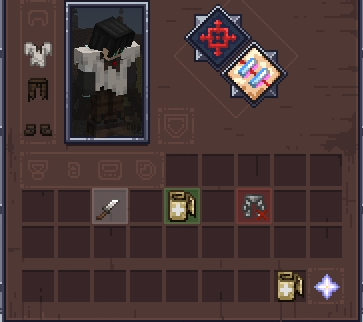
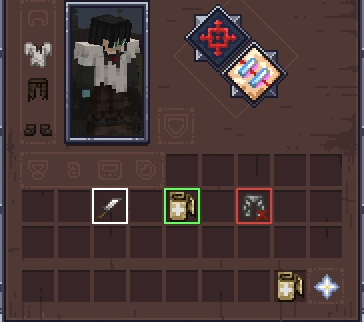
When all useable inventory spaces are occupied, bright the cheapest item to easily replace it with a higher price item.
Teammates
The game already makes your teammates glow, but every glow looks the same. Now the colors match that teammate’s marker on the minimap, so you know who is who.
Waypoints
During games, waypoints show through walls:
- The center of the map, with the distance to it.
- Nearby doors. If you’d rather see the door itself, switch to a glow and pick its color.
Entity visibility
Entities can render at full brightness, so mobs in dark rooms stay easy to see. World lighting doesn’t change.
Pings
Ping actions through an action wheel, also with a quick trigger based on what you’re looking at, a mob, item, revival fountain or enemy. This pings are visible by users with the mod and for those without the mod they can see your message in chat!
Configuration
Press O in game to open the configuration screen. You can rebind this key under Minecraft’s Controls settings.
The configuration menu is powered by YetAnotherConfigLib.
常见问题
Ravengard Plus 支持哪些 Minecraft 版本?
Ravengard Plus 支持 Minecraft Java 版 1.21.5–26.3,共 12 个版本,可用的加载器:Fabric / NeoForge。下载时注意选择和你游戏版本一致的文件。
Ravengard Plus 怎么安装?
先用 PCL2 或 HMCL 启动器安装对应版本的 Fabric / NeoForge,再把下载的 .jar 文件放进游戏目录的 mods 文件夹,重新启动游戏即可。开启了版本隔离的,mods 文件夹在 versions/版本名 下面。运行环境:仅客户端。
Senior_S 的其他作品
查看全部 →
JustLeveling Fork
Just Leveling adds a leveling system, skills and titles like in a RPG system.
JustLeveling Fork
Just Leveling adds a leveling system, skills and titles like in a RPG system.

Better Flight Revived
Active Elytra flight with takeoff, flapping, flaring, stamina, and HUD feedback.
Ravengard Plus
QOL utilities mod to help you on your playthrough on Ravengard
评论
登录后评论和评分