Random block placer
Place a random block from a list you build. Set how often each one is used
介绍
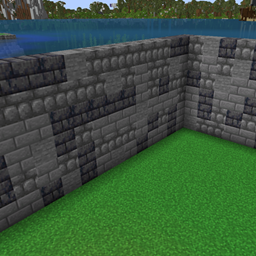
Random Place lets you place a weighted mix of blocks instead of only the one in your hand.
Open your inventory and press TB, next to the recipe book. Click blocks from your inventory to add them. Drag each bar to set how often that block is placed. Two bars in the same place means each one places half the time. A bar pulled to zero never places. On and Off keep the list but stop the random placing.
While it is on, placing a block uses one of the selected blocks. The block is taken from your inventory first, then from a Sophisticated Backpack, including a backpack you are wearing and backpacks stored inside another backpack. Right-clicking a chest or a machine still opens it.
Install the mod on the client and on the server. Players who want the TB button need it in their own mods folder.
常见问题
Random block placer 支持哪些 Minecraft 版本?
Random block placer 支持 Minecraft Java 版 1.21.1,可用的加载器:NeoForge。下载时注意选择和你游戏版本一致的文件。
Random block placer 怎么安装?
先用 PCL2 或 HMCL 启动器安装对应版本的 NeoForge,再把下载的 .jar 文件放进游戏目录的 mods 文件夹,重新启动游戏即可。开启了版本隔离的,mods 文件夹在 versions/版本名 下面。
评论
登录后评论和评分