Radio Tehnologicy
Supports MP3 and OGG music files. Adds a working radio to Minecraft that everyone can hear.
截图
介绍
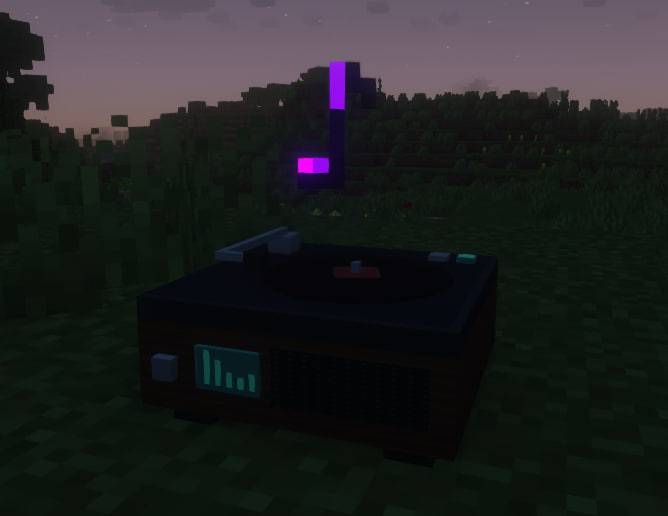
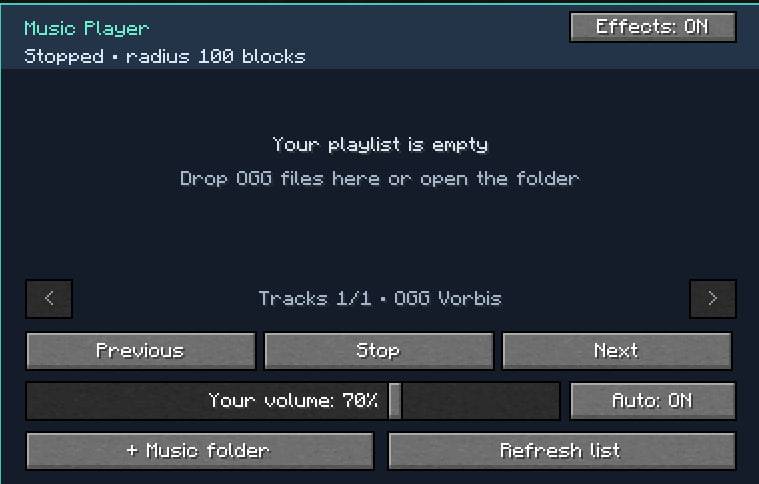
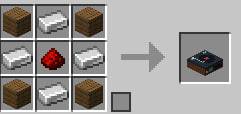
EN: This mod is made for listening to music together. To use the mod, you need to create a Radio block, then log in. There will be a menu there, click add music from the bottom left with the + button, or just directly upload the music file to the main menu. specifically, the music file should be in ogg format, the craft mod is also listed in the fashion gallery and the fashion menu too. RU: Данный мод сделан для совместной прослушивания музыки, чтобы использовать мод нужно создать блок Радио, затем зайти войти в него там будет менюшка, нажимаете добавить музыку снизу слева кнопочка + или же просто напрямую закидываете в майн в менюшке, туда закидываете файл музыки. конкретно файл музыки должен быть в формате ogg, крафт мода также указан в галерее мода и менюшка мода тоже.
常见问题
Radio Tehnologicy 支持哪些 Minecraft 版本?
Radio Tehnologicy 支持 Minecraft Java 版 1.20.1,可用的加载器:Forge。下载时注意选择和你游戏版本一致的文件。
Radio Tehnologicy 怎么安装?
先用 PCL2 或 HMCL 启动器安装对应版本的 Forge,再把下载的 .jar 文件放进游戏目录的 mods 文件夹,重新启动游戏即可。开启了版本隔离的,mods 文件夹在 versions/版本名 下面。
评论
登录后评论和评分