
Quicker Connect Button
作者:Jam Core
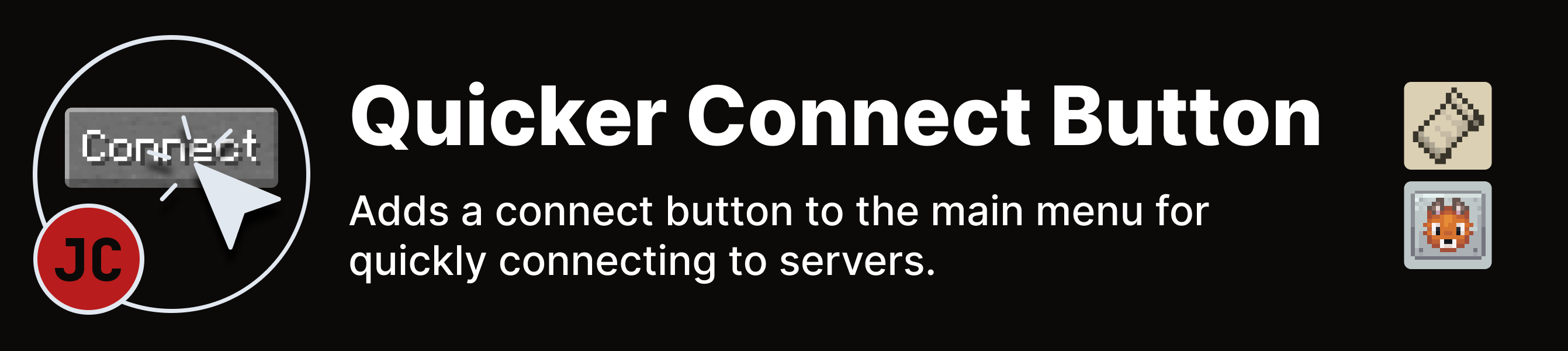
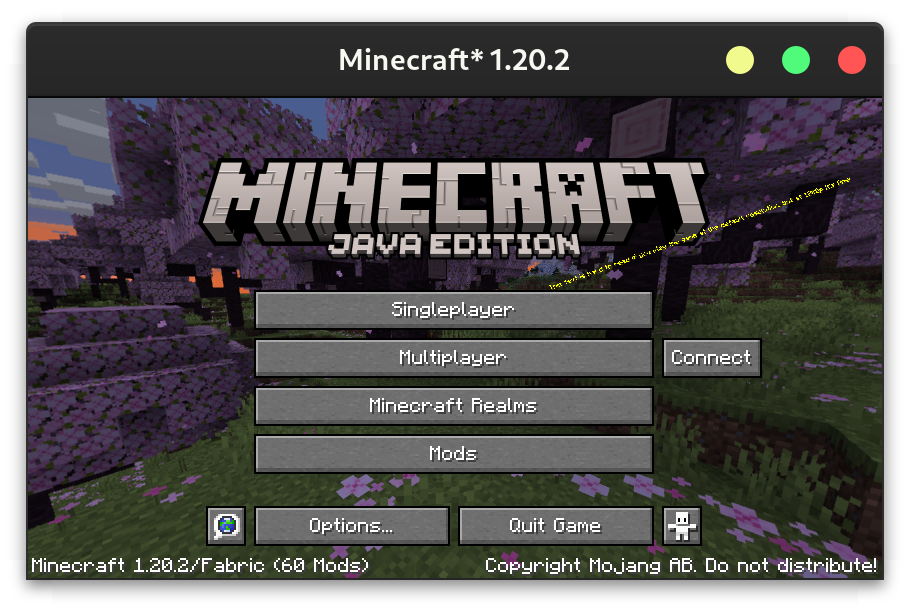
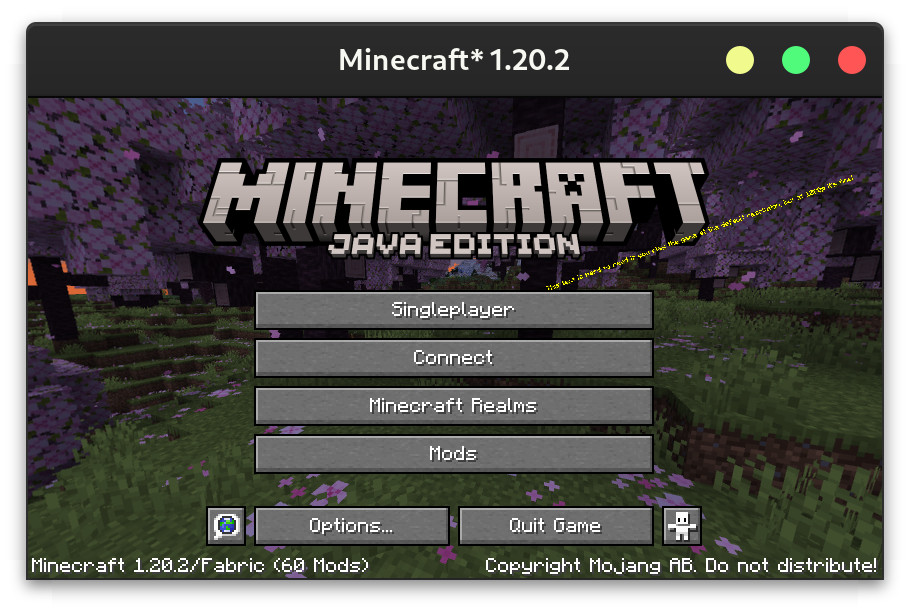
Adds a connect button to the main menu for quickly connecting to servers.
截图
介绍
中文介绍正在准备中,下面暂时显示原文。
Download on CurseForge or Modrinth.
Configuration
The config can either be changed through a GUI (using Mod Menu on Fabric or the config button on Forge), or directly at config/quickerconnectbutton.json5. The GUI contains tooltips explaining each option.
{
  /* Leave empty to disable the quick connect button
     - default: \"\"
  */
  ip: "localhost",
  /* - default: 25565
     - must be between 0.0 and 65535.0
  */
  port: 25565,
  /* Where to place the connect button
     - default: RIGHT
     - must be one of: RIGHT, REPLACE_MULTIPLAYER_BUTTON, REPLACE_SINGLEPLAYER_BUTTON, REPLACE_REALMS_BUTTON
  */
  buttonLocation: "REPLACE_MULTIPLAYER_BUTTON",
  /* The text to display on the button. Leave empty to use "Connect".
     - default: \"\"
  */
  text: "Connect to an Awesome Server",
  /* What to do if the server has a resource pack.
     - default: PROMPT
     - must be one of: ENABLED, DISABLED, PROMPT
  */
  resourcePackBehaviour: "ENABLED"
}
常见问题
Quicker Connect Button 支持哪些 Minecraft 版本?
Quicker Connect Button 支持 Minecraft Java 版 1.20–1.21.1,共 7 个版本,可用的加载器:Fabric / Forge / NeoForge / Quilt。下载时注意选择和你游戏版本一致的文件。
Quicker Connect Button 怎么安装?
先用 PCL2 或 HMCL 启动器安装对应版本的 Fabric / Forge / NeoForge / Quilt,再把下载的 .jar 文件放进游戏目录的 mods 文件夹,重新启动游戏即可。开启了版本隔离的,mods 文件夹在 versions/版本名 下面。运行环境:仅客户端。
Jam Core 的其他作品
查看全部 →
JamLib
by Jam Core
JamCoreModding 所有模组使用的基于 Architectury 的跨平台前置库
7964万
1 个月前
Modrinth · CurseForge

RightClickHarvest
by Jam Core
右键即可收获作物
7723万
1 个月前
Modrinth · CurseForge

Shut Up GL Error
by Jam Core
修复了无效键码会记录烦人且持续不断的日志消息的问题
213.8万
10 个月前
Modrinth

Utility Belt
by Jam Core
Adds a wearable secondary hotbar to help manage your tools and clear inventory clutter
29.4万
5 个月前
Modrinth
评论
登录后评论和评分