
QuickBinds
作者:Kiola
Advanced client-side mod that allows you to create powerful command keybinds and macros. Features: profiles with automatic server switching, Basic and Extended modes, action chains with WAIT delays, rich placeholders, favorites, logs, and other.
截图
介绍
中文介绍正在准备中,下面暂时显示原文。
QuickBinds
QuickBinds is a client-side mod for Fabric 1.21.1–1.21.11 that allows you to bind commands, chat messages, key presses, mouse clicks, sounds, titles, and more to custom key combinations.

Features
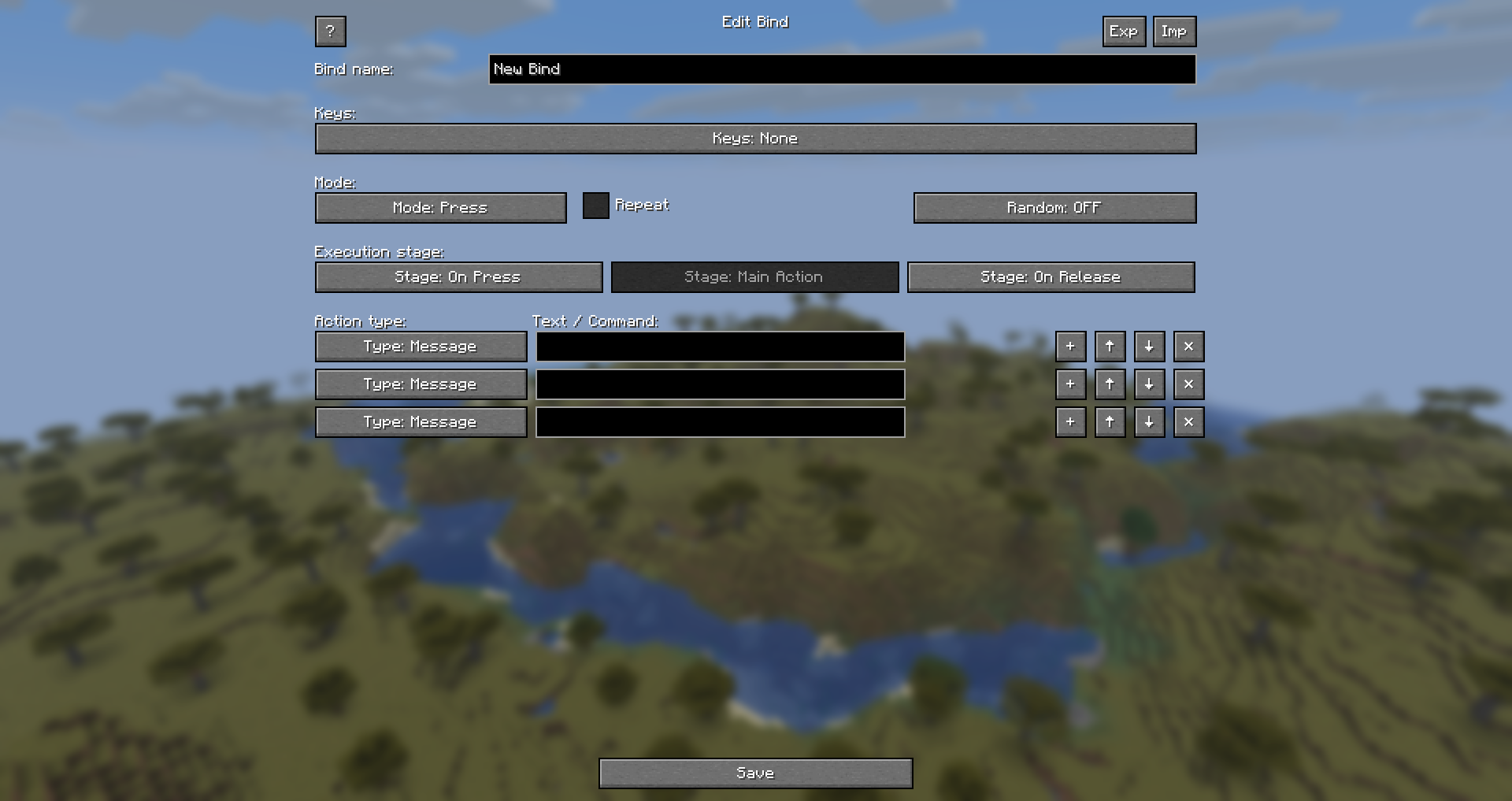
- Basic & Extended Setup: Choose between a simplified bind editor or an advanced one with extra stages.
- Single Actions & Chains: Create simple binds or full action chains / macros.
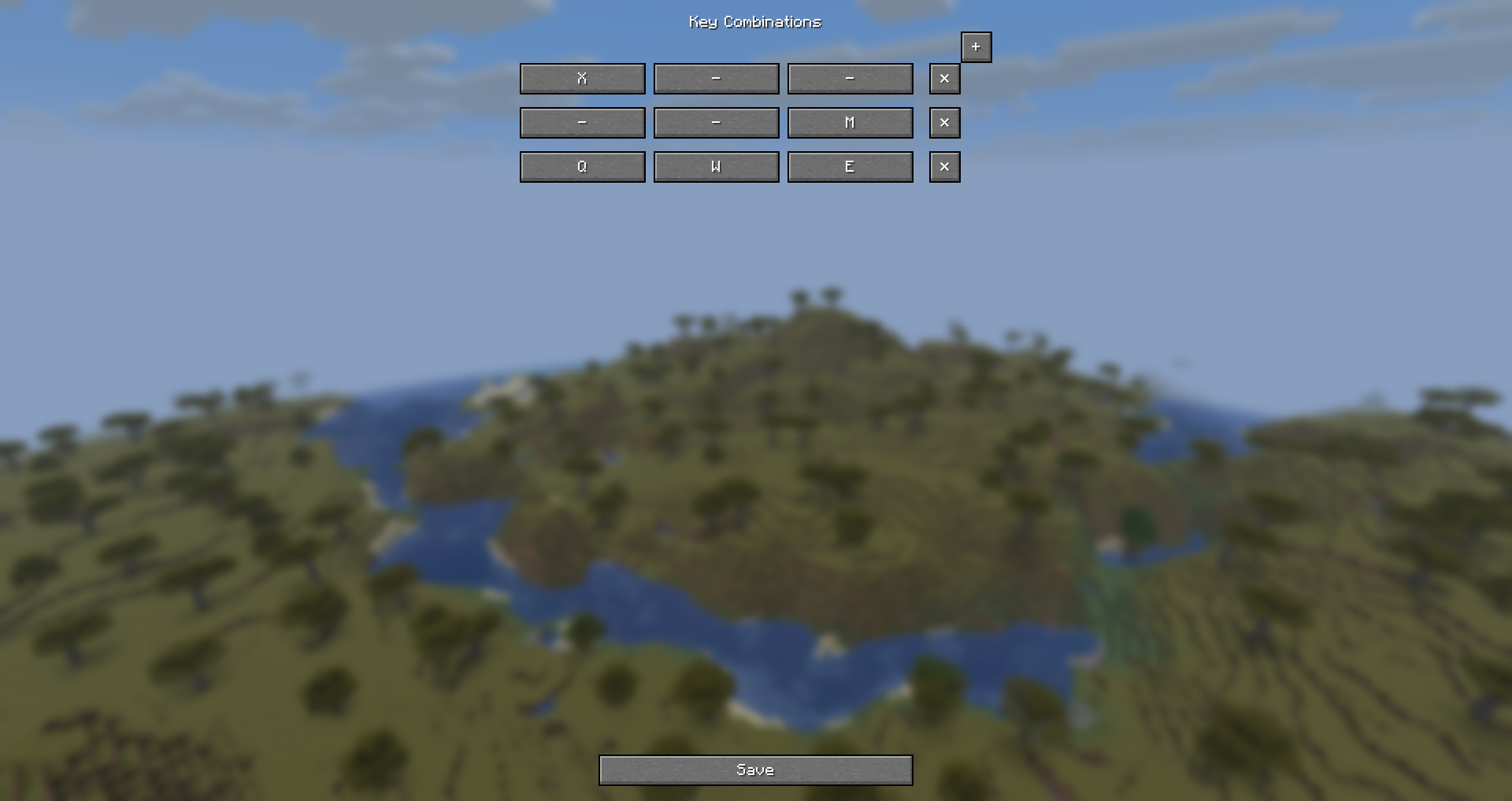
- Multi-Key Combinations: Create multiple key blocks (up to 3 keys per block) — bind activates when any block is pressed.
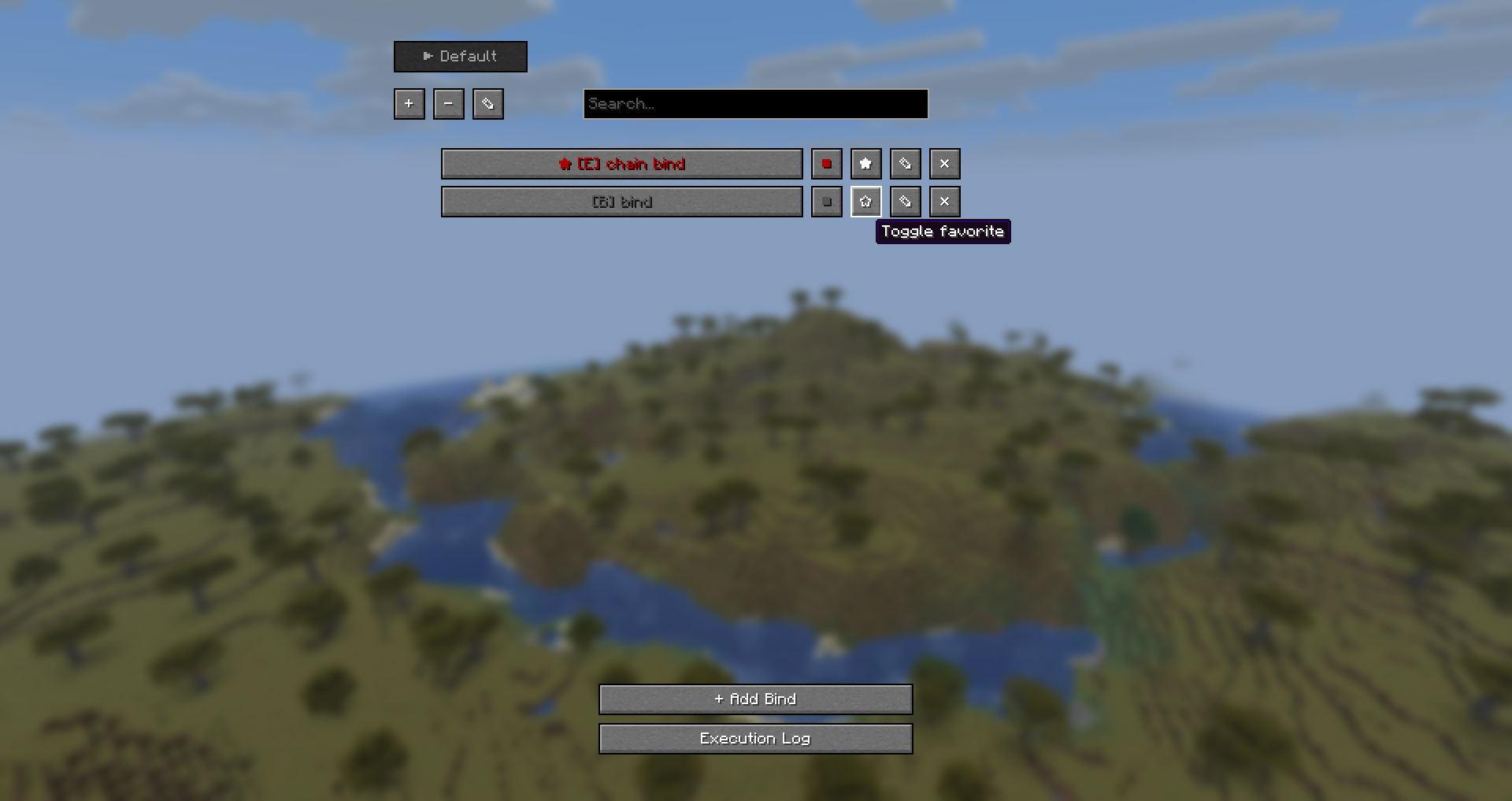
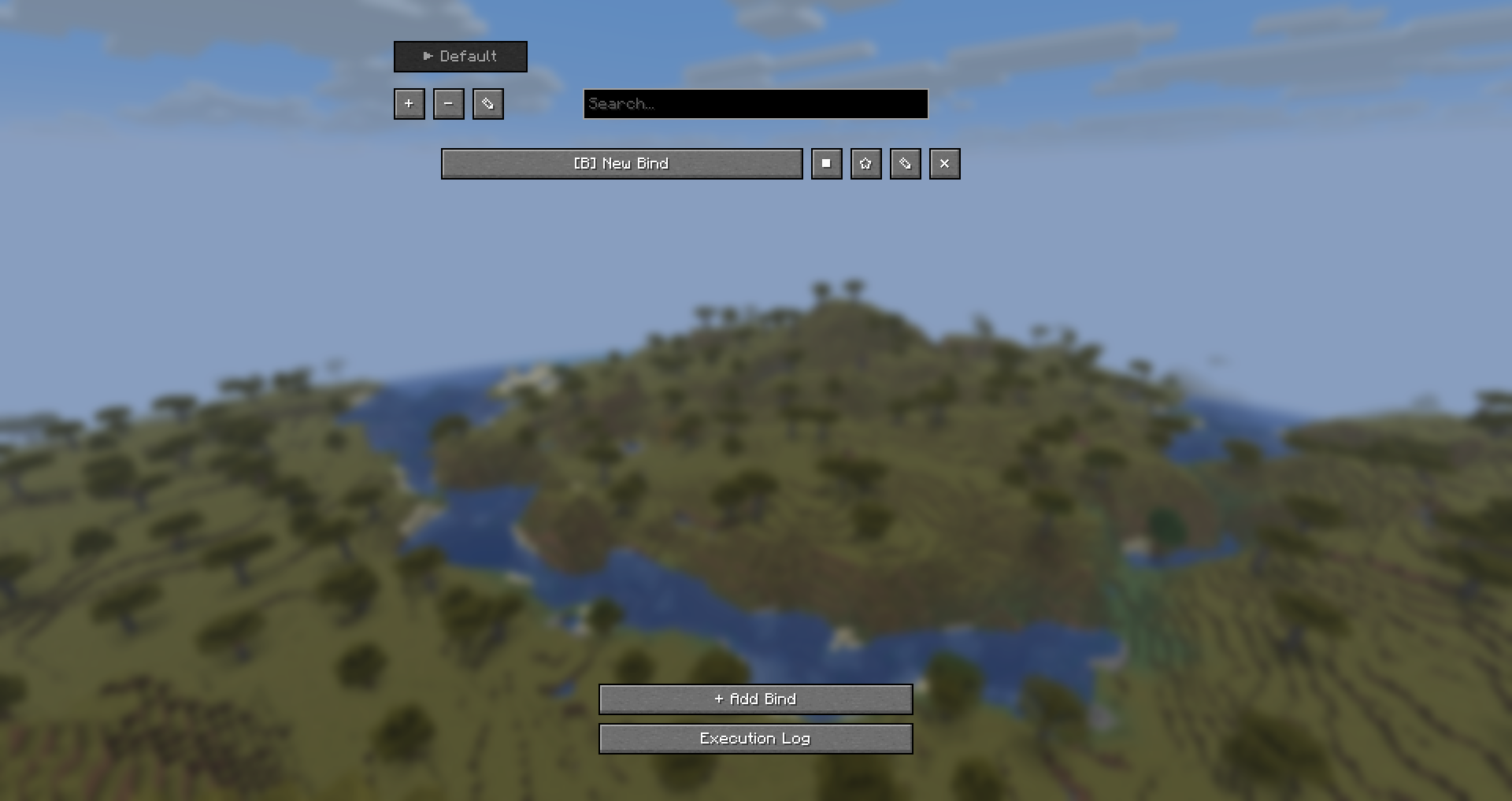
- Profiles: Create multiple profiles for different playstyles or servers.
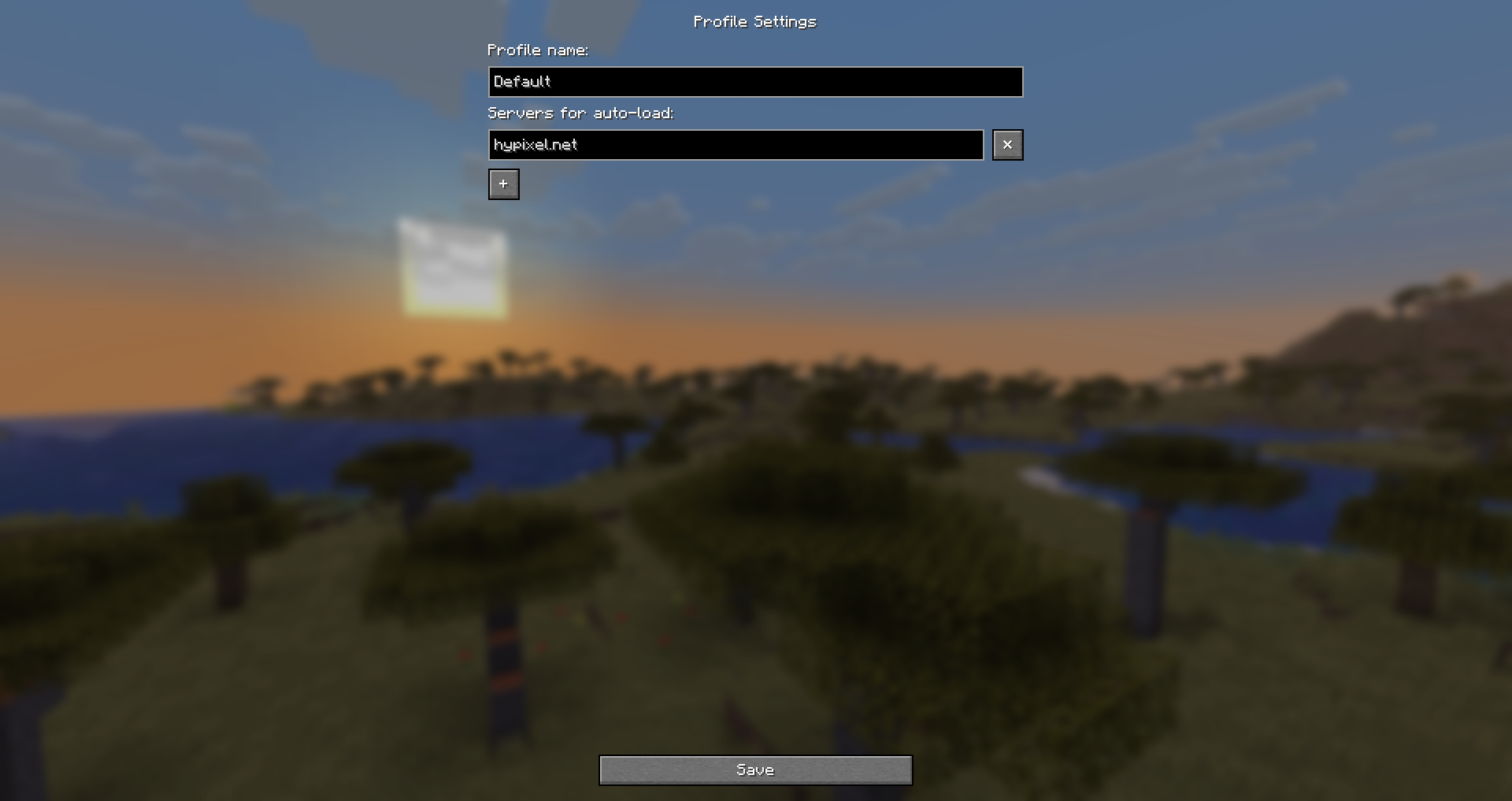
- Profile Settings: Rename profiles and assign server addresses for automatic profile loading.
- Auto Profile Loading: Profiles can switch automatically when joining specific servers.
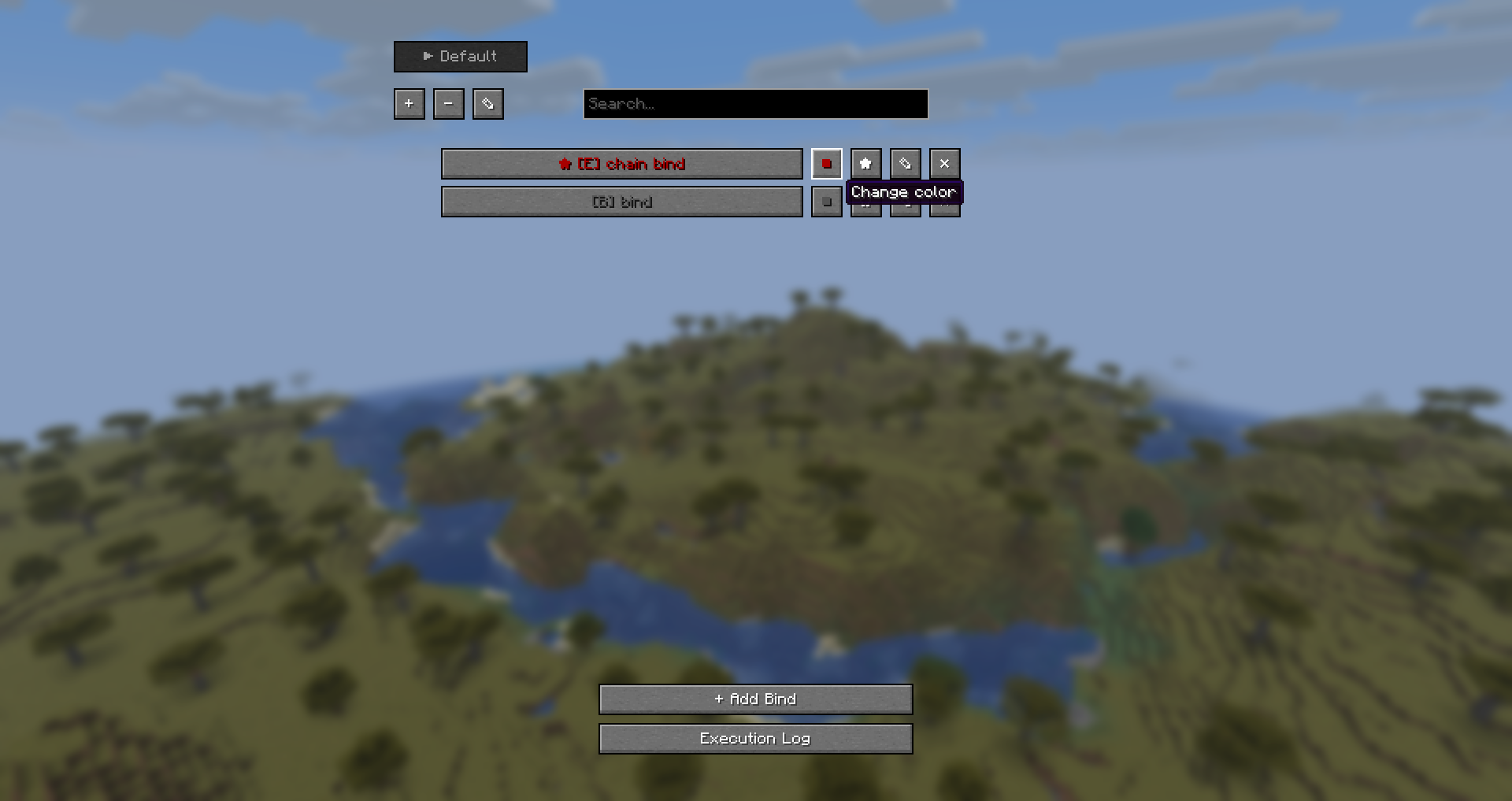
- Favorites: Mark important binds and keep them at the top of the list.
- Search: Quickly filter binds by name in the main list.
- Color Markers: Assign colors to binds for visual organization.
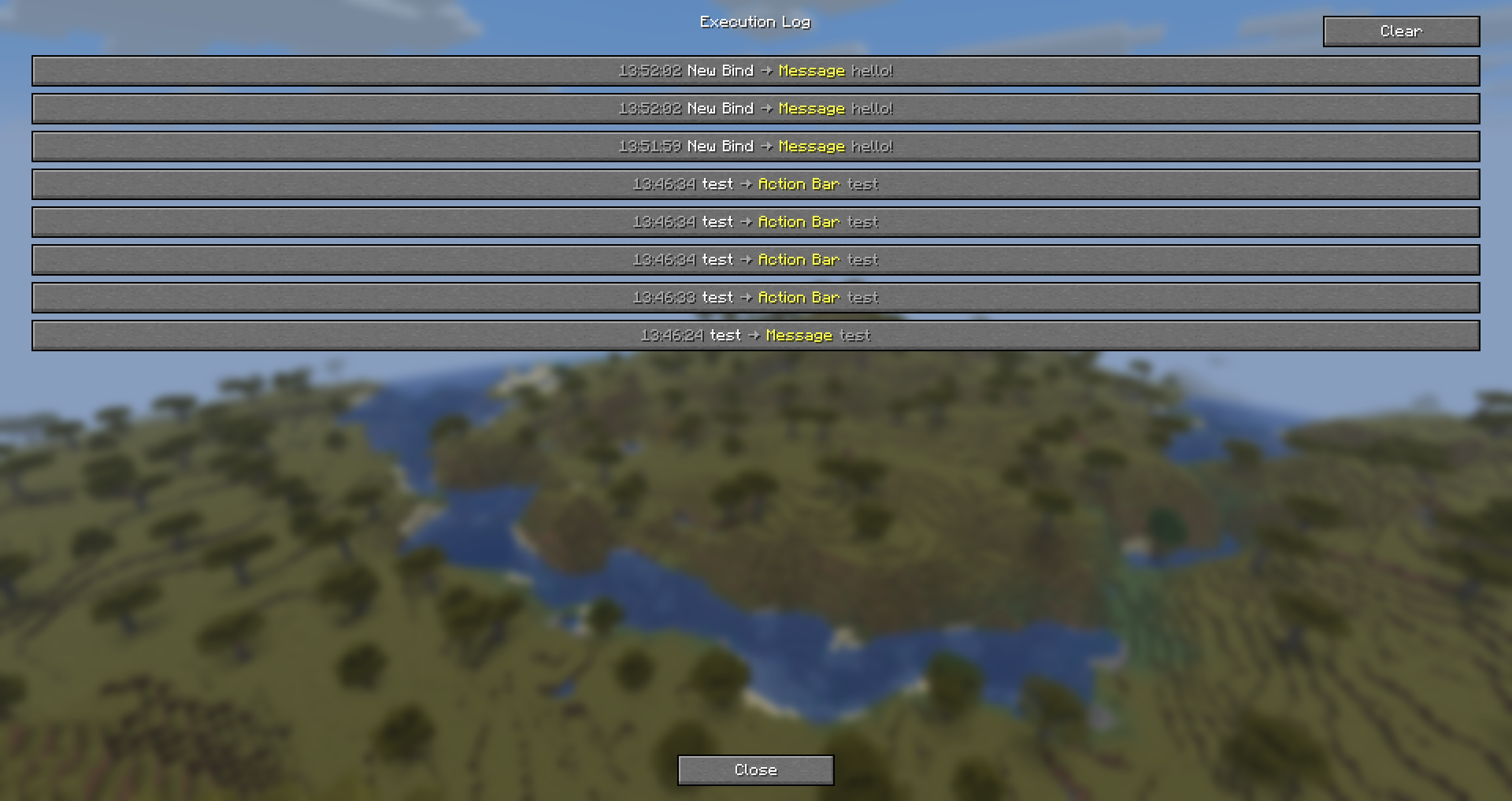
- Execution Log: View history of recently executed binds.
- Command & Chat Messages: Bind text, commands (for example
/home), or local client-side messages (*message) to keys. - Key Press Simulation: Simulate pressing any keyboard key.
- Mouse Simulation: Simulate Left Click (Attack) or Right Click (Use).
- Sound Action: Play any game sound with customizable volume and pitch.
- Title/Subtitle/Action Bar: Display large titles, subtitles, or action bar messages.
- WAIT Action: Add pauses inside chains without using per-action delays.
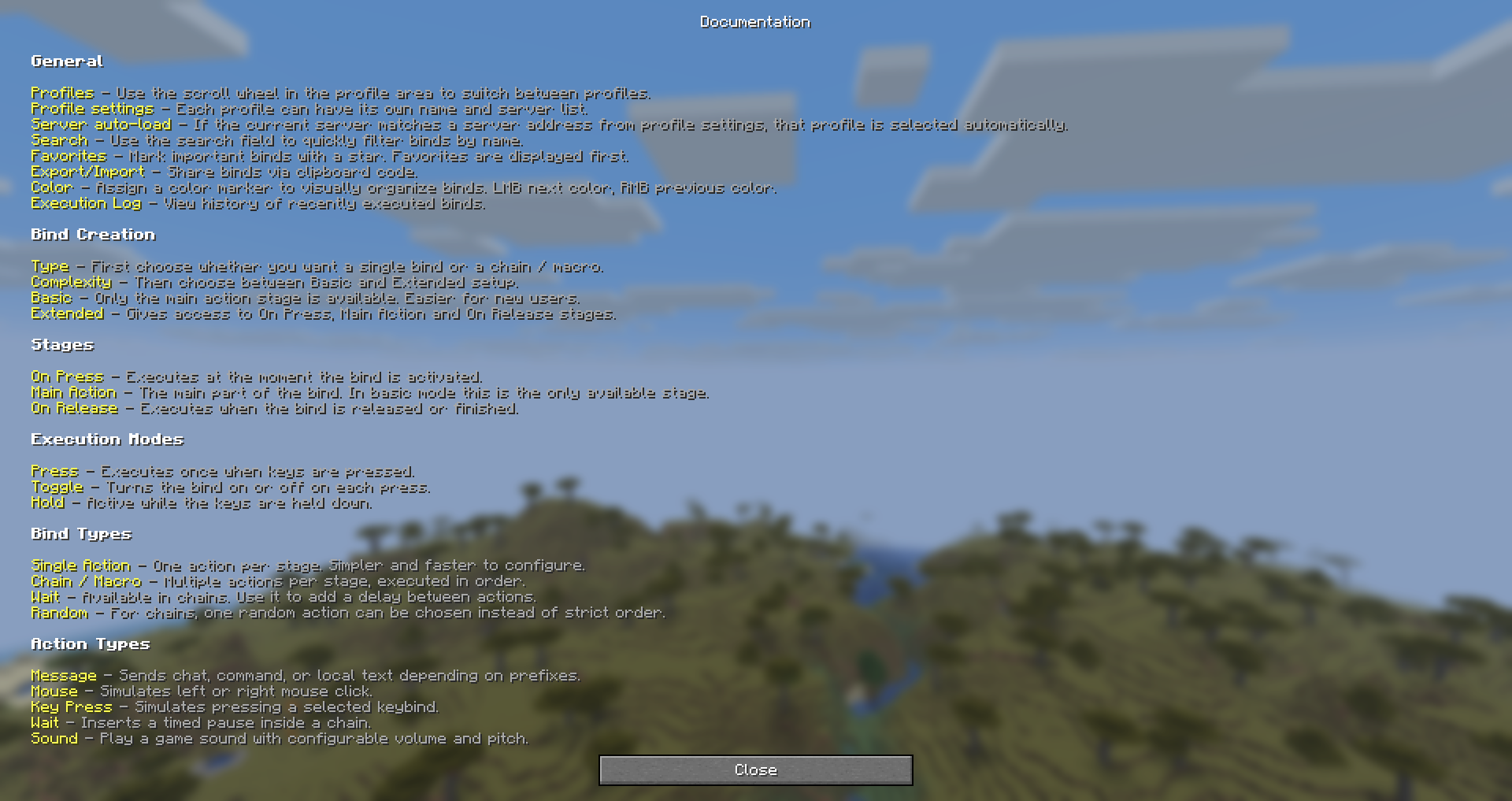
- Execution Stages:
- On Press – executes when the bind is activated.
- Main Action – the main action stage.
- On Release – executes when the bind is released or finished.
- Execution Modes:
- Press – executes once.
- Toggle – turns the bind on/off with each press.
- Hold – keeps the bind active while the key is held.
- Chain Mode: Execute multiple actions in sequence.
- Random Mode: Pick a random action from a chain.
- Repeat: Automatically repeat the main action when supported by the mode.
- Placeholders: Insert dynamic variables like
{x},{y},{z},{health},{dimension},{held_item},{clipboard}, and more. - Math Expressions: Use simple math like
{10+5}or{20-3}directly in messages. - Import/Export: Share your binds using clipboard code.
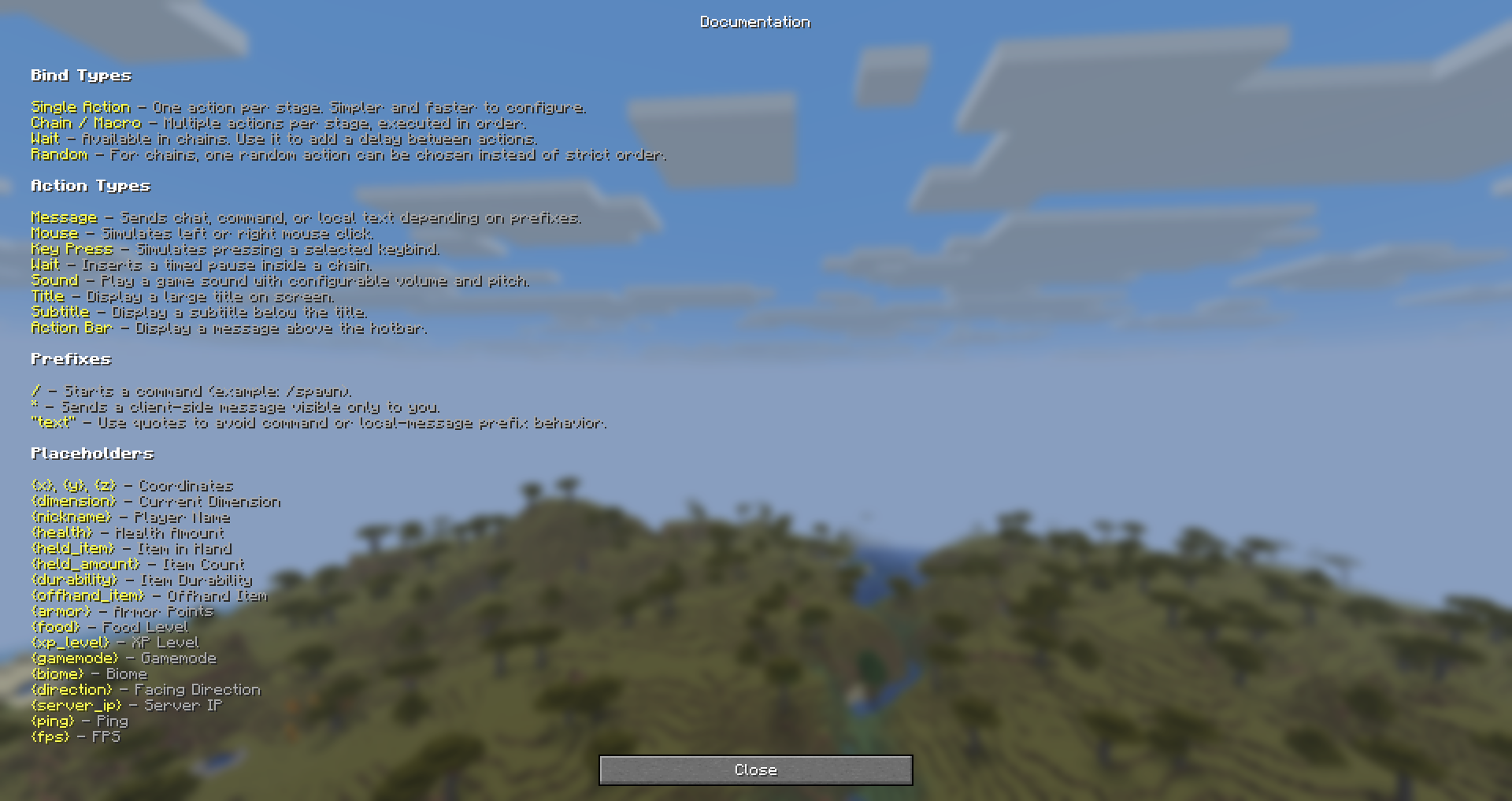
- Tooltips & Help Screen: Built-in hints and documentation inside the GUI.
- Multi-language: English, Russian, Polish, Ukrainian, German, French, Portuguese (Brazil).
Usage
- Press the
~key to open the main menu. - Use the profile buttons to create, delete, switch, or edit profiles.
- Click + Add Bind.
- Choose:
- Single Action or Chain / Macro
- Basic or Extended
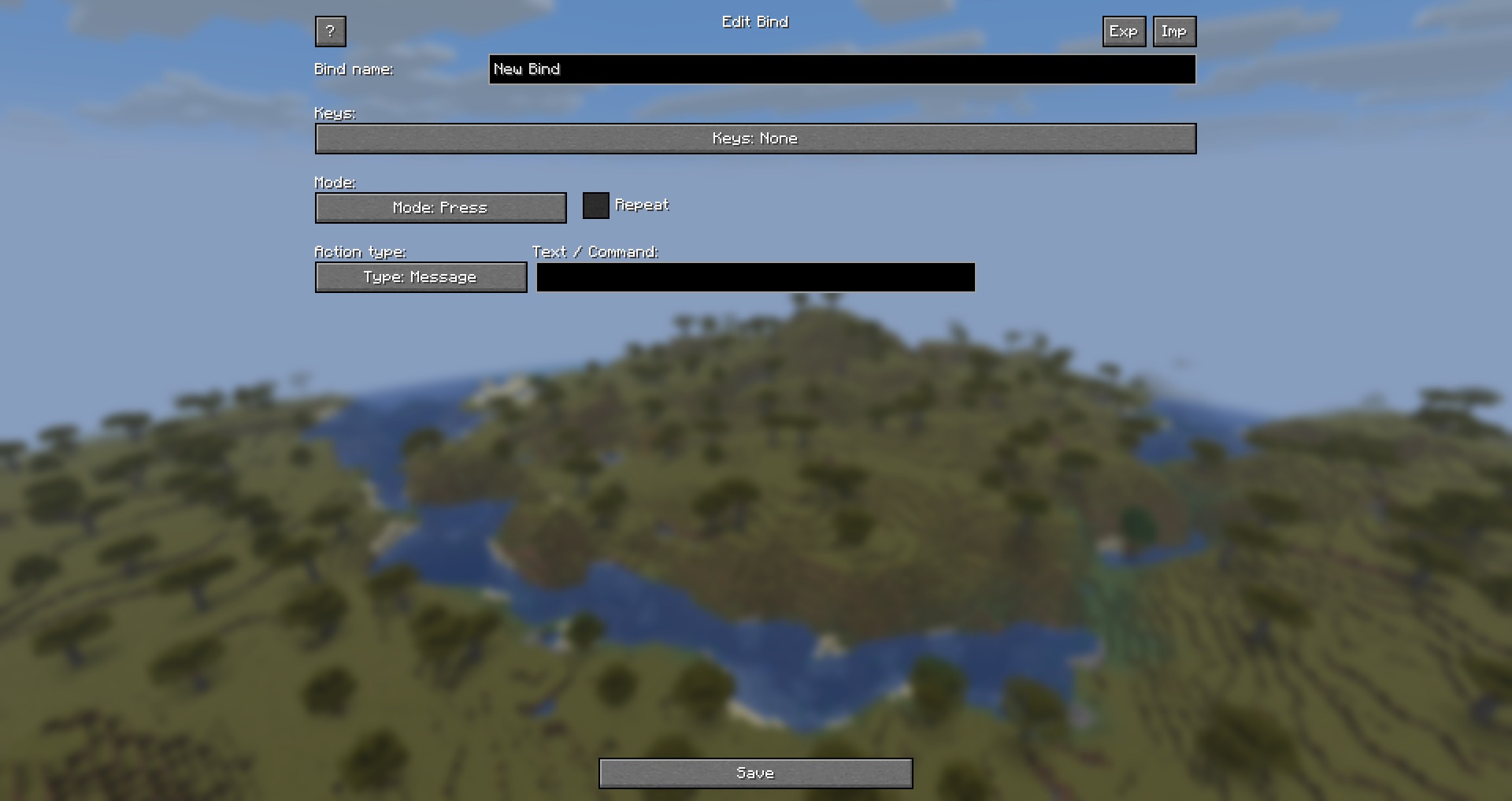
- In the edit screen:
- Enter a bind name
- Configure key combinations (click the Keys button)
- Select the execution mode
- Configure the available action stages
- For chains, add multiple actions and optionally use WAIT
- Click Save.
Basic vs Extended
- Basic – only the Main Action stage is available.
- Extended – gives access to:
- On Press
- Main Action
- On Release
Action Types
- Message – Sends chat, command, or local text depending on prefix
- Mouse – Simulates left or right mouse click
- Key Press – Simulates pressing a selected key
- Sound – Plays a game sound with configurable volume and pitch
- Title – Displays a large title on screen
- Subtitle – Displays a subtitle below the title
- Action Bar – Displays a message above the hotbar
- Wait – Inserts a timed pause inside a chain (chain mode only)
Placeholders
{x},{y},{z}– Current coordinates{dimension}– Current dimension{nickname}– Your player name{health}– Current health{held_item}– Name of item in main hand{held_amount}– Stack size in main hand{durability}– Remaining durability of held item{offhand_item}– Name of item in offhand{armor}– Total armor points{food}– Current food level{xp_level}– Current XP level{gamemode}– Current gamemode{biome}– Current biome{direction}– Facing direction{server_ip}– Server IP (orSingleplayer){ping}– Current ping{fps}– Current FPS{clipboard}– Contents of your clipboard
Prefixes
/command– sends a command*text– shows a local client-side message"text"– sends plain text without prefix behavior
Have an idea for mod update?
- Join our Discord!
常见问题
QuickBinds 支持哪些 Minecraft 版本?
QuickBinds 支持 Minecraft Java 版 1.21.1–1.21.11,共 5 个版本,可用的加载器:Fabric。下载时注意选择和你游戏版本一致的文件。
QuickBinds 怎么安装?
先用 PCL2 或 HMCL 启动器安装对应版本的 Fabric,再把下载的 .jar 文件放进游戏目录的 mods 文件夹,重新启动游戏即可。开启了版本隔离的,mods 文件夹在 versions/版本名 下面。运行环境:仅客户端。
评论
登录后评论和评分