
Quick Switch (S,W)
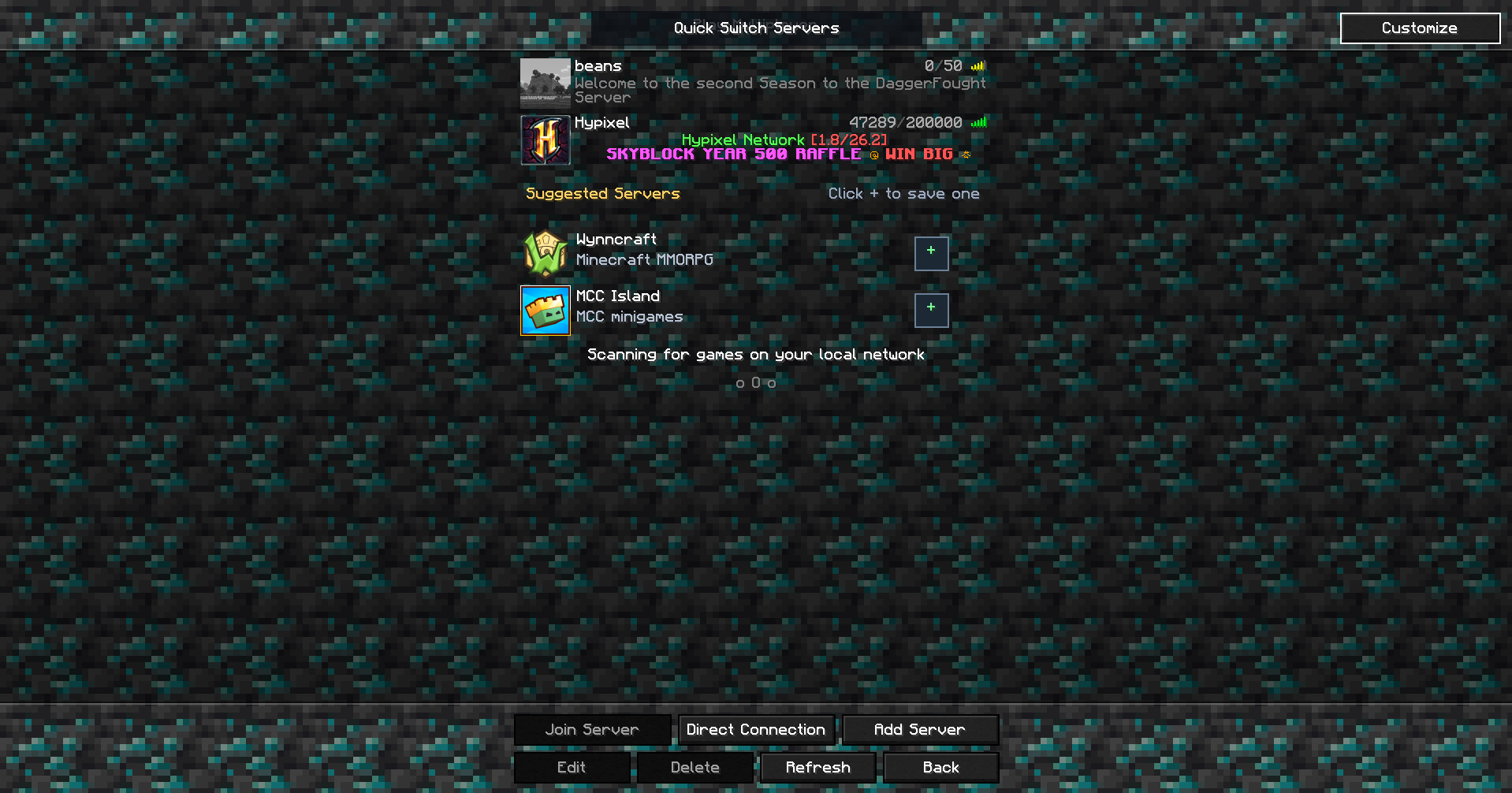
Quick Switch lets you seamlessly switch between singleplayer worlds and multiplayer servers directly from the pause menu.
截图


介绍
Quick Switch is a simple quality-of-life mod that lets you switch between your favorite singleplayer worlds and multiplayer servers without ever returning to Minecraft’s main menu.
Normally, changing worlds or joining a server requires disconnecting, waiting for the title screen to load, and then navigating through multiple menus. Quick Switch streamlines that entire process by adding convenient options directly to the pause menu, allowing you to switch with just a few clicks.
Whether you’re building in a creative world, playing survival with friends, or hopping between your favorite multiplayer servers, Quick Switch makes the transition fast, smooth, and effortless.
Features
Switch between singleplayer worlds directly from the pause menu.
Join multiplayer servers without returning to the title screen.
Save time by eliminating unnecessary menu navigation.
Simple, lightweight, and easy to use.
Designed to blend seamlessly with Minecraft’s vanilla interface.
Quick Switch is perfect for players who frequently move between worlds or servers and want a faster, more convenient way to play without breaking their flow.
常见问题
Quick Switch (S,W) 支持哪些 Minecraft 版本?
Quick Switch (S,W) 支持 Minecraft Java 版 26.1.2–26.2,共 2 个版本,可用的加载器:Fabric / Forge / NeoForge。下载时注意选择和你游戏版本一致的文件。
Quick Switch (S,W) 怎么安装?
先用 PCL2 或 HMCL 启动器安装对应版本的 Fabric / Forge / NeoForge,再把下载的 .jar 文件放进游戏目录的 mods 文件夹,重新启动游戏即可。开启了版本隔离的,mods 文件夹在 versions/版本名 下面。运行环境:仅客户端。

评论
登录后评论和评分