
Quick Homes
Allows players to set homes and teleport to them using the Quick Actions menu.
截图
介绍
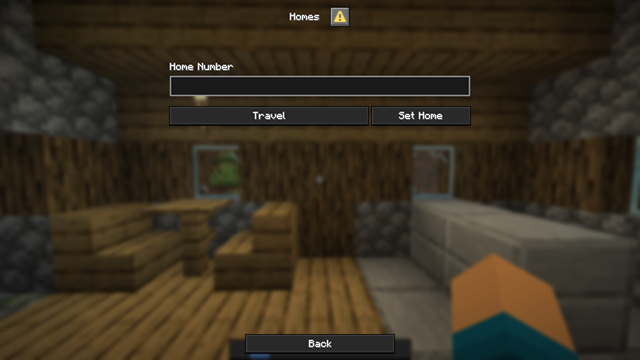
Players can now set homes through the Quick Actions menu (opened with G by default). First, select a home slot between 1 and the maximum number allowed by the configuration.
Choosing Set Home saves your current location to the selected slot. Choosing Travel teleports you to the home saved in that slot, allowing you to return to any of your saved locations at any time.
Config:
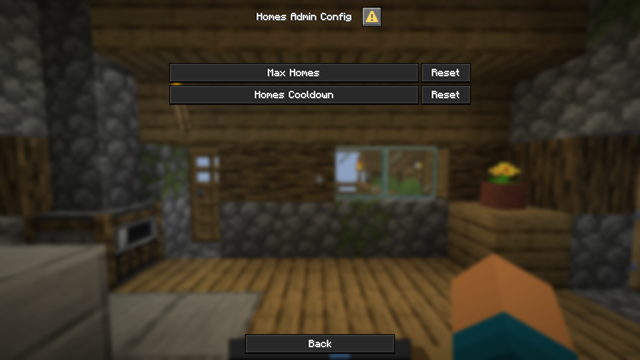
The datapack configuration is now available from the game’s pause menu. From there, you can set the maximum number of home slots that each player is allowed to have and also set a cooldown for Home travel.
Notes:
The initial release is not compatible with newer versions. Players updating from that version will need to set their homes again.
More features and improvements are planned for future updates.
常见问题
Quick Homes 支持哪些 Minecraft 版本?
Quick Homes 支持 Minecraft Java 版 1.12–26.3,共 29 个版本,可用的加载器:Fabric / Forge / NeoForge / Quilt。下载时注意选择和你游戏版本一致的文件。
Quick Homes 怎么安装?
先用 PCL2 或 HMCL 启动器安装对应版本的 Fabric / Forge / NeoForge / Quilt,再把下载的 .jar 文件放进游戏目录的 mods 文件夹,重新启动游戏即可。开启了版本隔离的,mods 文件夹在 versions/版本名 下面。运行环境:客户端 / 服务端。
joxer021 的其他作品
查看全部 →
Create: Smart Compass
Change Nature's Compass textures and recipes to fit the Create style.

Create: Smart Compass
Change Nature's Compass textures and recipes to fit the Create style.

Better Bites
A light Vanilla-style food expansion.

All Roads Lead to Rome (Starter Kit)
This pack offers new players a basic starter kit with a map leading them to the nearest village.
评论
登录后评论和评分