Quick Right Click Options
Adds Quick Right Click Options to various screens, allowing you to navigate menus easier with configurable context menus!
截图
介绍




Features:
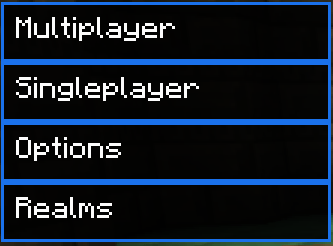
– Title screen context menu
– Singleplayer screen context menu
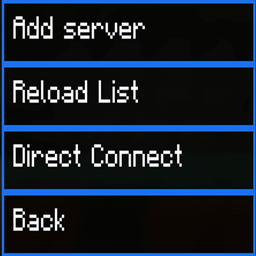
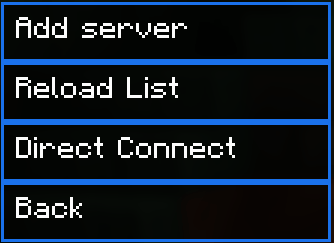
– Multiplayer screen context menu
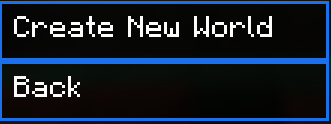
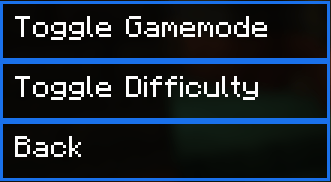
– Create world screen context menu
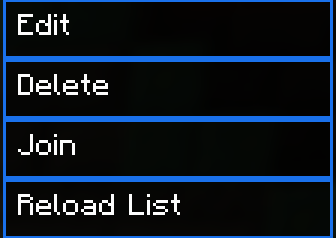
– Right click servers to edit, join or delete them!
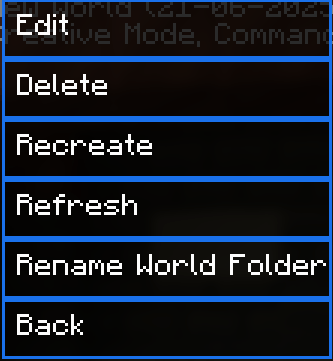
– Right click singleplayer worlds to rename their folder, delete, join, recreate or edit them!
– Toggleable animation
– Configure on which screen the context menu’s open!
– **Configure the border color!**
Check the gallery for all the context menus!
Join the Discord! You can ask for help, a mod, just suggest something, hangout or request the source code of any mod I have made (if I still have the source code)
Or donate to my Kofi incase you are feeling generous!
Conceptualist: SandWhoop on discord
常见问题
Quick Right Click Options 支持哪些 Minecraft 版本?
Quick Right Click Options 支持 Minecraft Java 版 1.21.1–1.21.6,共 4 个版本,可用的加载器:Fabric。下载时注意选择和你游戏版本一致的文件。
Quick Right Click Options 怎么安装?
先用 PCL2 或 HMCL 启动器安装对应版本的 Fabric,再把下载的 .jar 文件放进游戏目录的 mods 文件夹,重新启动游戏即可。开启了版本隔离的,mods 文件夹在 versions/版本名 下面。
bikerboys 的其他作品
查看全部 →
Rare Ice
在世界中生成稀有冰块。你能找到它们吗?

Underwater Swim Fix (MC-220390)
修复了游泳时按住疾跑键攻击实体后,客户端仍认为你在游泳、服务端却认为你已停止游泳,导致行为异常的问题。

Light Overlay
一个简单的模组,为玩家提供类似NEI的光照等级覆盖显示。

Clearviews
移除烦人的失明、反胃和黑暗效果,以及水下雾气、南瓜、望远镜、传送门、火焰、暗角和定位栏等覆盖效果。还可调节粒子不透明度。兼容 Sodium,且提供丰富的自定义选项。
评论
登录后评论和评分