
Quick Menu
A client-side mod that adds a configurable easy-to-access menu that runs basic repetitive commands.
截图


介绍
Where are versions 1.21.4+?
The project is currently on hiatus for an indeterminable about of time.
For newer version’s, check out this lovely fork by tehbeard!

Quick Menu is a client-side mod for Minecraft that adds a configurable easy-to-access menu that runs basic repetitive commands.
It aims to save you time by giving you a place to put all the commands you may need for a given context.
The mod requires the owo-lib modding library and Fabric API.
Features
- Easy to access menu with a keybind (Default: G)
- A simple action button editor.
- Each action button can run as many actions as you want.
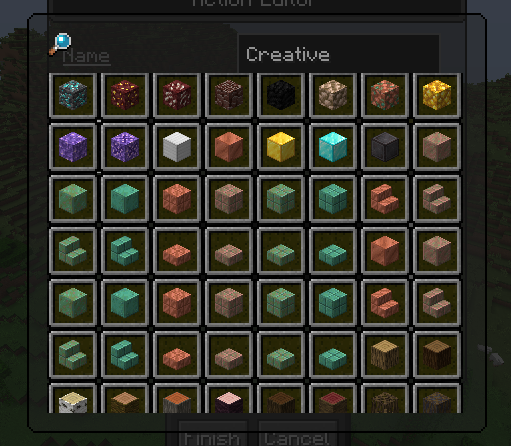
- The icon for an action button can be selected with a dedicated GUI.
How to Use
Open the menu in-game with the chosen keybind (Default: G).
To enter edit mode click the pencil icon next to the title or press E on the keyboard.
In edit mode you can:
- Create a new action using the button below the main menu.
- Delete an action button by right-clicking the button you’d like to delete.
License: GPL v3\
Version Format: Semetic Versioning
常见问题
Quick Menu 支持哪些 Minecraft 版本?
Quick Menu 支持 Minecraft Java 版 1.19.4–1.21.4,共 10 个版本,可用的加载器:Fabric。下载时注意选择和你游戏版本一致的文件。
Quick Menu 怎么安装?
先用 PCL2 或 HMCL 启动器安装对应版本的 Fabric,再把下载的 .jar 文件放进游戏目录的 mods 文件夹,重新启动游戏即可。开启了版本隔离的,mods 文件夹在 versions/版本名 下面。运行环境:仅客户端。

评论
登录后评论和评分