
截图
介绍
Quick Chat
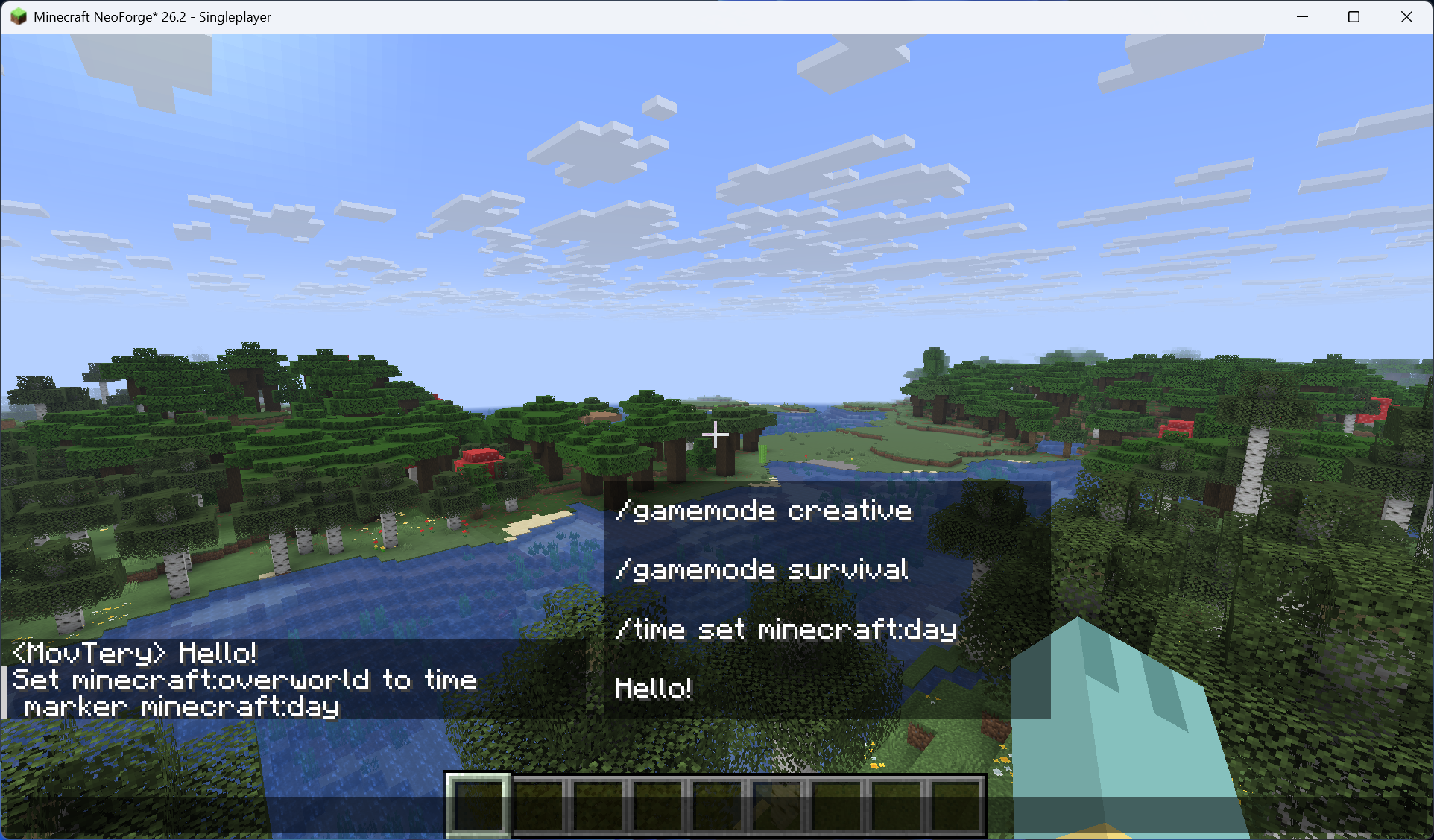
This is a straightforward Minecraft Mod that allows you to send preset messages in the game by pressing a button.
Additionally, the Mod provides a simple quick message list screen where you can add, modify, and delete custom quick messages. To access this screen, you can press the designated button set in the key bindings within the game. Double-click on the selected quick message, or select it and click the “Send” button to quickly send the message to the chat bar!
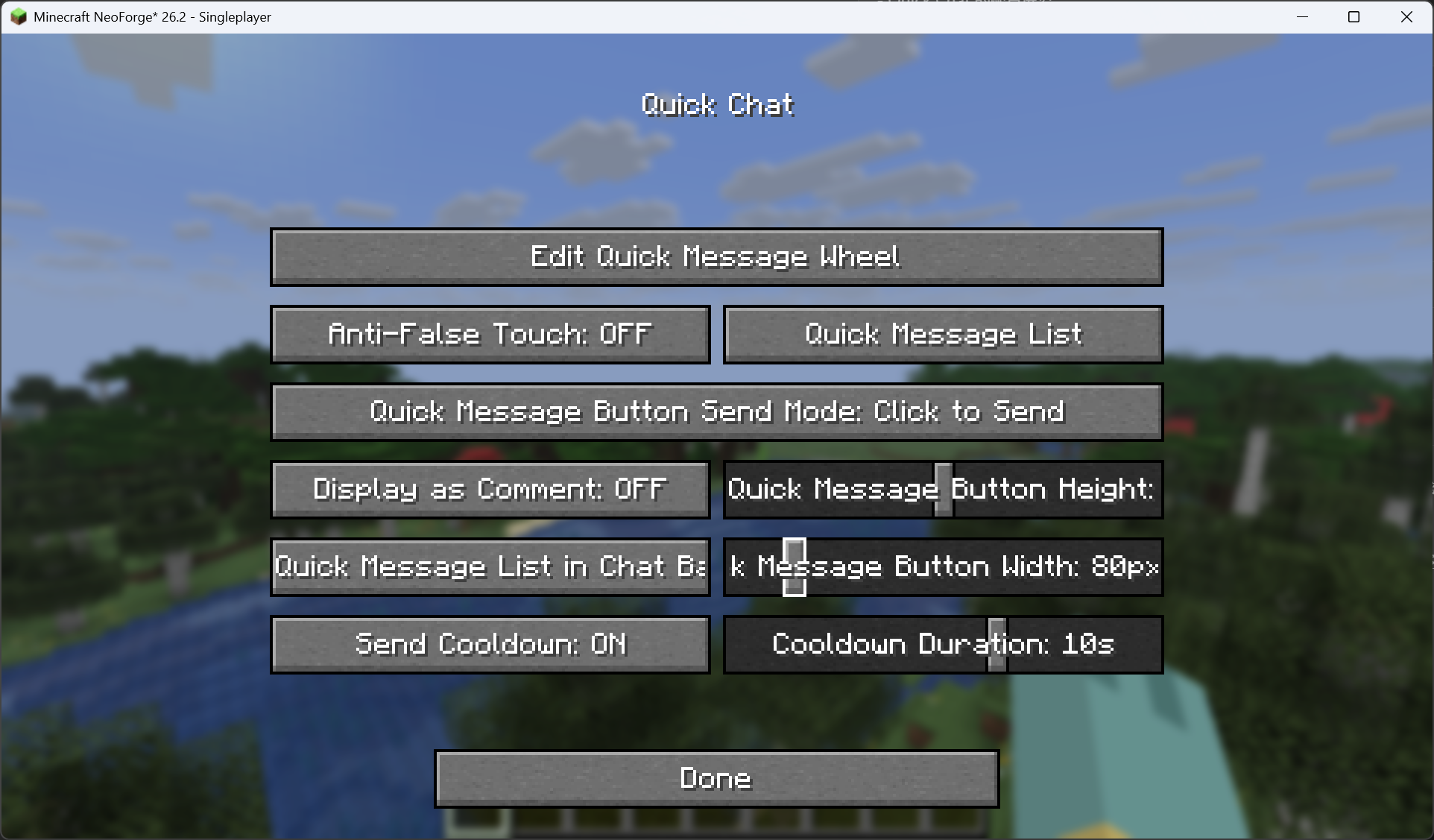
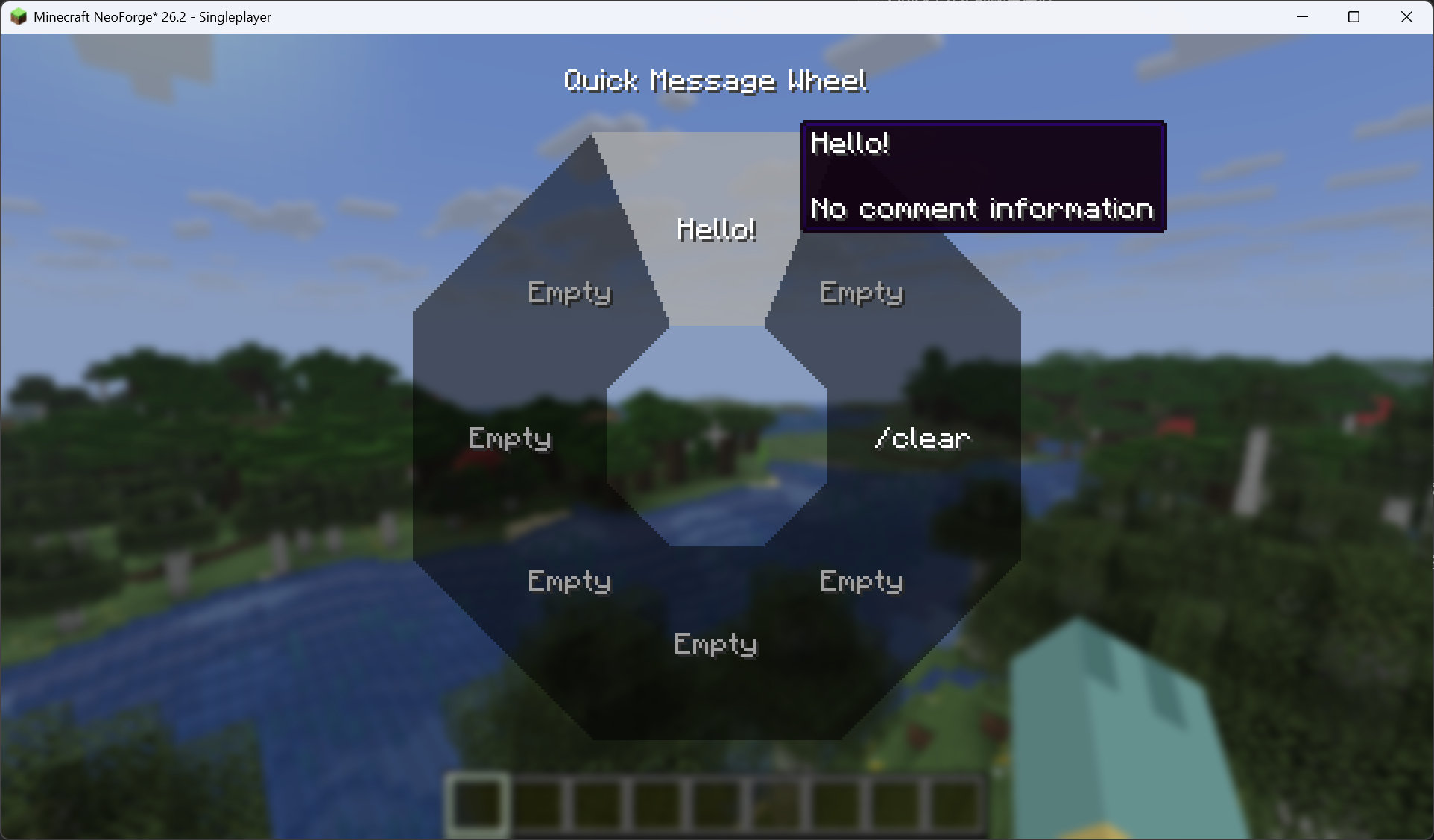
Since 1.6.0, the mod also features a quick message wheel with 8 direction slots: hold the wheel key (default G) to open the wheel, and release on a direction to send its message (the cooldown applies as usual); releasing without a selection, or on an empty slot, simply closes it without sending. Each direction’s message and comment can be edited in the wheel editor, which you can open from the configuration screen. The old quick-send message configured in versions before 1.6.0 has been replaced by the wheel and will not be migrated.
Please note:
- The mod includes a cooldown mechanism for sending messages, with a default cooldown time of 10 seconds. The cooldown time can be set within the range of 1 to 15 seconds.
- You can configure the mod by navigating to the “config” folder within your game version’s directory and finding the configuration file for this mod, named “quick_chat.json”. Open it to make changes.
- If you prefer not to manually edit the configuration file, you can easily adjust the mod settings by pressing the “J” key in-game to open the configuration screen. In the NeoForge version, you can access the configuration screen through the Mod Menu. For the Fabric version, you’ll need to install the Mod Menu Mod to access the configuration screen.
Please bear in mind that this is a strictly client-side Mod. While you can use it in multiplayer games to quickly send messages, please refrain from abusing it (such as spamming the server and disrupting other players)!
常见问题
Quick Chat 支持哪些 Minecraft 版本?
Quick Chat 支持 Minecraft Java 版 1.20.1–26.3,共 22 个版本,可用的加载器:Fabric / Forge / NeoForge。下载时注意选择和你游戏版本一致的文件。
Quick Chat 怎么安装?
先用 PCL2 或 HMCL 启动器安装对应版本的 Fabric / Forge / NeoForge,再把下载的 .jar 文件放进游戏目录的 mods 文件夹,重新启动游戏即可。开启了版本隔离的,mods 文件夹在 versions/版本名 下面。运行环境:仅客户端。
MovTery 的其他作品
查看全部 →
Better F1 Reborn
仅使用 F1 隐藏 HUD

Better F1 Reborn
Hide only the HUD using F1

Visible Offhand
Show both hands at the same time!

Sodium No Alerts
A mod to disable Sodium warnings for PojavLauncher.
评论
登录后评论和评分