
截图
介绍
Queue Box is a mod for handling items in queues. As opposed to regular inventories and item handling blocks, items must always be extracted in the order they were inserted.
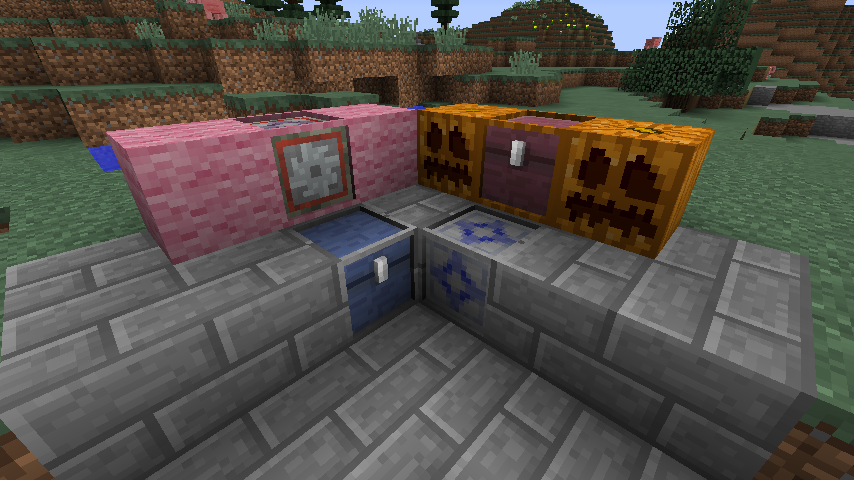
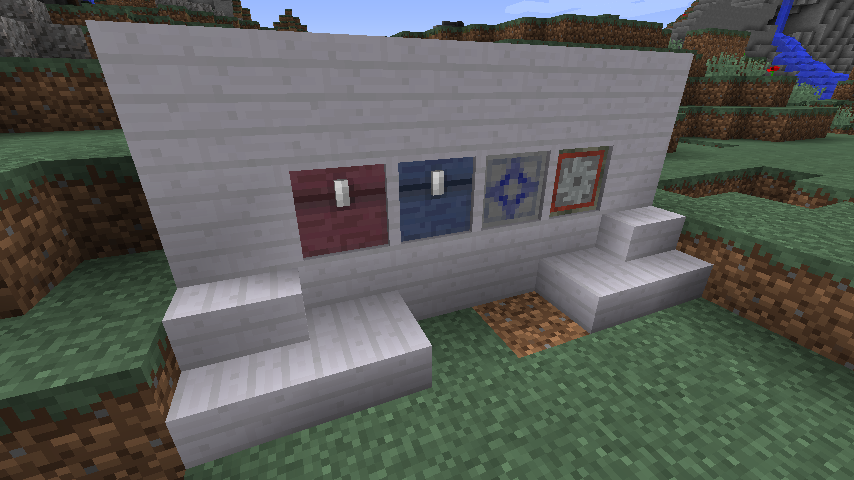
This mod currently provides 4 specialized blocks for different kinds of queued item handling.
Queue Chest
The Queue Chest is, like the vanilla chest, a basic inventory. To get items to move from the input towards the output, there is a GUI button to enable compacting, which will move the entire queue one step towards the output each game tick.
Queue Box
The Queue Box is a more advanced variant of the Queue Chest. It has options to limit input and output stack sizes, toggling stacking on and off, and setting the queue movement tick delay.
Queue Filter
The Queue Filter functions like filter in many other mods, except that it only accepts items in the order defined in the recipe.
Process Queuer
The Process Queuer is a block intended for automation where the order of items used is crucial.
All 4 blocks by default uses models which includes a frame along the edges.
This frame can be painted using the Paintbrush item to look like most regular blocks in Minecraft (and most mods).
常见问题
Queue Box 支持哪些 Minecraft 版本?
Queue Box 支持 Minecraft Java 版 1.10.2,可用的加载器:Forge。下载时注意选择和你游戏版本一致的文件。
Queue Box 怎么安装?
先用 PCL2 或 HMCL 启动器安装对应版本的 Forge,再把下载的 .jar 文件放进游戏目录的 mods 文件夹,重新启动游戏即可。开启了版本隔离的,mods 文件夹在 versions/版本名 下面。
评论
登录后评论和评分