
QueQiao
作者:17TheWord
Minecraft Server Mod/Plugin for Real-time Player Events & API Broadcast Messaging.
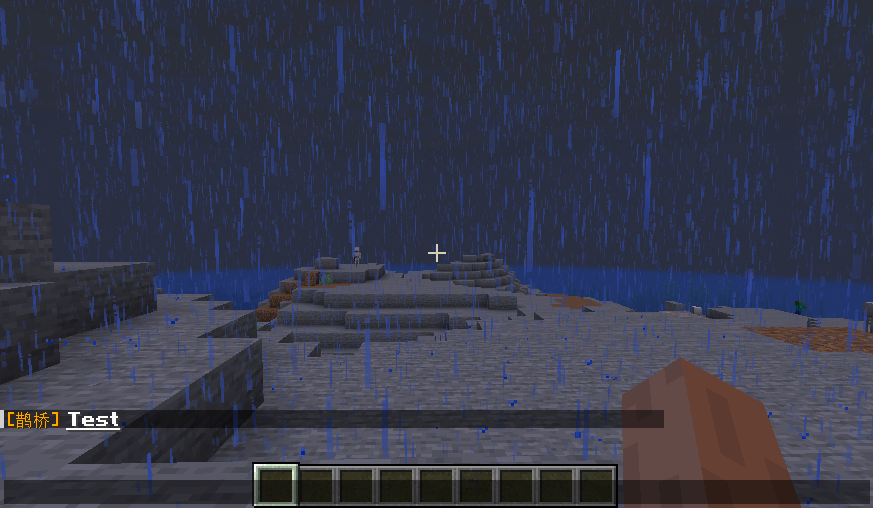
截图
介绍
中文介绍正在准备中,下面暂时显示原文。
🌍中文 / English

QueQiao
✨ Minecraft Server Mod/Plugin for Real-time Player Events & API Broadcast Messaging ✨




·
·
·
Introduction
- Distributes player events from the server in
JSONformat viaWebSocket - Implemented
Events: Player ChatPlayer CommandPlayer Death(Not available for Velocity)Player JoinPlayer QuitPlayer Advancement(Achievement)- Receives
JSONmessages viaWebSocketand forwards to in-game players - Implemented APIs:
BroadcastPrivateMessageTitle & SubTitleActionBarRcon Command
Documentation
- Visit the
ApiFox QueQiaofor detailed documentation
Can’t find a suitable Mod/Plugin version? Feel free to submit an
Issue
Quick Start
- Install the corresponding server
plugin/mod - Configure
websocket_serverinconfig.yml:
enable: true# Enable WebSocket serverhost: "127.0.0.1"# WebSocket Server addressport: 8080# WebSocket Server port
- Start the server and wait for
WebSocket Serverto initialize - Use
ApiFoxor other API testing tools, or connect with Integration projects
- Configure global
Request Header:
      {
        // Required: server name, must match 'server_name' in config.yml
        "x-self-name": "TestServer",
        // Optional: auth token, must match 'access_token' in config.yml (omit if empty)
        "Authorization": "Bearer 123"
}- Launch the game and join the server
- Refer to the
API Documentationto send messages or listen to player events.
Integration Projects
@17TheWord/nonebot-adapter-minecraft:NoneBot2adapter@17TheWord/nonebot-plugin-mcqq:NoneBot2plugin@CikeyQi/mc-plugin:YunZaiplugin@Twiyan0/koishi-plugin-minecraft-sync-msg:Koishiplugin@17TheWord/zerobot-plugin-mcqq:ZeroBotplugin@kterna/astrbot_plugin_mcqq:AstrBotplugin@KroMiose/nekro-agent:AIagent
Related Projects
@kterna/queqiao_mcdr:MCDRimplementation ofQueQiaofor message exchange
Compatibility
@kitUIN/ChatImage: Displays images in Minecraft chat
Community
Special Thanks
@kitUIN: For code assistance and build tools@kitUIN/ModMultiVersion: IDEA multi-version MOD plugin@kitUIN/ModMultiVersionTool: Multi-version MOD build tool
Support & Contribution
- Star this project if you find it useful or support me on
Afdian - Submit suggestions/bugs via
Issues - Contribute via
Pull requests
License
This project is licensed under the MIT license.
常见问题
QueQiao 支持哪些 Minecraft 版本?
QueQiao 支持 Minecraft Java 版 1.7.10–26.3,共 53 个版本,可用的加载器:Fabric / Folia / Forge / NeoForge / Paper / Spigot / Velocity。下载时注意选择和你游戏版本一致的文件。
QueQiao 怎么安装?
先用 PCL2 或 HMCL 启动器安装对应版本的 Fabric / Folia / Forge / NeoForge / Paper / Spigot / Velocity,再把下载的 .jar 文件放进游戏目录的 mods 文件夹,重新启动游戏即可。开启了版本隔离的,mods 文件夹在 versions/版本名 下面。运行环境:仅服务端。
评论
登录后评论和评分