
QIO Sync
Adds configurable search synchronization in Mekanism's QIO storage interface for JEI or EMI, along with QOL improvements to recipe handling.
截图
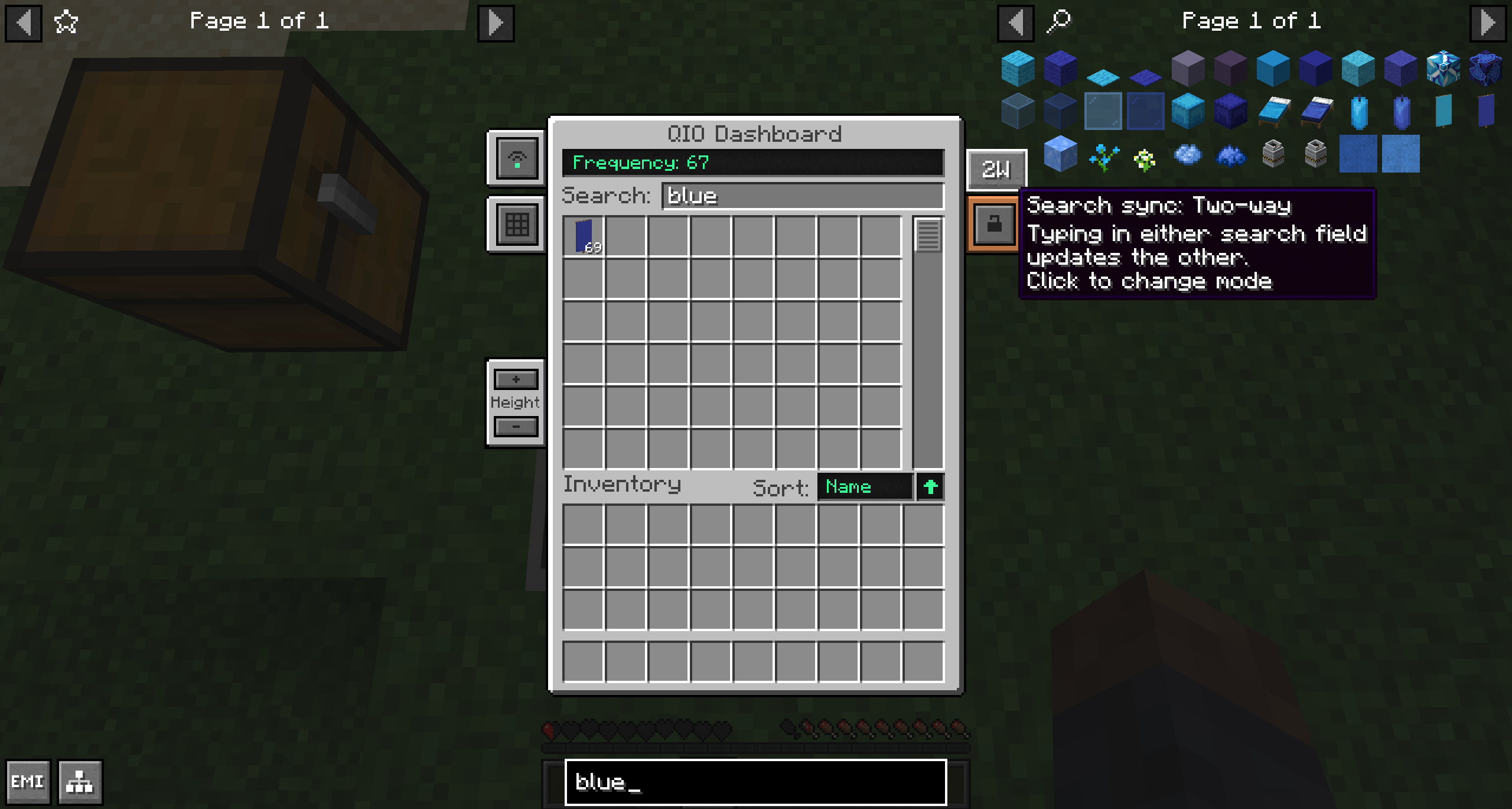
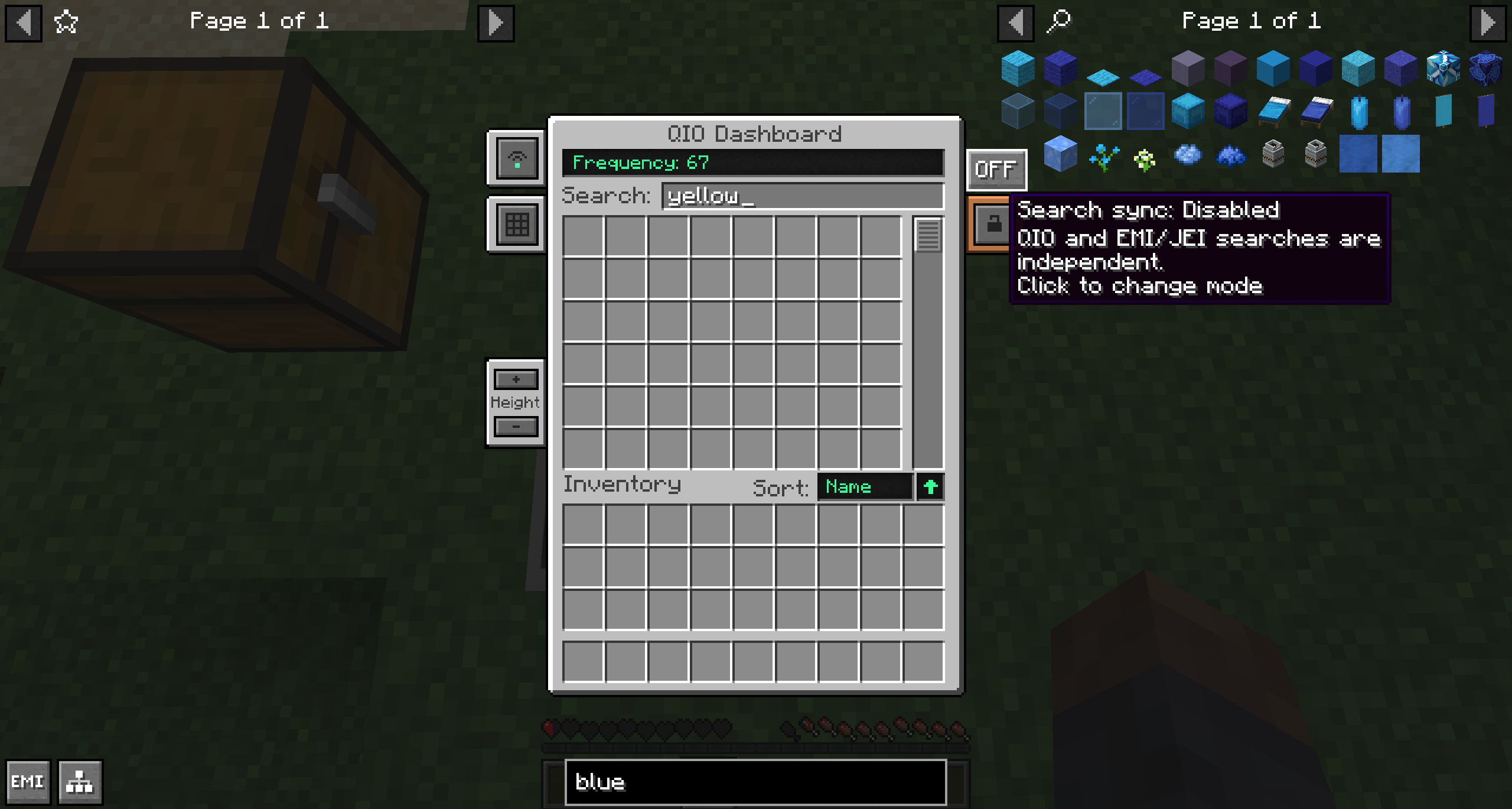
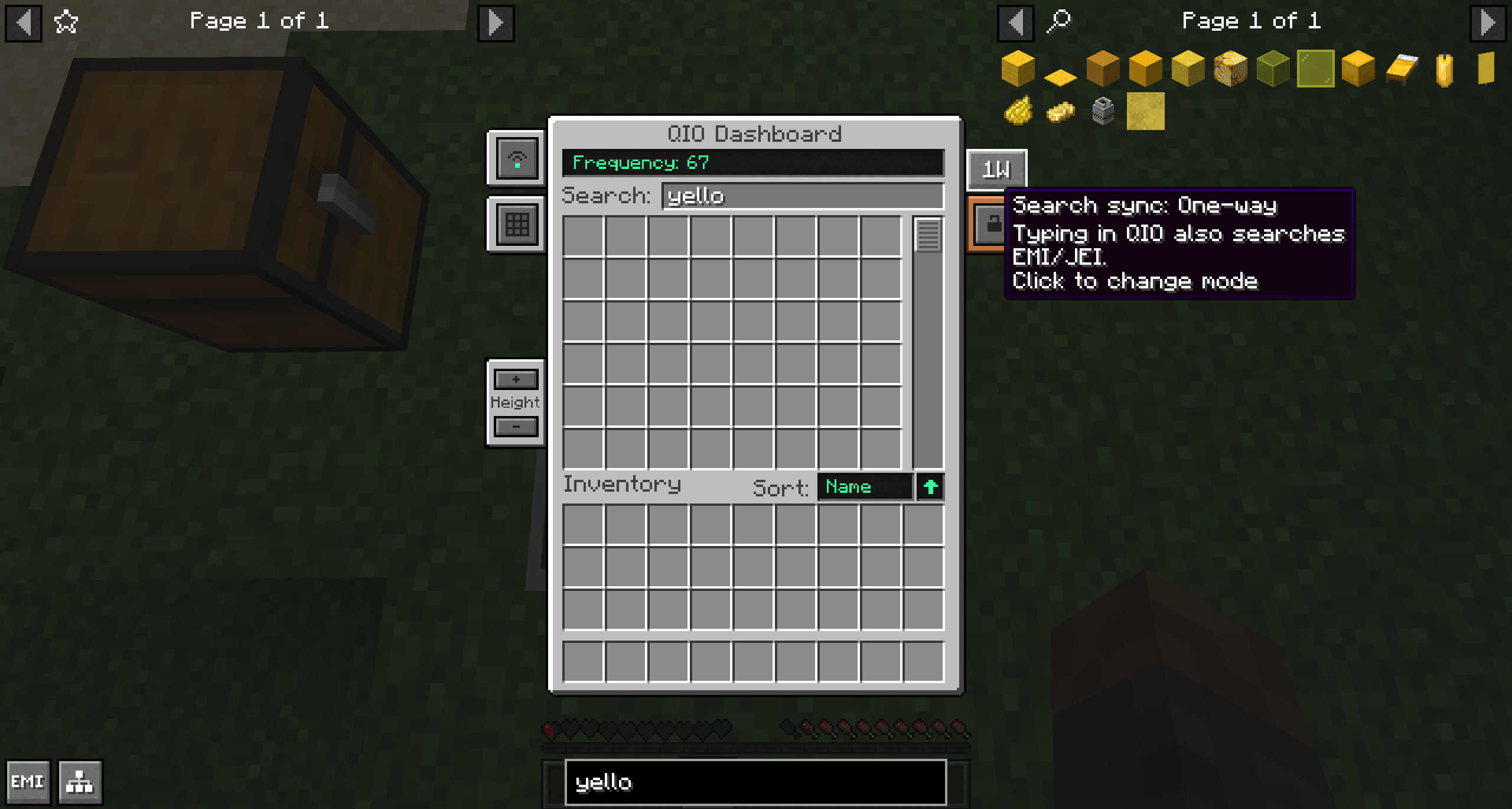
介绍
QIO Sync is a client-side QOL mod for Mekanism’s QIO storage interface
It adds search synchronization inspired by Refined Storage and improves how EMI or JEI recipes are transferred into QIO’s three crafting windows.
Search synchronization
A button in the QIO interface lets you choose how its search bar interacts with EMI or JEI:
- OFF: QIO and recipe-viewer searches remain independent
- 1W: Typing in QIO also updates the EMI or JEI search box
- 2W: Typing in either search box updates the other
Improved QIO recipe transfer
When using JEI or EMI’s Fill Recipe button (+):
- Automatically opens a QIO crafting window when necessary
- Prioritizes empty crafting grids
- Uses all three available QIO crafting windows
- Replaces occupied grids in a round-robin pattern if every grid is in use
Forge 1.20.1 improvements
The Forge version provides several features from newer versions of Mekanism:
- Fixes EMI recipe transfer and the Fill Recipe button in QIO
- Fixes EMI recipe and usage keybinds while hovering over items stored in QIO
- Prevents EMI recipe screens from closing QIO crafting windows unexpectedly
- Adds a QIO/INV option for deciding where items displaced by a new crafting recipe are sent
- Adds a GRID/QIO option for deciding whether items shift-clicked from the player’s inventory go into the open crafting grid or get stored in the current QIO frequency
- Adds extra auto-selected search modes which let you begin typing into a search box immediately upon opening QIO’s interface
Installation and configuration
QIO Sync is entirely client-side. It does not need to be installed on a server. Install it in the client’s mods folder alongside Mekanism and EMI or JEI (or both).
The UI behavior options added by this mod are saved in qiosync-client.toml. The settings are applied globally to every QIO interface accessed by the player.
常见问题
QIO Sync 支持哪些 Minecraft 版本?
QIO Sync 支持 Minecraft Java 版 1.20.1–1.21.1,共 2 个版本,可用的加载器:Forge / NeoForge。下载时注意选择和你游戏版本一致的文件。
QIO Sync 怎么安装?
先用 PCL2 或 HMCL 启动器安装对应版本的 Forge / NeoForge,再把下载的 .jar 文件放进游戏目录的 mods 文件夹,重新启动游戏即可。开启了版本隔离的,mods 文件夹在 versions/版本名 下面。运行环境:仅客户端。
评论
登录后评论和评分