
截图
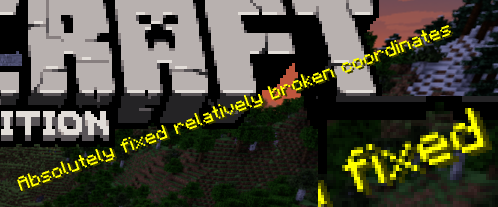
介绍
Implements really simple antialiasing via super-sampling, also known as SSAA.
Huh?
Antialiasing is often implemented via “FXAA”, “TAA”, “MSAA”, etc. All of these methods are approximations, but they’re very fast. FXAA and TAA are basically just really fancy blurs, and MSAA can only smooth polygon edges; pixelated textures are totally missed out on, which is most of what Minecraft is.
Super-sampling is the most pure, accurate, and expensive form of antialiasing. The entire scene is rendered at a higher resolution, and then downscaled for presentation. It’s also the easiest to implement.
For example, if you’re playing in a 1280×720 window, then QDAA will render the game at 2560×1440 instead, and then resize it to 1280×720 before it’s drawn to the screen.
This mod reuses functionality in Minecraft that handles macOS Retina displays, so it should be quite compatible, except with other mods that modify how the framebuffer is drawn to the screen. It also technically optimizes the final render step, replacing a normal quad render with a blit.
Notably, due to how this works, QDAA can even antialias GUIs, improving readability of rotated text and smoothing the edges of 3D item models. Shaders only work on the world.
Versions
2.0 is an xplat redesign of QDAA based on the old “Simple” version, which works on 1.21.1+. Historically, QDAA is available in both “Simple” and “Configurable” versions, which are v1.1 and v1.2 due to having no foresight.
Simple
Really basic implementation of just the AA. Works on any version with Blaze3D, pinky promise. Will likely never need updating. Remind me if I forget to tag new versions. Mojang refactored how their framebuffer code works, so it broke. Yay. 2.0 exists to fix this.
Note: 1.16 and earlier only sorta work. Only 1.18 and higher is supported.
Configurable
More “full-fledged” mod with a config screen and runtime toggling. Potentially useful to ship in modpacks off-by-default. Highly version-dependent due to usage of GUIs. Likely won’t receive updates, I regret it.
常见问题
QDAA 支持哪些 Minecraft 版本?
QDAA 支持 Minecraft Java 版 1.14–1.21.4,共 36 个版本,可用的加载器:Fabric / NeoForge / Quilt。下载时注意选择和你游戏版本一致的文件。
QDAA 怎么安装?
先用 PCL2 或 HMCL 启动器安装对应版本的 Fabric / NeoForge / Quilt,再把下载的 .jar 文件放进游戏目录的 mods 文件夹,重新启动游戏即可。开启了版本隔离的,mods 文件夹在 versions/版本名 下面。运行环境:仅客户端。
exaptations 的其他作品
查看全部 →
EMI
功能丰富且易于上手的物品与配方查看器
Trinkets
一个数据驱动的饰品模组

SwingThrough
允许透过草、作物和花朵等透明方块锁定、生物交互并攻击生物。

Antique Atlas 4
一款手绘风格的客户端世界地图,支持地图分享、结构发现等功能! 基于 hunternif 的 Antique Atlas 制作的 Surveyor 地图前端。
评论
登录后评论和评分