
PVP Tweaks
PvP Tweaks is a mod in development that will give you the ability to Tweak every PVP sound, visual & Textures to your exact preference.
截图
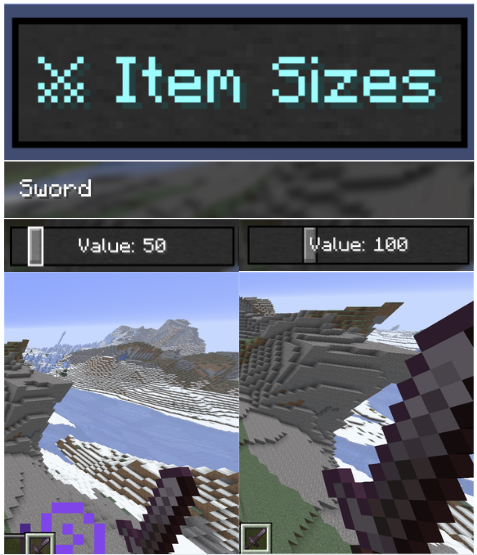
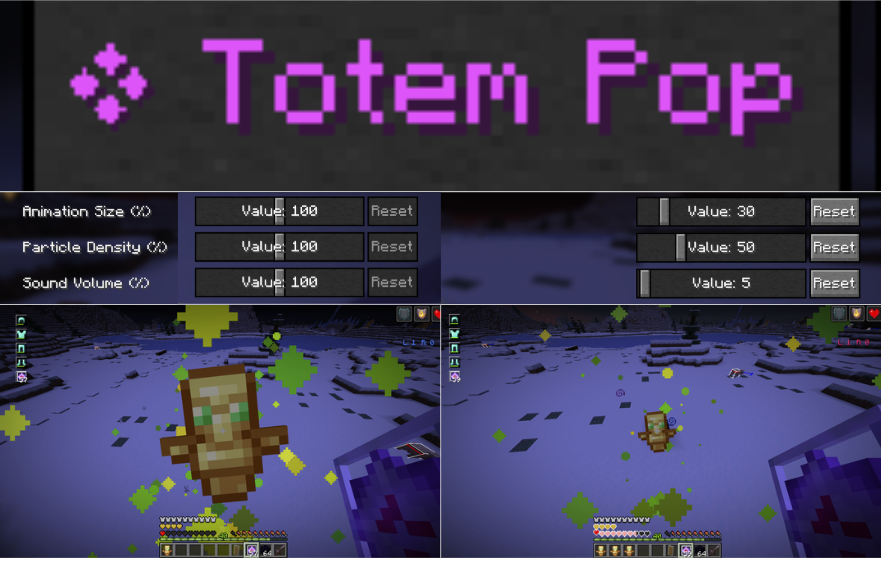
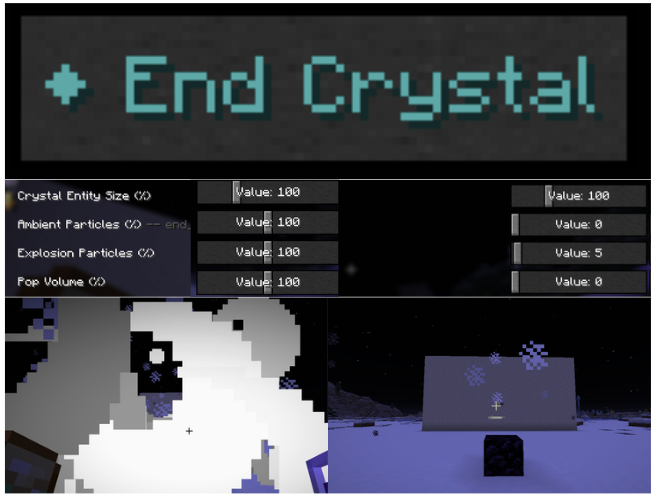
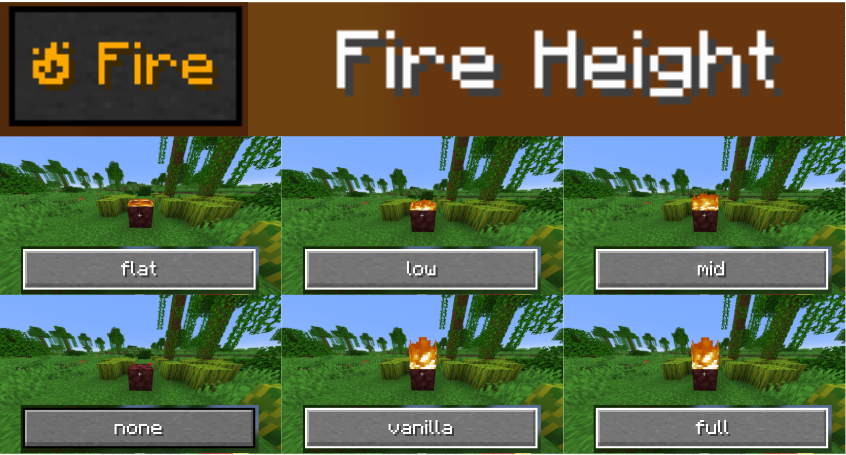
介绍
⚔️ PVP Tweaks (in development, beta)
PVP Tweaks consolidates essential combat, HUD, and visual utilities into one high-performance, client-side mod for Minecraft 1.21.4–26.X.
Clicking the in-game “PVP Tweaks” button opens a dedicated hub screen with intuitive tabs for Item Sizes, Visuals, HUD, Sounds, Optimization, Profiles, and Info. Fine-tune totems, shield positioning, fire overlays, crystals, respawn anchors, animations, particles, sounds, custom crosshairs, and more-all from one clean interface.
⚠️ Note to Players & Server Admins:
This mod is designed purely for Quality-of-Life (QoL). It does not provide any cheats, automation, or unfair advantages. It simply allows you to fine-tune your client’s visuals and responsiveness to ensure your game runs smoothly in competitive environments.
🕹️ How to Use
- Accessing the Config:
- In-Game: Press the configured keybind to open the PVP Tweaks hub screen.
- Mod Menu: Select PVP Tweaks from your mods list and click Configure.
- HUD Adjuster: Click Adjuster buttons inside the config to drag and reposition HUD elements freely on your screen.
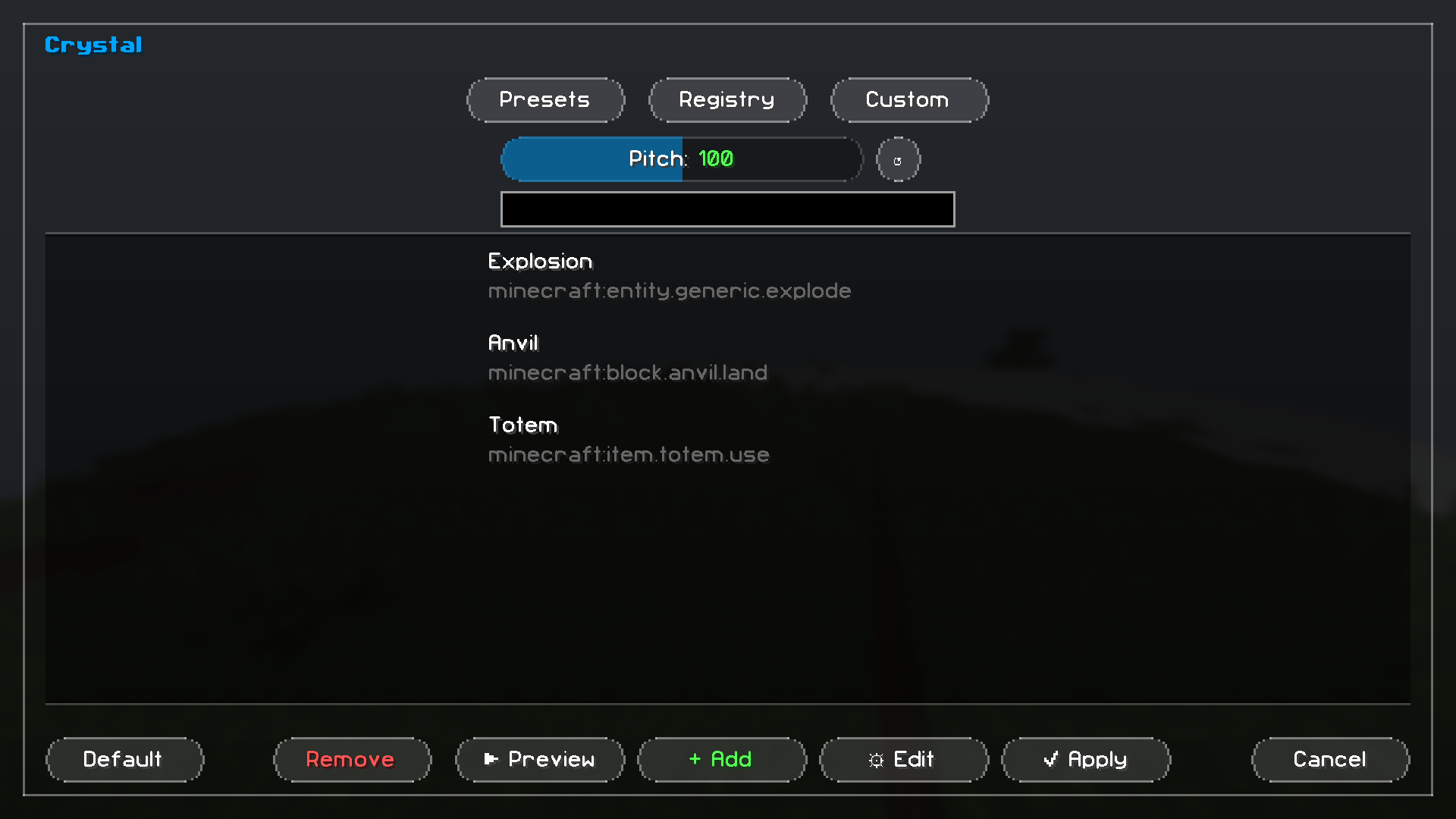
- Sound Picker: Open the Sound Picker in any category, preview or search for sounds (or import your own), adjust pitch, and save.
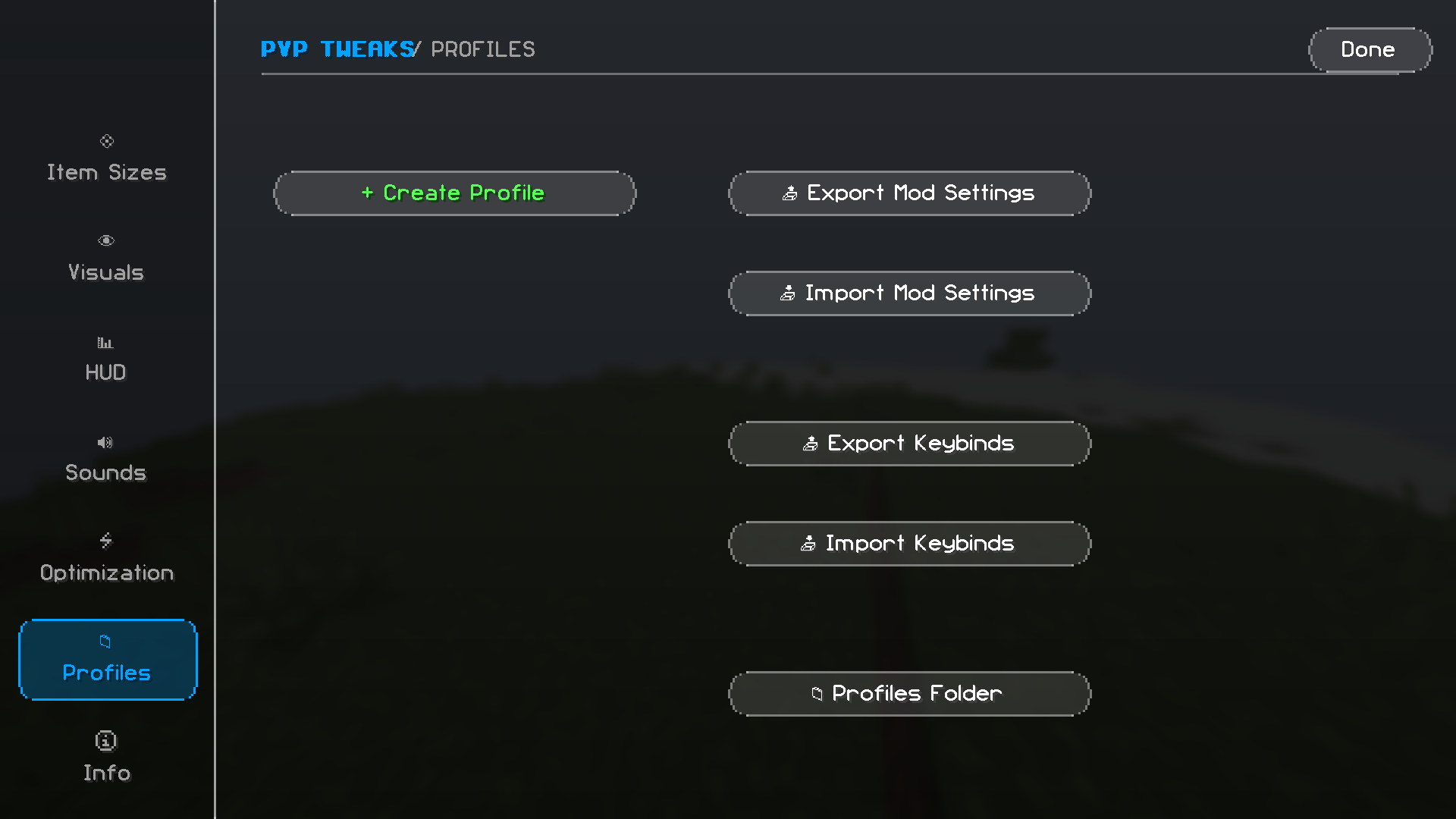
- Profiles: Save your entire setup and easily share it using clipboard import/export strings.
✨ Core Features
📊 HUD Utilities
Fully customizable HUD elements with real-time editing:
- CPS HUD: Left/Right CPS tracker with custom scale, position, color, text shadow, and a “Smart Rainbow” mode.
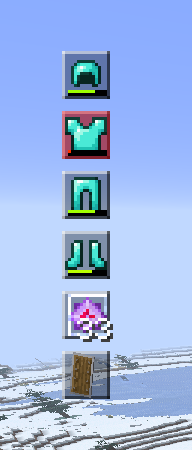
- Armor Durability HUD: Tracks worn armor and held items. Includes low-durability blink alerts and custom sound triggers.
- Coordinates & Potion Effects: Displays current position and active status effects with full scale/position adjustments.
- Crosshair Editor: Custom crosshairs with color, size, opacity, outlines, and crosshair code import support (e.g., CS2 codes).
- Item Background: Toggle and customize background rendering in inventory slots.
- Hotbar Slot Labels: Display keybind hints or numbers directly on hotbar slots.
- Live Adjusters: Drag and drop HUD elements anywhere on screen with interactive visual editors.
🔊 Audio & Visual Control
- Sound Profiles: Profile-based sound replacement system with an integrated picker and per-profile sound packs.
- Sound Picker: In-game browser for all vanilla sound events with live previewing and pitch adjustments (Explosions, Combat, Misc, and Custom).
- Custom Sounds: Directly import
.mp3,.ogg,.wav, or.flacaudio files without creating a resource pack. (Note: Legacy versions ≤1.4.8 require ffmpeg installed). - Durability Alerts: Set custom sound warnings for low-durability armor and tools.
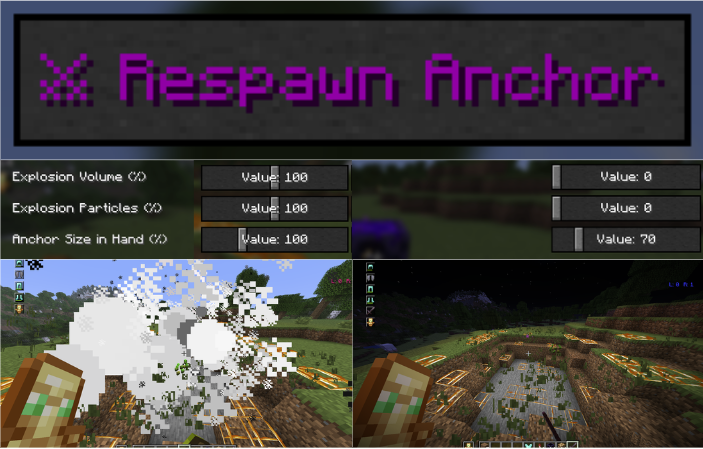
- Per-Event Volume Sliders: Independent volume controls for End Crystals, Respawn Anchors, TNT, hits, and other actions.
- Explosion Particles: Fine-tune particle opacity/count for TNT, Creepers, Beds, Ghasts, and Wind Charges.
👁️ Visual Adjustments
- Fire Block Height: Preset heights (Vanilla, Mid, Low, Flat, or None).
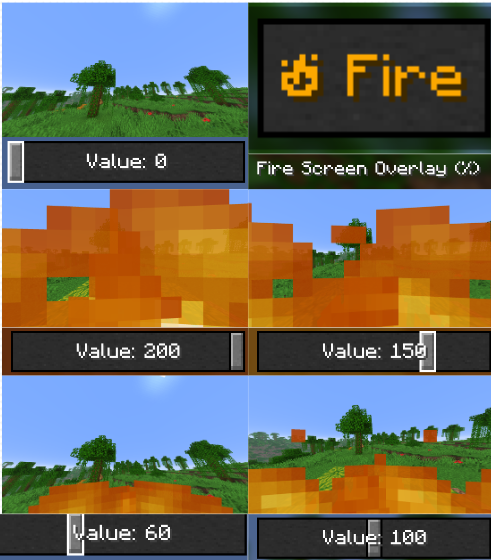
- Fire Overlay: Adjust the screen fire overlay scale from
0%to200%. - Fullbright: Integrated gamma customization screen for clear visibility in dark areas.
- Pumpkin Blur: Toggle the carved pumpkin screen overlay.
- Shield Adjuster: Real-time positioning and rotation tweaking for held shields.
- Plants Control: Client-side rendering controls for tall grass and plants.
- Entity & Animation Scaling:
- Totem pop animation scale (
0–200%). - End Crystal entity scale (
25–300%).
- Potion Color Override: Change indicator colors for active potion effects.
- GUI Tweaks: Toggle background blur and enable smooth scrolling in menus.
🛡️ Item Sizes & Custom Scaling
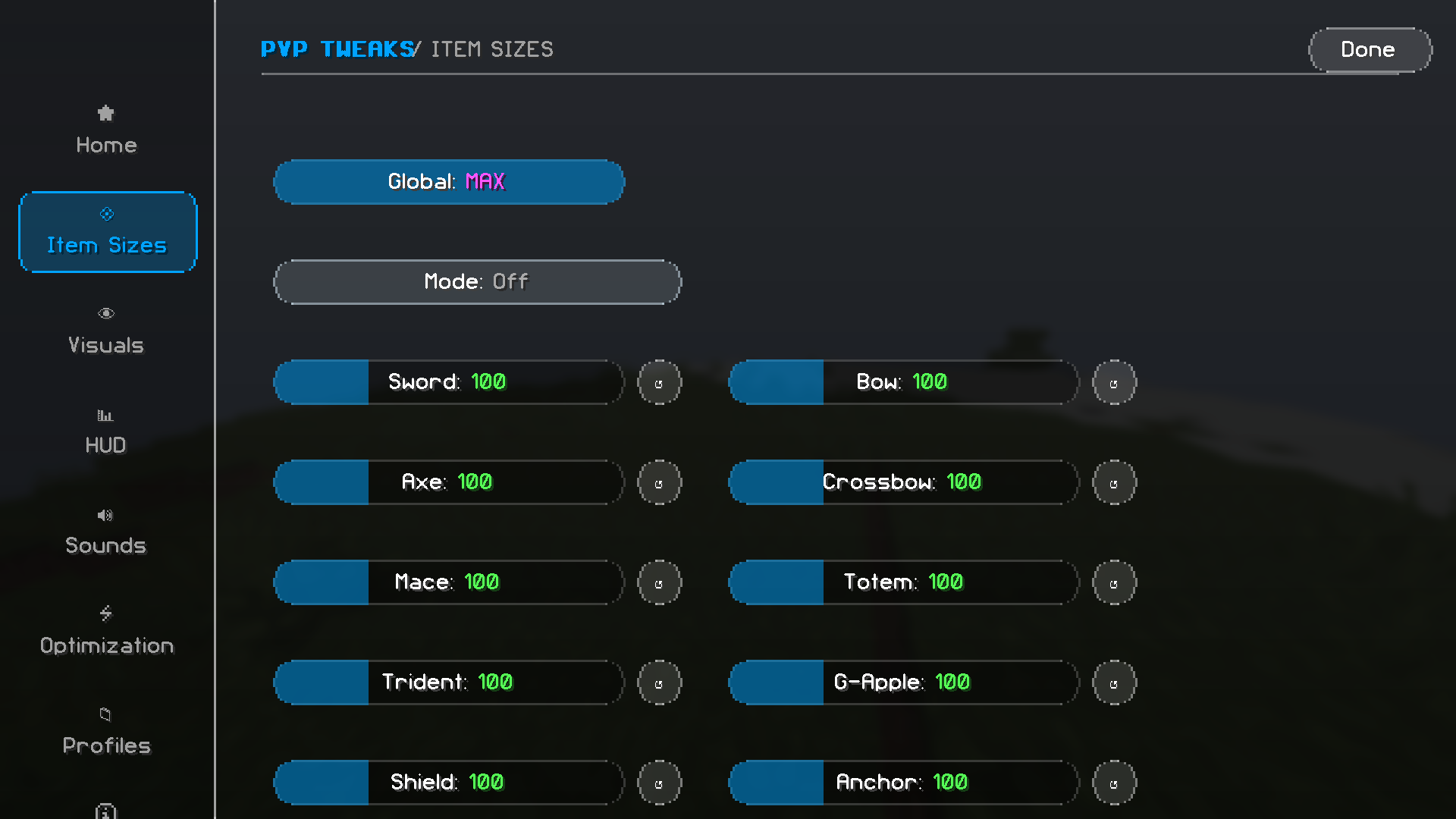
- Global Scale: Master scale slider for all held items (
25-300%). - Per-Item Sliders: Individual scaling for Swords, Axes, Maces, Tridents, Shields, Armor, Bows, Crossbows, Totems, Golden Apples, Respawn Anchors, and Misc items.
- Flexible Scaling Modes:
- Listed Mode: Only scales items explicitly configured.
- Unlisted Mode: Scales everything except configured exceptions.
- Custom Mode: Interactive per-item search and configuration screen.
🎨 Modern UI & Experience
- Hub Screen: Sleek, tabbed interface with clean rounded panels and controls (8px border radius).
- Zoom Utility: Configurable smooth or instant zoom with customizable FOV and scroll sensitivity.
- Profile System: Save, load, import, and export entire configurations via system clipboard or the dedicated profiles folder.
🚀 Performance Optimizers (Experimental feature)
Designed to mitigate ping and latency effects for a smoother combat experience:
- Crystal Optimizer: Client-side immediate removal of End Crystal entities upon attack, allowing for zero-delay re-placement.
- Anchor Optimizer: Instantly replaces exploded Respawn Anchors with a client-side placeholder (Fern) to keep the coordinate clear for immediate placement before server confirmation.
- Fairness Guarantee: Strictly visual and client-side collision tweaks that do not interfere with server-side logic.
📥 Installation & Dependencies
- Download and install Fabric Loader.
- Download and place Fabric API into your
.minecraft/modsfolder. - Place
pvp-tweaks.jarinto your.minecraft/modsfolder.
| Dependency | Required / Optional | Notes |
| — | — | — |
| Fabric Loader | Required | Version ≥0.18.4 |
| Fabric API | Required | All supported MC versions |
| Mod Menu | Optional | Adds a “Configure” button directly in your Mods list |
| Cloth Config | Optional | Additional configuration backend support |
🛠️ Issues, Support & Development
- Issue Tracker:

- Direct Contact: Reach out via email at
[email protected]
💡 Notes on AI Development
AI assistance was utilized during development to optimize workflow; all code has been line-by-line reviewed, tested, and verified for security and stability by a human developer.
💡 Notes on Compatibility & Testing
Primary testing is conducted on Minecraft 26.2-1.21.11 (Linux Mint, GNOME, X11).
All other supported versions are currently in Beta – while core features should function normally, minor version-specific variations may occur.
I need beta testers please contact me on Discord: vipertrick
Note on Development & Release
The mod hasn’t really been officially released yet, it’s still in development. It will only be called “Release” after version 2.0.0 (it will probably be reset to “R1.0.0”)
📌 License & Code Usage
This project is published under GNU General Public License v3.
Contact me for any further requests.
常见问题
PVP Tweaks 支持哪些 Minecraft 版本?
PVP Tweaks 支持 Minecraft Java 版 1.21.1–26.3,共 13 个版本,可用的加载器:Fabric。下载时注意选择和你游戏版本一致的文件。
PVP Tweaks 怎么安装?
先用 PCL2 或 HMCL 启动器安装对应版本的 Fabric,再把下载的 .jar 文件放进游戏目录的 mods 文件夹,重新启动游戏即可。开启了版本隔离的,mods 文件夹在 versions/版本名 下面。运行环境:仅客户端。

评论
登录后评论和评分