
Projectile Trajectory Preview
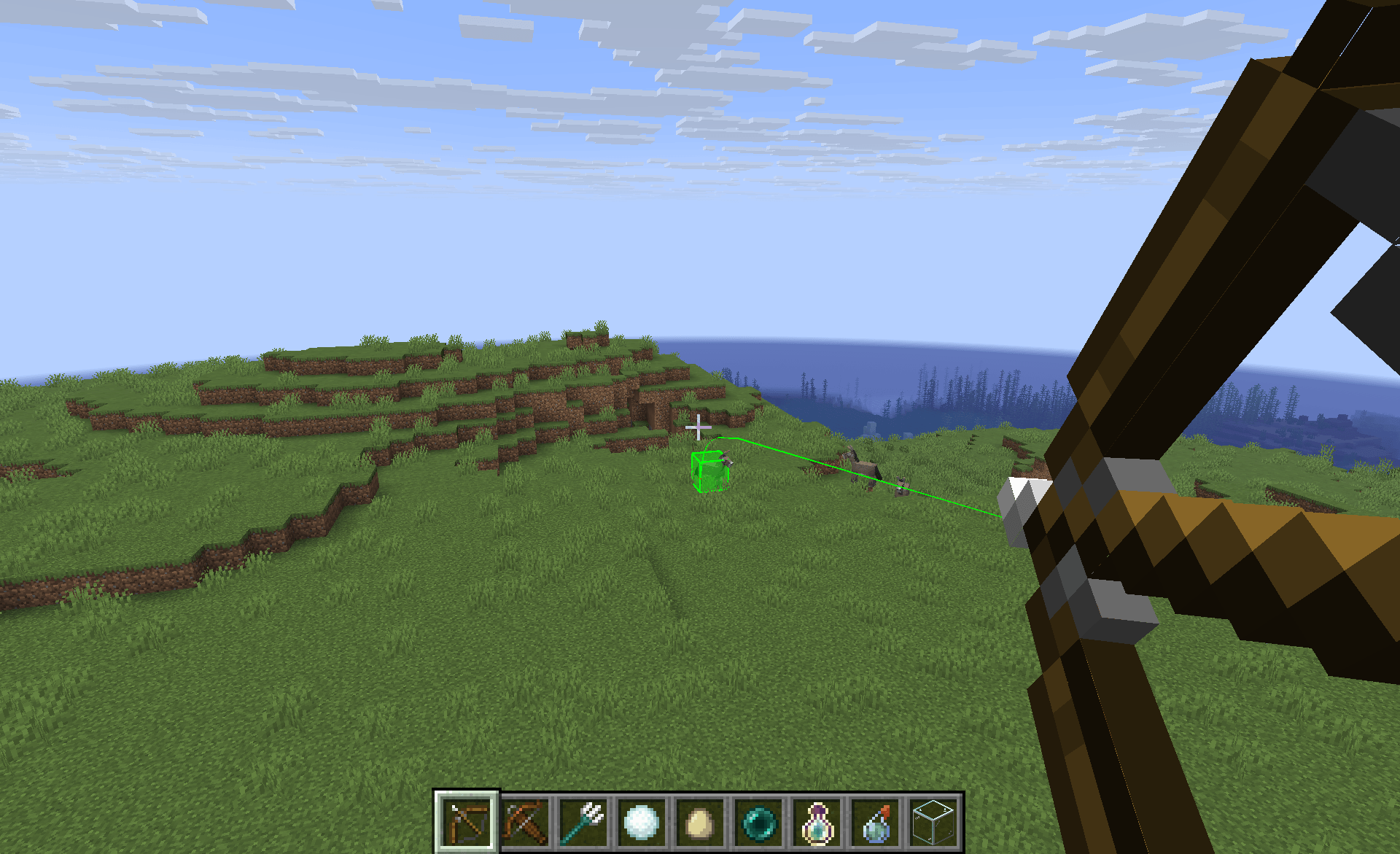
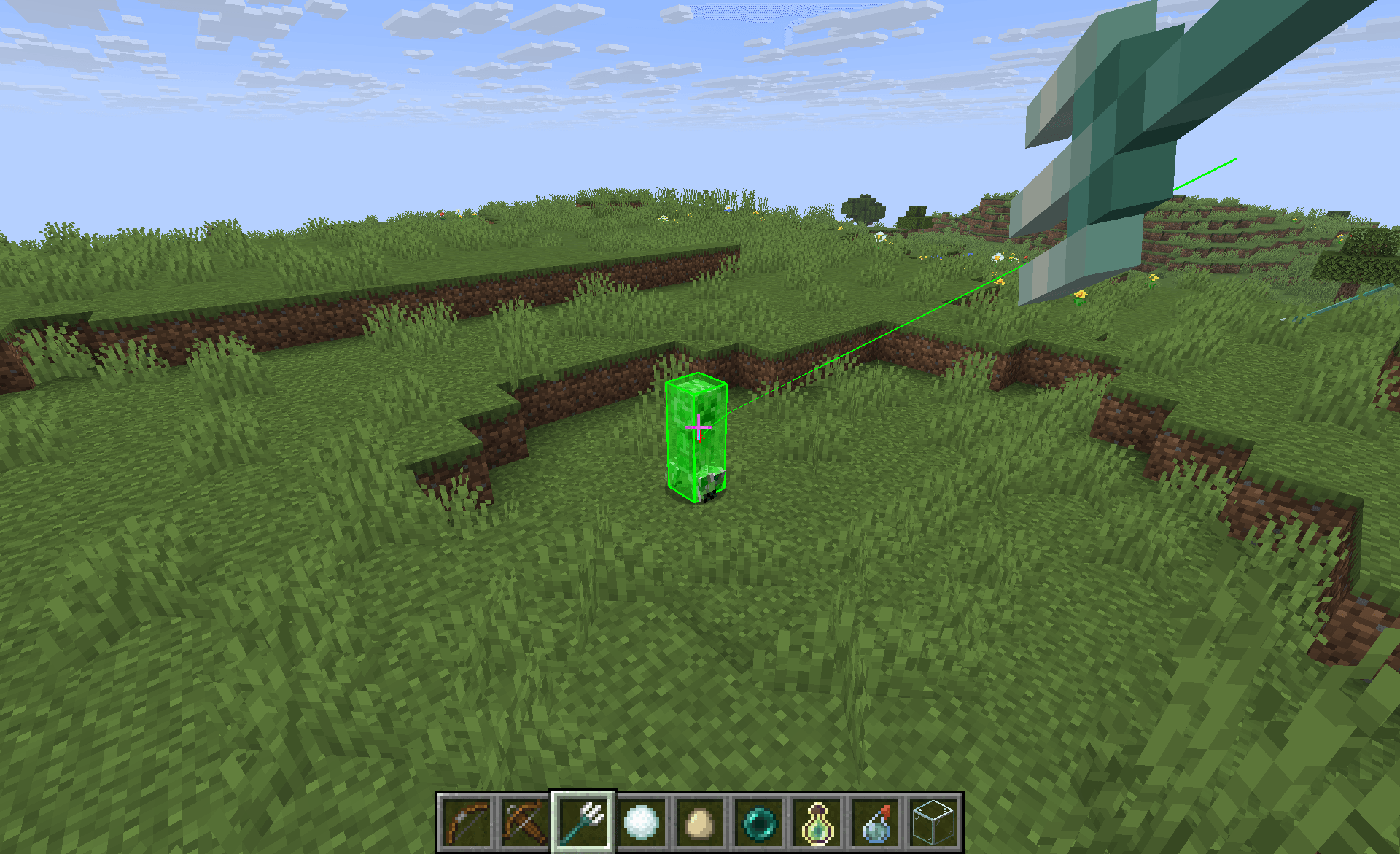
Display the trajectory of your projectiles such as arrows, ender pearls, snowballs, eggs and more!
截图

介绍

Projectile Trajectory Preview


Ever wondered where your arrow, snowball, or potion will land? This mod gives you a visual preview of projectile trajectories and highlights the target impact zone—perfect for planning shots with precision.
🔎 Features
- Trajectory Visualization: See the path your projectile will follow before you launch it.
- Target Highlighting: Know exactly where your shot is likely to land.
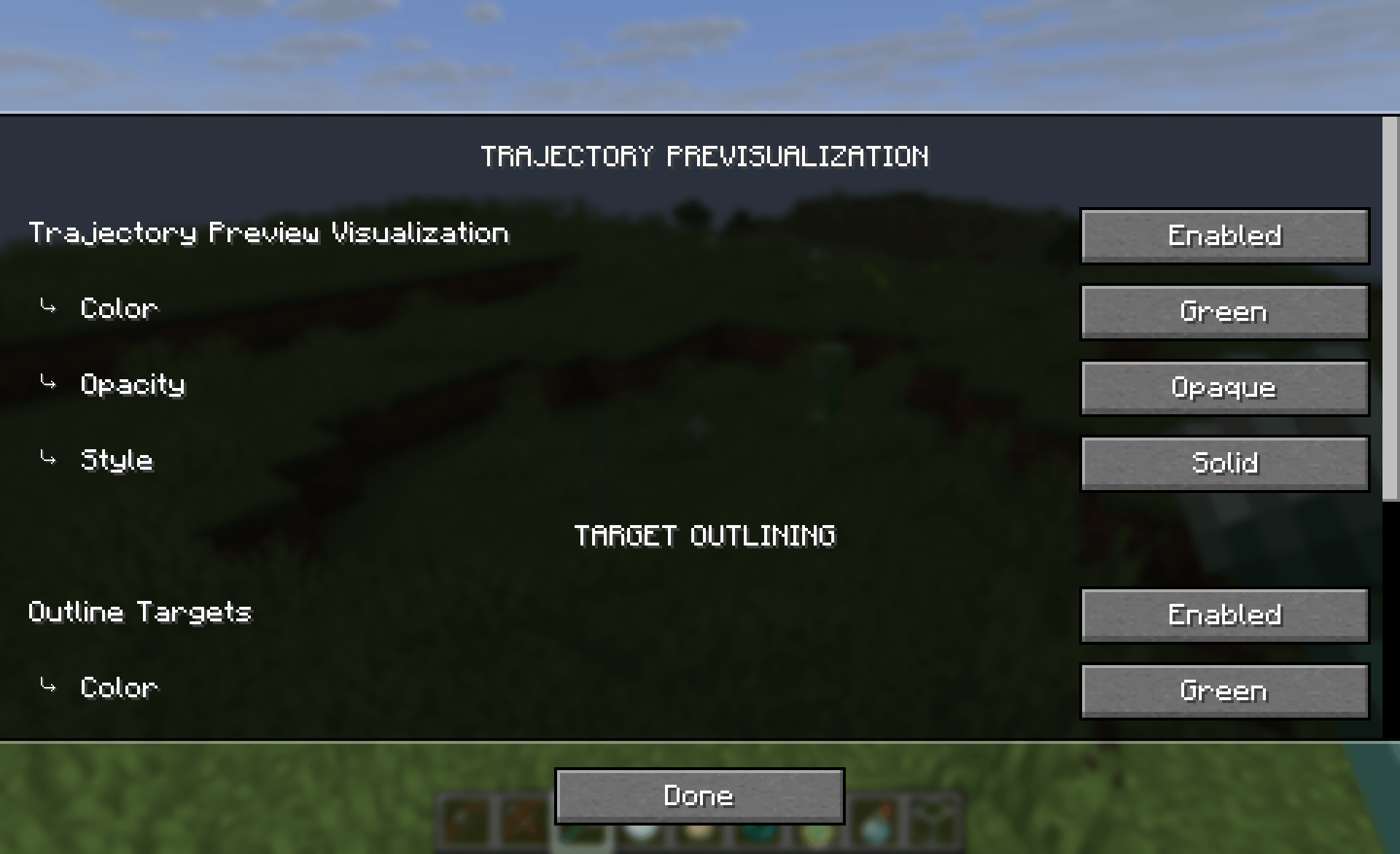
- Customizable Display: Tailor the look of the trajectory line, target outline, and highlight to suit your style.
⚙️ Configuration
To edit the settings of the mod:
- Use Mod Menu
- Use the command
/ptpConfigto open the config screen - Edit the config file in
.minecraft/config/ptp.json
⚠️ Limitations and notes
- Minecraft projectiles often have a random offset, so the actual impact may sometime differs a bit from the preview.
- Modded items are not yet supported. If you want compatibility with a specific mod, open an issue on Github and suggest it, I’ll do my best to add it.
🛑 Usage on servers
This mod doesn’t work on servers to prevent using it as a cheat in PVP. If you want to have it on your custom servers, you still can, just install the mod on both, the client and the server.
📦 Modpack
Feel free to add this mod in your modpacks.
常见问题
Projectile Trajectory Preview 支持哪些 Minecraft 版本?
Projectile Trajectory Preview 支持 Minecraft Java 版 1.21–26.3,共 17 个版本,可用的加载器:Fabric / NeoForge / Quilt。下载时注意选择和你游戏版本一致的文件。
Projectile Trajectory Preview 怎么安装?
先用 PCL2 或 HMCL 启动器安装对应版本的 Fabric / NeoForge / Quilt,再把下载的 .jar 文件放进游戏目录的 mods 文件夹,重新启动游戏即可。开启了版本隔离的,mods 文件夹在 versions/版本名 下面。
maDU59_ 的其他作品
查看全部 →
Optimized Block Entities [OBE]
一个客户端优化模组,让方块实体渲染得更快

Fancy World Animations
这个模组为许多可交互方块添加了动画,比如门、活板门、拉杆、按钮、唱片机,还包括摇曳的灯笼等更多内容!让一切都变得流畅自然。

Fancy World Animations [FWA]
这个模组为许多可交互方块添加了动画效果,例如门、活板门、拉杆、按钮、唱片机等,还包括会摇摆的灯笼以及更多内容!让一切动作都更加流畅。

Faster Iris Shadow Mapper [FISM]
略微提升 Iris 阴影映射器的速度。自 Iris 1.11.2 起已内置。
评论
登录后评论和评分