PsicheDelia
Psichedelia lets you create teleports in a dynamic and fun way with plenty of customizable options, without breaking the vanilla spirit of the game.
截图
介绍
PsicheDelia centers around teleportation through a warping system, utilizing cubes and items to travel from one place to another.
Thanks to balanced crafting recipes and well-thought-out gameplay restrictions, the mod fits seamlessly into the game without compromising its core vanilla feel. Furthermore, every single setting and restriction can be customized via the psichedelia.properties config file.
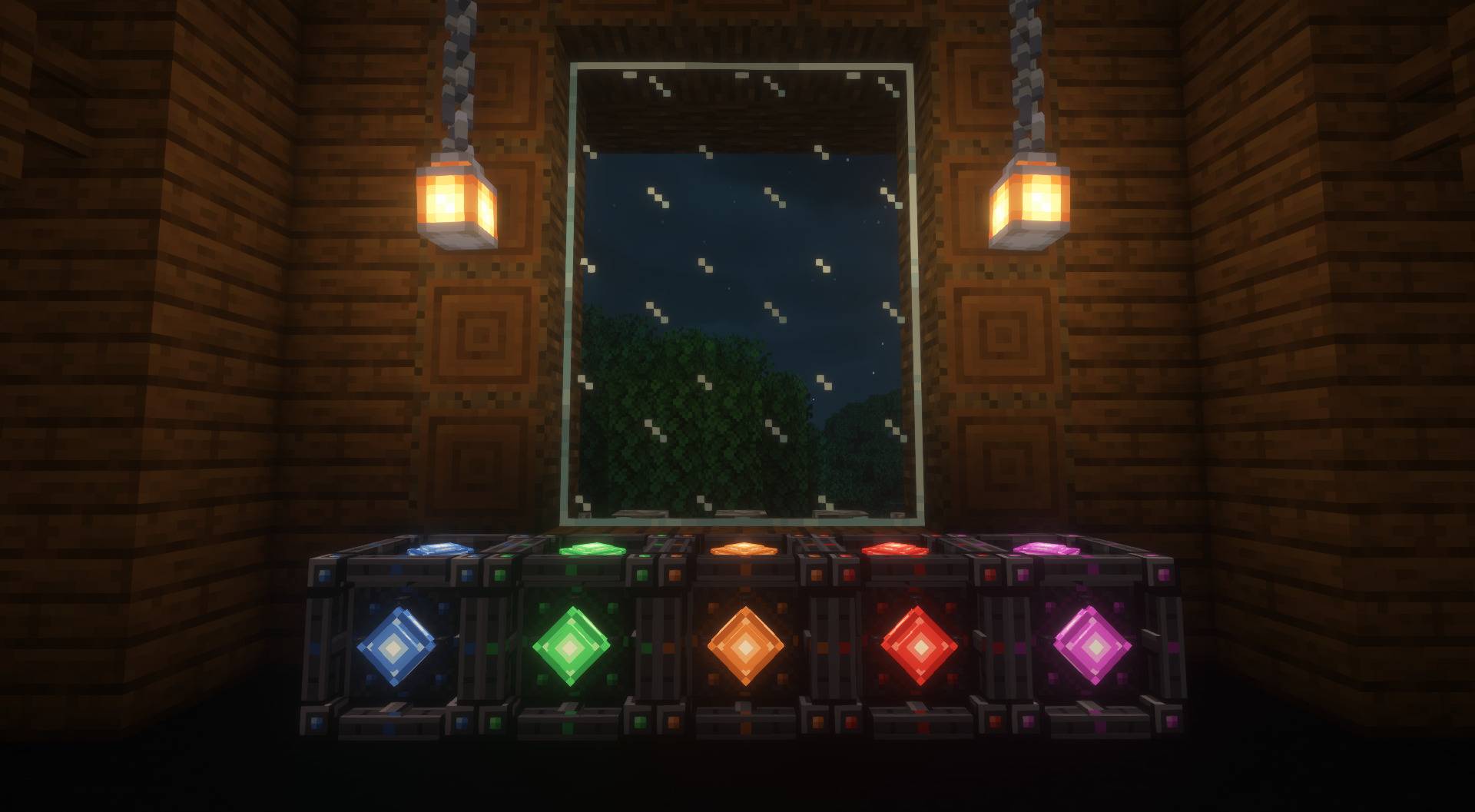
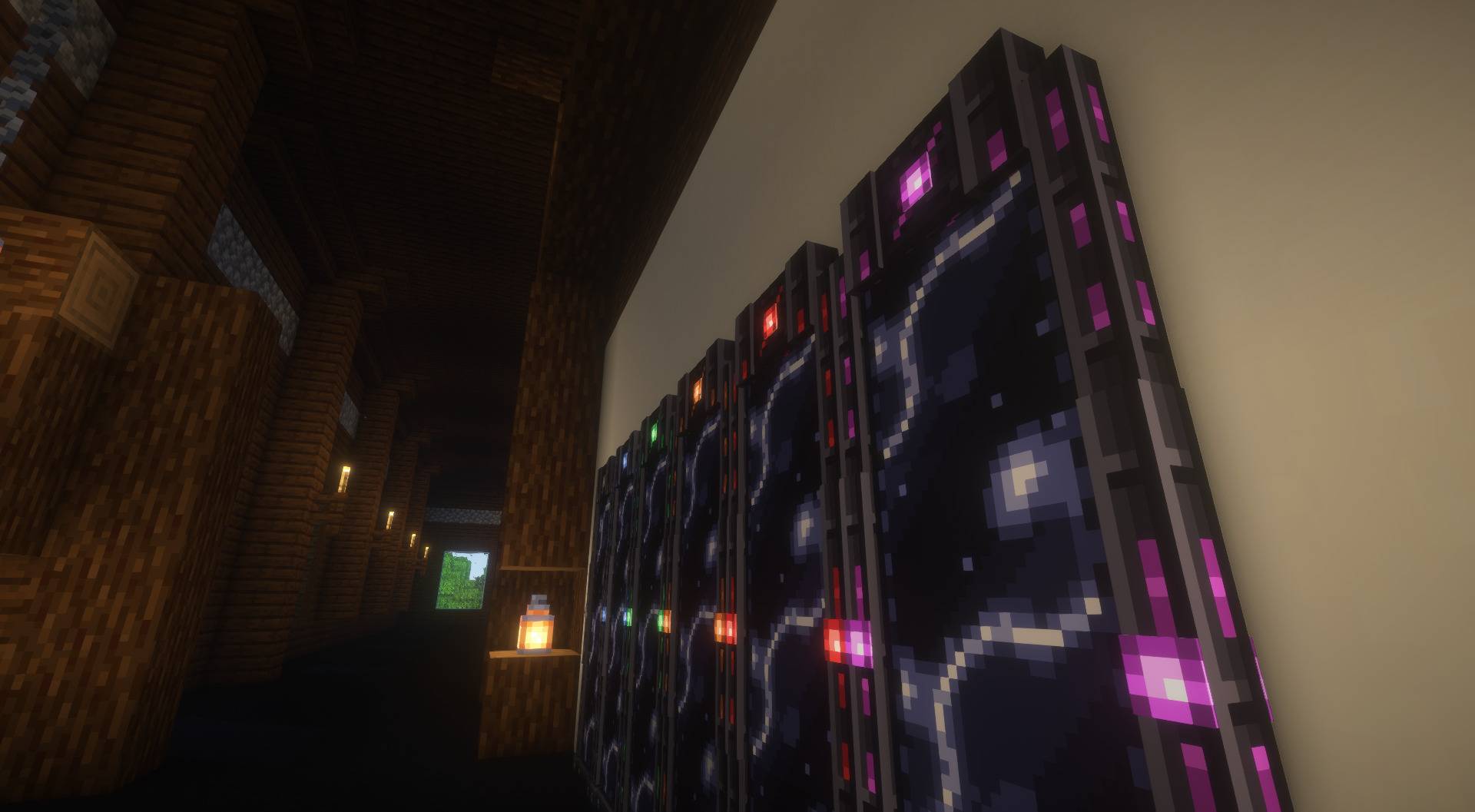
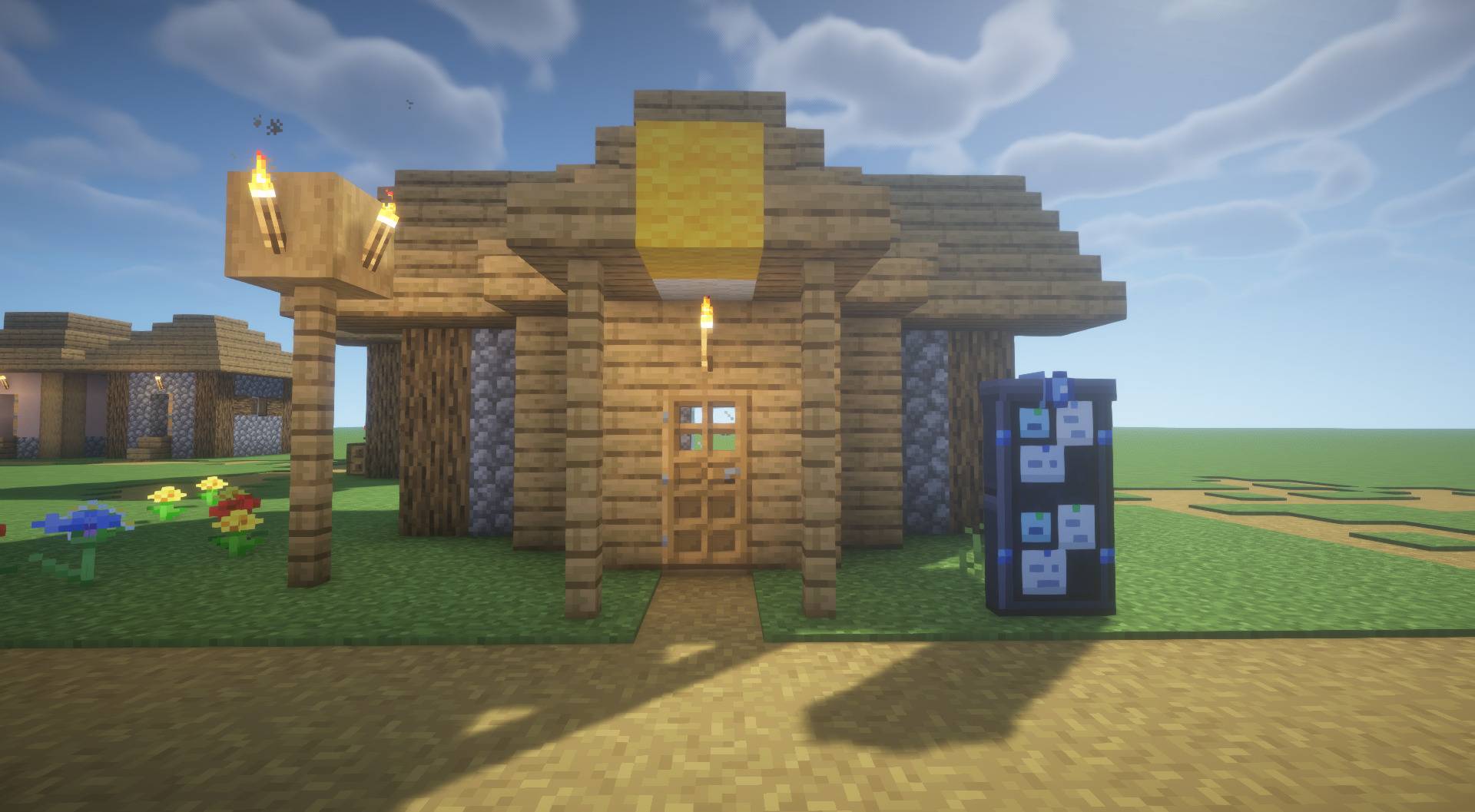
- Psychonic Cube: The foundation of the system; when linked to a matching cube, it teleports any player who interacts with it. It can also be activated with a redstone signal, such as from a button or pressure plate.
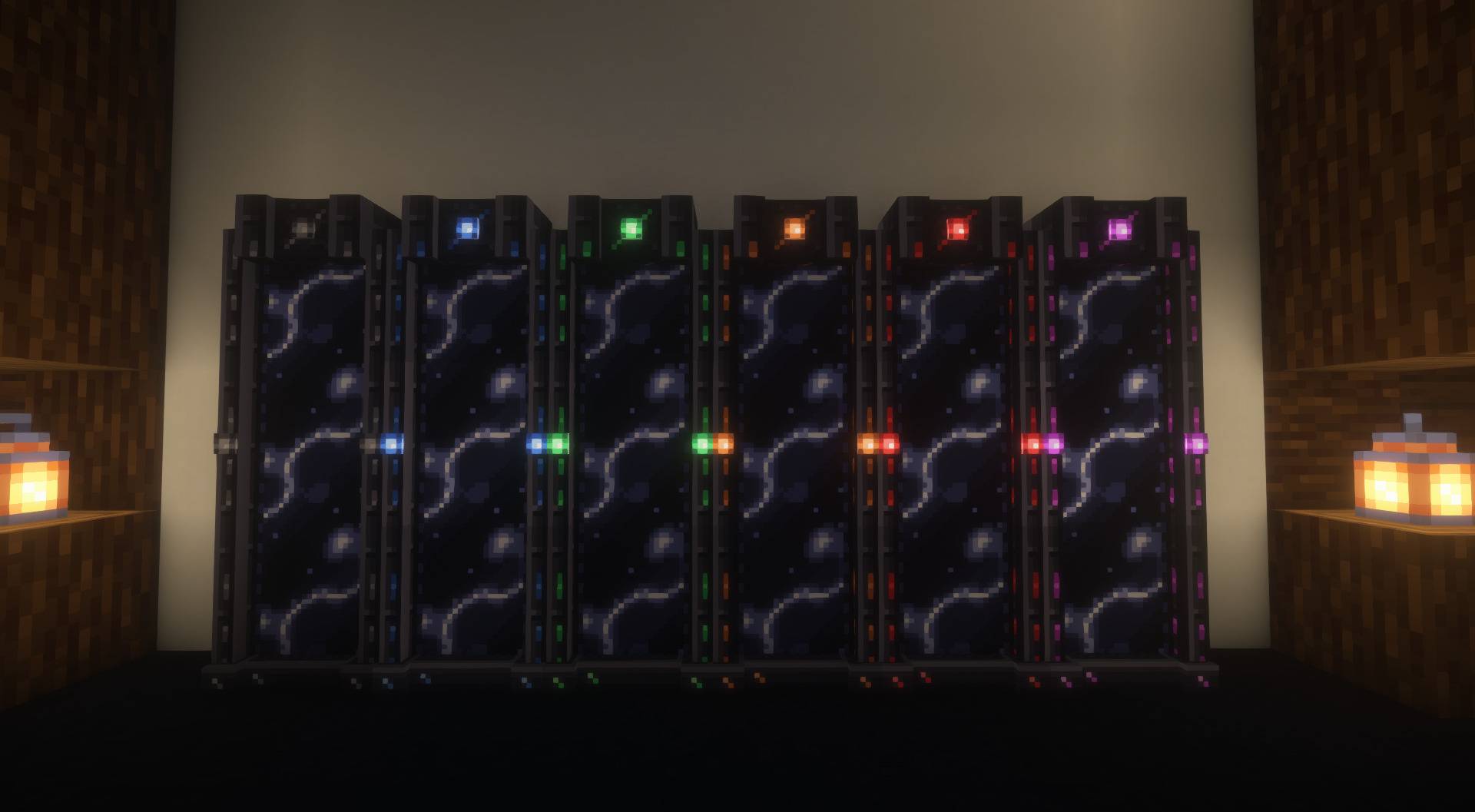
- Psychonic Black Hole: Acts as a container for psychonic cubes, letting you warp to multiple destinations using just a single block.
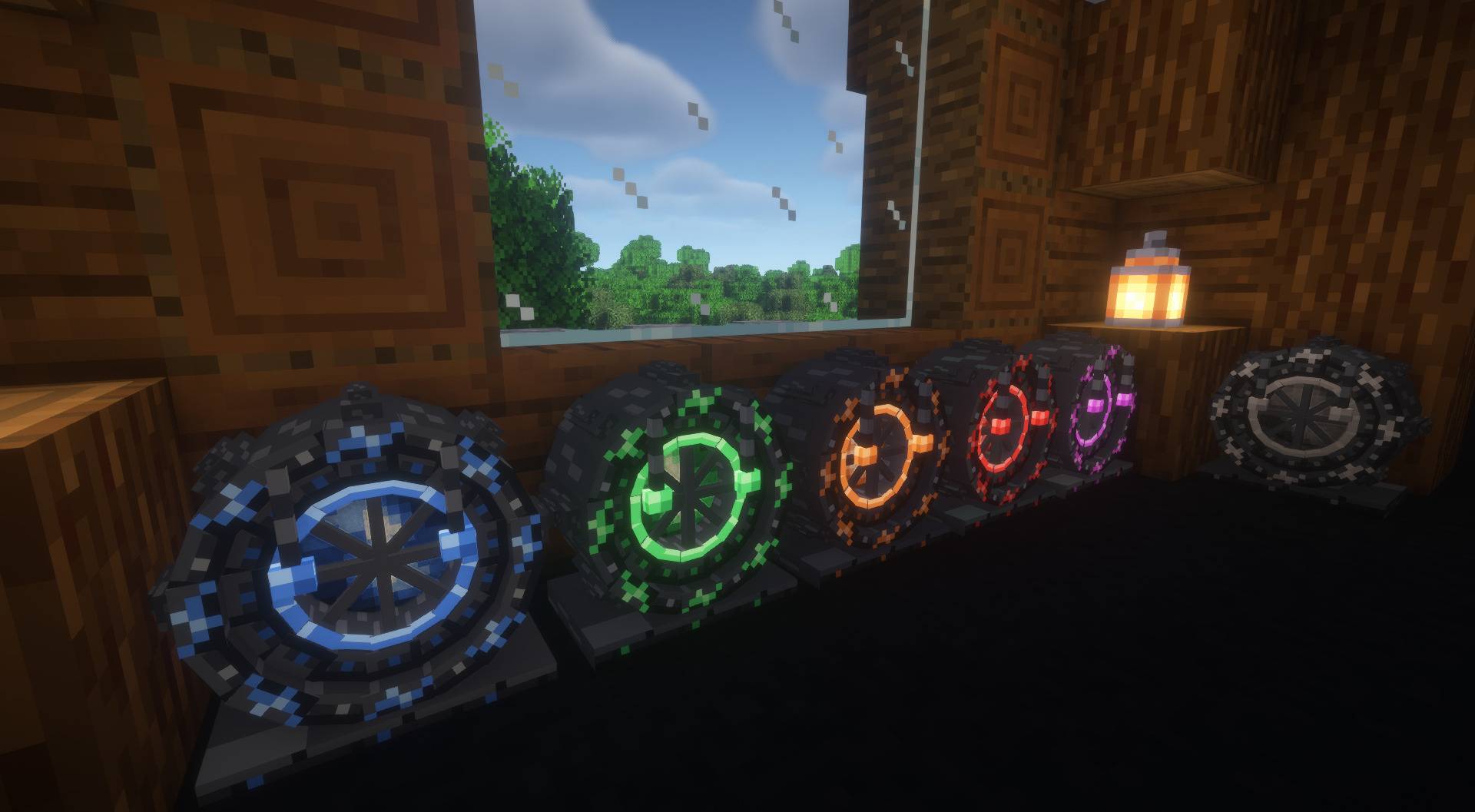
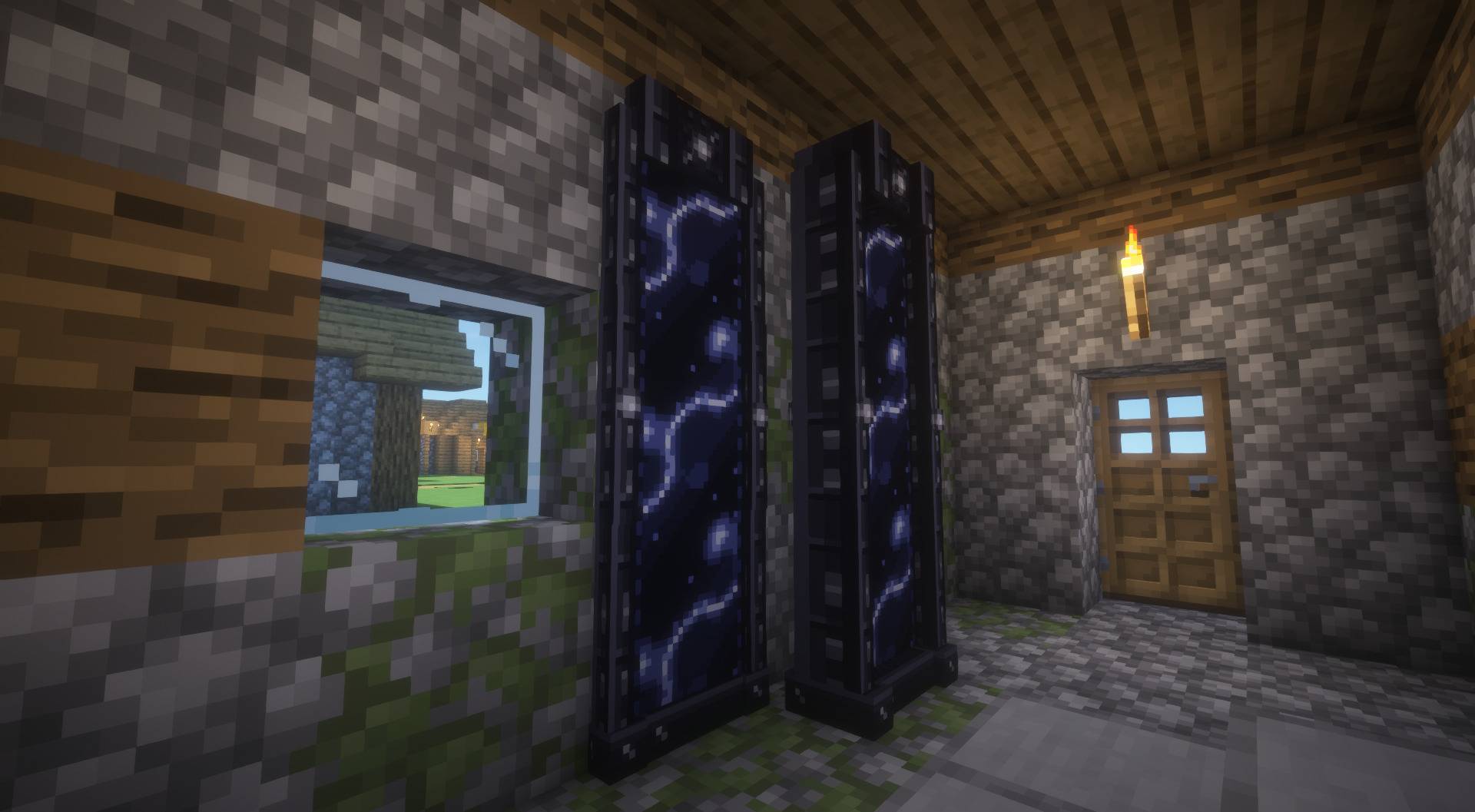
- Psychonic Mirror: Transforms a psychonic cube into a walk-through gateway, requiring no interaction while offering a reduced, per-player cooldown.
- Psychonic Stone: An inventory item that teleports its holder directly to their bound Portal.
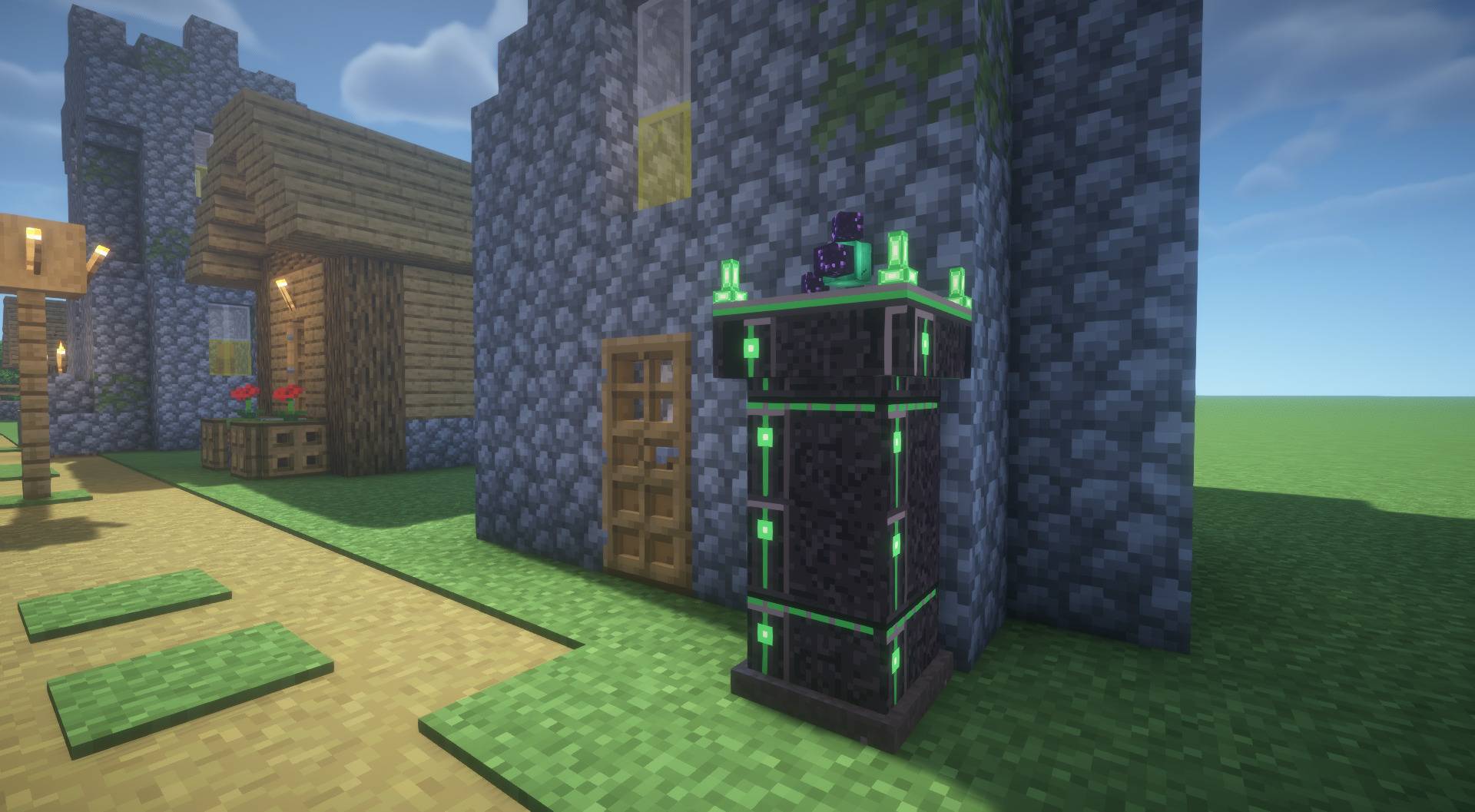
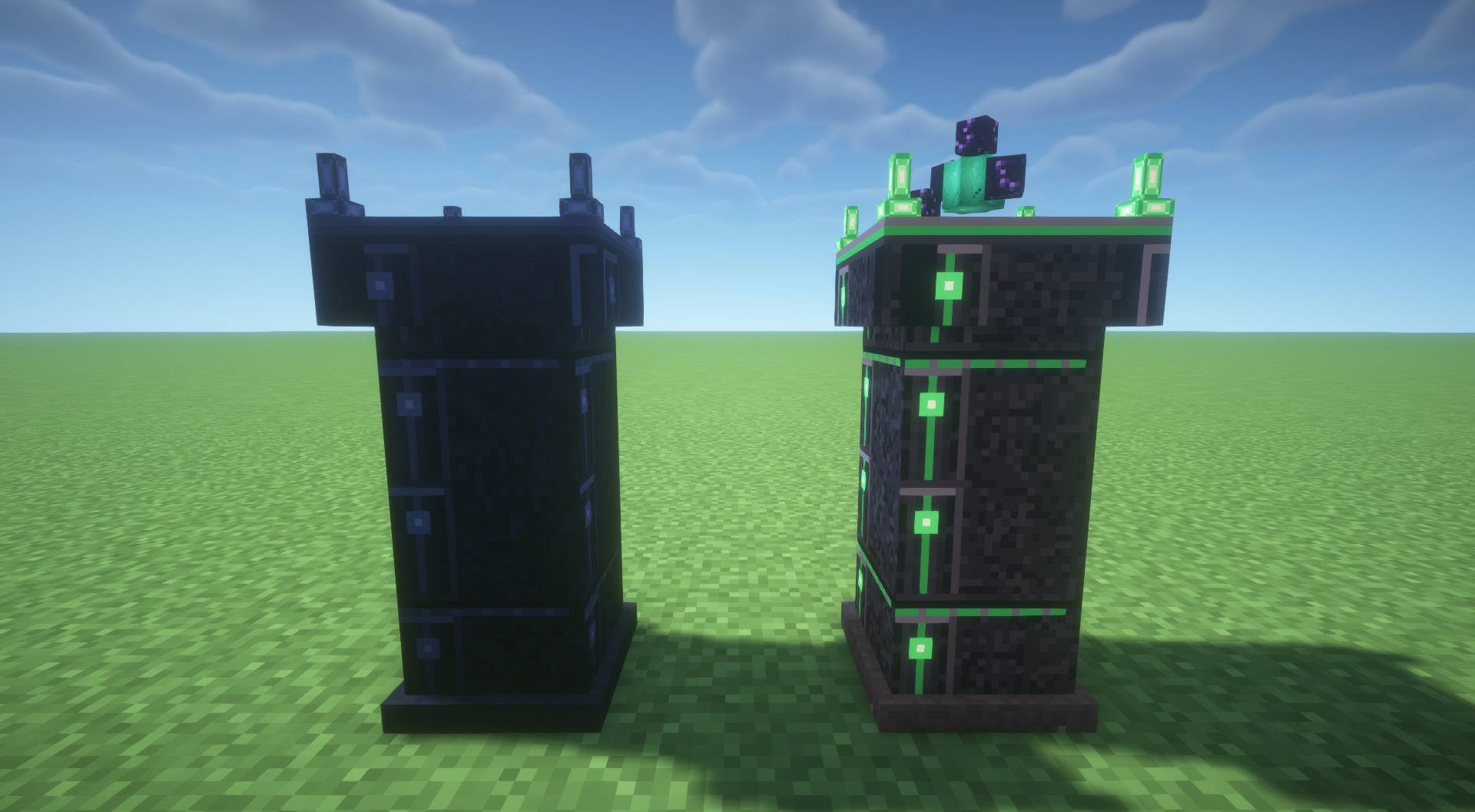
- Psychonic Portal: Acts as a destination for your psychonic stones, mainly used as a quick way to recall back to base.
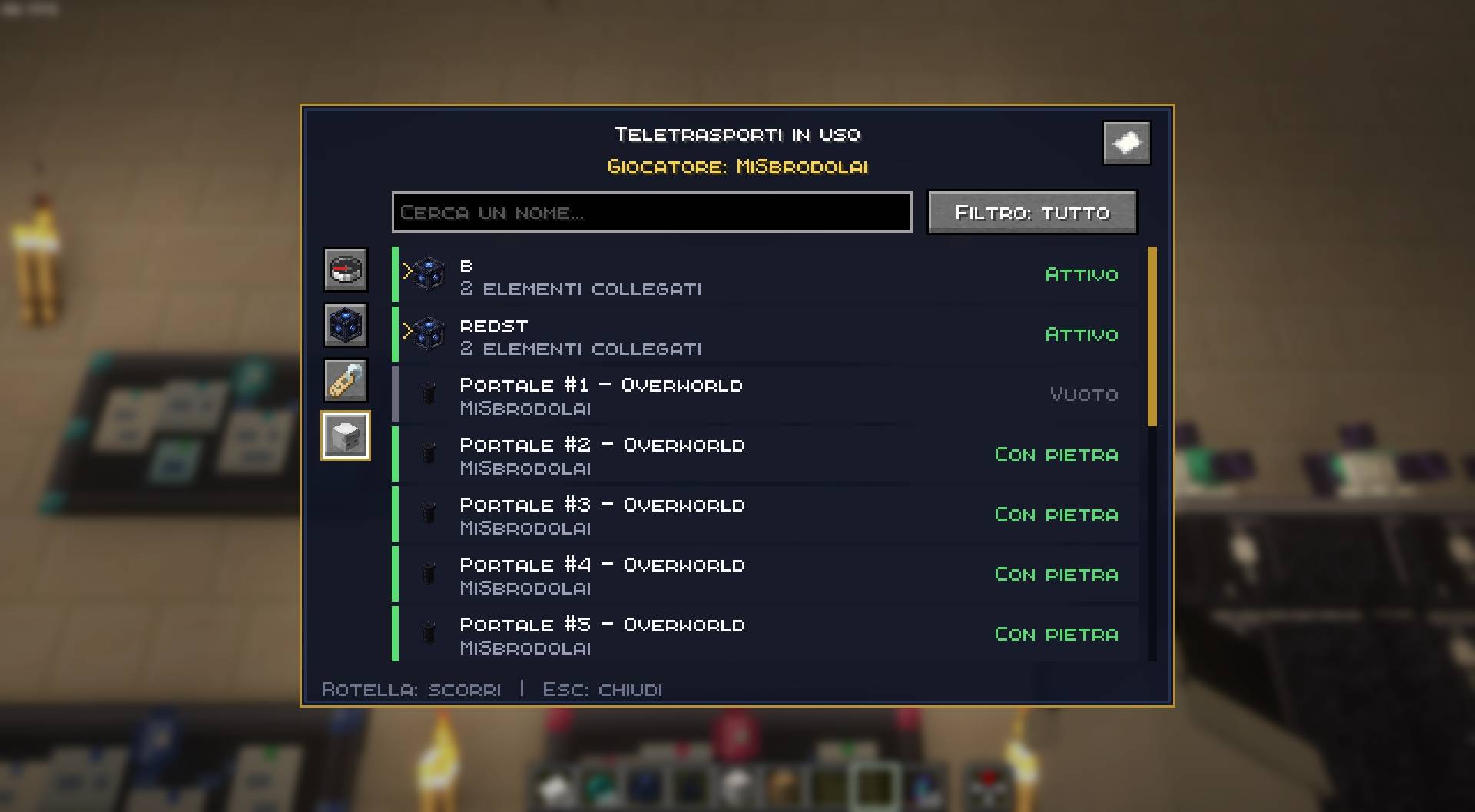
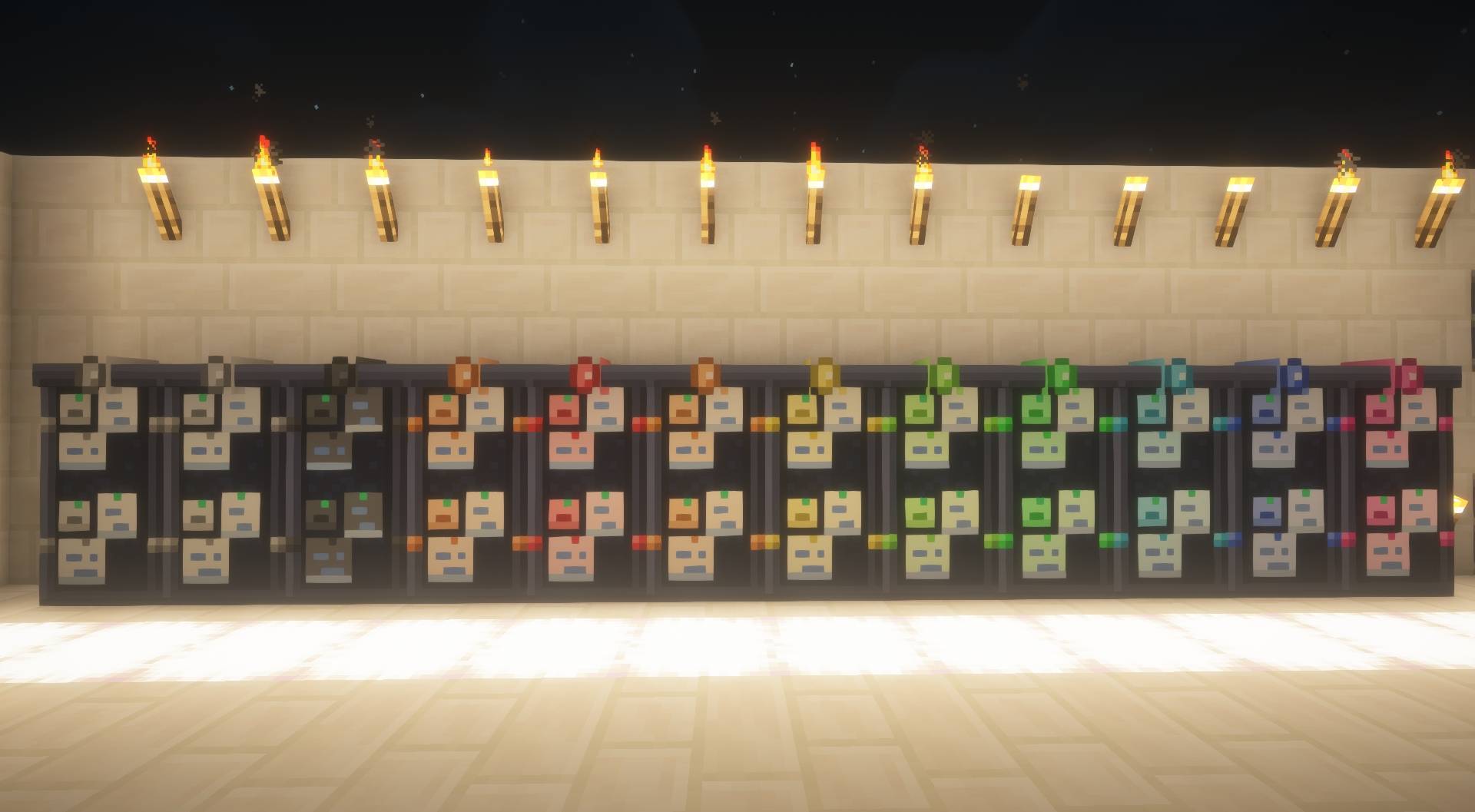
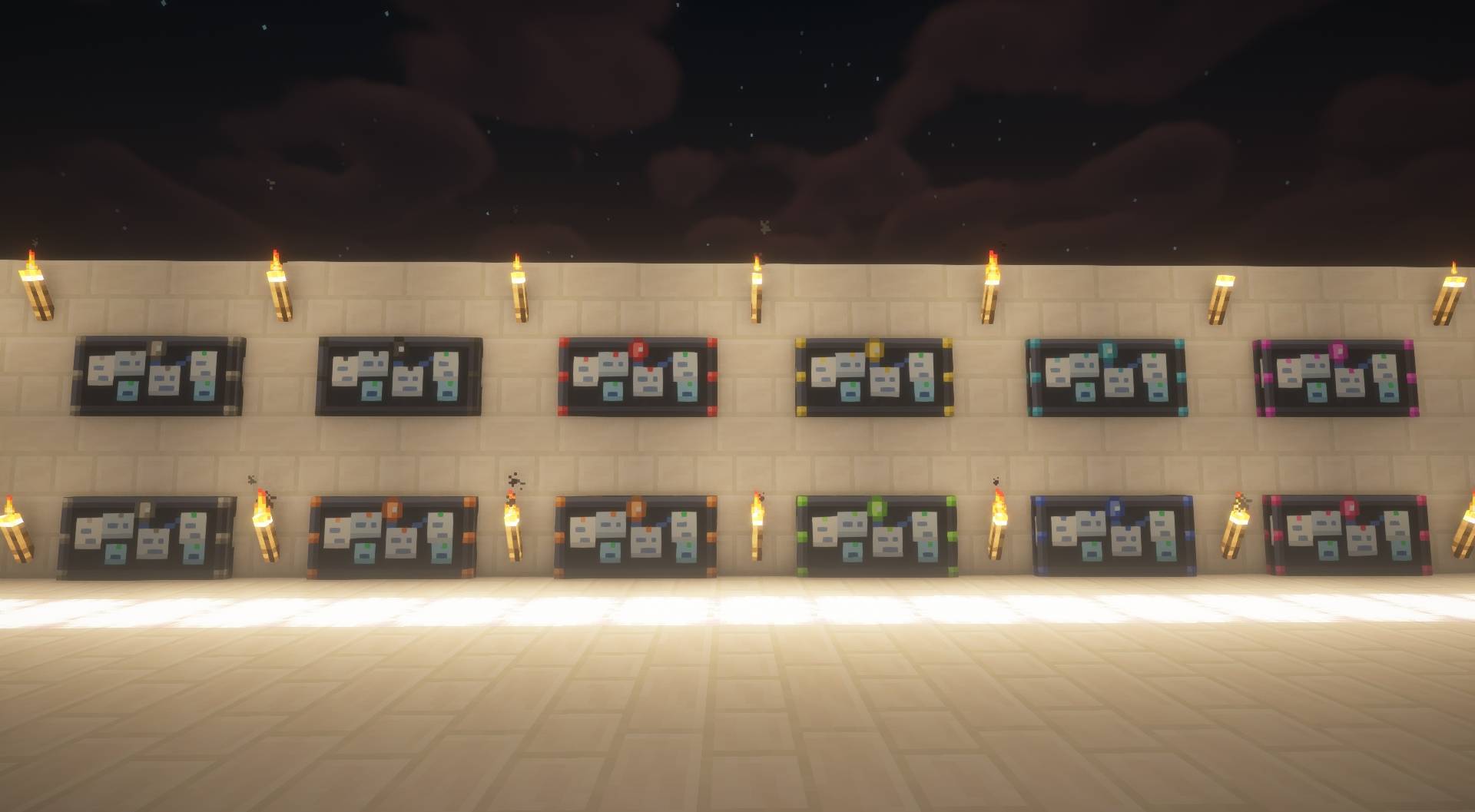
- Psychonic Board: Lets you browse psychonic waypoints, organized into expandable groups, and manage the consents used to share them.
The player who places and activates a Psychonic Portal, Mirror, or Black Hole is granted ownership priority. While other players are still able to use the teleporters, they cannot alter their destination, contents (in the case of the Black Hole and Mirror), or bound stone (in the case of the Portal).
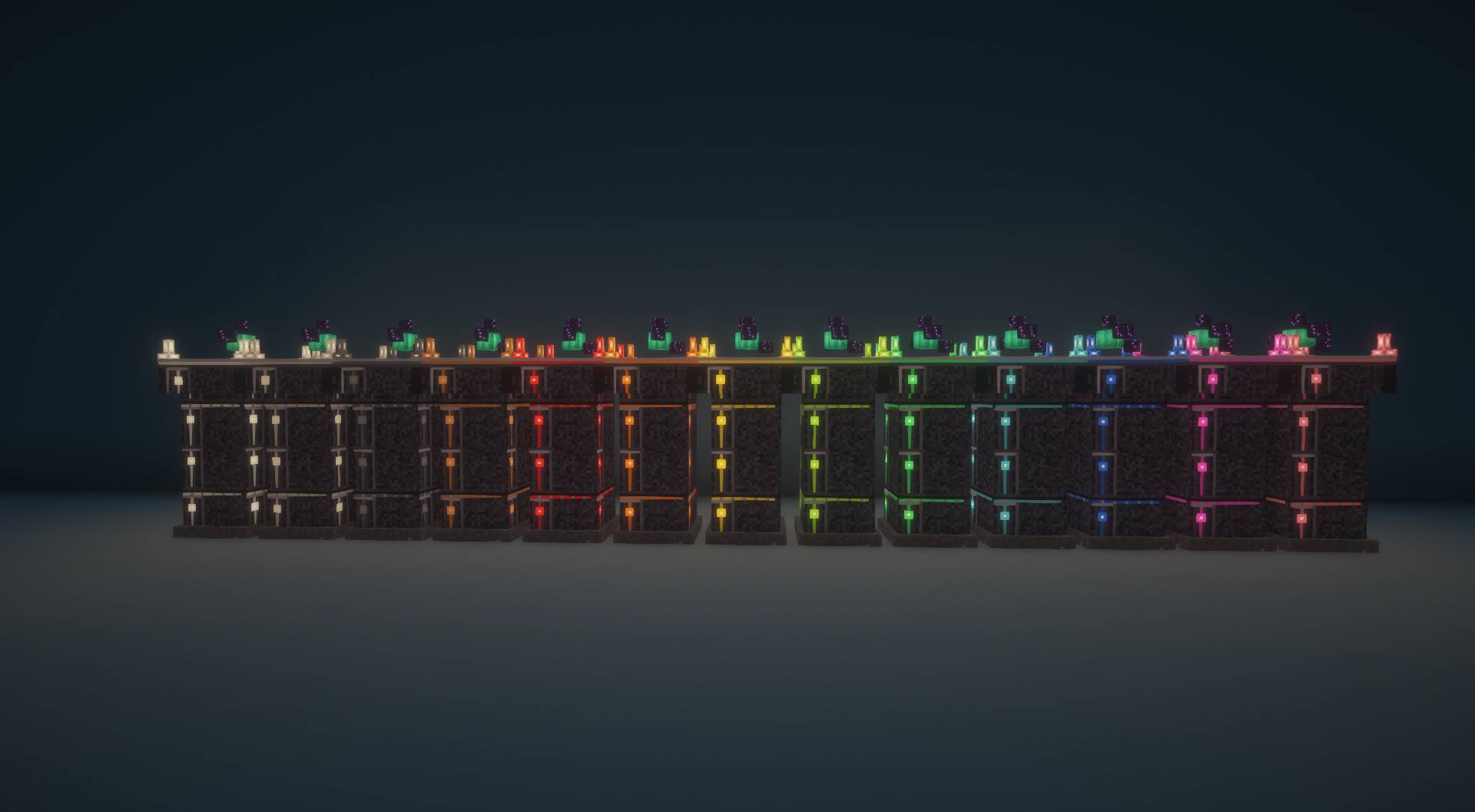
You can see images of all the Psychonic blocks, their functions, recipes and available colors in the Gallery section or by clicking HERE.
HOW IT WORKS
How the Psychonic Cube works is straightforward.
For a Psychonic Cube to function, it must be renamed using an anvil or by placing a sign directly onto it, and it must have an identical match, meaning a second cube sharing the exact same name.
You can also connect redstone to a Psychonic Cube. When the signal switches on, the player who presses the button or steps on the pressure plate is teleported. The signal must switch off before it can trigger the cube again. Redstone activation also works on multiplayer servers.
The sign-based naming method, without needing an anvil, only works directly on the Psychonic Cube itself. The Psychonic Black Hole and Psychonic Mirror do not support sign naming for teleportation.
Simply place them wherever you like, and right-clicking either cube will teleport you to its counterpart.
The Psychonic Black Hole works in a very similar way: instead of placing your Psychonic Cubes in the world, you insert them inside the Black Hole. It then acts as a multi-destination hub, letting you warp to multiple different cubes of your choice from a single block.
The Psychonic Mirror allows you to teleport without needing to right-click, and comes with a reduced, per-player cooldown. Simply place one of the two psychonic cubes inside the Mirror and position the matching one elsewhere. It can be placed on the floor or mounted vertically on a wall as a thin, three-block-tall mirror. Once the Mirror is active, just walk through it to instantly teleport to your destination.
The Psychonic Mirror uses a per-player cooldown. While Cubes and Black Holes go on a global cooldown for everyone once interacted with, the Mirror lets several players traverse the gateway consecutively without being blocked by each other’s cooldown.
The Psychonic Portal serves as a permanent base recall waypoint. It can be activated by binding a Psychonic Stone to it. From that moment on, whenever the player who bound the stone uses another Psychonic Stone, they will be warped back to that Portal.
The Psychonic Portal can be dyed in 13 different colors by using various dyes directly on it.
The Psychonic Stone is a consumable item that teleports you straight to your linked Portal.
The Psychonic Board is a utility block that lets you browse psychonic waypoints and their information. Related waypoints are grouped together in expandable menus, making it easier to find the destinations you need.
The Psychonic Board can be dyed in 13 different colors by using various dyes directly on it.
Players can grant consent to let another player view their waypoints. The consent also includes waypoints they create in the future, so it does not need to be granted again each time a new waypoint is made. Players can manage both consents they have received and consents they have given, and revoke them at any time. To open the consent menu directly, Shift+Right-click the Board with an empty hand. When the Board is open, use the consent button in the top-right corner to switch to the consent section.
The Board also includes a Legacy section for pre-release or beta waypoints that have not been assigned to a player. These entries are marked as unassigned.
While the Board does not provide teleportation itself, it is useful for checking waypoint information and finding potential naming conflicts before creating a new psychonic waypoint.
The Psychonic Portal, Mirror, and Black Hole grant ownership priority to the player who activates them, preventing other players from taking out or replacing the psychonic cubes or stones placed inside. You can only extract the contents of the Portal, Mirror, and Black Hole with an empty hand by Shift+Right-clicking.
Every block type in this mod, apart from the Portal, is fully interoperable. This means you can insert a psychonic cube into a Mirror and place its matching counterpart inside a Black Hole or on the ground, and they will link together seamlessly.
The matching cube limit is strictly 2: placing a third Psychonic Cube with the same name anywhere in the world will cause all 3 of them to deactivate until the count returns to 2.
Cross-dimensional teleportation is disabled by default, but it can easily be enabled via the config file.
Cooldowns can also be customized in the config file. The default cooldowns are:
- Psychonic Cubes and Black Holes: 120 seconds.
- Psychonic Mirrors: 30 seconds per player.
- Psychonic Stone recharge: 150 seconds.
- Pause between teleports: 2 seconds.
All cubes display distinct color indicators based on their current state:
- Blue/Gray: Inactive or unlinked.
- Green: Active and ready to warp.
- Orange: On cooldown.
- Red: Conflict detected (3 or more cubes sharing the same name).
- Purple: The destination cube is located in another dimension.
The in-game tutorial can be opened with /psichedelia menu.
That’s everything you need to know to make the most out of PsicheDelia. This is my very first mod, so any feedback, advice, or suggestions would be greatly appreciated!
常见问题
PsicheDelia 支持哪些 Minecraft 版本?
PsicheDelia 支持 Minecraft Java 版 26.3,可用的加载器:Fabric。下载时注意选择和你游戏版本一致的文件。
PsicheDelia 怎么安装?
先用 PCL2 或 HMCL 启动器安装对应版本的 Fabric,再把下载的 .jar 文件放进游戏目录的 mods 文件夹,重新启动游戏即可。开启了版本隔离的,mods 文件夹在 versions/版本名 下面。
评论
登录后评论和评分