
Project M.A.S
Project M.A.S (matter analysis) is a creative solution to giving players reasons to go to places in modpacks.
介绍
CREDIT TO FANCY TOASTS, The recipe unlocked animation is based off the vannila fancy toast.
Project M.A.S — Matter Analysis System
Guide your players without telling them where to go.
Project M.A.S lets modpack creators lock crafting recipes behind the world itself. Instead of writing quest text that says “go to the Nether” or placing an NPC to explain progression — just lock the recipe behind a Nether block. Players will naturally explore, find the block, scan it, and unlock the recipe. No hand-holding. No walls of text. Just exploration.
Why modpack creators use it:
- Natural progression — Players discover what to do by interacting with the world, not by reading instructions.
- Works with any mod — Lock recipes from any mod behind any block. Create, Mekanism, Botania, vanilla — doesn’t matter.
- Zero UX friction — No custom GUIs, no NPC dialogue, no quest book entries to maintain. The Scanner item and glow effects are the entire interface.
- JEI integration — Locked recipes are hidden from JEI automatically. Players only see what they’ve unlocked.
- Per-player — Each player progresses independently. World data persists across sessions.
- Fully data-driven — Define everything in a single JSON config. No code changes needed.
How it works for your players:
- They find a block that glows (you configured which block unlocks which recipe).
- They right-click it with the Scanner.
- A scan progress bar fills up on their HUD.
- When the scan completes, the recipe unlocks with a toast notification.
- They can now craft the item.
That’s it. The glow effect on the block is the only hint they need.
| Slot | What to show |
|---|---|
| How stuff that need to be scanned look while holding scanner | 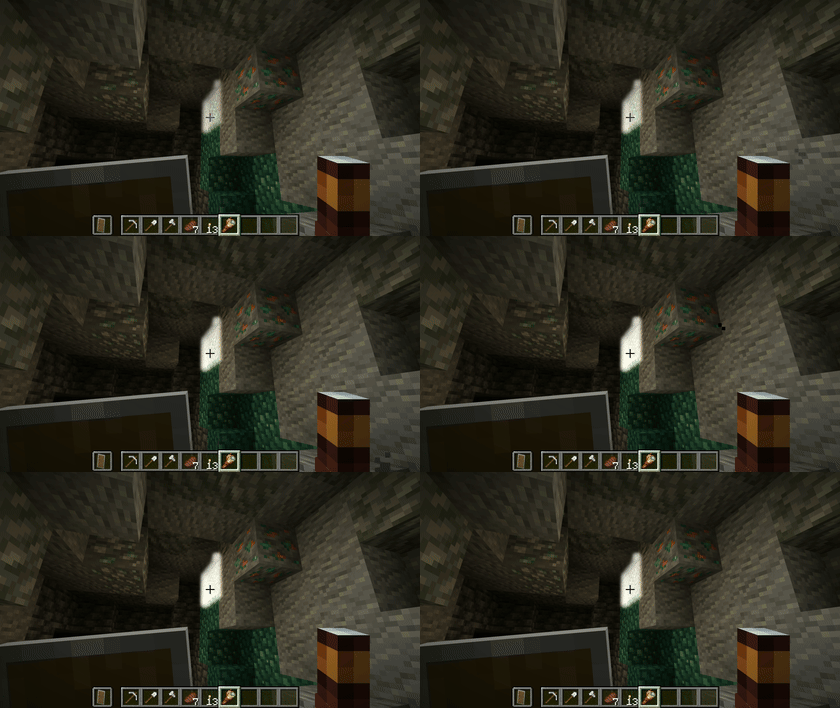 |
| Scanning | 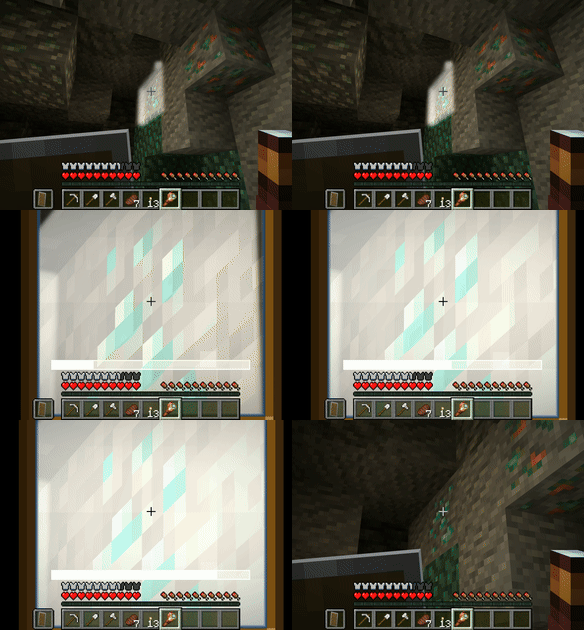 |
| New Recipe Unlocked | 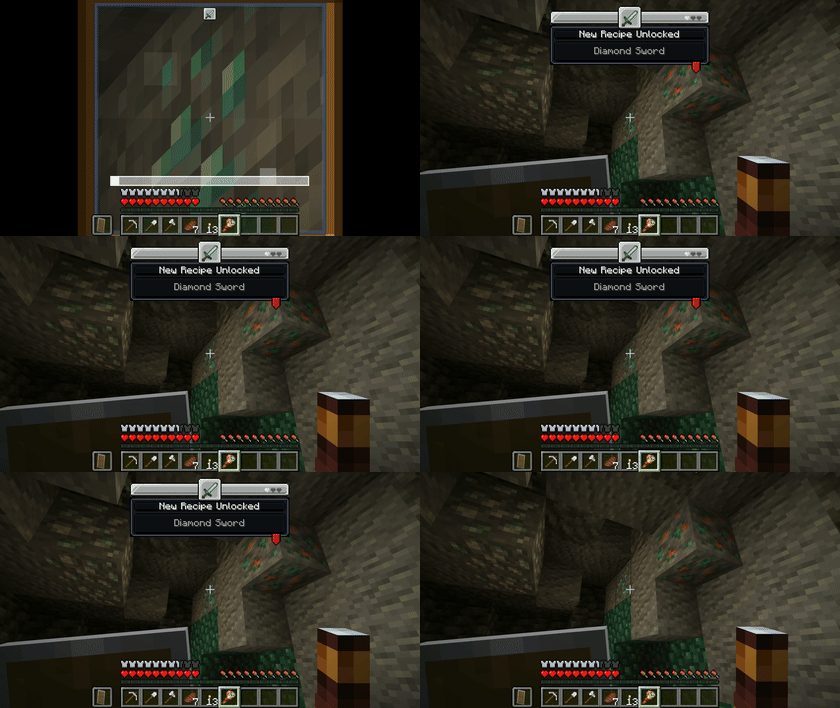 |
Optional 4th: A short GIF (~5 seconds) of the full loop — player approaches glowing block, scans it, toast notification pops up.
Example configs for modpack creators:
Lock the recipe for an iron pickaxe behind iron ore — players must mine iron before they can craft the tool to mine it:
{
  "item": "minecraft:iron_pickaxe",
  "unlock_block": "minecraft:iron_ore"
}
Mekanism example:
{
  "item": "mekanism:digital_miner",
  "unlock_block": "mekanism:osmium_ore",
  "scan_time": 15.0,
  "glow_color": "0x00FF88"
}
Make players explore the Ocean before crafting anything Netherite Sword:
{
  "item": "minecraft:netherite_sword",
  "unlock_block": "minecraft:sponge",
  "scan_time": 20.0,
  "glow_color": "0xFF5500"
}
Server commands (for pack testing require op):
| Command | What it does |
|---|---|
/m.a.s lockrecipe <player> <recipe> |
Re-lock a recipe for a specific player. Useful for pack resets or testing progression flow. |
/m.a.s unlockrecipe <player> <recipe> |
Unlock a recipe for a specific player. Bypass scanning for testing or admin override. |
Optional integrations:
- Create + Flywheel — Add a Linker item so players can link themselves to Create machines. Machines use the linking player’s recipe unlocks.
- Research Teams — Players can form teams and share unlocked recipes. One person scans, the whole team benefits.
- Sable — Optional dependency scanner doesn’t scan through sublevels
Dependencies:
| Dependency | Required? |
|---|---|
| NeoForge | Yes |
| Veil | Yes |
| Sable | Optional |
| Create + Flywheel | Optional |
| JEI | Optional |
常见问题
Project M.A.S 支持哪些 Minecraft 版本?
Project M.A.S 支持 Minecraft Java 版 1.21.1,可用的加载器:NeoForge。下载时注意选择和你游戏版本一致的文件。
Project M.A.S 怎么安装?
先用 PCL2 或 HMCL 启动器安装对应版本的 NeoForge,再把下载的 .jar 文件放进游戏目录的 mods 文件夹,重新启动游戏即可。开启了版本隔离的,mods 文件夹在 versions/版本名 下面。
Mc_Orion 的其他作品
查看全部 →
Copycats+ aeronautics weight
这个模组为 Create Aeronautics 和 Copycats+ 提供兼容支持,为 Copycat 方块添加了更合理的 KPG(质量)数值。

Essential Essentialized
移除 Essentials 模组添加的游戏内购买功能。

Aeronautics/Sable Optimizer
sable optimizer 可优化 sable(Create Aeronautics)

SableAssistant
Sable Assistant is a mod written for my modpack to help with editing weight values for blocks with a in game ui.
评论
登录后评论和评分