
Professional Profiles
Professional Profiles lets you save and auto-apply per-server and per-world Minecraft settings profiles.
截图
介绍
Mountain Toolkit: Professional Profiles
Professional Profiles is a lightweight, client-side Fabric mod for Minecraft 1.21.11 that lets you save and auto-apply per-server and per-world options.txt profiles so your settings _(including most mod keybinds and even resource packs)_ stay exactly how you want them everywhere.
Features
Automatic Profile Switching
Server Profiles
- Automatically applies the best-matching profile when you join a server
- Supports multiple servers per profile
World Profiles
- Automatically applies a profile when you load a specific singleplayer world
- Useful for “hardcore,” “creative,” “recording,” “testing,” etc.
Mirror Global vs Override (Per-Setting Control)
For each setting, choose:
Mirror Global (default)
- Always uses your normal global
options.txtvalue
Override
- Profile forces a specific value
This lets you make profiles that only change what matters (like FOV + sensitivity) without duplicating everything.
Screenshot

Profile Manager (In-Game)
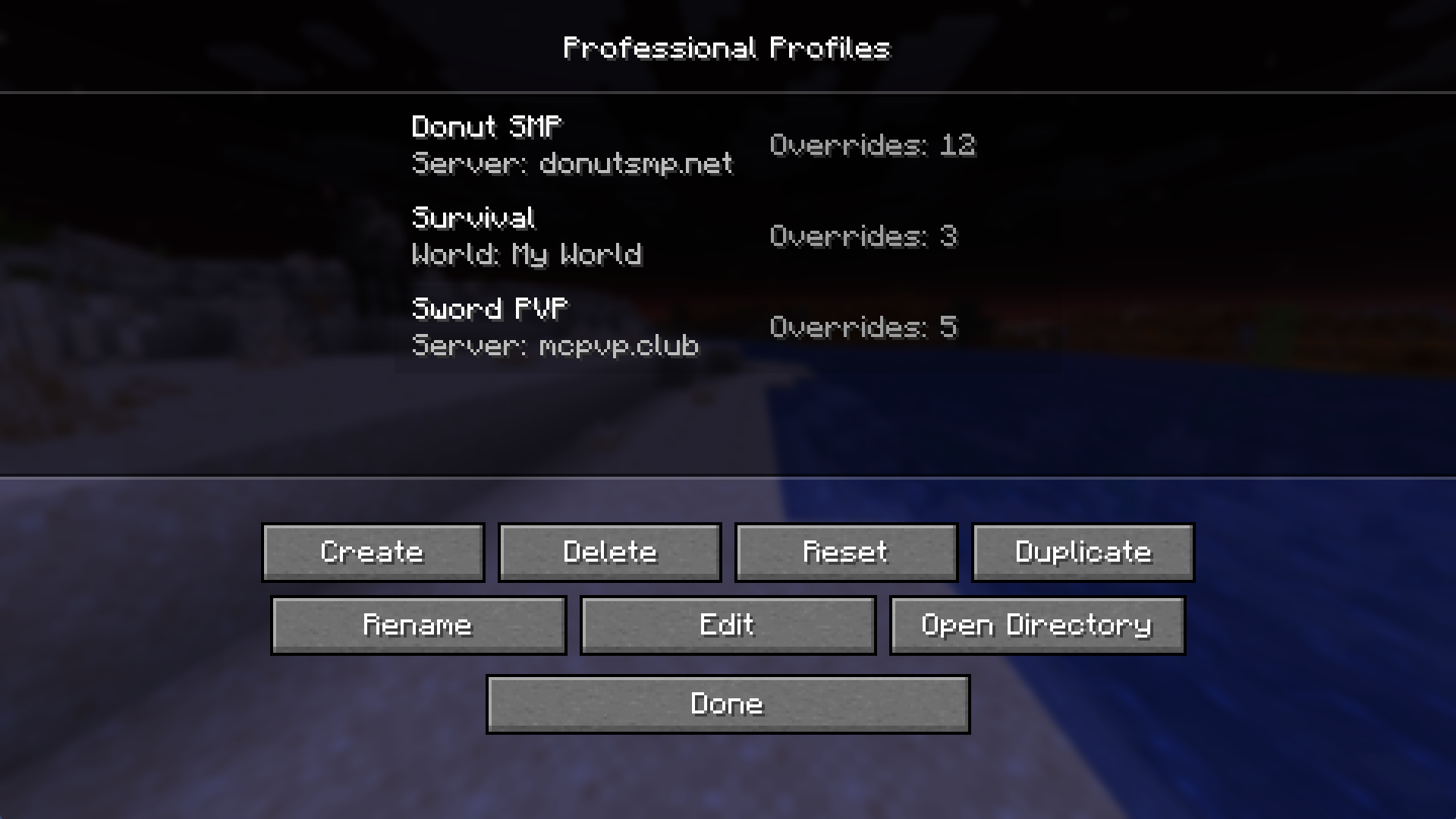
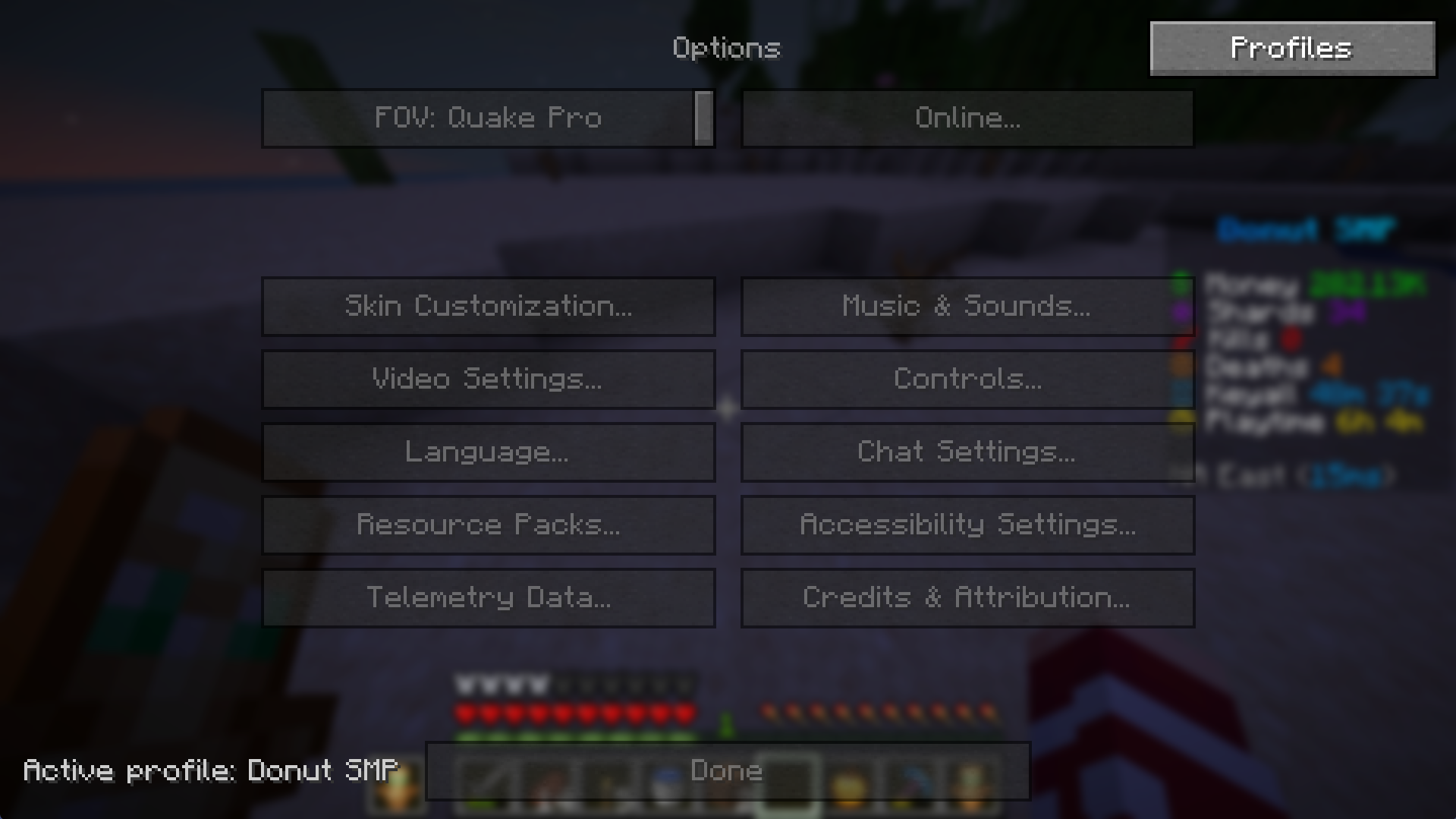
Adds a Profiles button to the main Options screen that opens a profile list with:
- Create
- Rename
- Duplicate
- Reset (with confirmation)
- Delete (with confirmation)
- Open Directory (one click to open the profile folder)
Screenshot

Profile Editor + Target Controls
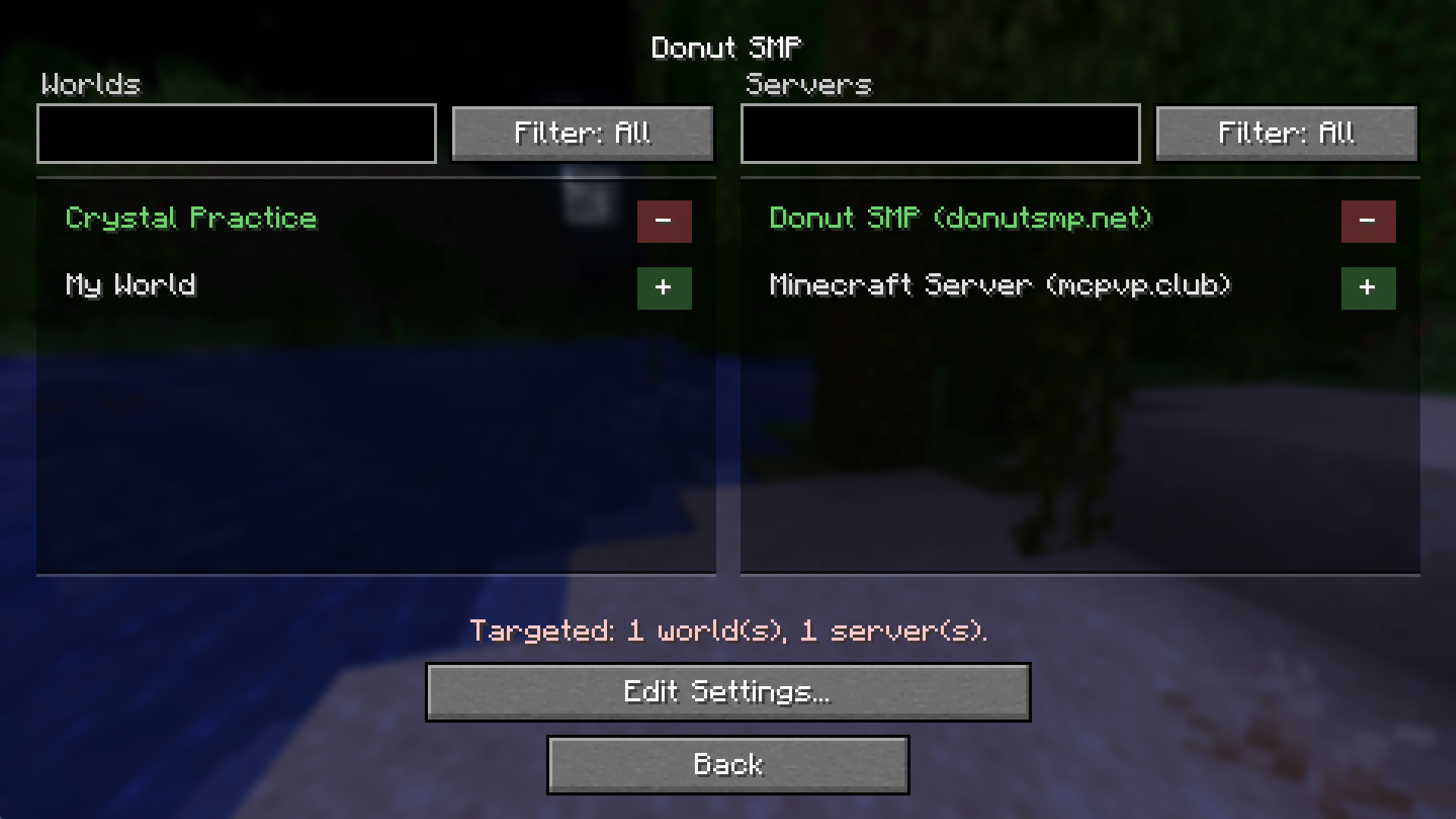
Click any profile to edit it:
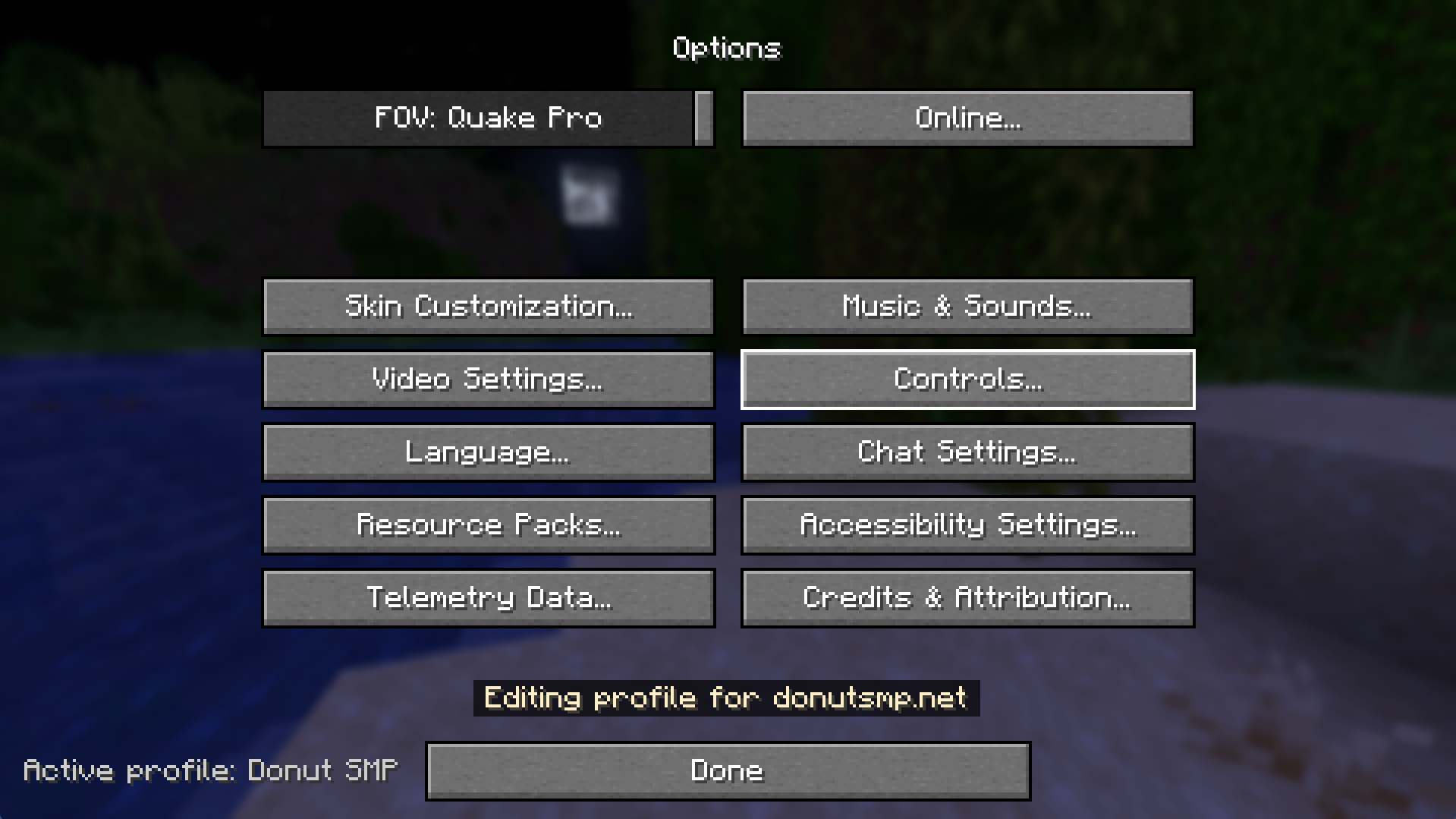
- A persistent footer/toast shows: “Editing profile for: …”
- Change what servers/worlds the profile applies to
- Configure what the profile overrides vs mirrors
- A dedicated Edit Settings… flow that:
- Temporarily applies the profile
- Lets you change settings through normal Minecraft options screens
- Saves differences back into the profile
- Restores your global settings on exit
Screenshot

Active Profile Indicator
Shows a small, unobtrusive label in the Options screen:
- Active profile:
<name> - Active profile: Global when none is active
This makes it obvious when it’s working.
Screenshot

Mod Menu Compatible
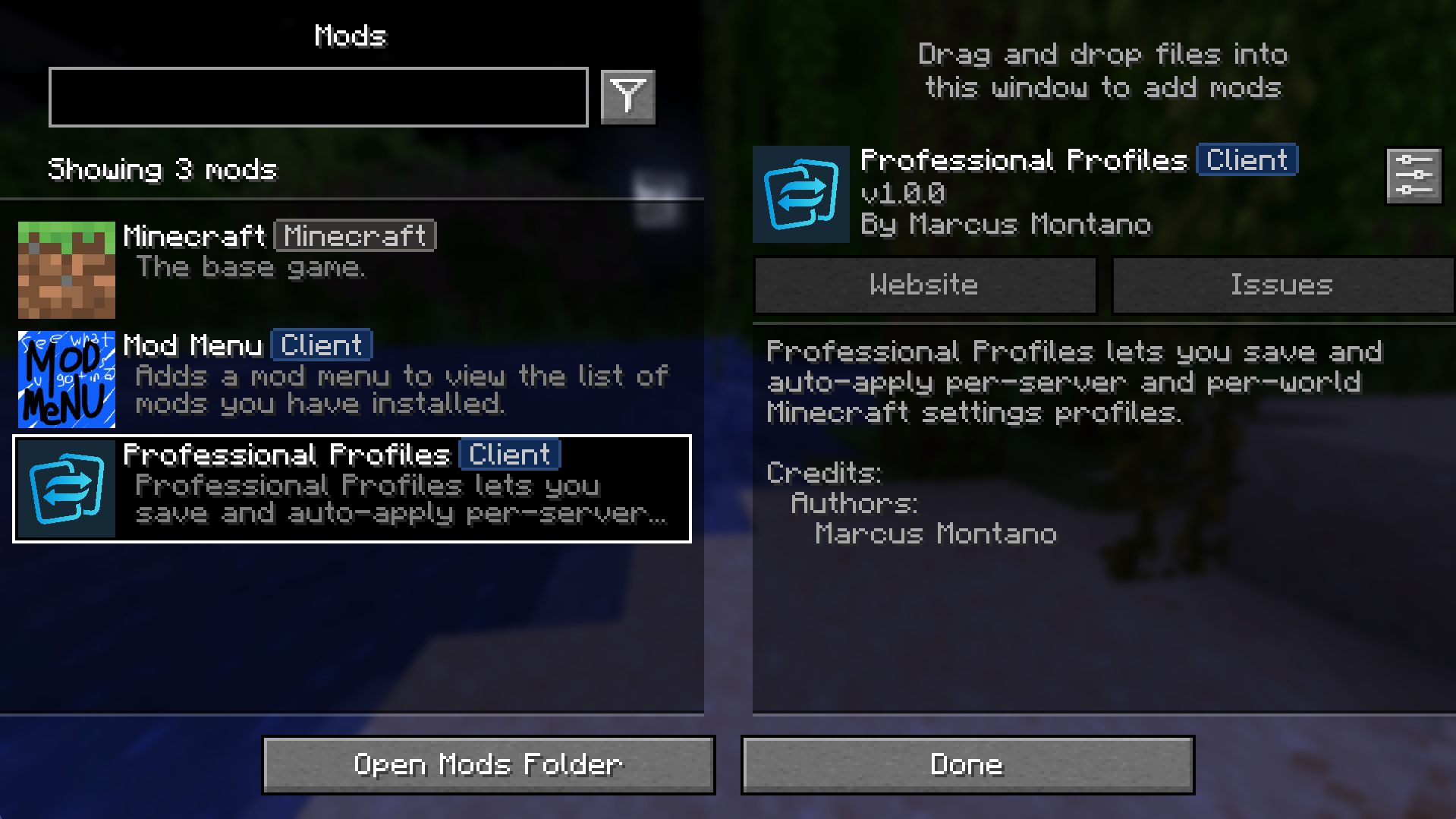
- If Mod Menu is installed, Professional Profiles appears like other mods and opens the same UI
- If not, everything still works via the Options button
Screenshot

Compatibility
- Client-side only (no server installation required)
- Allows Resource Packs to be added to Profiles
- Fabric for Minecraft 1.21.11
- Works alongside common client stacks (Sodium/Iris/etc.) because it only manages client settings
Notes / Limitations
- This mod focuses on
options.txt(vanilla settings + most keybind entries) - Mods that store settings in separate config files won’t automatically be profiled
- When editing a targeted world/server’s profile while in the targeted world/server, you will need to rejoin to apply changes.
常见问题
Professional Profiles 支持哪些 Minecraft 版本?
Professional Profiles 支持 Minecraft Java 版 1.21.11,可用的加载器:Fabric。下载时注意选择和你游戏版本一致的文件。
Professional Profiles 怎么安装?
先用 PCL2 或 HMCL 启动器安装对应版本的 Fabric,再把下载的 .jar 文件放进游戏目录的 mods 文件夹,重新启动游戏即可。开启了版本隔离的,mods 文件夹在 versions/版本名 下面。运行环境:仅客户端。

评论
登录后评论和评分