
Private Chat
Private direct messages for Minecraft servers with notifications, quick reply, DND mode, and a clean UI.
截图
介绍

📬 Private Chat
Private Chat adds modern direct messages (DMs) to Minecraft multiplayer servers with a clean UI and instant notifications.
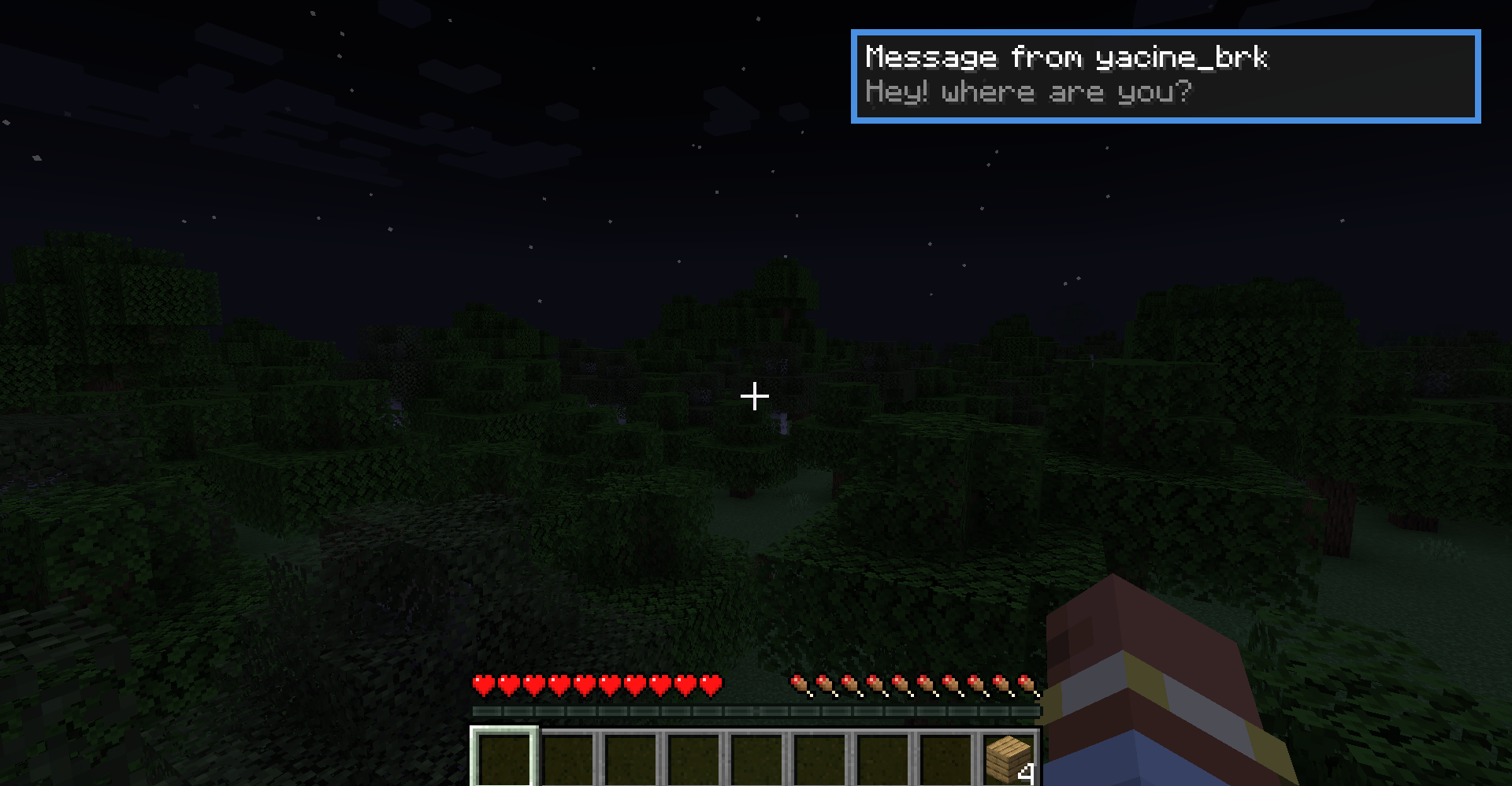
When another player messages you, you receive an in-game pop-up notification with sound — so you never miss a message while playing.
Open the private chat menu using the Y key (fully configurable), select a player from the online list, and start chatting privately.
Unread messages are clearly marked with a green dot, and you can instantly reply using the R key.
The mod also includes Do Not Disturb (DND) mode and player muting, giving you full control over your private conversations.
✨ Features
- Private 1-to-1 direct messages
- In-game notification popups with sound
- Open private chat menu with Y (configurable keybind)
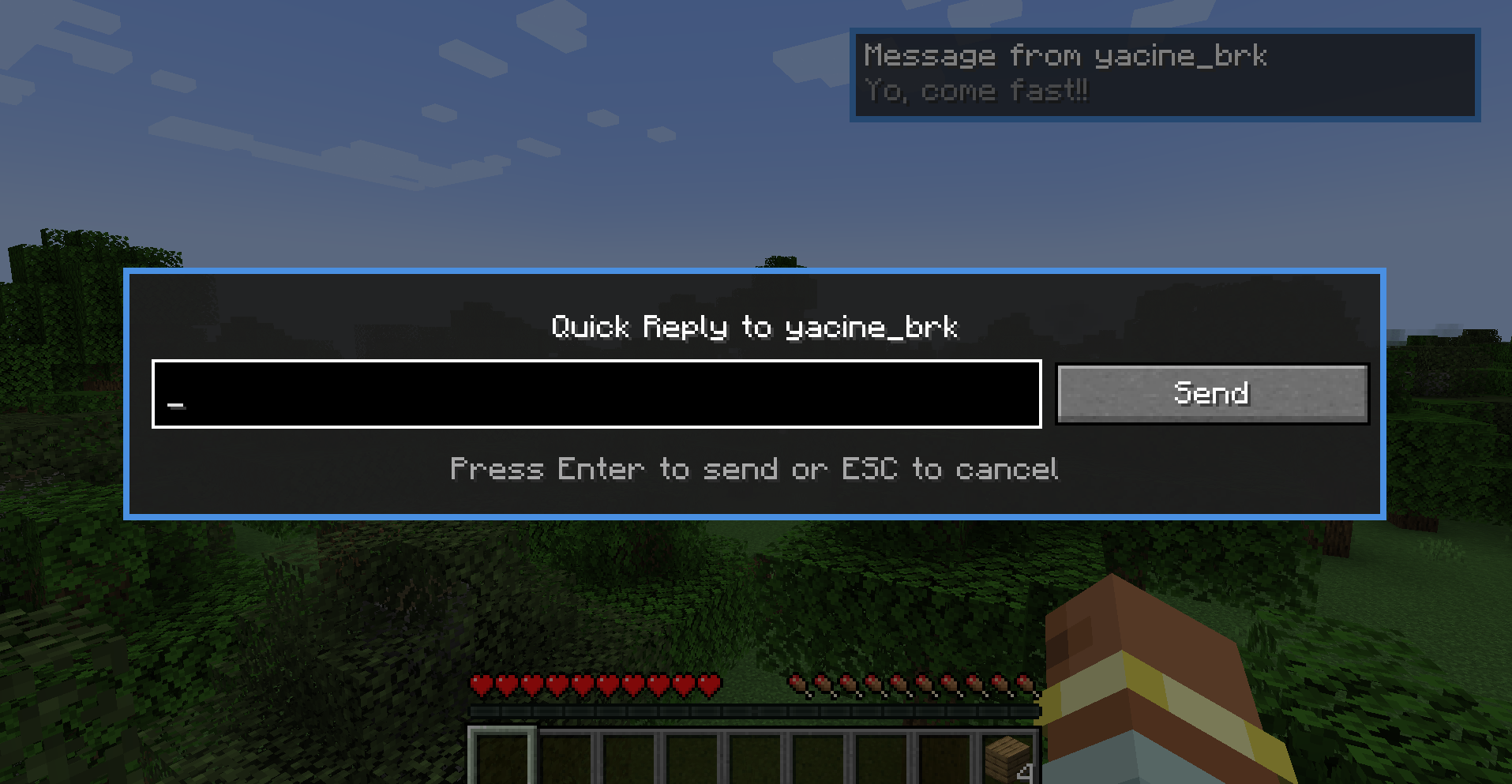
- Quick reply using the R key (configurable keybind)
- Do Not Disturb (DND) mode
- Mute / unmute specific players
- Unread message indicator (green dot)
- Simple, clean UI with online player list
🕹 How It Works
- Receive a private message → get notified instantly.
- Press R to quick-reply, or press Y to open the private chat menu.
- Select a player and chat privately.
- Enable DND to block interruptions when needed.
Designed for multiplayer servers where private communication matters.
🖼 Screenshots
Incoming private message notification
Get notified instantly when another player sends you a private message.

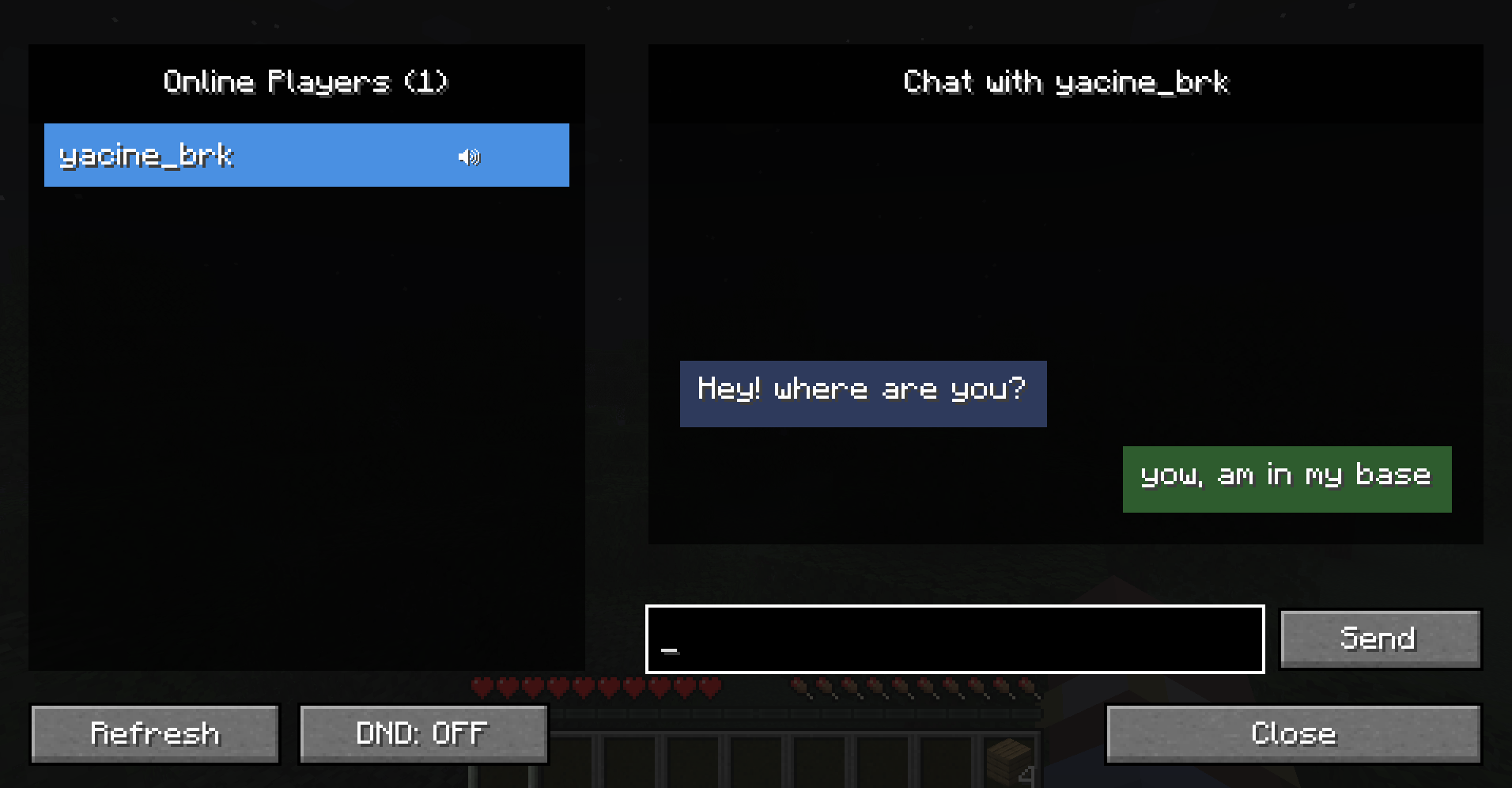
Private chat menu with online players
Open the DM menu to see online players and unread messages (green dot).
Private conversation view
A clean and focused chat view for private conversations.

Quick reply popup
Reply instantly using the R key without opening the full menu.

常见问题
Private Chat 支持哪些 Minecraft 版本?
Private Chat 支持 Minecraft Java 版 1.20.1–1.20.6,共 6 个版本,可用的加载器:Forge。下载时注意选择和你游戏版本一致的文件。
Private Chat 怎么安装?
先用 PCL2 或 HMCL 启动器安装对应版本的 Forge,再把下载的 .jar 文件放进游戏目录的 mods 文件夹,重新启动游戏即可。开启了版本隔离的,mods 文件夹在 versions/版本名 下面。运行环境:客户端和服务端都要装。

评论
登录后评论和评分