
PrismHUD
All-in-one HUD for Fabric: FPS, CPS, ping, keystrokes, potion timers, armor & inventory
截图
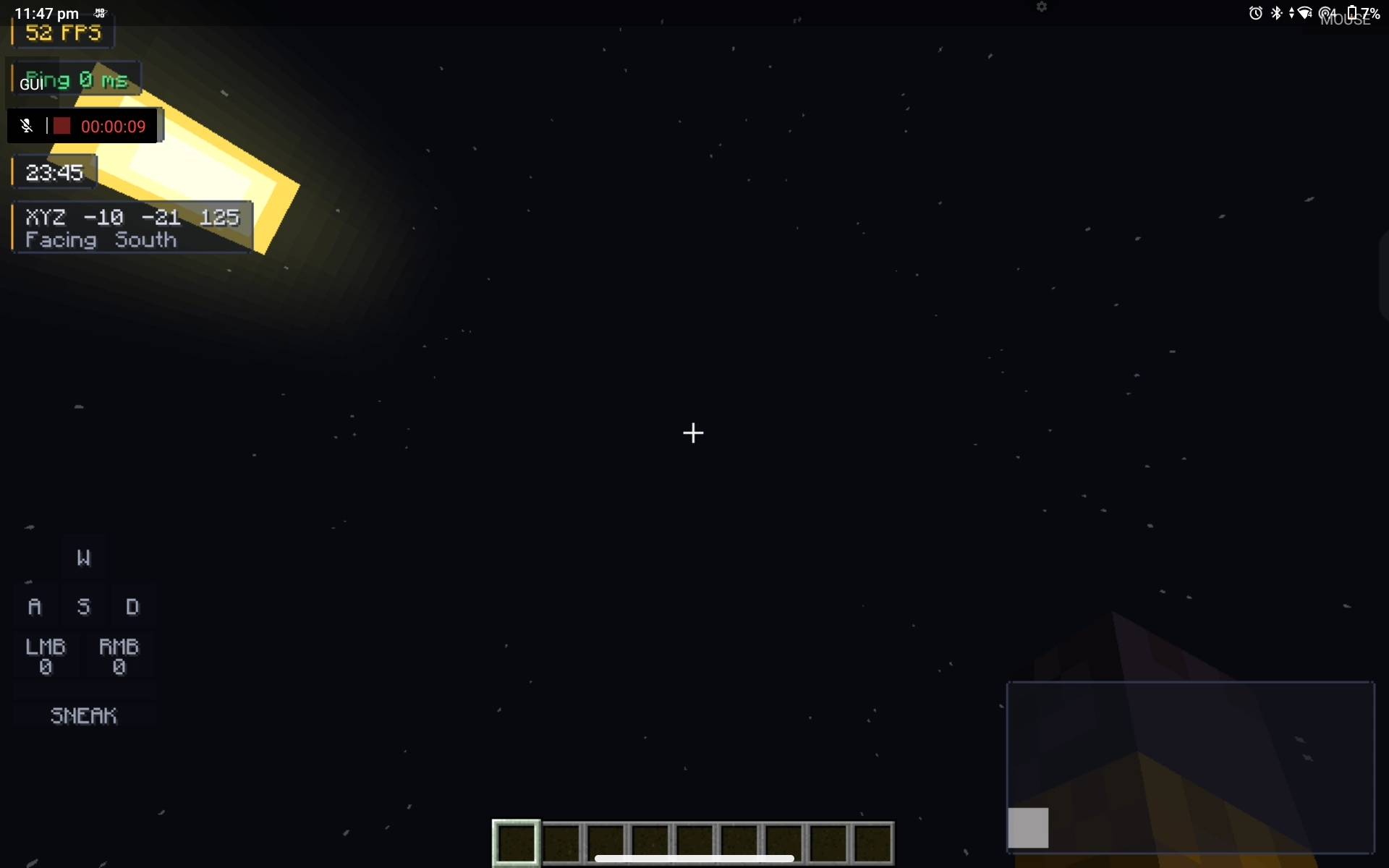
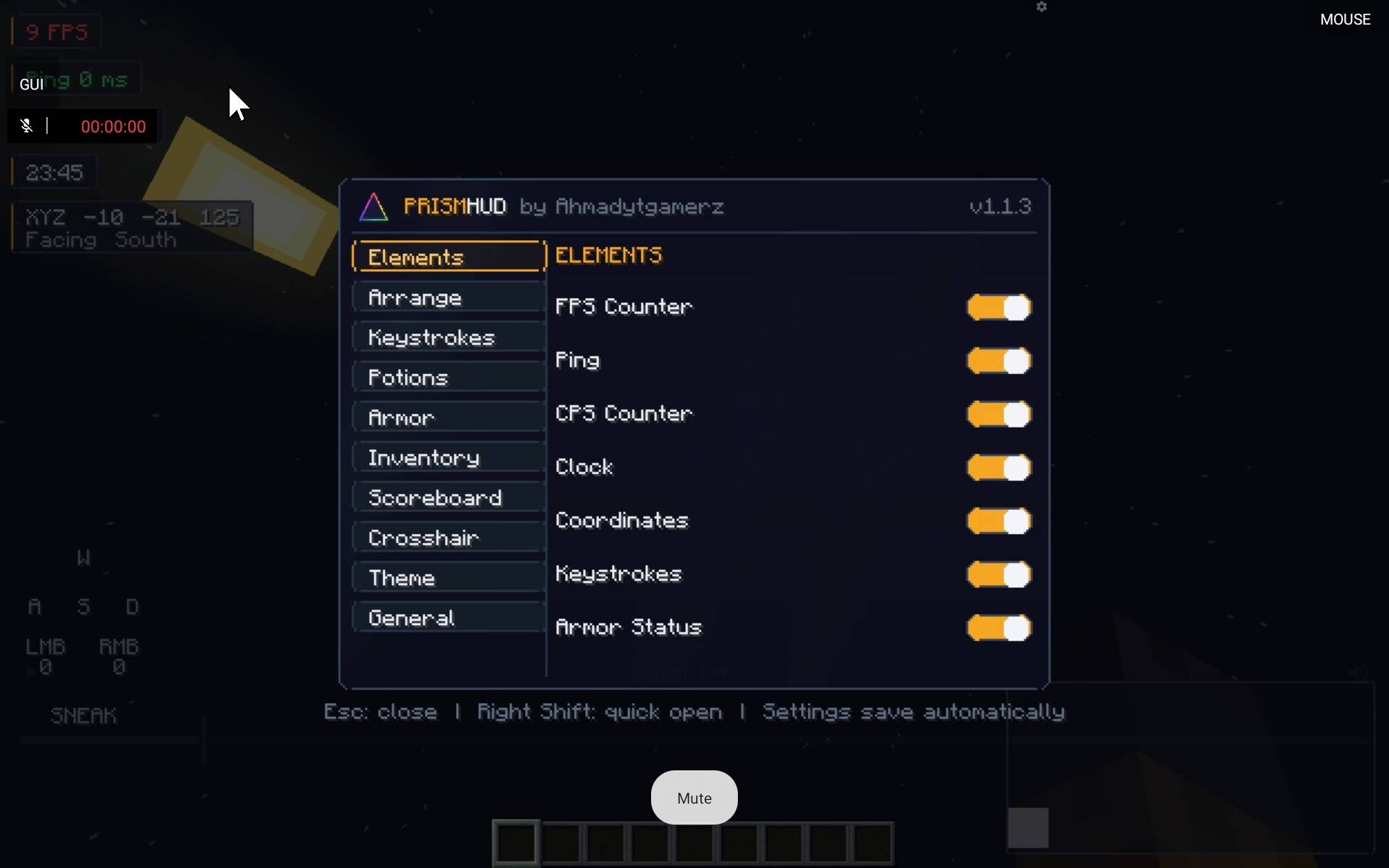
介绍
# PrismHUD
**An all-in-one client HUD for Minecraft: Java Edition (Fabric).**
PrismHUD bundles the HUD mods you’d normally install separately into one lightweight, fully customizable overlay — with a slick in-game menu, themes, animations and a live drag-and-drop editor.
By **Ahmadytgamerz**
—
## ✨ Features
| Module | What it does |
|—|—|
| **FPS / Ping / Clock** | Clean real-time counters with customizable position & style |
| **CPS** | Left + right clicks-per-second tracker |
| **Keystrokes** | WASD + mouse buttons + sneak, with hold-accurate lighting |
| **Armor HUD** | Live armor pieces + durability bars |
| **Food & Saturation** | AppleSkin-style saturation display |
| **Inventory Viewer** | Draggable live view of your inventory anywhere |
| **Potion Timers** | Effect durations with icon/name toggles and custom textures |
| **Scoreboard** | Reposition, recolor, or hide individual scores |
| **Crosshair Pack** | Custom crosshairs with size/color customization |
### Menu & editor
– **Right Shift** opens the menu (rebindable in Minecraft’s own *Controls* screen)
– Categorized toggles with **live preview** — every change applies instantly
– **Drag-and-drop HUD editor**: move, slider-resize and reorder every element
– **Themes**: dark navy + amber default, presets and custom accent colors
– Smooth **animations** on menus, sliders, scrolling and hover feedback
– Per-category enable toggles — nothing is locked on
## 📥 Downloads
| Jar | Minecraft | Java | Fabric API |
|—|—|—|—|
| `PrismHUD-1.1.3-mc26.3.jar` | 26.3 | 25+ | 0.162.0+26.3 |
| `PrismHUD-1.1.3-mc1.21.1.jar` | 1.21.1 | 21+ | 0.116.17+1.21.1 |
| `PrismHUD-1.1.3-mc1.20.1.jar` | 1.20.1 | 17+ | 0.92.12+1.20.1 |
| `PrismHUD-1.1.3-mc1.19.4.jar` | 1.19.4 | 17+ | 0.87.2+1.19.4 |
**Install:** drop the PrismHUD jar **and the matching [Fabric API](https://modrinth.com/mod/fabric-api)** into your `.minecraft/mods` folder. Fabric Loader 0.19.5+ recommended.
> One jar per Minecraft engine generation — they are not interchangeable. Using the wrong one will crash.
## 🚀 Quick start
1. Install PrismHUD + Fabric API
2. Launch the game and press **Right Shift**
3. Toggle the modules you want, then open the **Editor** to drag/resize them
4. Customize the theme from the **Theme** tab
## 💬 Support
Found a bug or want a feature? Open an issue on the project’s GitHub or leave a comment — and please include your Minecraft version and the jar you’re using.
—
**PrismHUD © Ahmadytgamerz** — released under the [MIT License](https://opensource.org/licenses/MIT). Not affiliated with Mojang or Microsoft.
常见问题
PrismHUD 支持哪些 Minecraft 版本?
PrismHUD 支持 Minecraft Java 版 1.19.4–26.3,共 4 个版本,可用的加载器:Fabric。下载时注意选择和你游戏版本一致的文件。
PrismHUD 怎么安装?
先用 PCL2 或 HMCL 启动器安装对应版本的 Fabric,再把下载的 .jar 文件放进游戏目录的 mods 文件夹,重新启动游戏即可。开启了版本隔离的,mods 文件夹在 versions/版本名 下面。
评论
登录后评论和评分