
Priority
A mod which allows you to swap your items hotbar priority explained in Marlow's video about the hotbar order.
截图

介绍
The config menu will not close if there is an error message at the bottom middle. In order to close the menu please fix whatever problem is stated in the error message.
Priority is a Fabric mod for Minecraft that enhances hotbar management by allowing players to customize the priority order of hotbar slots for key bindings. This mod overrides Minecraft’s default hotbar key handling to check and prioritize slots based on user-defined priorities, enabling more efficient and personalized hotbar switching.
Features
Priority-Based Hotbar Switching
Customizable Slot Priorities: Assign a priority value (1-9) to each of the 9 hotbar slots (1-9).
Priority 1 is checked first.
Priority 9 is checked last.
if 2 slots are clicked at once the one checked later will be selected
How to Use It with Mod Menu
Install Mod Menu: Ensure you have the Mod Menu mod installed alongside Hotbar Priority (see Installation section above).
Launch Minecraft: Start the game with Fabric loader, cloth config and mod menu, then load into a world or the main menu.
Open Mods Screen: Press the “Mods” button in the main menu.
Find Priority: Scroll through the list of mods and locate “Priority”.
Access Config: Click the mods icon next to the name in Mod Menu.
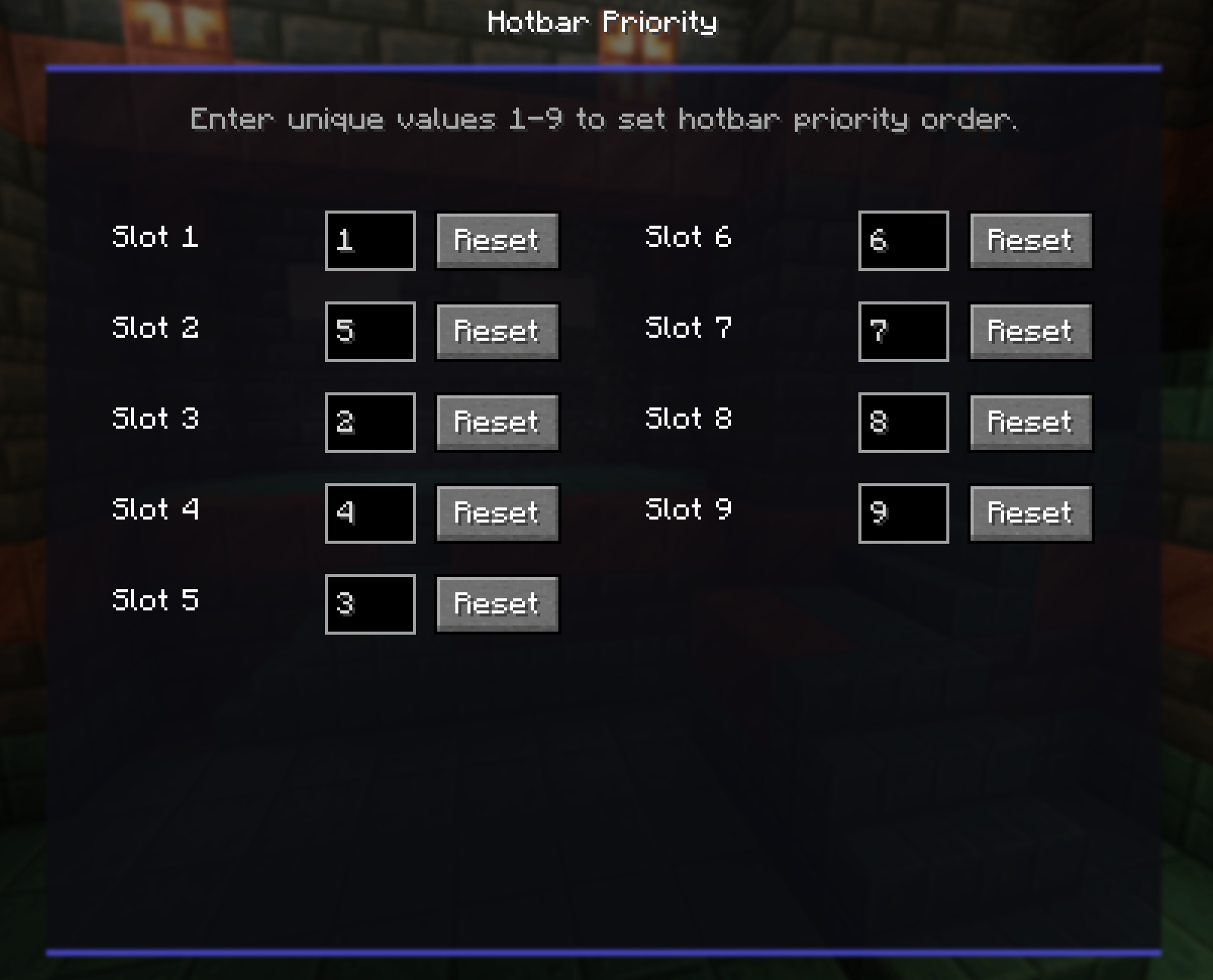
Adjust Priorities: In the config screen, you’ll see sliders or input fields for each hotbar slot (1-9). Set the priority values:
Defaults match vanilla (slot 1 = 1, slot 2 = 2, etc.).
Save Changes: Simply just press esc or close the menu to apply. The menu will not close if a priority is not set or if priorities are conflicting.
This setup allows for personalized hotbar behavior, such as prioritizing items in certain slots to be switched to over others when clicked at the same time.
常见问题
Priority 支持哪些 Minecraft 版本?
Priority 支持 Minecraft Java 版 1.21–26.3,共 17 个版本,可用的加载器:Fabric。下载时注意选择和你游戏版本一致的文件。
Priority 怎么安装?
先用 PCL2 或 HMCL 启动器安装对应版本的 Fabric,再把下载的 .jar 文件放进游戏目录的 mods 文件夹,重新启动游戏即可。开启了版本隔离的,mods 文件夹在 versions/版本名 下面。运行环境:仅客户端。
aman037 的其他作品
查看全部 →
Clarity
displays your active potion effects in a customizable HUD

Nametag Health Indicators
A health indicator mod which shows health under a players nametag
Nametag Health Indicators
A health indicator mod which shows health under a players nametag

BananaSkin
a mod built off of AppleSkin which allows for the user to edit the color of their saturation, use /banana to find basic commands.
评论
登录后评论和评分