
PrintsMC
A sleek in-game screenshot gallery. Browse, copy, rename, preview, and one-click upload your screenshots straight from the pause menu - no more alt-tabbing to your file explorer.
截图
介绍
Browse, preview, and share your screenshots without ever leaving the game.
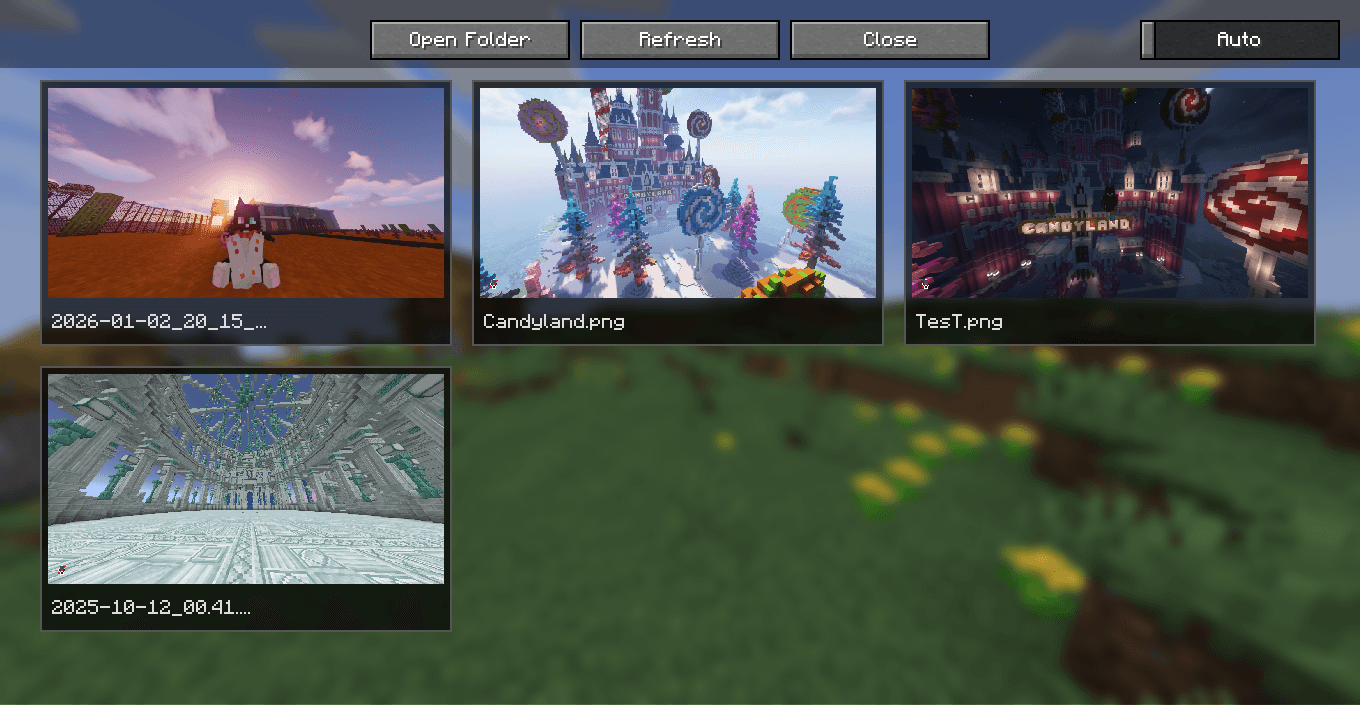
PrintsMC is a lightweight, client-side mod that turns your screenshots folder into a clean, in-game gallery. Instead of alt-tabbing to your file explorer every time you want to check a screenshot, open a sleek grid view directly from the pause menu or a dedicated keybind, preview any shot in full size, and even upload it to the web to grab a shareable link – all without touching your desktop.
SCREENSHOT BROWSING
No more digging through folders. PrintsMC gives your screenshots a proper home:
- Grid Gallery View: All your screenshots are displayed as clean, uniform cards in a configurable, scrollable grid – newest first.
- Instant Access: Open the gallery anytime with a dedicated keybind (
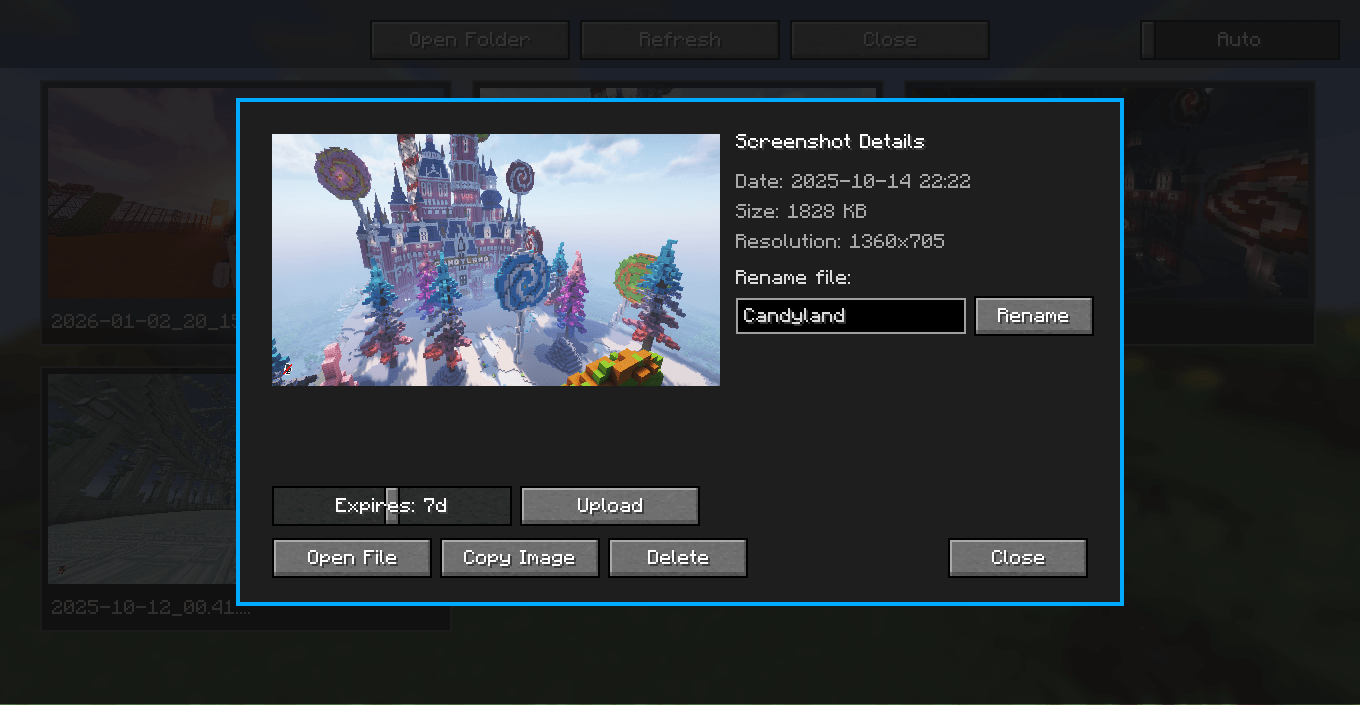
Gby default) or from a new button added straight to the pause menu. - Full Preview Modal: Click any card to open a large preview, showing the screenshot alongside its date taken, file size, and resolution.
- Quick Actions: Open a screenshot in your system’s default image viewer or delete it permanently, right from the card or the preview modal – no confirmation dialogs slowing you down.
- Smooth Scrolling: A custom, fully draggable scrollbar keeps large screenshot collections easy to navigate.
ONE-CLICK CLOUD SHARING
Want to send a screenshot to a friend without leaving Minecraft? PrintsMC has you covered:
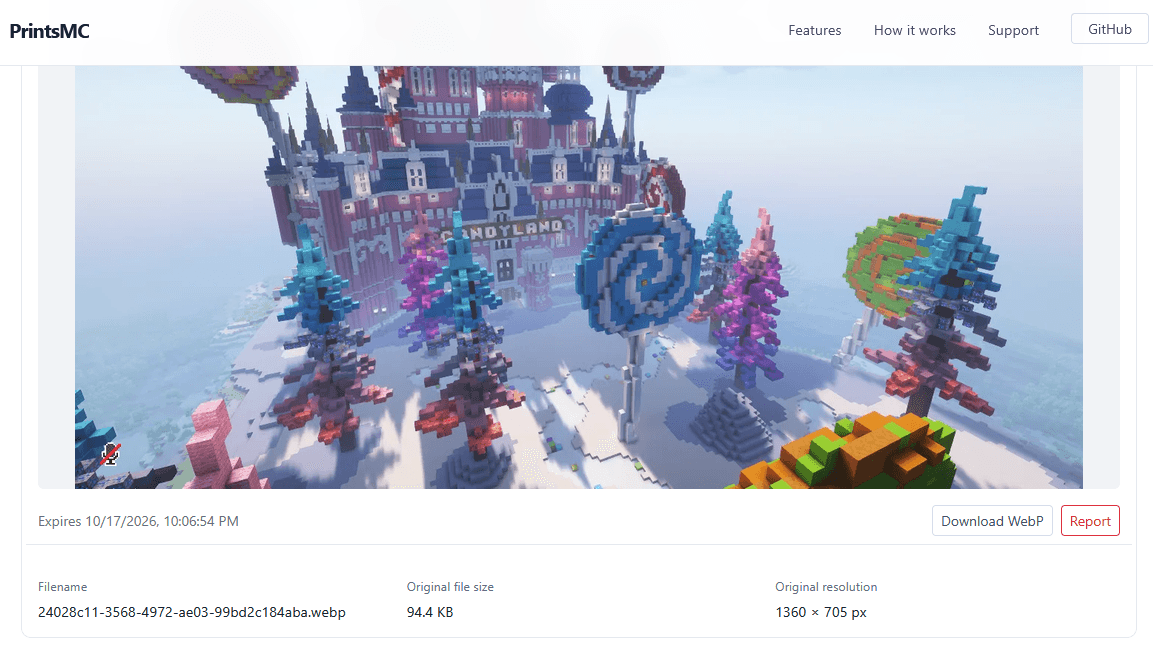
- Instant Upload: Upload any screenshot straight from the preview modal – no account, login, or API key required.
- Powered by printsmc.com: Screenshots are uploaded as temporary files that automatically expire after selected time, so nothing you share sticks around forever.
- Copy Link Button: Once uploaded, the link is cached and copied to your clipboard with a single click, ready to paste anywhere.
- Smart Anti-Spam Cooldown: A configurable cooldown between uploads prevents accidental spam, with clear on-screen feedback (
Uploading...,Cooldown,Retry, etc.). - Resilient Networking: Failed uploads are automatically retried with exponential backoff before showing an error, so a flaky connection won’t ruin your upload.
DYNAMIC GUI SCALE
- Adaptive Scaling: PrintsMC automatically fits the interface to your window size, capping the scale so cards never get too small or too large.
- Manual Override: A dedicated dropdown in the top-right corner lets you lock the gallery scale to
Autoor a fixed value from1to8, independent of your normal Minecraft GUI scale.
QUALITY OF LIFE & CONFIGURATION
- Hot-Reloadable Configuration: Every option lives in a simple
config/printsmc.propertiesfile, with an optional live file-watcher so changes apply without restarting the game. - Full Visual Customization: Adjust the number of grid columns, card background color, scrollbar colors, scrollbar width/margin, and minimum thumb size to match your taste.
- Texture Caching: Screenshot thumbnails are loaded and cached on demand, and automatically released when scrolled out of view, keeping memory usage low even with huge screenshot folders.
- Safe & Client-Side: PrintsMC only touches your local
screenshotsfolder and interface. It’s perfectly safe to drop into any modpack or join any server, singleplayer or multiplayer.
Bug Reports & Feedback
If you run into a bug, have a feature request, or want to suggest an improvement, please open an issue on our Issue Tracker using the provided templates.
常见问题
PrintsMC 支持哪些 Minecraft 版本?
PrintsMC 支持 Minecraft Java 版 1.21–1.21.11,共 12 个版本,可用的加载器:Fabric / Forge / NeoForge / Quilt。下载时注意选择和你游戏版本一致的文件。
PrintsMC 怎么安装?
先用 PCL2 或 HMCL 启动器安装对应版本的 Fabric / Forge / NeoForge / Quilt,再把下载的 .jar 文件放进游戏目录的 mods 文件夹,重新启动游戏即可。开启了版本隔离的,mods 文件夹在 versions/版本名 下面。

评论
登录后评论和评分