
Preview Structures
Preview, rotate, and place your structures with a custom-built interface that brings greater control and flexibility.
介绍
Preview, rotate, and place structures with total control.
Preview Structures adds a dedicated Preview Structure Block (found in the Redstone Tab) that gives you a proper workflow for working with structures in Minecraft Java Edition.
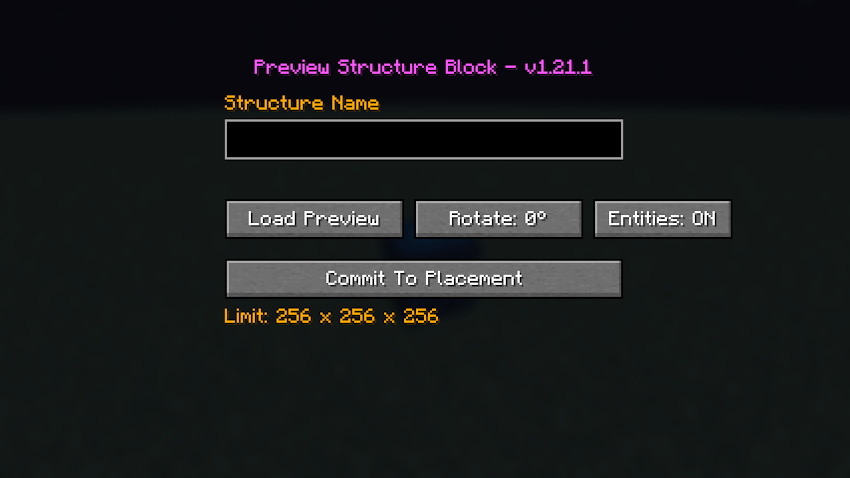
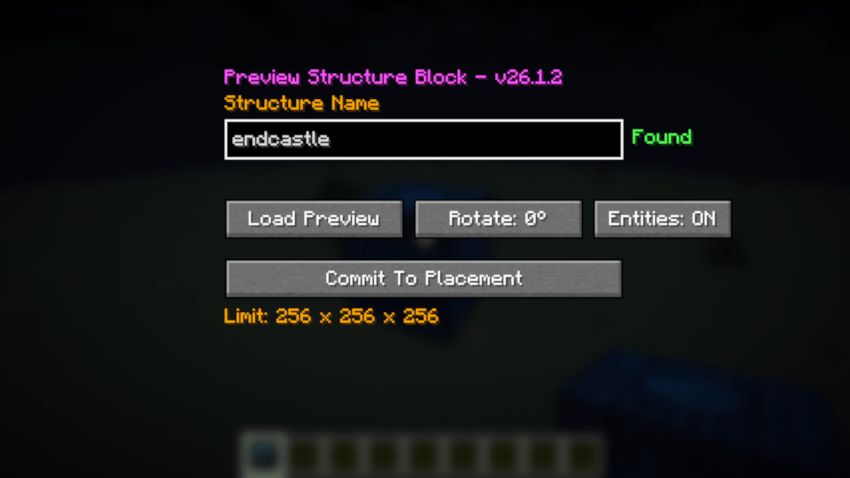
Load any .nbt structure and see it in-world before you place it. Rotate it, check the fit, and commit when it’s perfect.
Features
Custom Interface:
A purpose-built GUI for managing structure previews and placement. Independent from the vanilla Structure Block – no workarounds, just a direct workflow.
Live Structure Preview:
Inspect your structure in the world before placing. Make sure you have the space, the position, and the look you want.
Rotation Controls:
Rotate the preview to find the correct orientation before placement.
Command Block Support:
Fully preserves command blocks, including their commands and settings, when placing with Entities: ON.
Entity Placement:
Places saved entities along with your structure, including paintings and item frames.
Entities are placed when the structure is committed to the world and are not shown in the block preview. This keeps the preview focused and clean.
Details:
Structure Size: Up to 256 x 256 x 256 blocks per dimension.
File Location: Loads .nbt files from:
*/minecraft/saves/%worldname%/generated/minecraft/structures (1.21.1)
*/minecraft/saves/%worldname%/generated/minecraft/structure (26.1.2)
Preview Structures is a focused, lightweight tool for builders, map makers, and technical players who want precise control over structure placement.
Usage:
Load .nbt from the generated\minecraft\structures folder in your 1.21.1 world save.
Load .nbt from the generated\minecraft\structure folder in your 26.1.2 world save.
常见问题
Preview Structures 支持哪些 Minecraft 版本?
Preview Structures 支持 Minecraft Java 版 1.21.1–26.1.2,共 2 个版本,可用的加载器:NeoForge。下载时注意选择和你游戏版本一致的文件。
Preview Structures 怎么安装?
先用 PCL2 或 HMCL 启动器安装对应版本的 NeoForge,再把下载的 .jar 文件放进游戏目录的 mods 文件夹,重新启动游戏即可。开启了版本隔离的,mods 文件夹在 versions/版本名 下面。
Hardmuscle 的其他作品
查看全部 →
Magic Mushrooms
A chaotic fun mod that lets you craft magical mushrooms to shrink down to microscopic proportions, tower over the world as a giant, or chug an antidote to restore normal size.
My Rotten Flesh
My Rotten Flesh lets you convert Rotten Flesh to Bone in a Furnace, Smoker, or Blast Furnace, use Rotten Flesh in a Composter (30% Chance), and use it as a Low Level Fuel.
Villagers Have Names
Bring your Minecraft world to life! Villagers Have Names gives your villagers distinct identities by automatically assigning them randomly selected, colored names when they enter the world.
Hallowmere
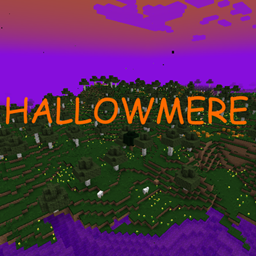
Hallowmere is a spooky new dimension filled with the eerie atmosphere of Halloween!
评论
登录后评论和评分