
Pot Counter Nametag
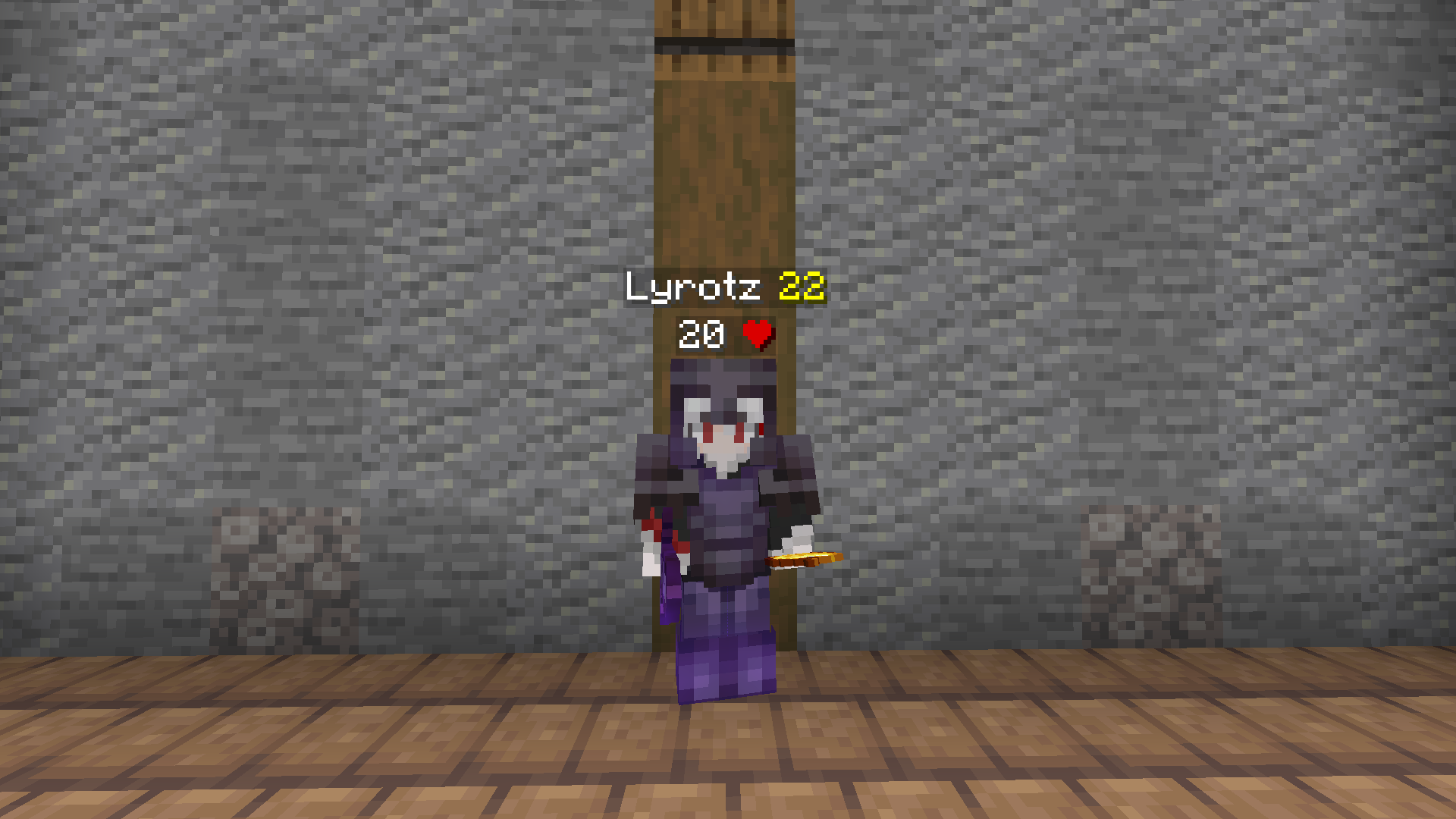
Auto-tracks players within 64 blocks and shows a live countdown on their nametag — not real inventory, just a number you set that ticks down per healing splash they throw. Fully automatic, resets on death/leaving range. Bugs/suggestions? Discord: lyrotz
截图
介绍
Pot Counter Nametag
Automatically tracks every player within 64 blocks of you and shows a live countdown right on their nametag — no manual targeting, no commands, it just works in the background while you play.
This is not real inventory reading. You set a starting number in the settings screen, and that number ticks down by 1 every time the tracked player throws a healing (Instant Health) splash potion. It’s a manual estimate you keep track of, built for PvP servers where knowing how many heals someone has left actually matters.
Features
- Fully automatic tracking — every player who comes within 64 blocks gets tracked instantly, no need to look at them or select a target.
- Live countdown on their nametag — the number appears right next to their name, colored however you like.
- 7 rainbow colors to choose from (Red, Orange, Yellow, Green, Blue, Indigo, Violet) — pick one from the settings screen and it applies instantly to everyone currently tracked.
- Smart reset behavior — a player’s counter resets automatically when they:
- Move more than 64 blocks away
- Die
- Teleport (large position jumps are detected and handled immediately, instead of waiting on a delay)
- Manual reset key — instantly resets every tracked player back to your starting count, in case you want a clean slate.
- Works with both vanilla nametags and custom server holograms (the kind built from text displays that some PvP servers use instead of vanilla nametags).
- Keeps other players’ name colors and formatting intact — the counter is just appended, it doesn’t strip or override any styling the server applies to a name.
- Lightweight — no server-side component, no extra network traffic, everything runs client-side.
How to use
- Press
,(comma) to open the settings screen: set your starting pot count, pick a color, and bind a reset key. - The reset key has no default binding — set one from the settings screen or the vanilla Controls menu. Once bound, pressing it instantly resets every tracked player’s counter back to the starting value.
- That’s it — walk around, and every player who enters your 64-block radius gets a counter automatically.
Requirements
- Fabric API (required dependency)
- Check the file list on this page for the Minecraft version you need — separate builds are provided for different versions.
Questions or issues?
Found a bug, hit an edge case, or have a suggestion? Reach out on Discord: lyrotz
常见问题
Pot Counter Nametag 支持哪些 Minecraft 版本?
Pot Counter Nametag 支持 Minecraft Java 版 1.21.11–26.1.2,共 2 个版本,可用的加载器:Fabric。下载时注意选择和你游戏版本一致的文件。
Pot Counter Nametag 怎么安装?
先用 PCL2 或 HMCL 启动器安装对应版本的 Fabric,再把下载的 .jar 文件放进游戏目录的 mods 文件夹,重新启动游戏即可。开启了版本隔离的,mods 文件夹在 versions/版本名 下面。运行环境:仅客户端。
lyrotz 的其他作品
查看全部 →
Better Totem & Golden Apple
See enemy totems and golden apples more clearly in PvP, and shrink the totem pop effect.

White Durability
This texture pack shows durability on a white netherite set.

Red Durability
This texture pack shows durability on a red netherite set.

Better Potions Pack
See enemy potions more clearly in PvP.
评论
登录后评论和评分