PortalTrackerV2
It is like my first version V1 but its new and improved with better graphics for a smoother gameplay experience.
介绍
Overview
PortalTrackerV2 is a cinematic portal management mod designed to make teleportation feel immersive and seamless.
This initial release introduces a lightweight system with a simple interface and a polished visual experience, laying the groundwork for future expansion into full portal tracking and cross-dimensional travel.
Current Features
-
Keybind (P) opens the Portal Tracker interface.
-
Cinematic teleportation sequence with fade-to-black and portal sound effects.
-
Clean, vanilla-style user interface.
-
Fully functional in both Survival and Creative modes.
-
Stable foundation for upcoming systems and data features.
Planned Features
Future updates will expand PortalTrackerV2 into a full portal management tool, including:
-
Saving and naming of portal locations.
-
Cross-dimension teleportation.
-
Customizable visual overlays and beam effects.
-
Configurable settings integrated into the video options menu.
-
Server-side synchronization for multiplayer environments.
Technical Details
-
Mod ID:
portaltracker -
Display Name: PortalTrackerV2
-
Java Version: 17 or higher
-
Dependencies: Minecraft Forge 1.20.1-47.x
Installation
-
Install Minecraft Forge 1.20.1 or later.
-
Place the
PortalTrackerV2-1.0.0.jarfile into yourmodsfolder. -
Launch the game and press P to open the Portal Tracker interface.
Notes
PortalTrackerV2 is currently in early development. This version focuses on establishing the visual and functional foundation for upcoming releases. Feedback, testing, and feature requests are encouraged as the project evolves.
常见问题
PortalTrackerV2 支持哪些 Minecraft 版本?
PortalTrackerV2 支持 Minecraft Java 版 1.20–1.20.6,共 7 个版本,可用的加载器:Forge。下载时注意选择和你游戏版本一致的文件。
PortalTrackerV2 怎么安装?
先用 PCL2 或 HMCL 启动器安装对应版本的 Forge,再把下载的 .jar 文件放进游戏目录的 mods 文件夹,重新启动游戏即可。开启了版本隔离的,mods 文件夹在 versions/版本名 下面。
CHOWLYMEISTA 的其他作品
查看全部 →
AURORA SHADERS [FULL REVAMP]
Aurora Shaders 是一款适用于 Forge 1.20.1 的轻量级光影引擎,注重画面清晰度、色彩表现与性能。它能提供自然光照、泛光效果和平滑雾效,无需依赖 SEUS 或 BSL 这类重量级光影包。
SmartCull+
its an optimiation mod that just loads chunks in a 180 degree view of the player with texture culling ;)
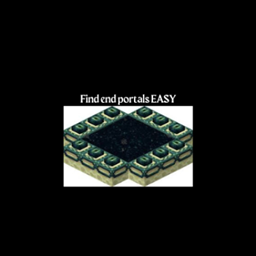
portal tracker
Well its just a silly mod for cheating in speedruning :P
评论
登录后评论和评分