介绍
Portalgems
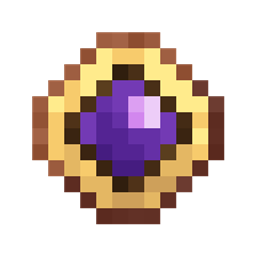
A minecraft mod adding simple handheld teleporters (called Gem) to easily switch dimensions.
It is fully datapack customizable.
Customization
Adding custom Gems
To add your own gem, create a recipe for it like this:
{
  "type": "minecraft:crafting_shaped",
  "category": "misc",
  "key": {
    "G": {
      "item": "minecraft:gold_ingot"
    },
    "S": {
      "item": "minecraft:yellow_stained_glass_pane"
    }
  },
  "pattern": [
    " G ",
    "GSG",
    " G "
  ],
  "result": {
    "components": {
      "portalgems:destination": {
        "color": "#FFCFFF00",
        "dimension": "minecraft:the_end",
        "position": [
          0,
          80,
          0
        ]
      }
    },
    "count": 1,
    "id": "portalgems:gem"
  }
}
You can use the recipe types you want, it does not have to be shaped.
Important: the relevant Part is the results. That’s where the customizations comes in.
Inside the components/portalgems:destination part you see three fields:
color: The desired tint color of the gem in the middle in ARGB (required)dimension: The dimension id to teleport into (required)position: The exact position to teleport to in the specified dimension (optional)
Note that if you don’t set the position the gem will try to teleport to the other dimension
like a chorus fruit would but just interdimensionally. This can lead to it not finding a valid
position. In that case try to move a bit in any direction so it can find a valid target position
Config (WIP)
The following is configurable:
cooldown: The cooldown of gems in tickstwoway: If using any gem in it’s dimension (e.g. Using the nether gem in the nether) should teleport you back to the overworld
Known Bugs / Problems
- Sometimes not teleporting
- Possible causes:
- Server doesn’t have dimension
- Server hasn’t loaded the dimension
- No valid target position found (see above)
- Teleporting in caves although your start position was much higher
- Possible causes:
- The way we find a target position is by choosing a random offset added to your current
position in the target dimension. After choosing that we test every y level below that
until we find a valid spot (If the chosen offset didn’t work, we repeat it a couple more times)
常见问题
Portalgems 支持哪些 Minecraft 版本?
Portalgems 支持 Minecraft Java 版 1.21.1,可用的加载器:NeoForge。下载时注意选择和你游戏版本一致的文件。
Portalgems 怎么安装?
先用 PCL2 或 HMCL 启动器安装对应版本的 NeoForge,再把下载的 .jar 文件放进游戏目录的 mods 文件夹,重新启动游戏即可。开启了版本隔离的,mods 文件夹在 versions/版本名 下面。
Robocraft999 的其他作品
查看全部 →
Create Goggles (Create Plus)
为机械动力添加护目镜头盔和装甲背罐

Create Goggles
为机械动力模组添加护目镜头盔和装甲背罐

Create: Amazing Trading
基于出售物品获得积分并从商店买回的交易系统
Compact Expansion
新增更大型的 Compact Machines。
评论
登录后评论和评分